

How to Request Shop Partners
02/12/2026

How to Request Shop Partners
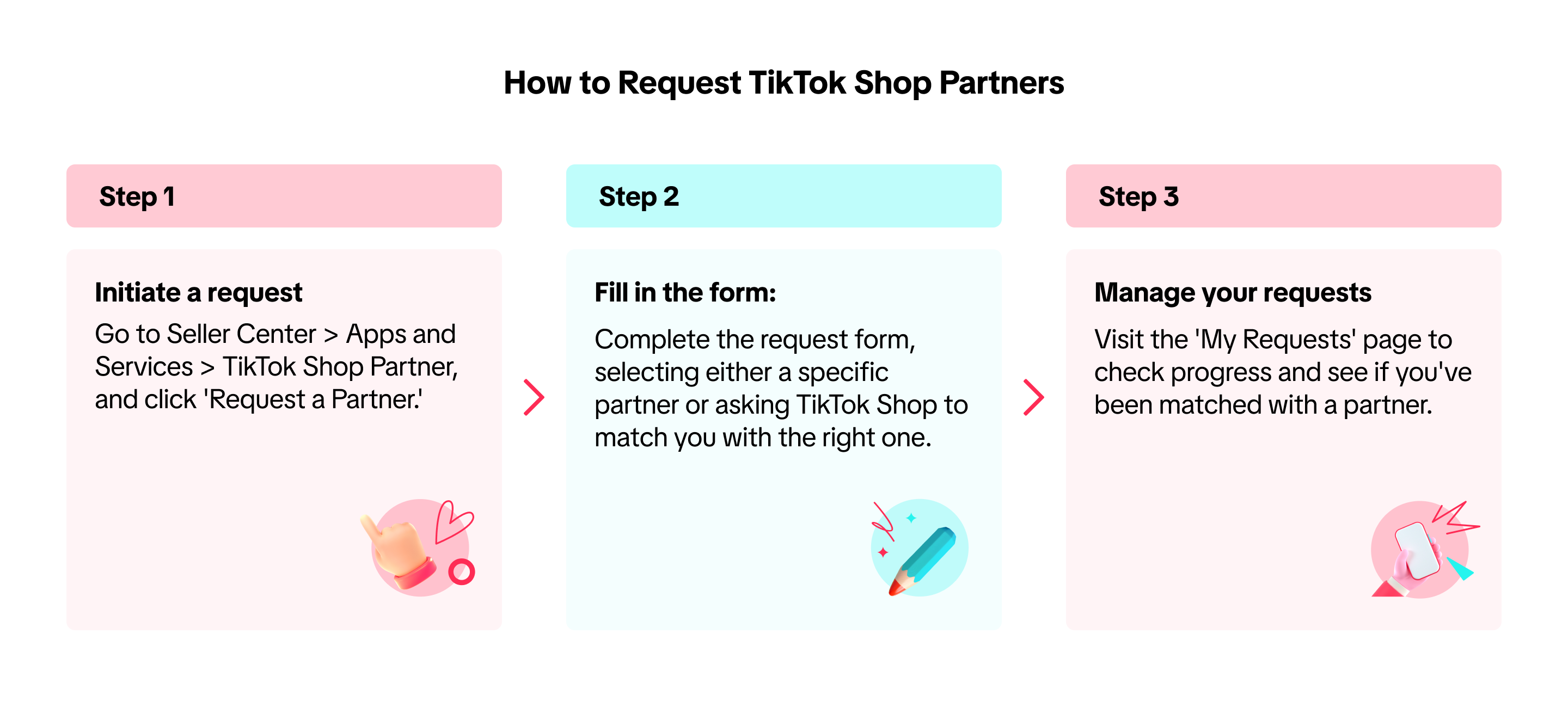
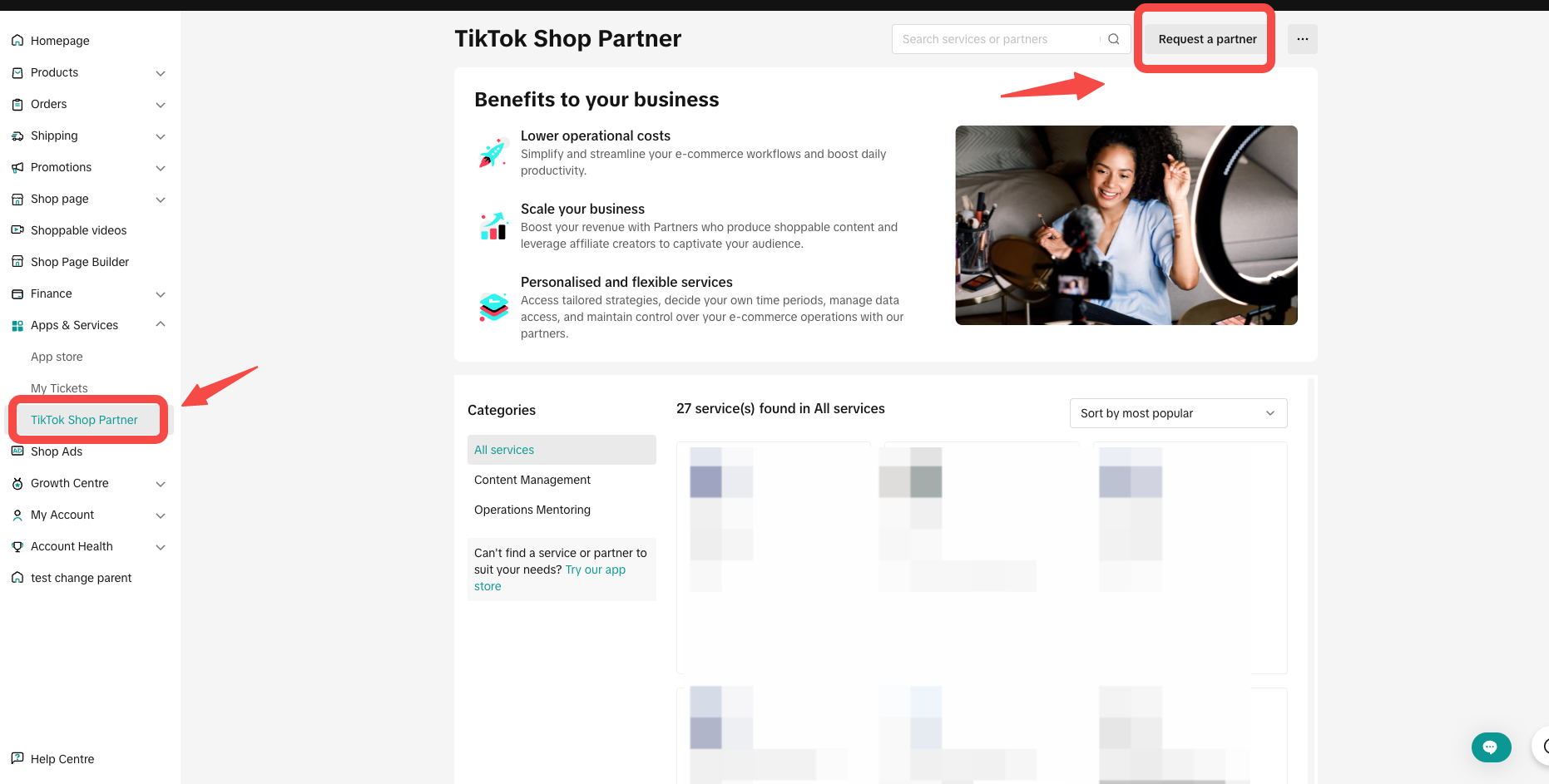
- You can initiate the request by going to Seller Center > Apps and Services > TikTok Shop Partner, then clicking 'Request a Partner.'
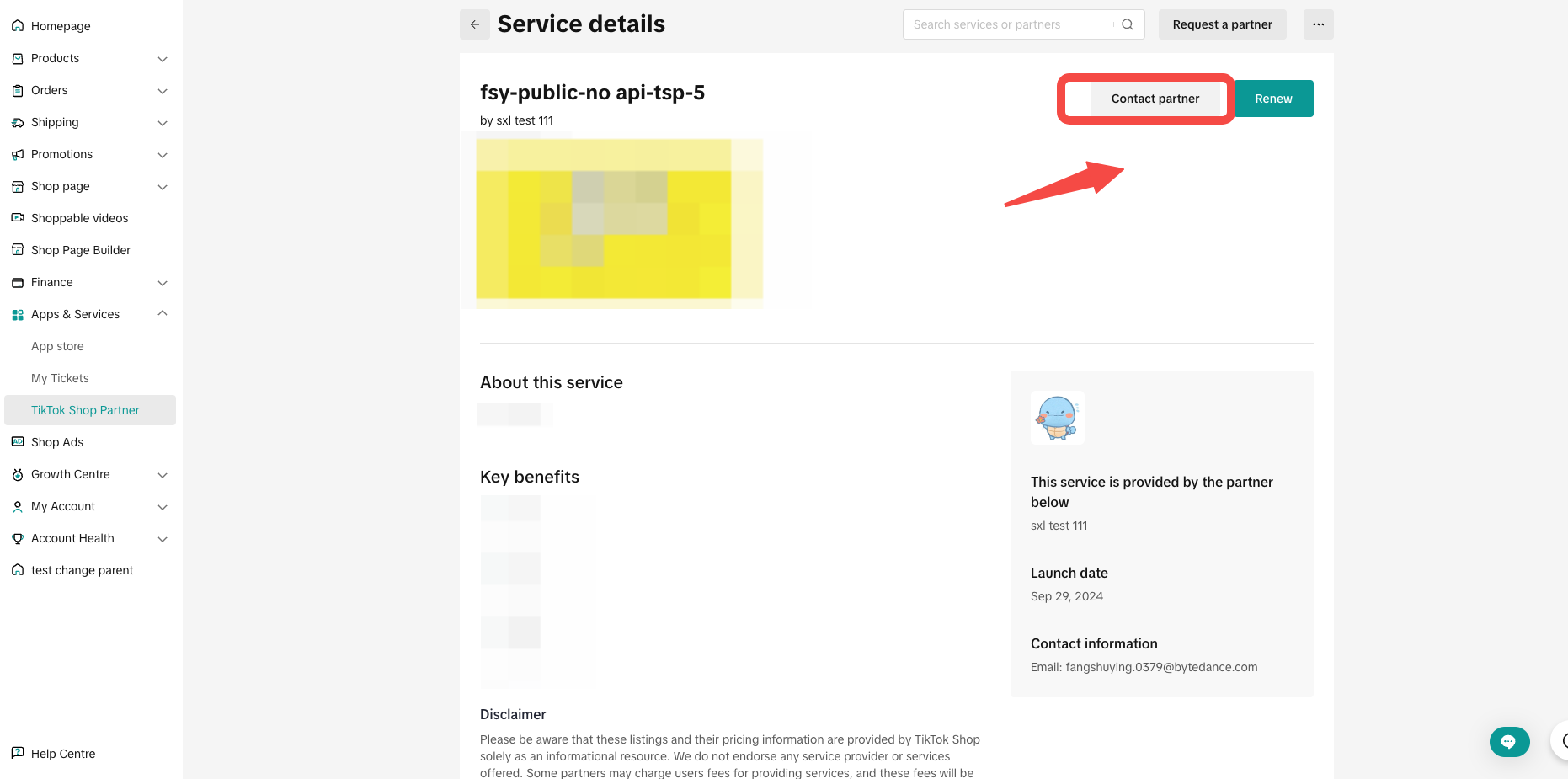
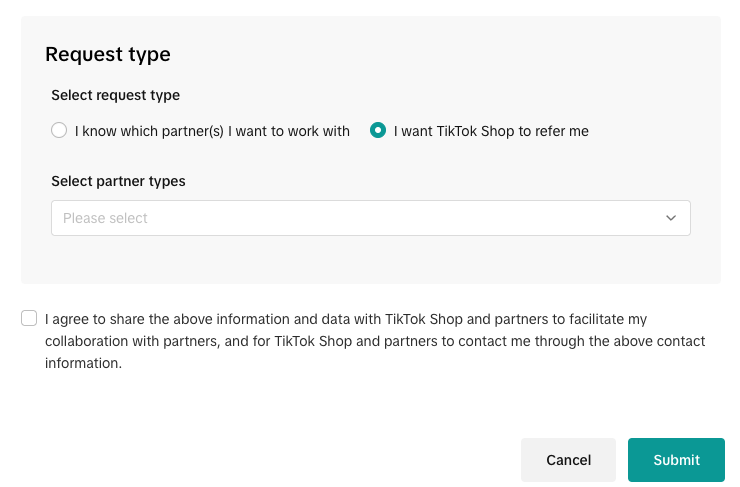
- Fill in the request form. You can choose whether you want to work with a specific partner or have TikTok Shop refer you to the appropriate one. Below is the required information in the request form:
| Field | Required | Explanation | Image | |
| Contact information | Subject | Yes | Your contact name |  |
| Contact email | Yes | Your email so that TikTok Shop Partner (TSP) can reach out to you | ||
| Location | No | Location for any possible offline collaboration | ||
| Business Profile | Company size | Yes | Choose your company size from the dropdown options:
| 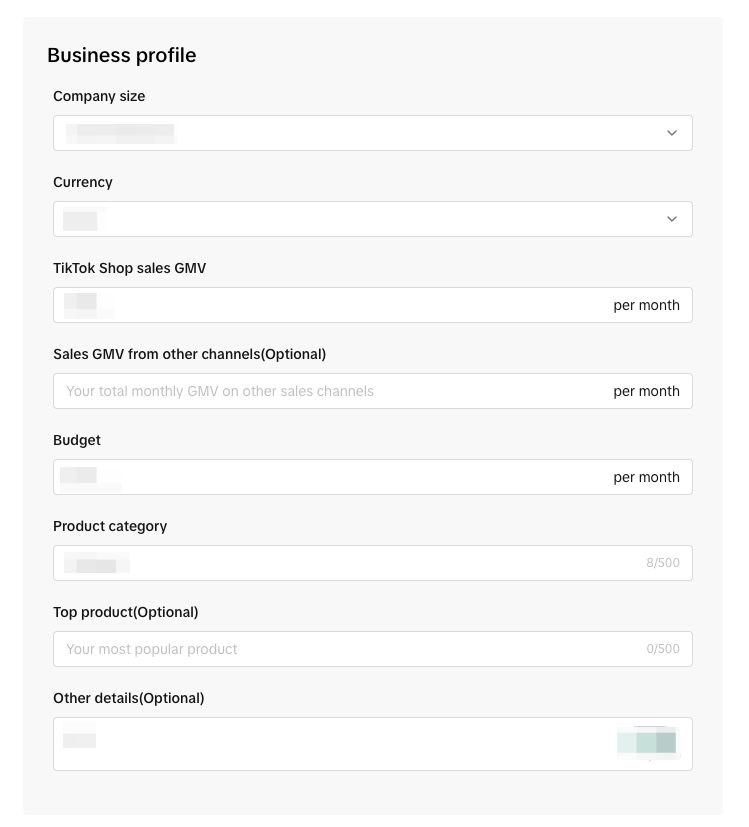 |
| Currency | Yes | Choose your currency from the dropdown options | ||
| TikTok Shop sales GMV | Yes | Your average monthly GMV on TikTok Shop | ||
| Sales GMV from other channels | No | Your total monthly GMV on other platforms | ||
| Budget | Yes | Your monthly budget for TikTok Shop Partner (TSP) | ||
| Product category | Yes | Your main product category on TikTok Shop | ||
| Hot sale product | No | Your best-selling product | ||
| Other details | No | Any other information you’d like to share | ||
| Request type | Select partners | Yes |
|  |
- After submitting the request, visit the 'My Requests' page to track progress and see if you've been matched with a partner.
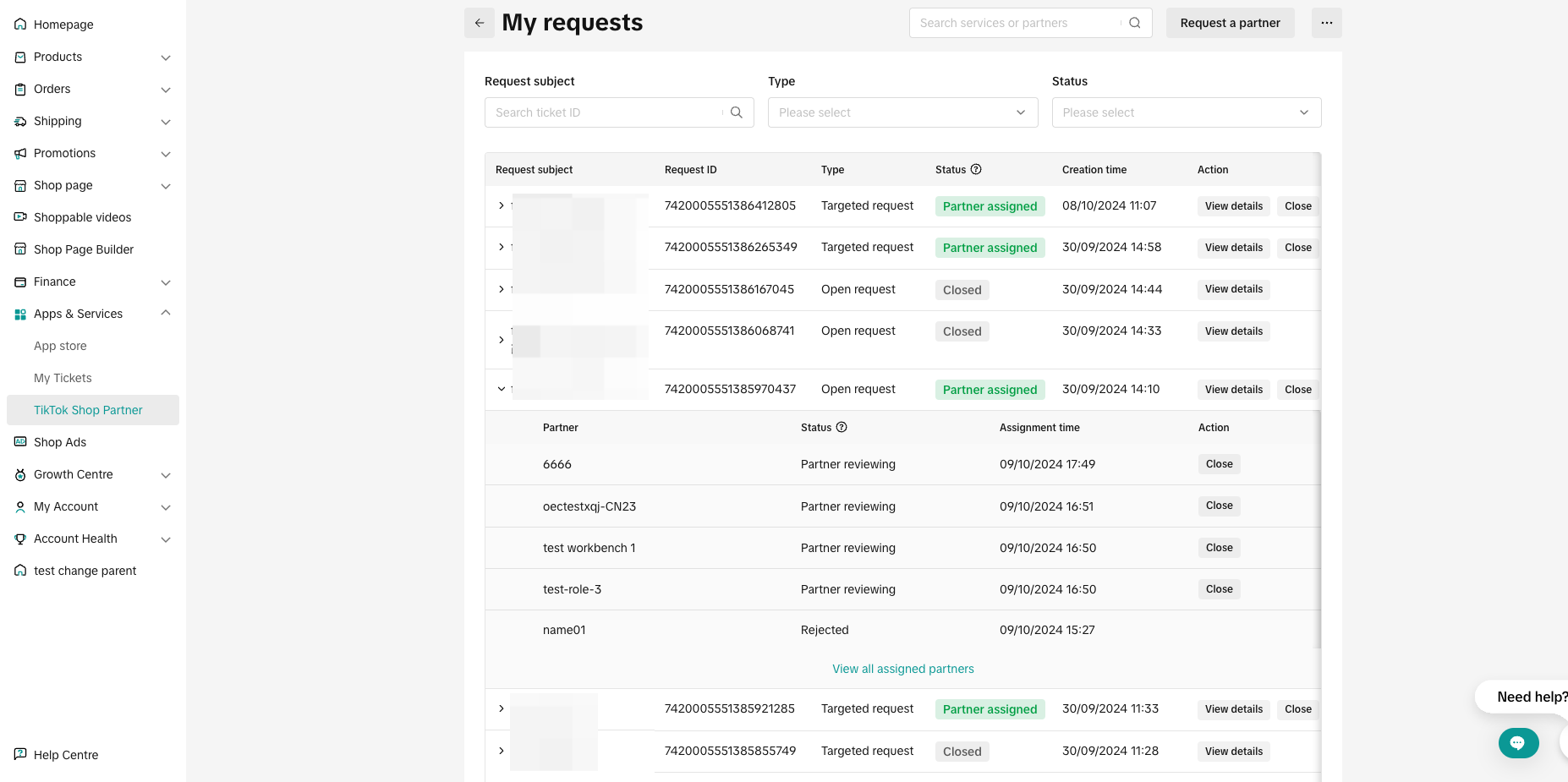
| Status | Description |
| Partner reviewing | The partner is reviewing your request |
| Partner accepted | The partner has accepted your request |
| Connected | You've granted authorisation and are connected with the partner |
| Closed | The request has been closed |
| Rejected | The partner has rejected your request |
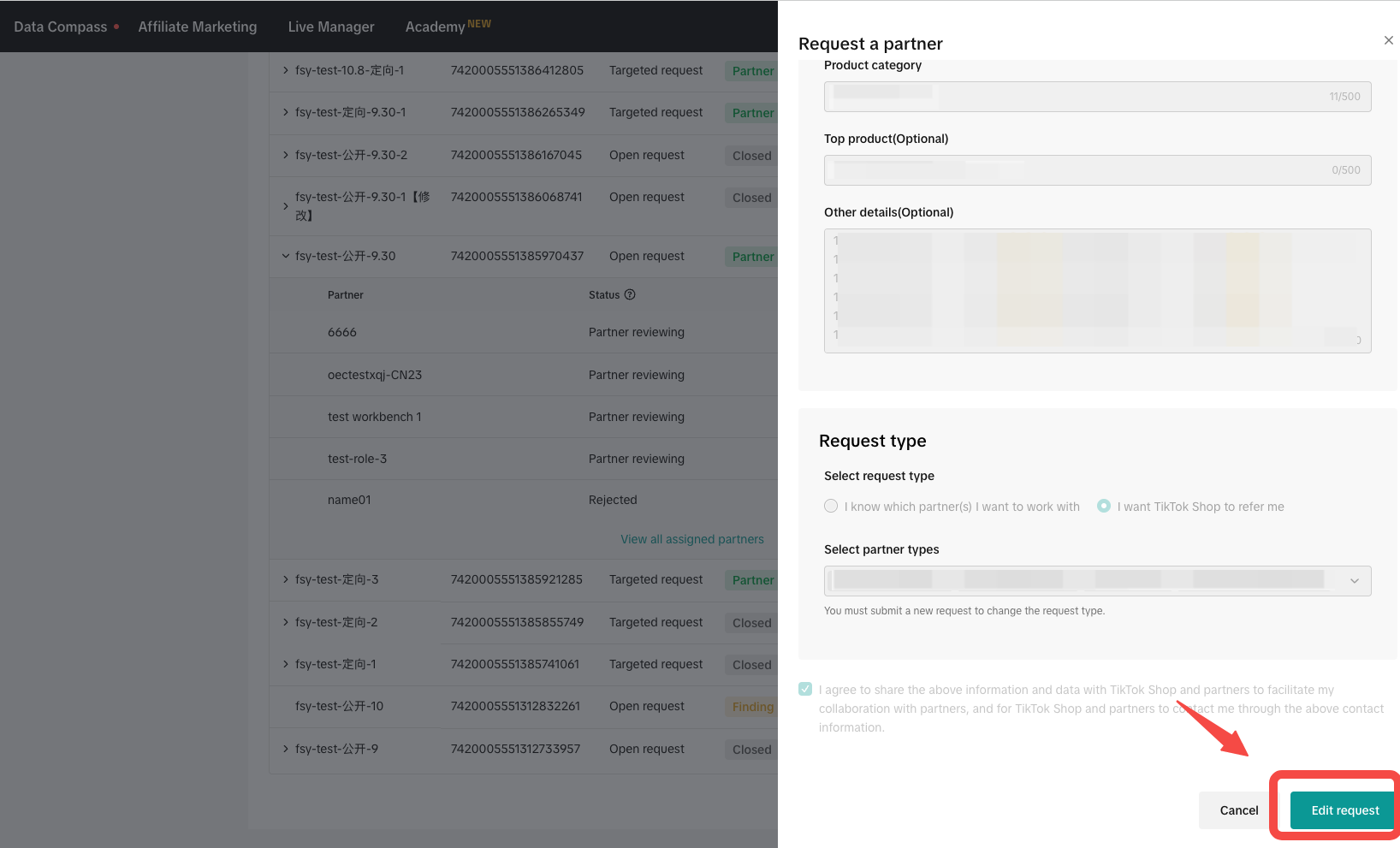
- To edit or make changes to your request, click 'View Details' > 'Edit Request' to update the information.
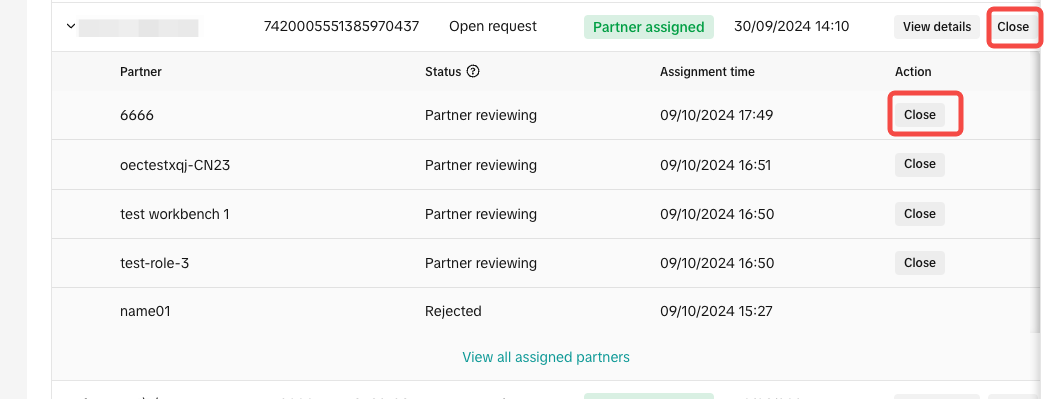
Alternatively, you can close the request either at the request level or the partner level. After closing, the request will no longer be shared with new partners, and existing partners will no longer be able to view your contact details.
You may also be interested in
Registering to be a Seller
Your seller journey with TikTok Shop by Tokopedia begins with account registration. You can register…
Can I link my TikTok account with another social media accou…
Click on the Profile page, and click Edit Profile. Select either of the options under Social to link…
Why was my brand authorisation application rejected?
All submitted trademark information will be verified against the World Intellectual Property Organis…
What will happen to my existing orders while on "Holiday Mod…
"Holiday Mode" does not apply to existing orders. All existing orders, made prior to Holiday Mode be…
Which types of brand authorisation are accepted within the T…
There are 6 accepted types of brand authorisation: Trademark ownership National exclusive 1st level…
Why am I unable to sell the products of a particular brand?
The platform is committed to protecting the intellectual property rights of both organisations and i…
How to Create your Commission Account
After your successful Creator Account creation, you will need to set up your Commission Account to d…
How to register?
To become a platform seller, you need to create a Shop | Tokopedia account. Please follow the steps…
Setting Up Your Shop Profile and Name
Setting Up Your Shop/Seller Profile Setting up your TikTok Shop by Tokopedia profile is an important…
Seller Registration
Registration process in Tokopedia & TikTok Shop is very convenient. You can sign up with your existi…