

Introduction of Shop Partner
02/12/2026
How to get your service Shop Partner
Step 1: Browse the Services
Go to Seller Center-> Shop Partner to browse services provided by Shop Partner. You can use the service category filters, sorting, and search tool to find the right Shop Partner services for you!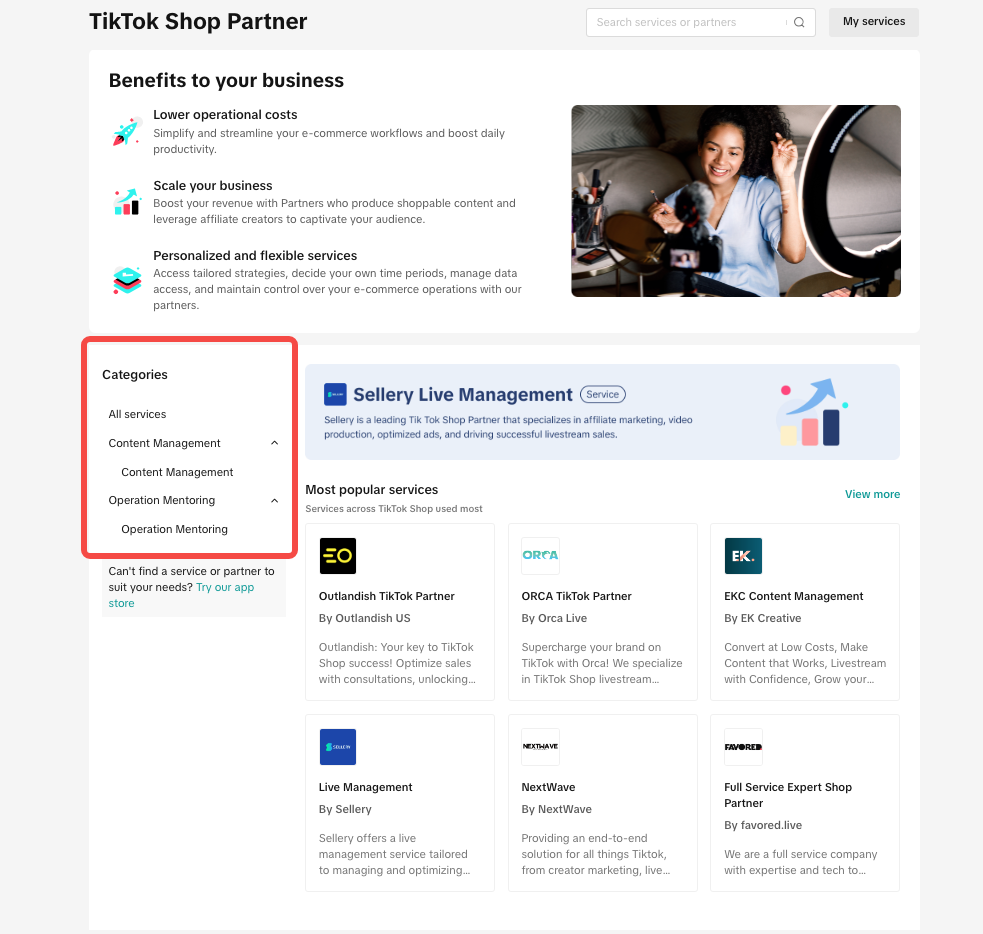
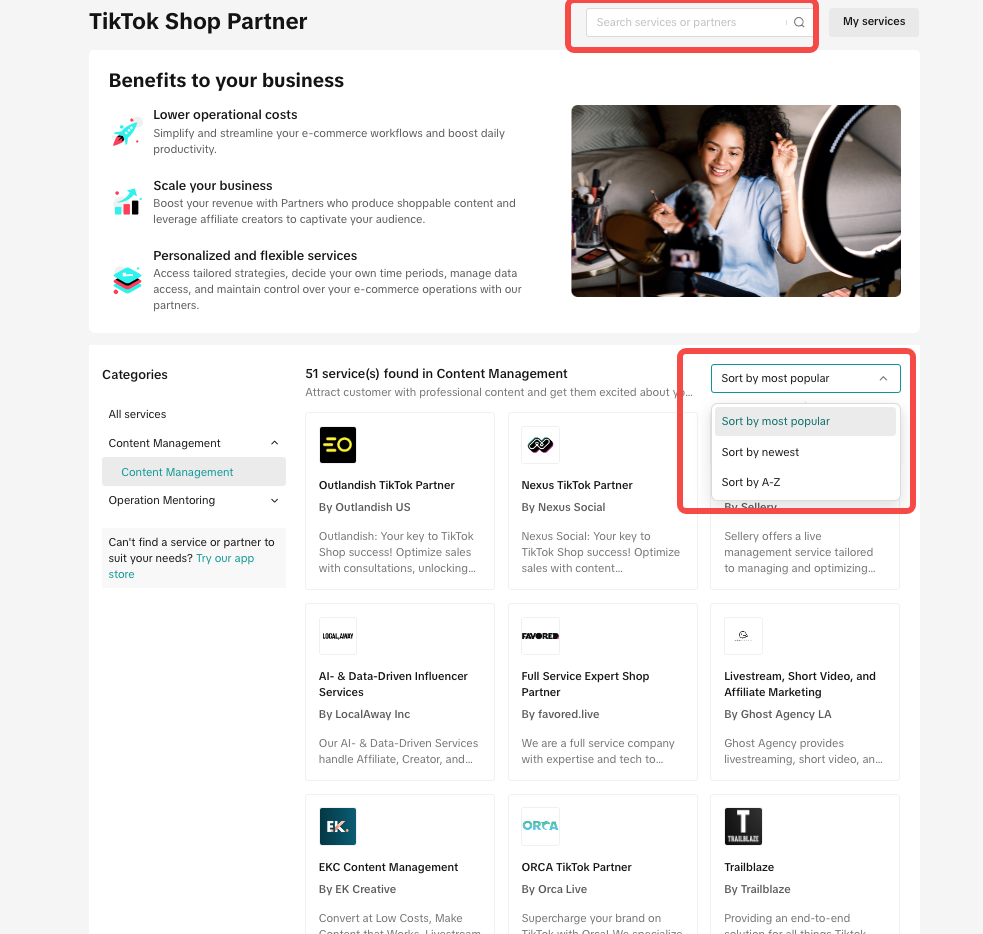
Step 2: Check the Service Details
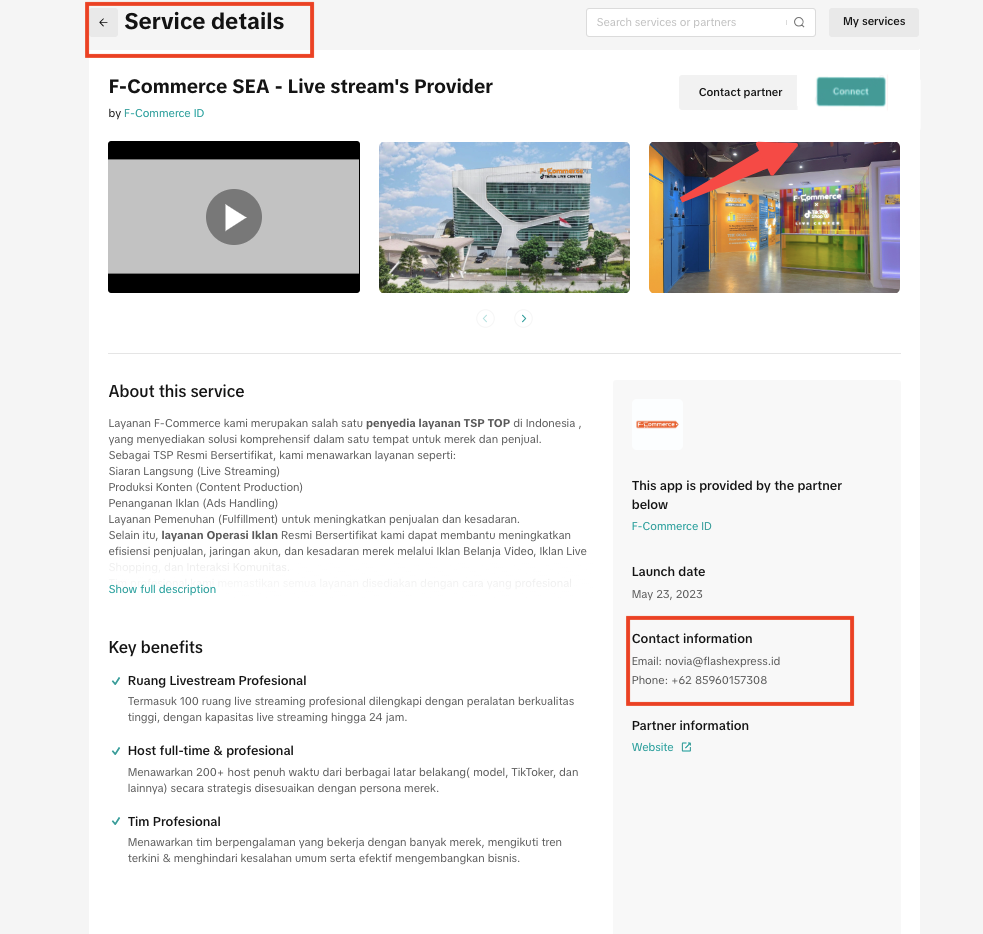
If you’re interested in a service, you can click "learn more" and jump to the Service Details page for more information.Tip: Click Contact Information to get in touch with a partner and discuss details.
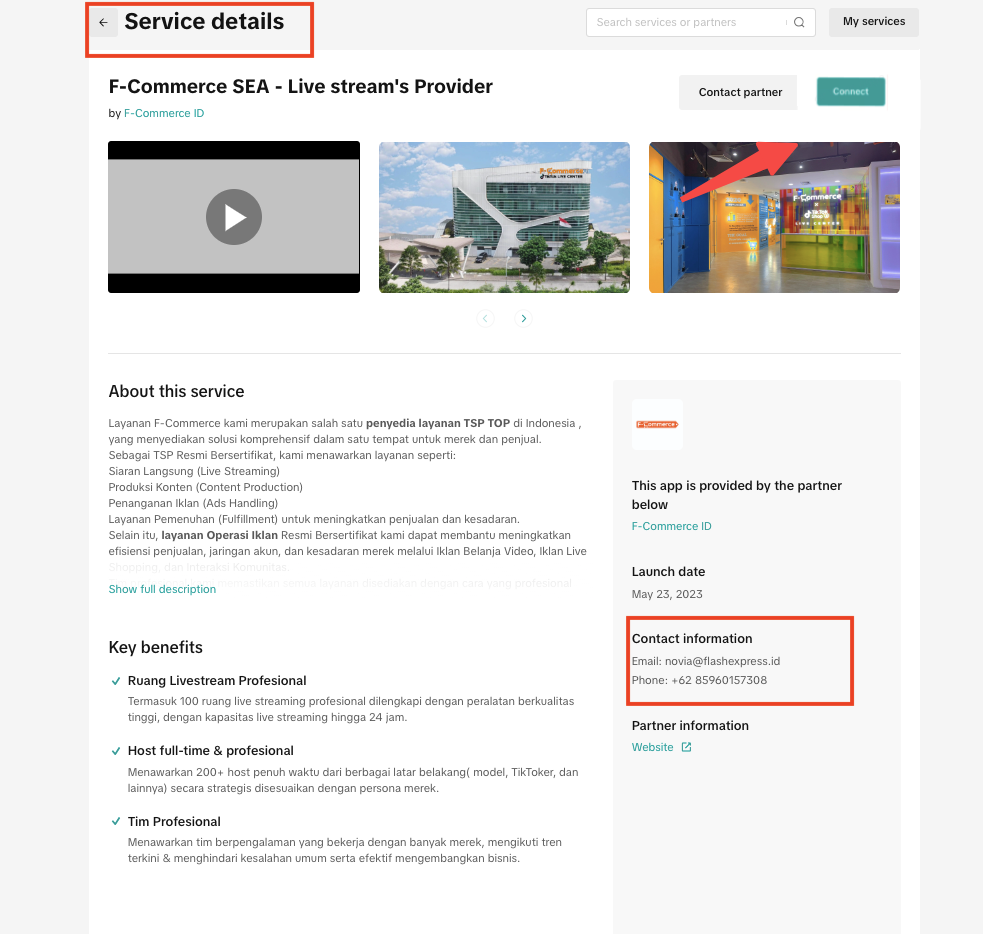
Step 3: Authorise the service
- After the discussion with Shop Partner, If you decide you’d like to use the service. You can:
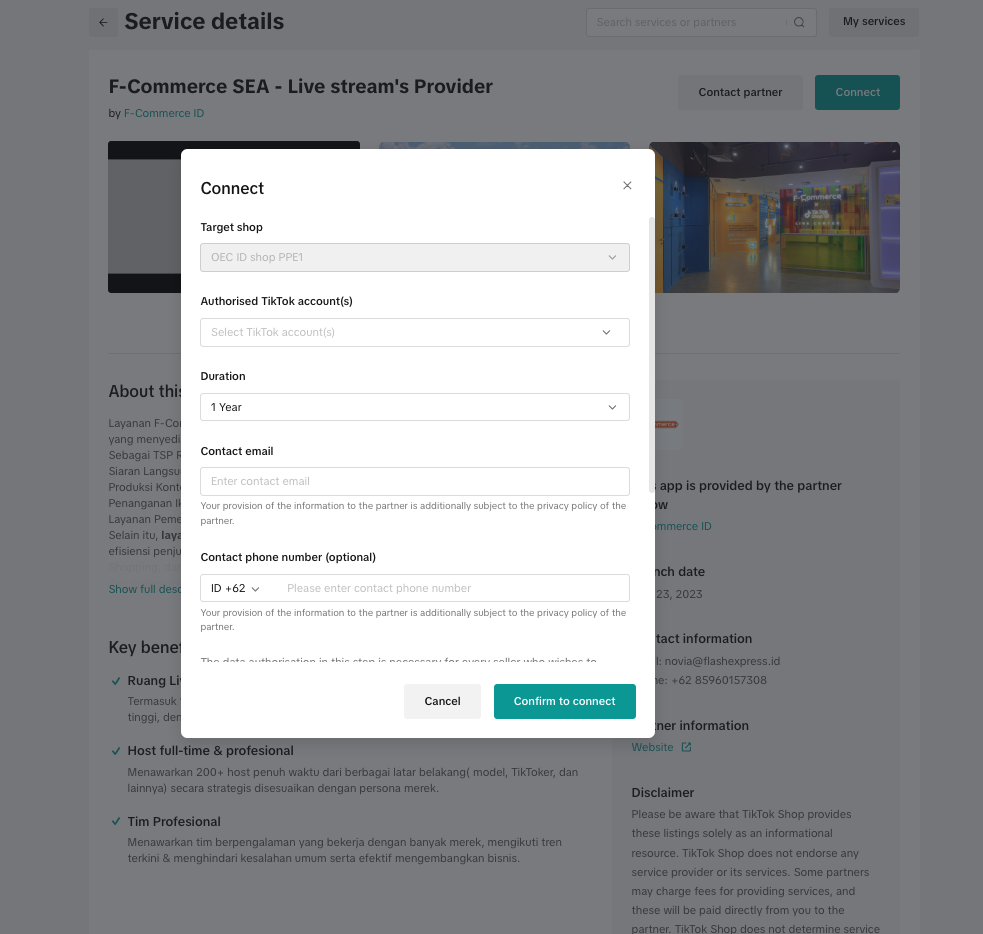
- Click the "Connect" button on the Service Details page.
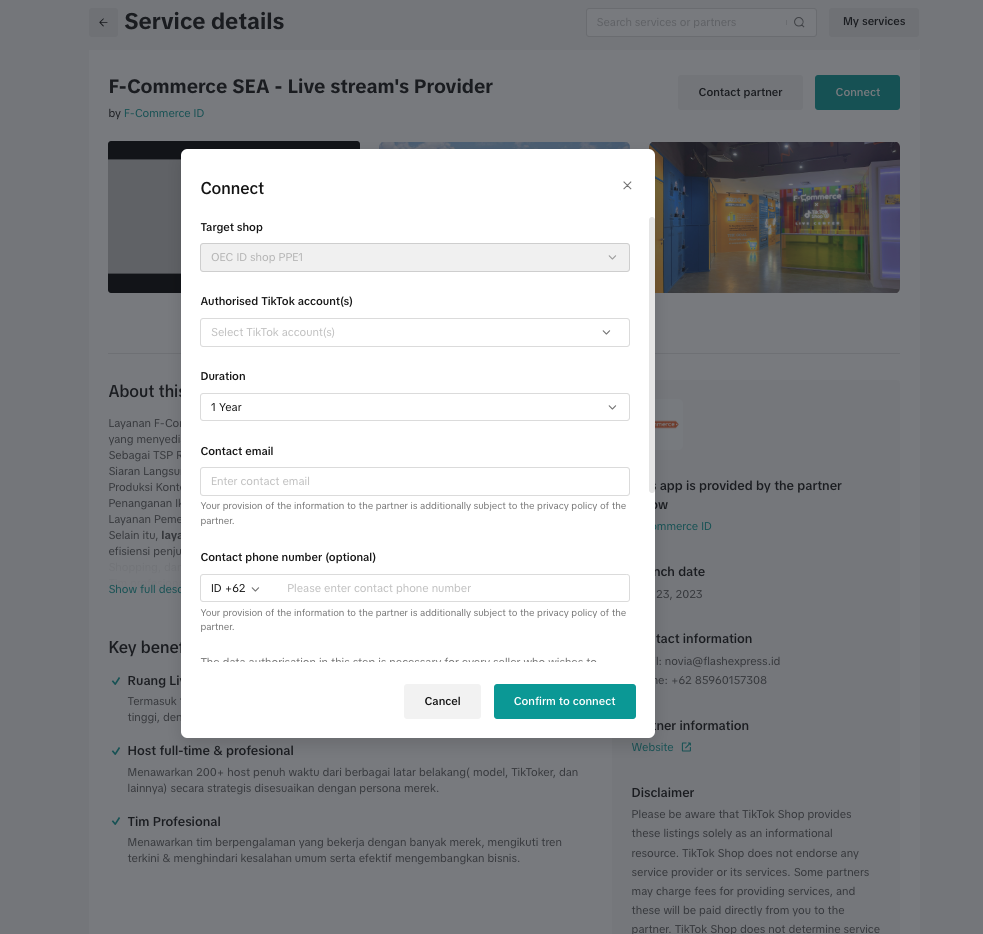
- Fill out the installation information, making sure everything is correct. Including: authorized accounts/shops; duration; contact information
- Finish authorization, please review the partner's analytics and management permissions before you authorize them.
- Click Confirm to authorize.
 You can also authorize the service using an authorization link sent by the Shop Partner. After receiving the authorization link from Shop Partner, you can open the authorization link > log in > complete service authorization directly.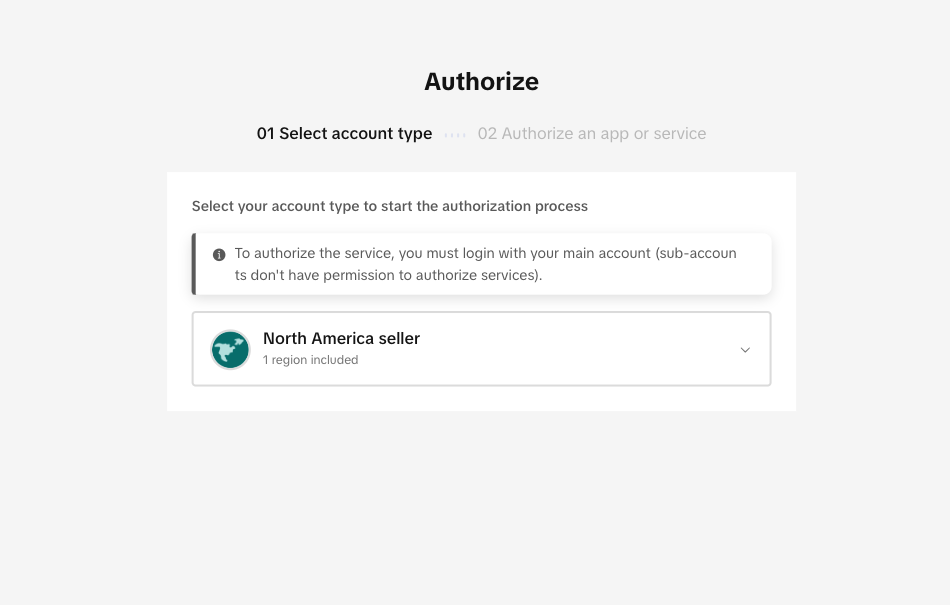
How can I manage services?
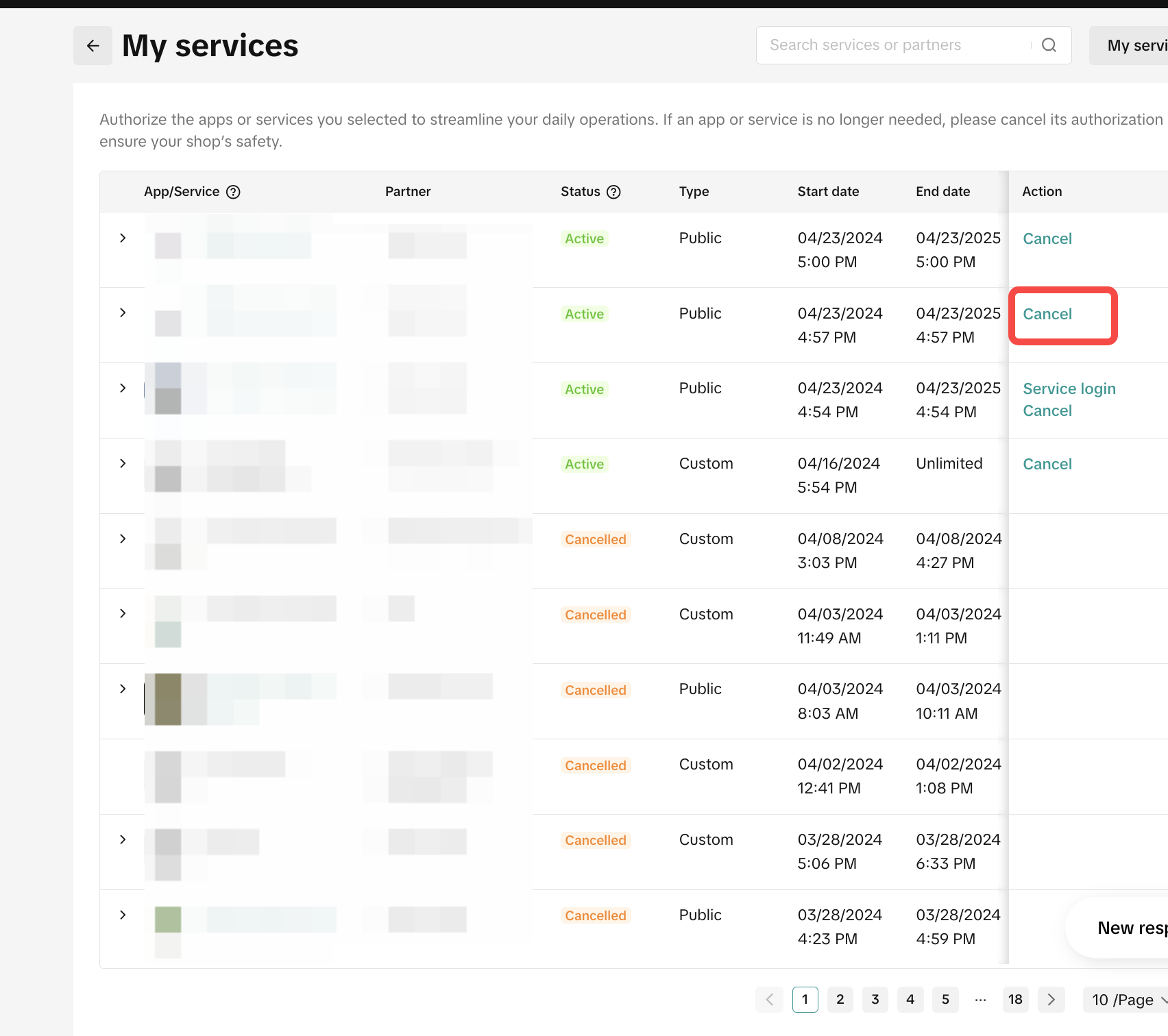
You can go to Seller Center-> Shop Partner->My Services to view and manage all of your authorized services.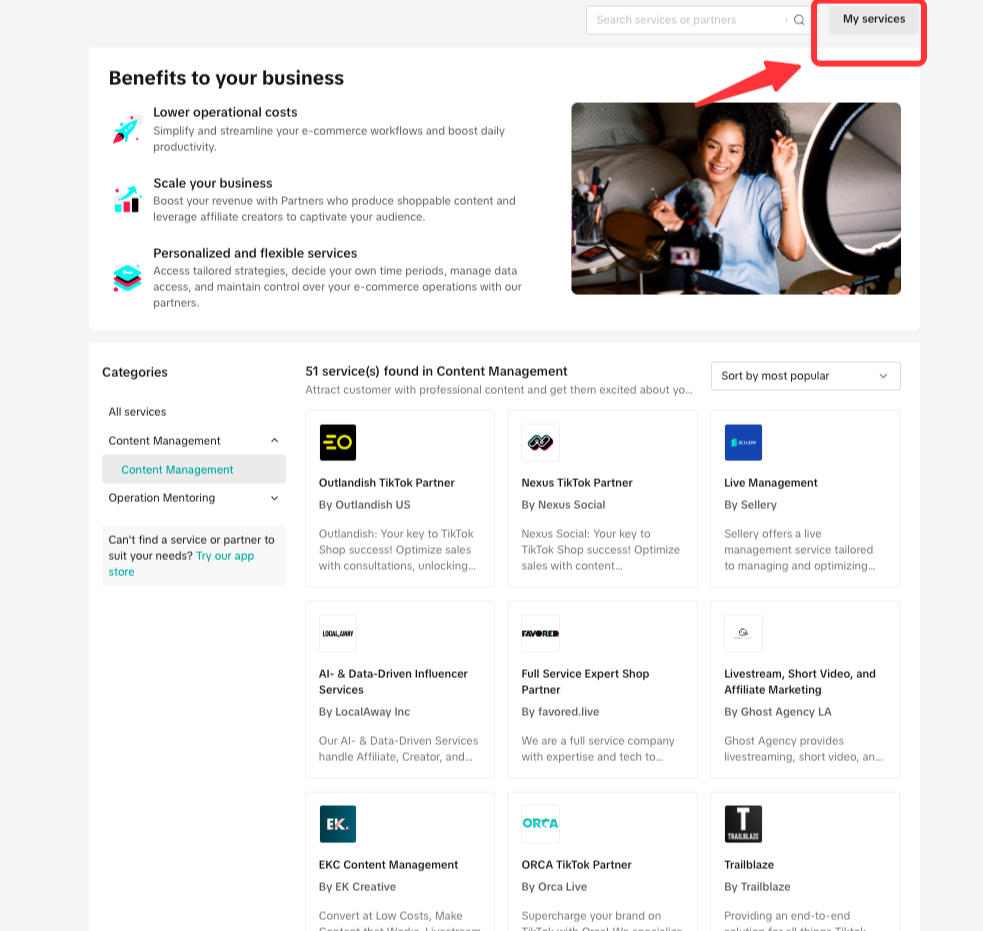
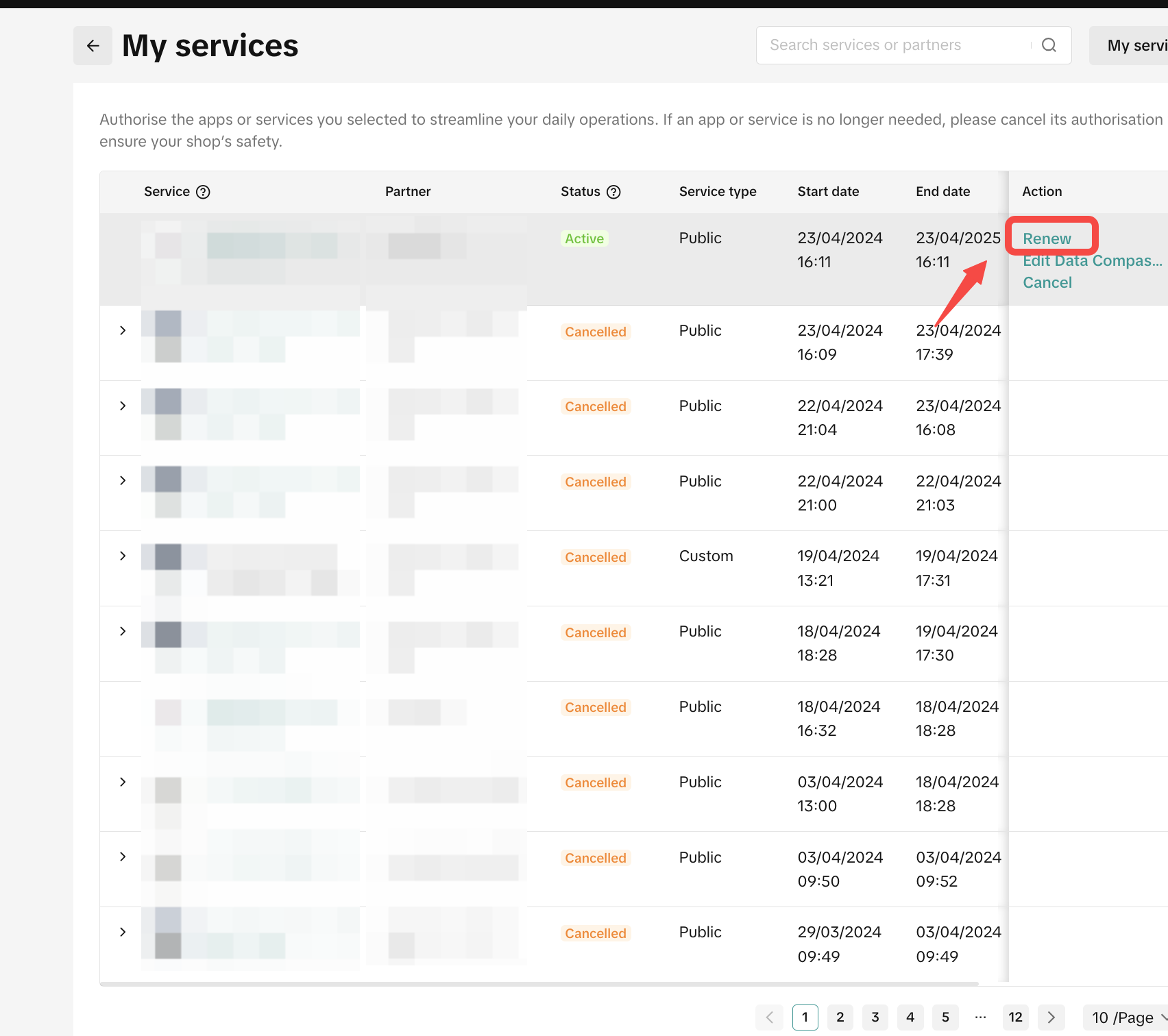
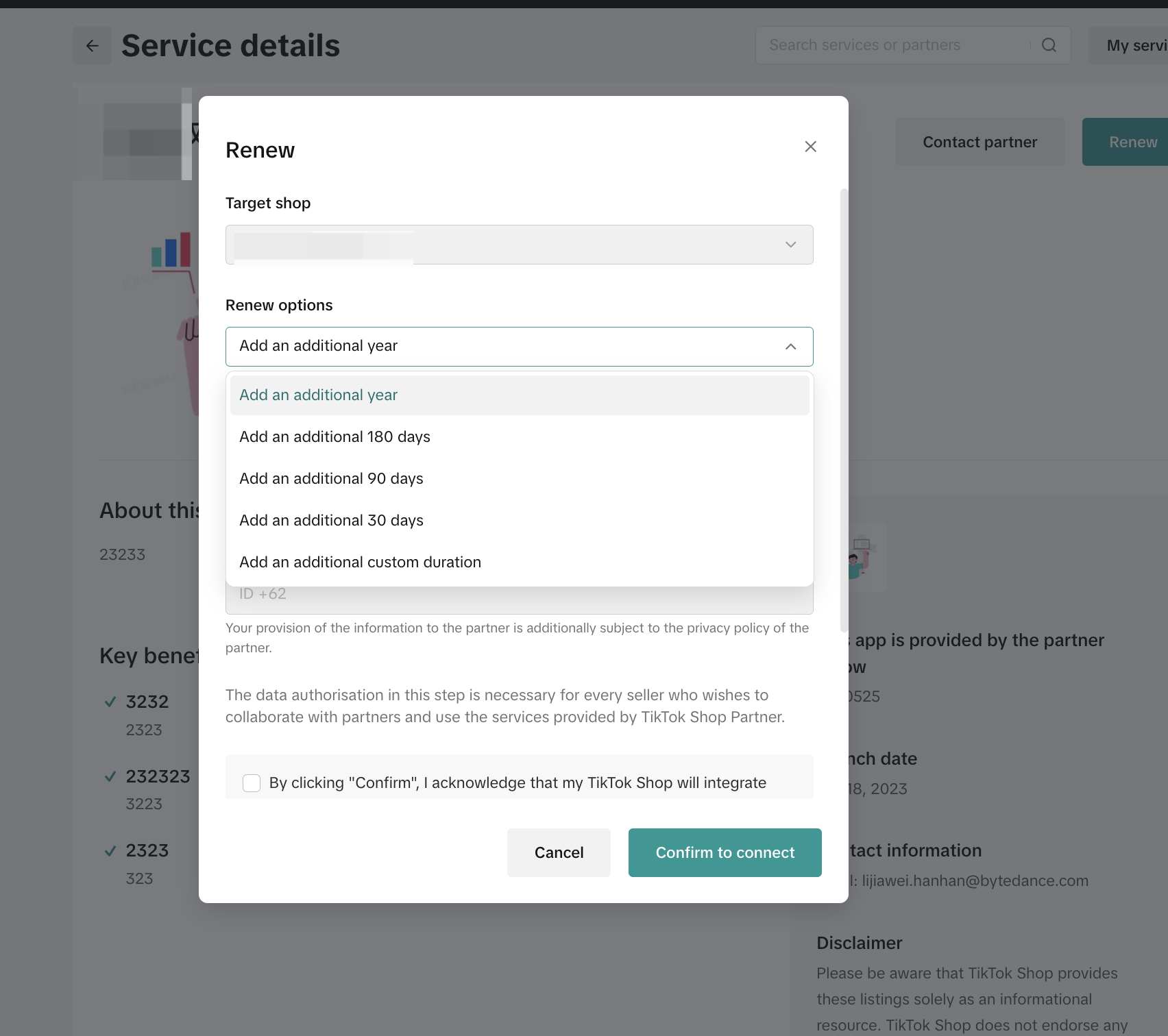
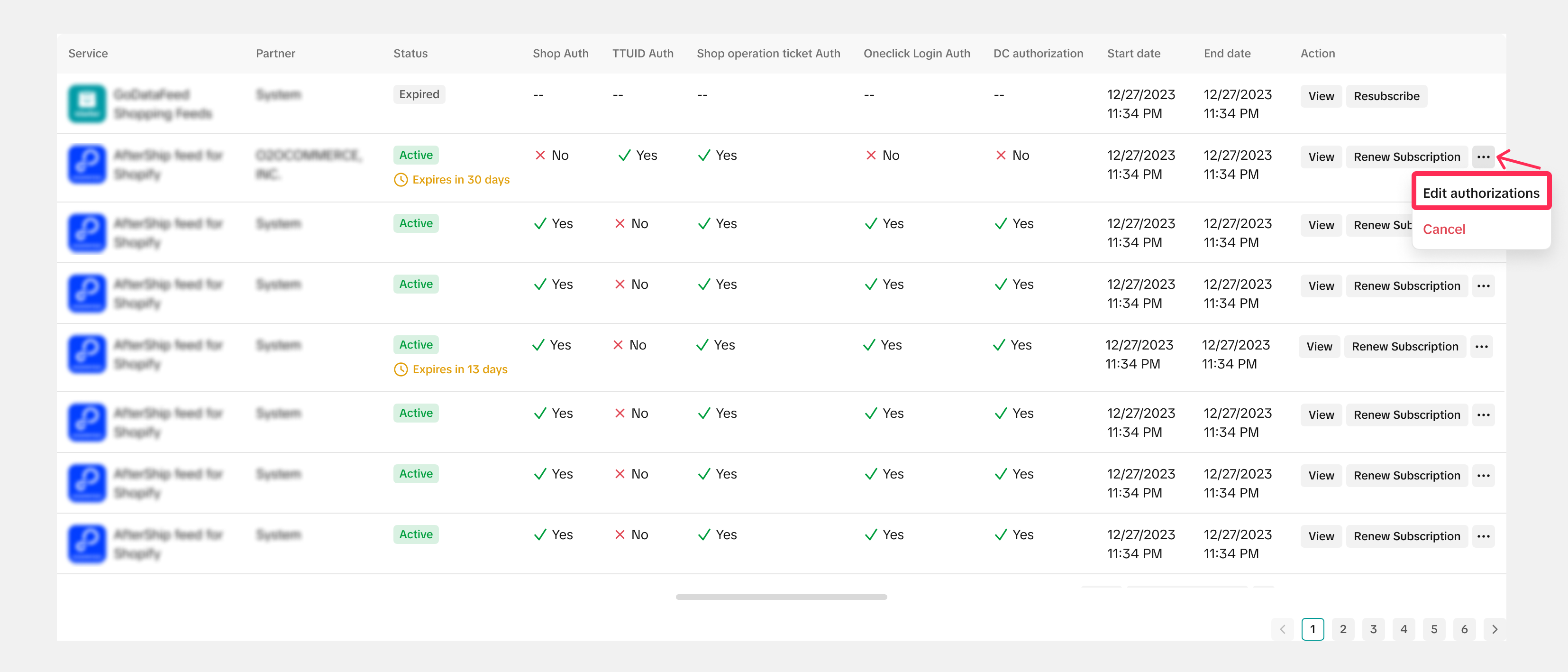
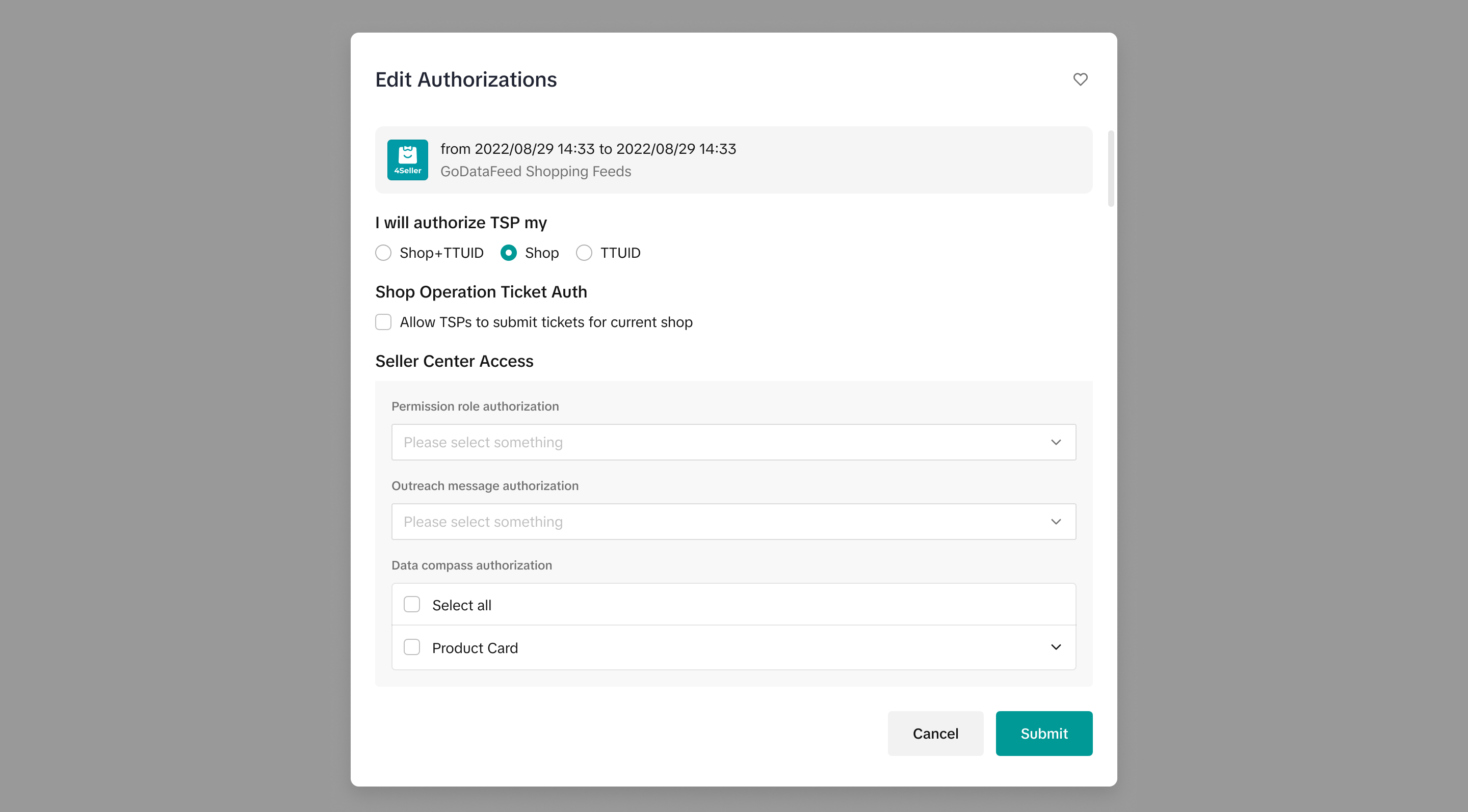
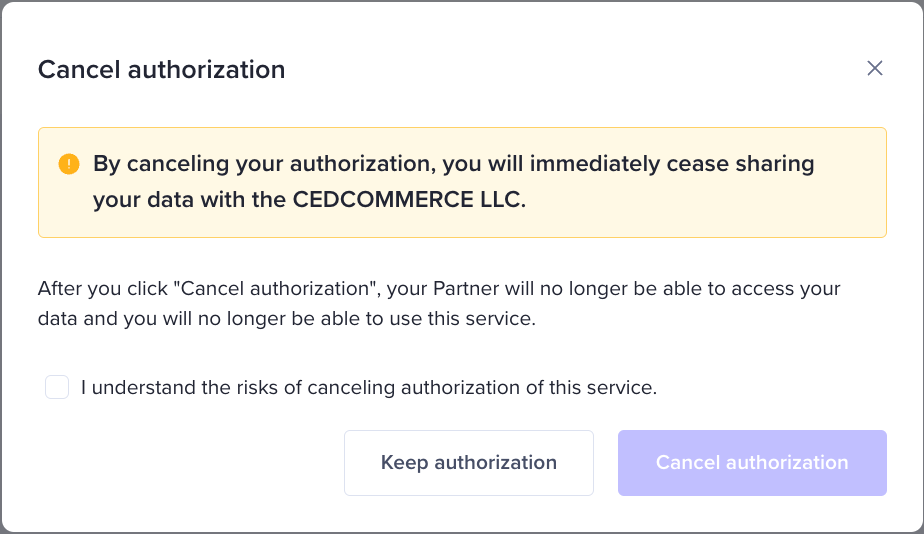
Please note: After the cancellation of service, your partner will no longer be able to access your data and you will no longer be able to use this service
 If you've unlined with an account and it was authorized for a service, that authorization will no longer be valid from the moment of unlink. You can verify the current status of the account under the 'Linked Status' section.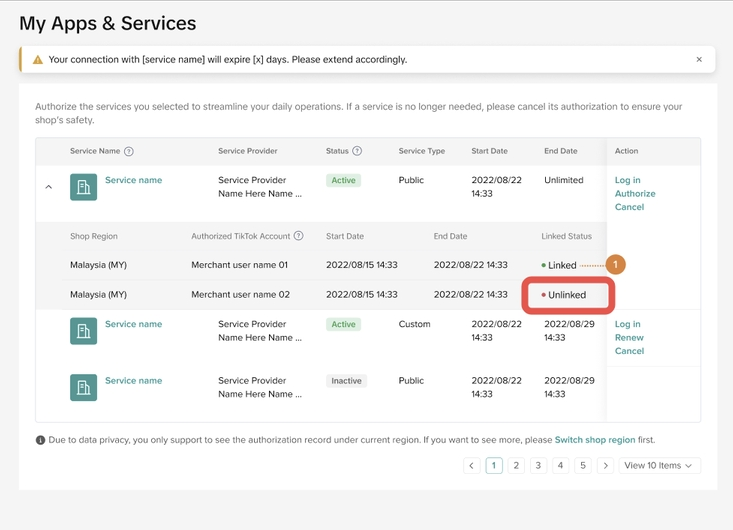
| Service Type Terminology | Definition |
| Custom Service | The service is not listed on the Service Store, so only sellers with an authorization link from the partner can authorize it. |
| Public Service | The service is listed on the Service Store and is available to every seller who can see it there, as well as to sellers with an authorization link. |
| Status Terminology | Definition |
| Active | Your authorization with the partner is active. |
| Completed | Your authorization with the partner has expired. |
| Authorization Canceled | You have canceled your authorization with the partner. |
| Closed | The partner has been removed from the platform for violating platform policies. Your authorization with the partner has been deactivated. |
FAQ
Why can't I click the "connect" button?
Only the seller center-main account has permission to authorize Partner service. Please contact the account owner to authorize service with the main account.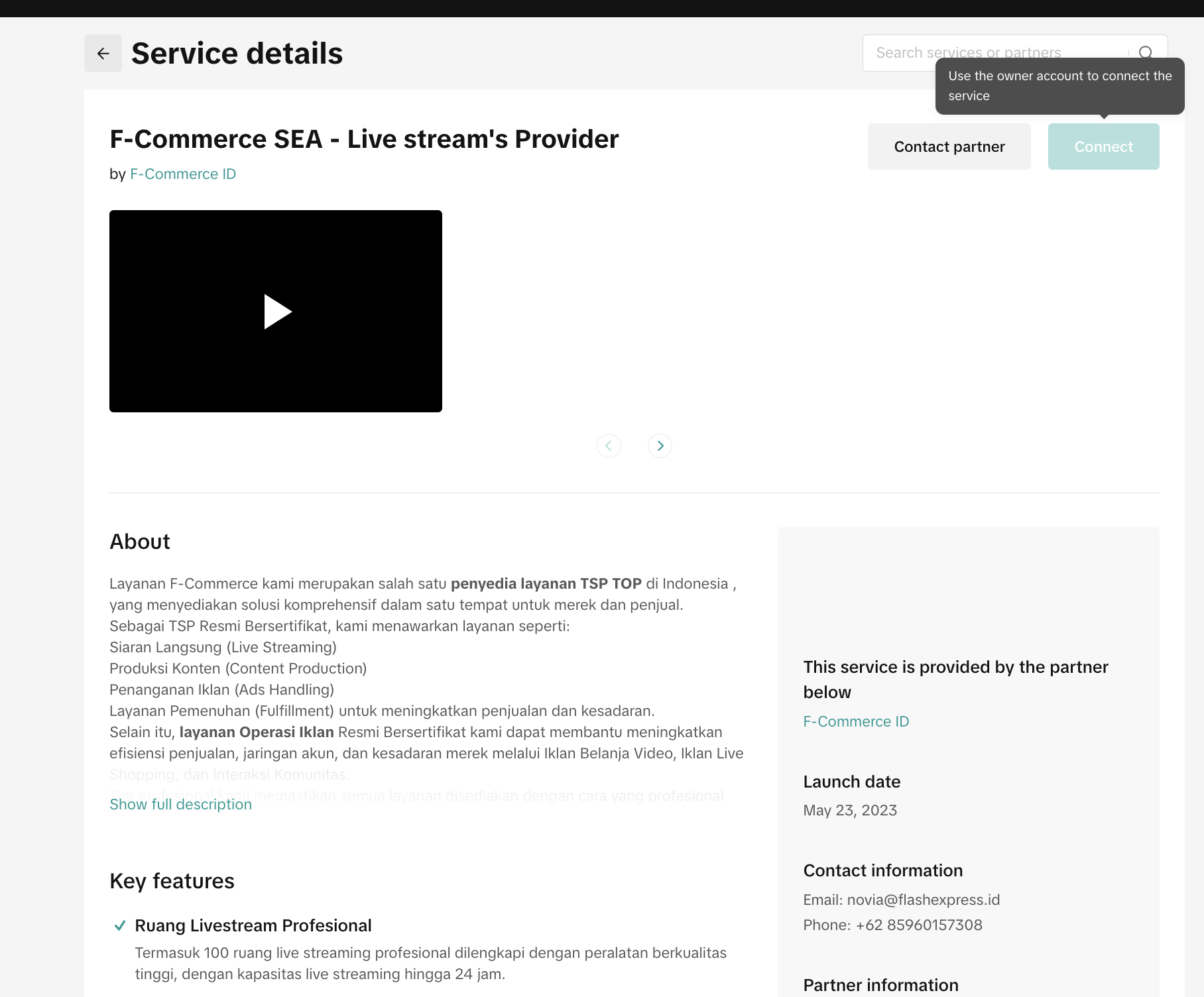
Why can't I authorize my shop/ account to Shop Partner?
Please double-check under the "My Services" tab to see if you've already given authorization to a Shop Partner for your account or shop. Right now, you can only link one specific account or shop to a single Shop Partner. If you're looking to authorize services from another Shop Partner, you'll need to cancel any existing authorizations for this account/shop first if necessary.You may also be interested in
Registering to be a Seller
Your seller journey with TikTok Shop by Tokopedia begins with account registration. You can register…
Can I link my TikTok account with another social media accou…
Click on the Profile page, and click Edit Profile. Select either of the options under Social to link…
Why was my brand authorisation application rejected?
All submitted trademark information will be verified against the World Intellectual Property Organis…
What will happen to my existing orders while on "Holiday Mod…
"Holiday Mode" does not apply to existing orders. All existing orders, made prior to Holiday Mode be…
Which types of brand authorisation are accepted within the T…
There are 6 accepted types of brand authorisation: Trademark ownership National exclusive 1st level…
Why am I unable to sell the products of a particular brand?
The platform is committed to protecting the intellectual property rights of both organisations and i…
How to Create your Commission Account
After your successful Creator Account creation, you will need to set up your Commission Account to d…
How to register?
To become a platform seller, you need to create a Shop | Tokopedia account. Please follow the steps…
Setting Up Your Shop Profile and Name
Setting Up Your Shop/Seller Profile Setting up your TikTok Shop by Tokopedia profile is an important…
Seller Registration
Registration process in Tokopedia & TikTok Shop is very convenient. You can sign up with your existi…