

Logistics Analysis: Monitor Your Store’s Fulfillment Performance
02/12/2026
Hi, Seller!
Fast and reliable fulfillment is key to keeping buyers happy and building repeat orders. With Logistics Analysis in Data Compass, you can track how well your logistics partners perform, receive alerts on risky orders, and make data-driven decisions to improve your operations.

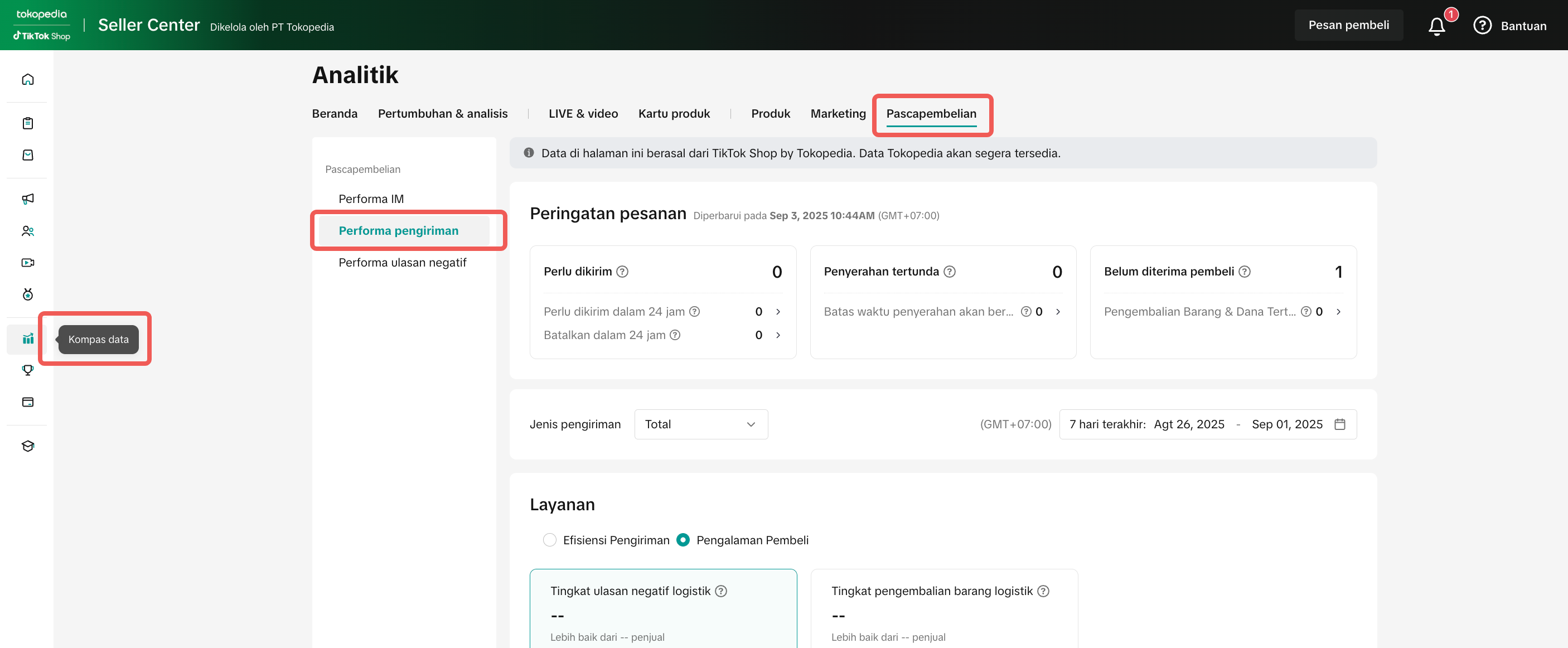 A well-maintained logistics flow helps you:



 Try It Today!Reliable logistics = satisfied buyers = repeat orders. By using Logistics Analysis, you can spot risks early, optimize your processes, and ensure your store always delivers on time. For detailed step-by-step setup, visit the Logistics Analysis full guide.
Fast and reliable fulfillment is key to keeping buyers happy and building repeat orders. With Logistics Analysis in Data Compass, you can track how well your logistics partners perform, receive alerts on risky orders, and make data-driven decisions to improve your operations.
Why Logistics Analysis Matters
- Deliver orders on time → Buyers expect fast and reliable shipping
- Identify problems early → Real-time alerts help prevent delays before they impact buyers
- Choose the right logistics partners → Evaluate performance based on speed and success rates
- Improve customer experience → Better delivery = higher ratings and loyalty
Ops Tip: Don’t just check performance after issues happen. Use this tool daily to stay ahead of SLA limits.
What You Can See in Logistics Analysis
When you open Logistics Analysis, you’ll find several components that give you insights into fulfillment:Component | What It Shows | Why It Matters |
| Real-time Alerts | 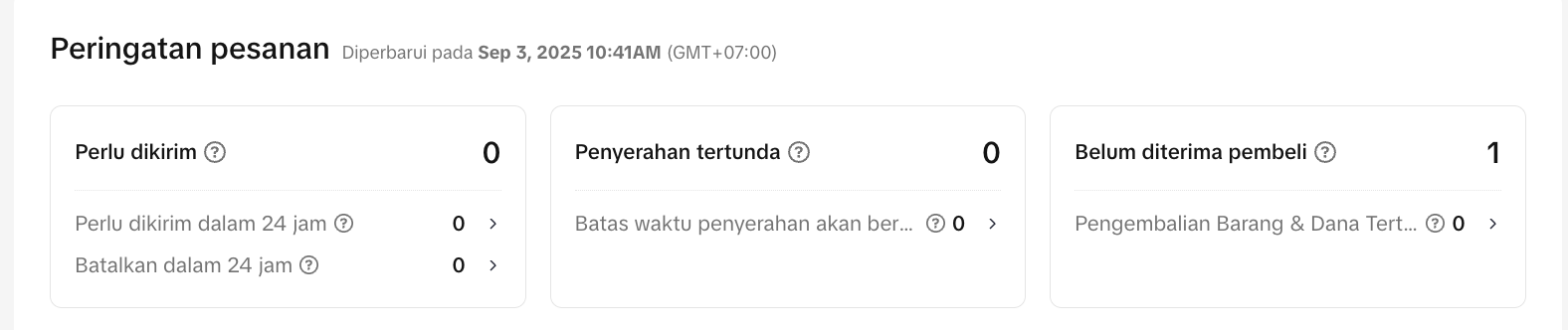 | Allows you to prioritize and avoid late shipments |
| Logistics Speed | 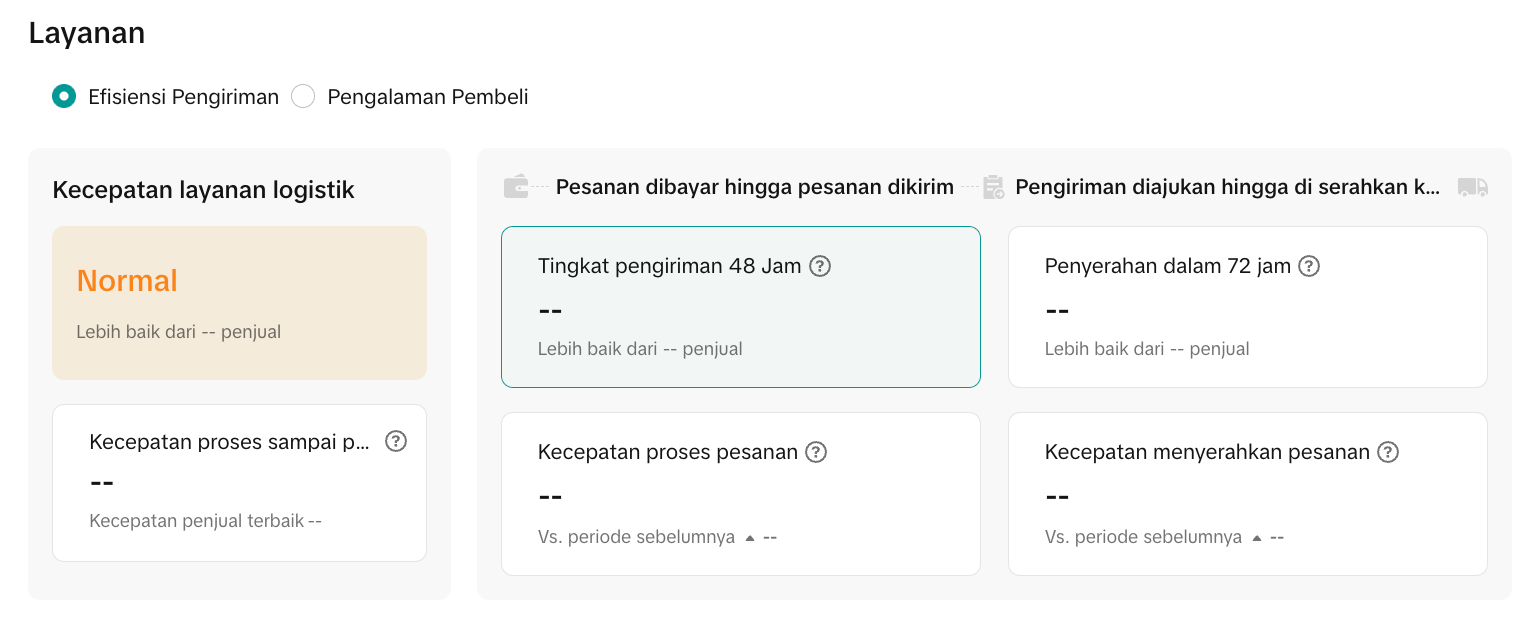 | A quick snapshot of store fulfillment health |
| Logistics Details | 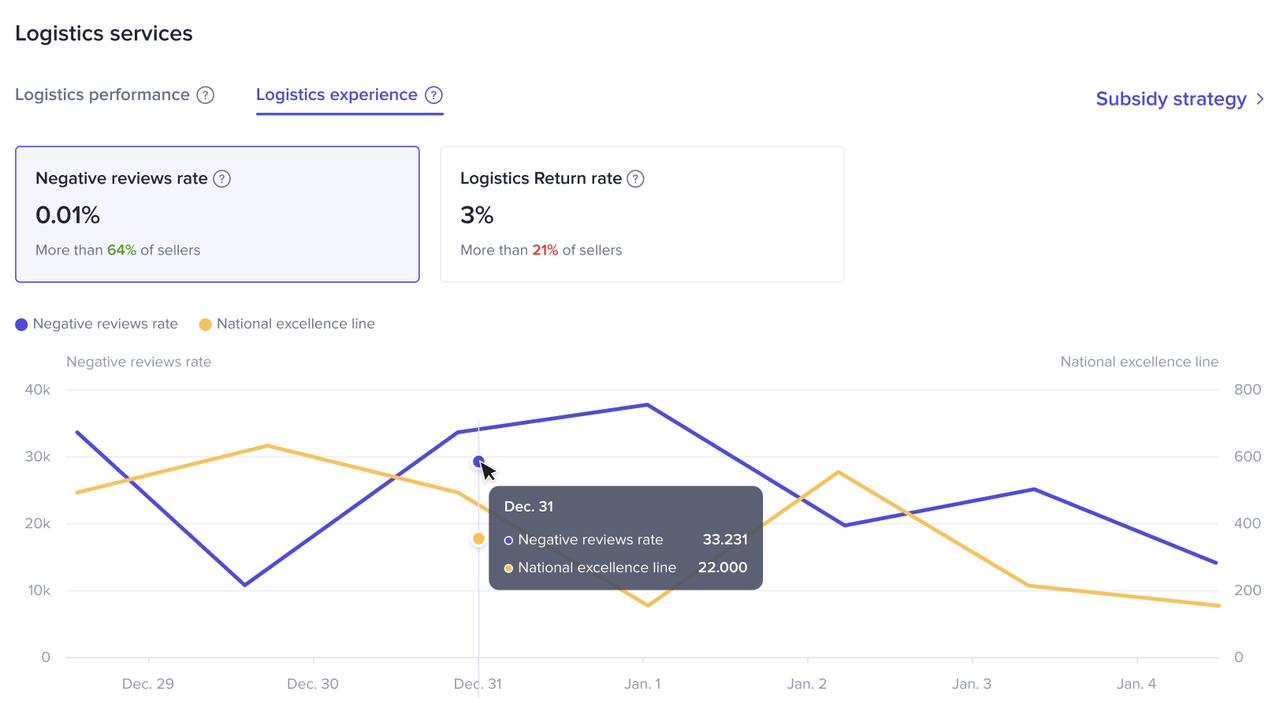 | Lets you evaluate which partner delivers best |
| Comparative Metrics | 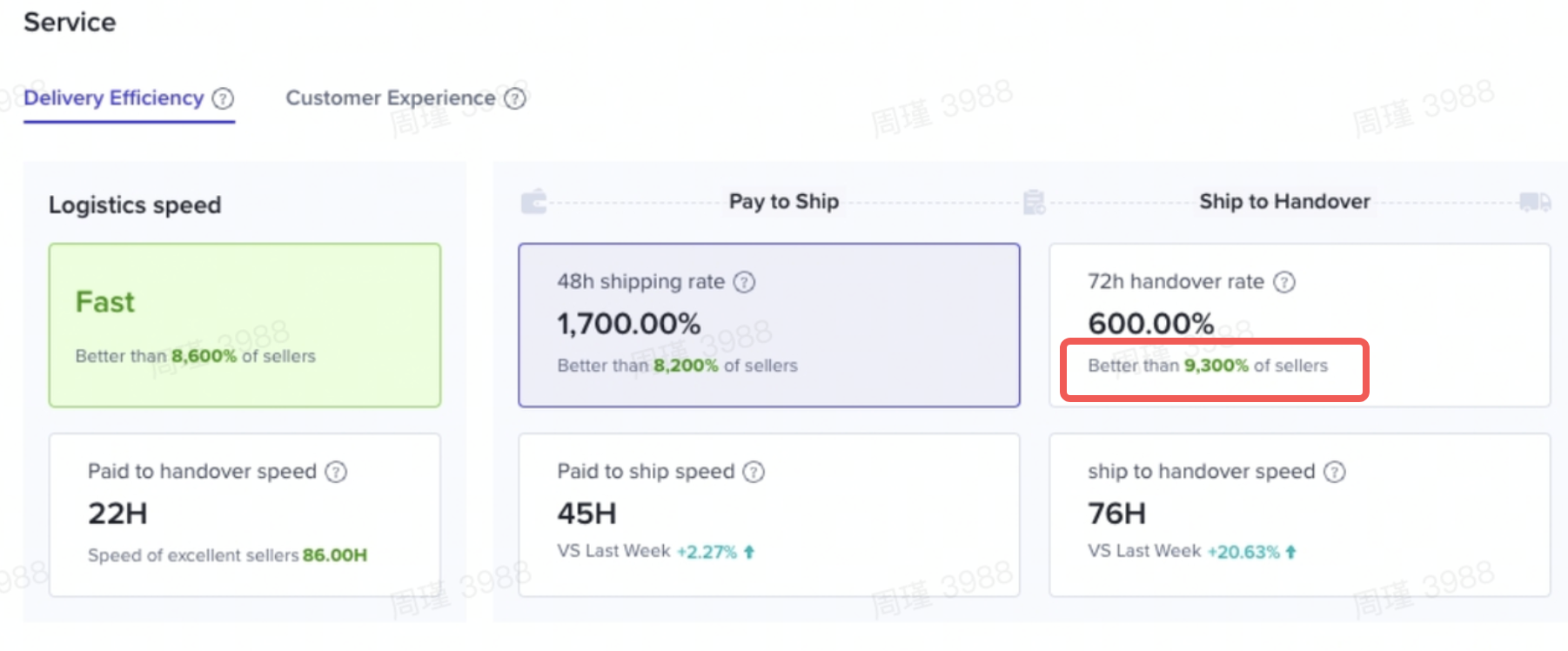 | Useful for benchmarking and negotiation with partners |
For full step-by-step instructions, see the Logistics Analysis guide here.
Tips to Improve Your Logistics Performance
Area | Tips | Why It Matters |
| Daily Monitoring | Check real-time alerts at least once a day | Prevents small issues from escalating |
| Partner Evaluation | Compare SLA compliance across providers | Identify your most reliable logistics partner |
| Process Optimization | Prioritize orders close to SLA deadlines | Keeps late dispatches under control |
| Customer Experience | Track link between delays and negative reviews | Helps reduce dissatisfaction and improve store rating |
| Promotion Readiness | Ensure logistics capacity before joining campaigns | Avoid poor buyer experience during peak sales |
Tip: Treat your logistics dashboard like a daily checklist—the more frequently you monitor, the faster you can act.
Common Mistakes Sellers Make
Mistake | Impact | Fix |
| Ignoring real-time alerts | Late shipments, unhappy buyers | Check alerts daily and act fast |
| Relying on only one logistics partner | High risk if the partner underperforms | Diversify across multiple providers |
| Skipping review of negative feedback | Persistent low ratings | Respond to delivery complaints and improve |
| Only tracking monthly reports | Missed daily/weekly trends | Monitor short-term metrics for early detection |
You may also be interested in
- 1 lesson
Data Analytics
Utilize data analytics to track performance and make strategic decisions!
- 5 lessons
Data Compass
Introduction to data-driven decision-making tools for sellers to optimize their operations.

Data Analysis via Seller Center App
Summary This article teaches you what Data Analysis (via Seller Center App) is and what are the diff…
Financial Terms: Differences Between GMV & Settlement

Data Compass Overview
Summary This article teaches you about Data Compass Overview and the different modules available to…
Data Compass User Manual (PC)
Summary This article outlines all the different types of analytic pages accessible via Data Compass…

GMV Refinement for Clearer Customer Transactions

Shop Tab Analytics: Understand Your Data for Better Performa…
Shop Tab Analytics is an essential tool for gaining insight into your store’s performance and improv…