

How to Request Shop Partners
10/25/2024

How to Request Shop Partners
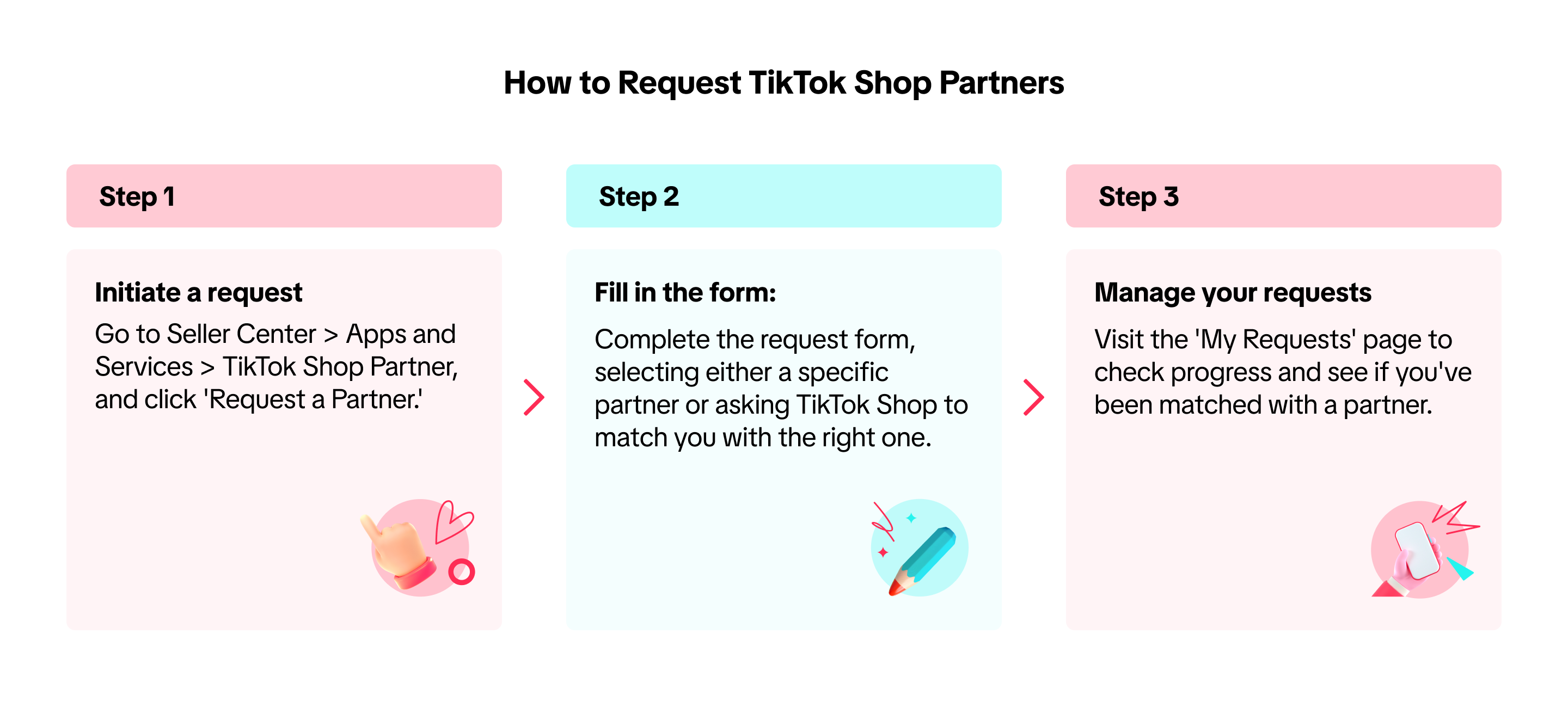
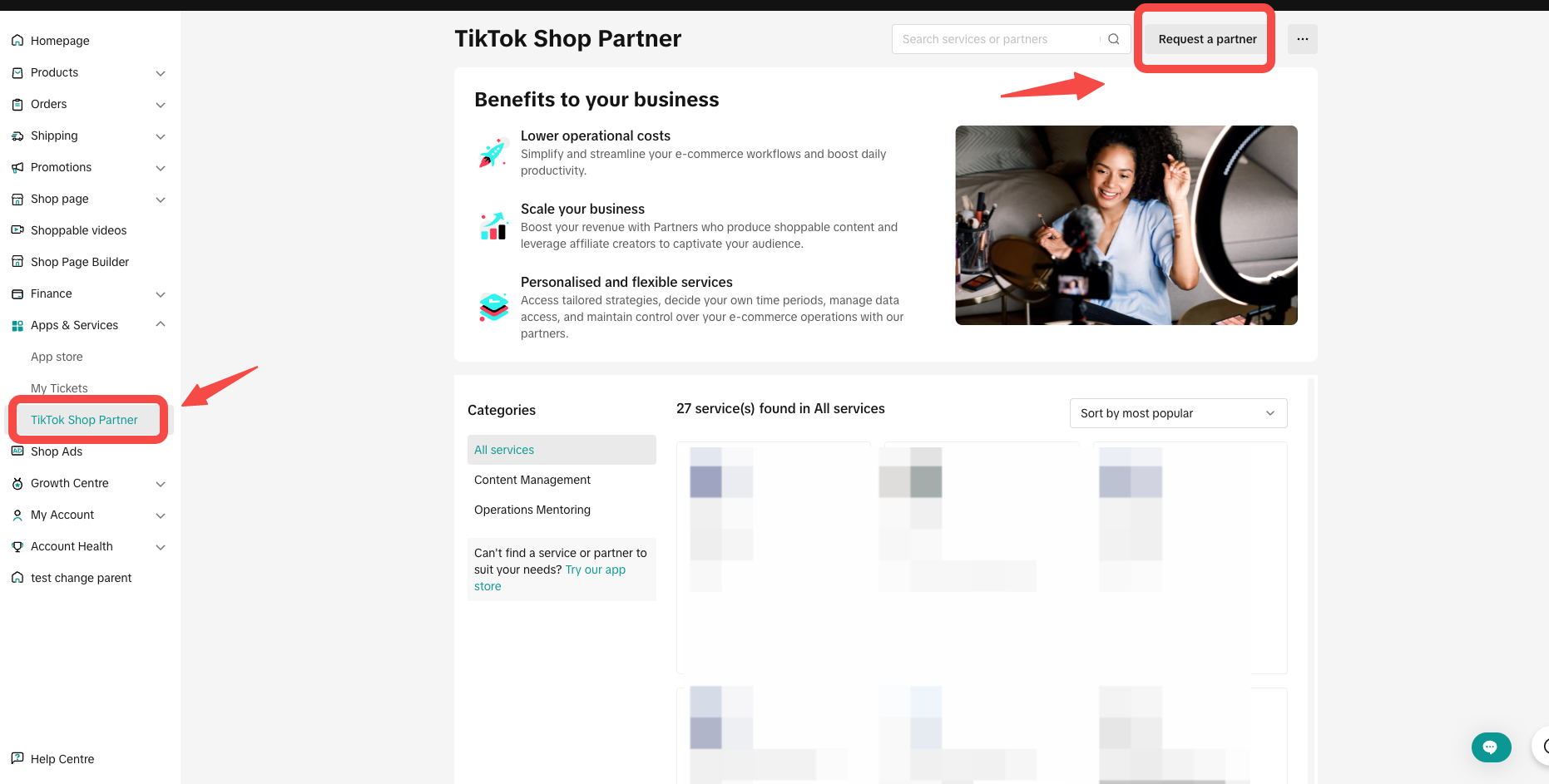
- You can initiate the request by going to Seller Center > Apps and Services > TikTok Shop Partner, then clicking 'Request a Partner.'
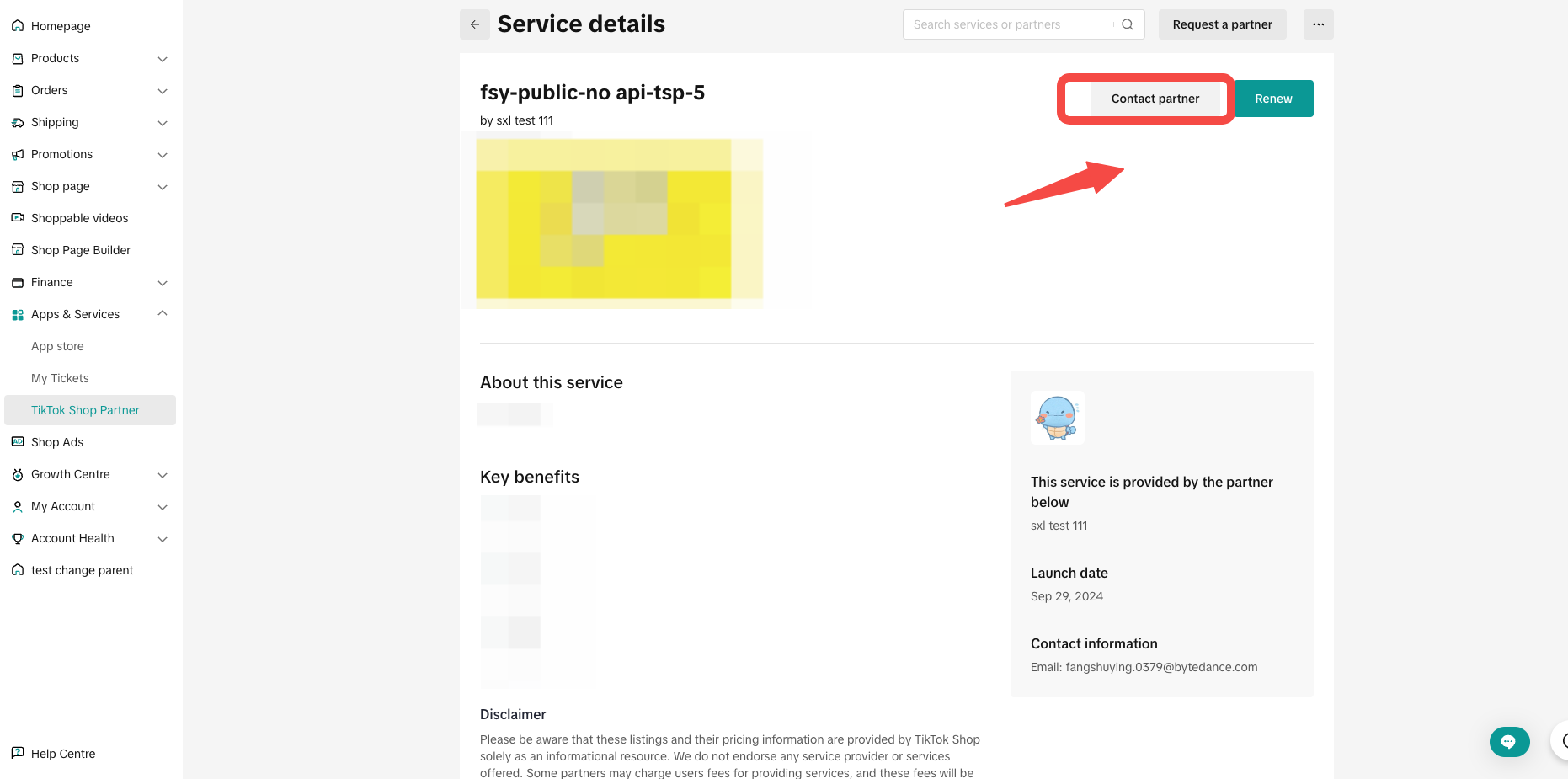
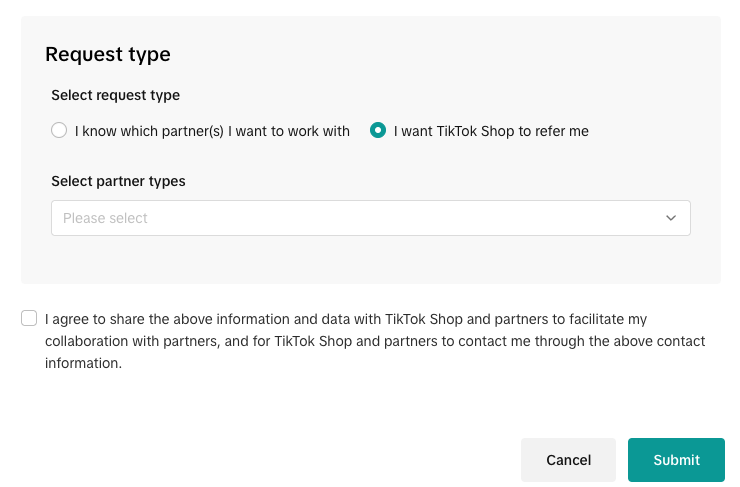
- Fill in the request form. You can choose whether you want to work with a specific partner or have TikTok Shop refer you to the appropriate one. Below is the required information in the request form:
| Field | Required | Explanation | Image | |
| Contact information | Subject | Yes | Your contact name |  |
| Contact email | Yes | Your email so that TikTok Shop Partner (TSP) can reach out to you | ||
| Location | No | Location for any possible offline collaboration | ||
| Business Profile | Company size | Yes | Choose your company size from the dropdown options:
| 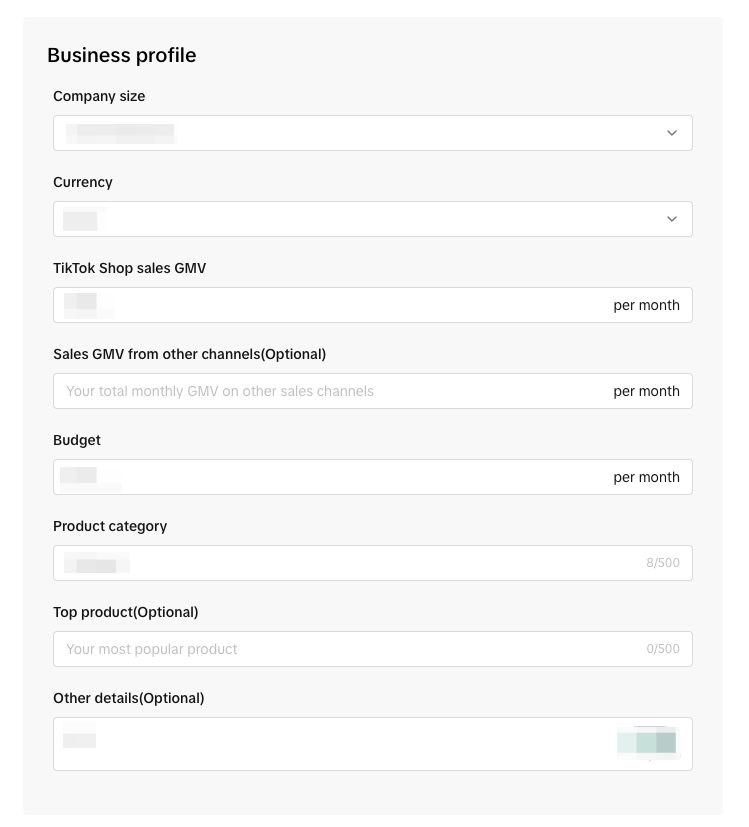 |
| Currency | Yes | Choose your currency from the dropdown options | ||
| TikTok Shop sales GMV | Yes | Your average monthly GMV on TikTok Shop | ||
| Sales GMV from other channels | No | Your total monthly GMV on other platforms | ||
| Budget | Yes | Your monthly budget for TikTok Shop Partner (TSP) | ||
| Product category | Yes | Your main product category on TikTok Shop | ||
| Hot sale product | No | Your best-selling product | ||
| Other details | No | Any other information you’d like to share | ||
| Request type | Select partners | Yes |
|  |
- After submitting the request, visit the 'My Requests' page to track progress and see if you've been matched with a partner.
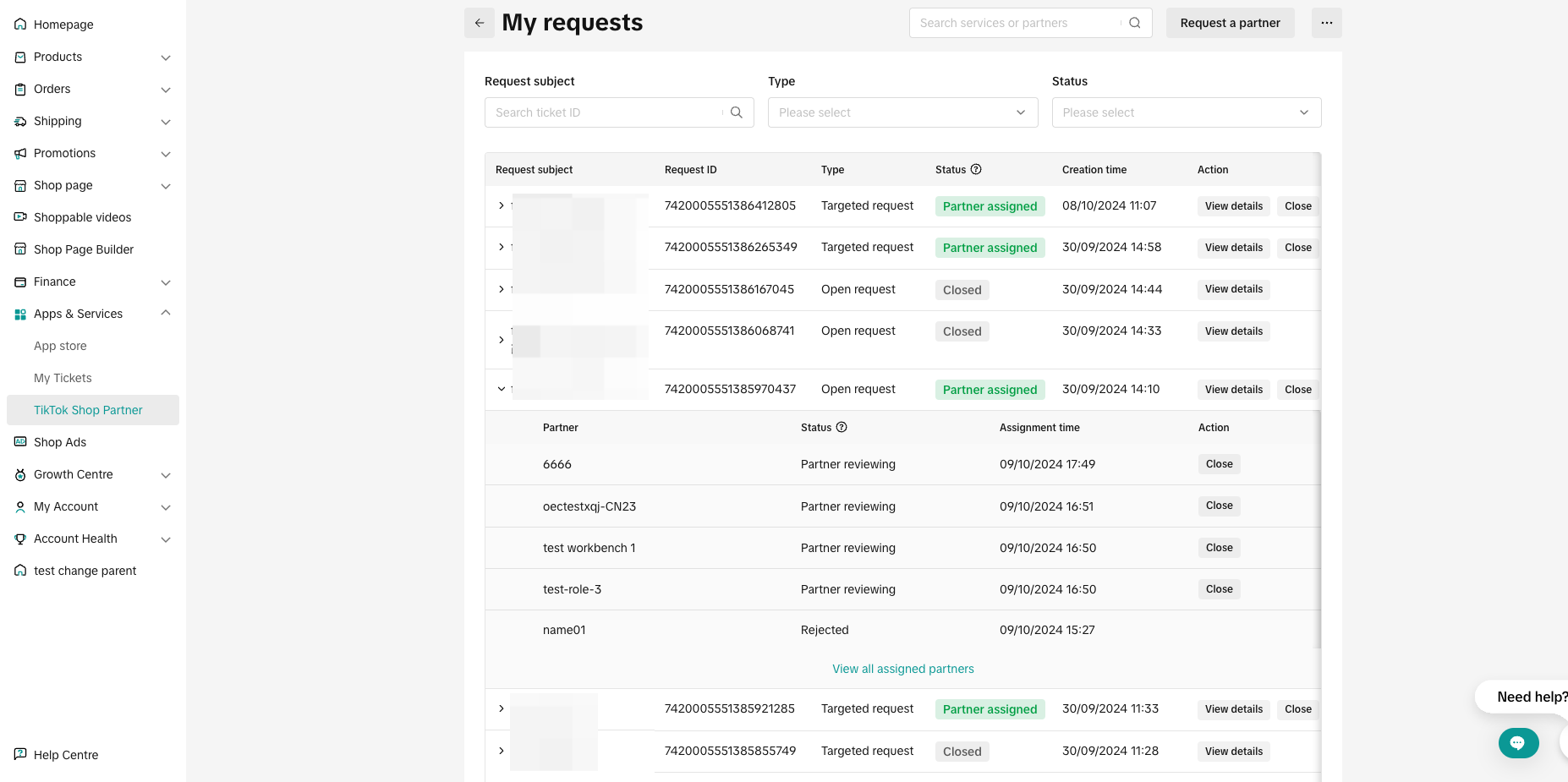
| Status | Description |
| Partner reviewing | The partner is reviewing your request |
| Partner accepted | The partner has accepted your request |
| Connected | You've granted authorisation and are connected with the partner |
| Closed | The request has been closed |
| Rejected | The partner has rejected your request |
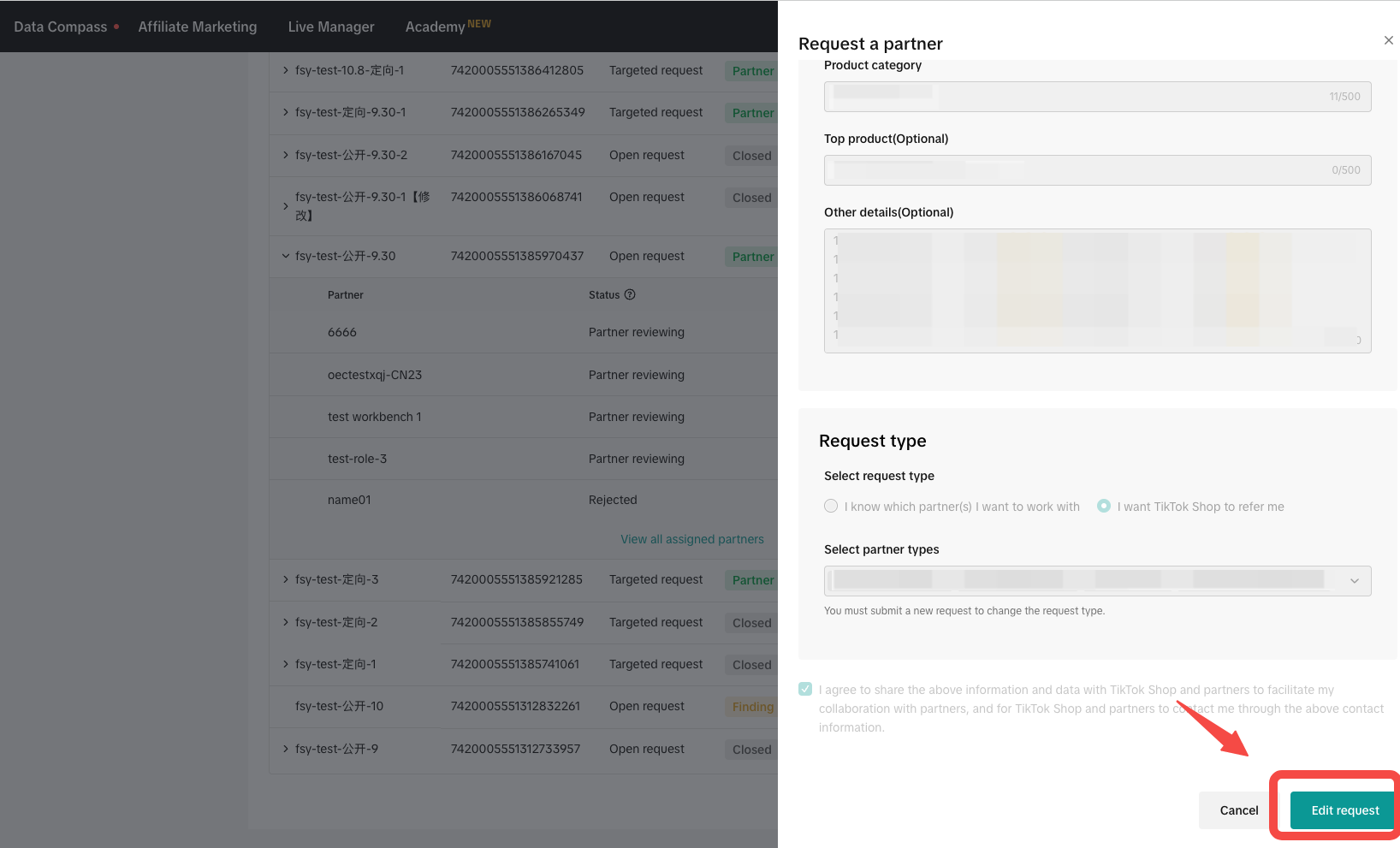
- To edit or make changes to your request, click 'View Details' > 'Edit Request' to update the information.
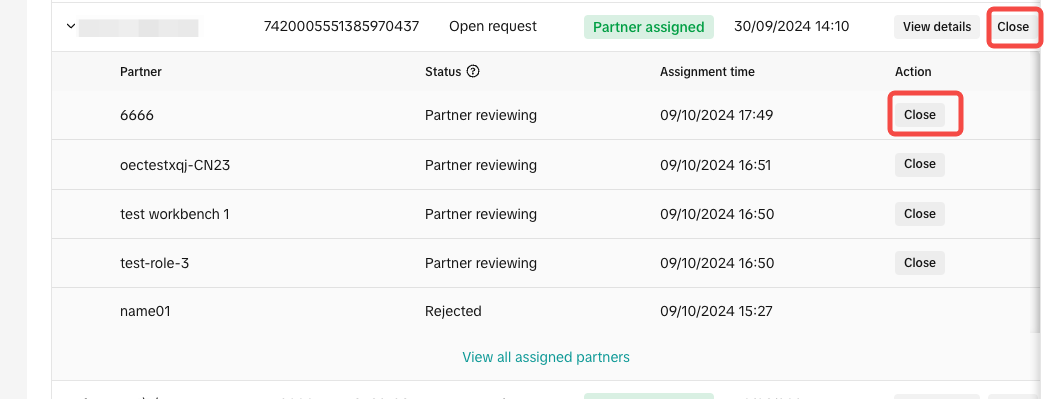
Alternatively, you can close the request either at the request level or the partner level. After closing, the request will no longer be shared with new partners, and existing partners will no longer be able to view your contact details.
You may also be interested in
- 11 lessons
Affiliate
Explore how to collaborate with creators and affiliates to boost product reach through organic promo…
- 1 lesson
MCN
Learn how to collaborate with Multi-Channel Networks (MCNs) to scale your affiliate marketing campai…
- 2 lessons
Find & Manage Creators
Techniques for identifying and managing affiliate creators to promote your products.
How to find and cooperate with a MCN?
What is a MCN? A MCN is a company or team that works across multiple channels with content creators,…
Creator Ranking List
This article will teach you how to understand and navigate the "View Rankings" page in the Affiliate…

Find Creators for Affiliate
This article will guide you on how to look for Creators to work with for your Affiliate Collaboratio…

How to Join Affiliate Partner Campaigns
This guide will walk you through how you, as a seller, can join affiliate partner campaigns to colla…

Manage Creators on Affiliate
This article will guide you on how to use and explore the "Manage Creators" page in the Affiliate Ce…

Creator Level for Sellers
What is Creator Level System? Creators are classified into L0 to L8 and their level will be refreshe…

Campaign Sample Management for Seller
In this guide, we will take you through the process you need to follow in order to manage sample req…