Product Card Diagnosis
03/25/2024
This article teaches you how to use Product Card Diagnosis to improve product card performance using suggestions that will resolve pain points. And by the end of this article, you will know how to use the feature and accurately optimize your product cards for better performance.

Where to find Product Card Diagnosis
- On Data Compass, go to Product Card, then Performance.
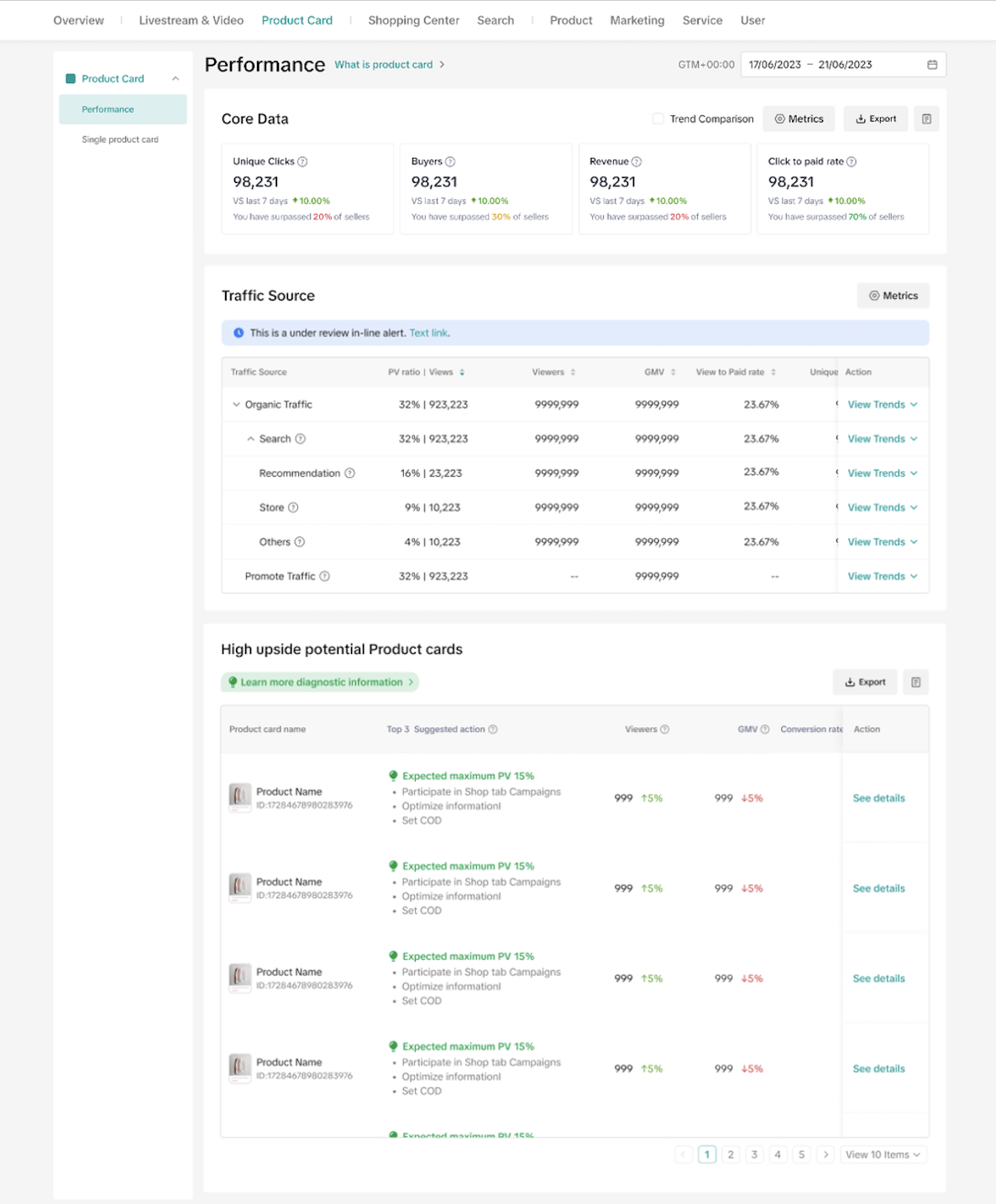
- Alternatively, you can also access it on the Overview tab under the Product Card section.
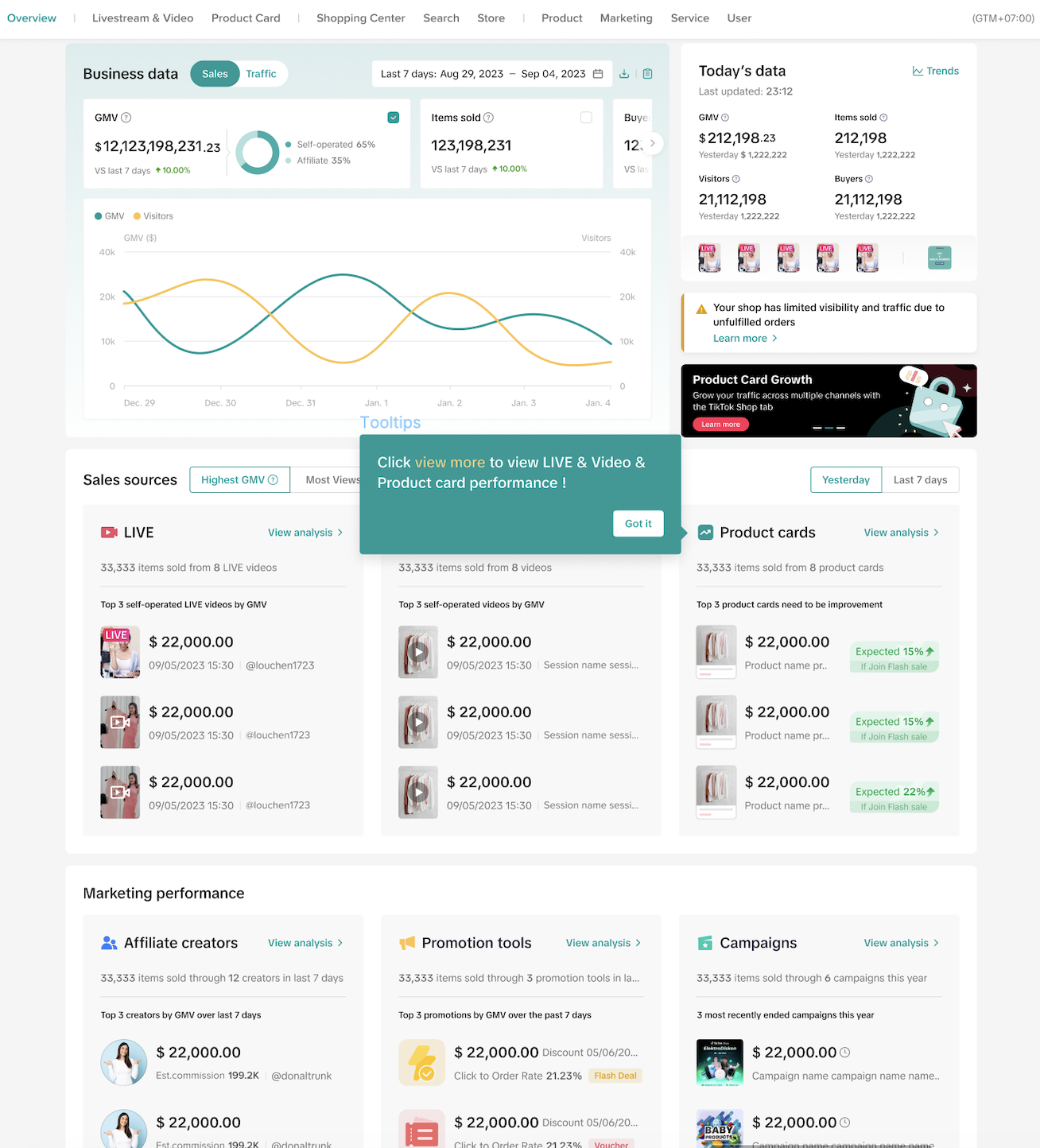

Viewing Data on Product Card Diagnosis
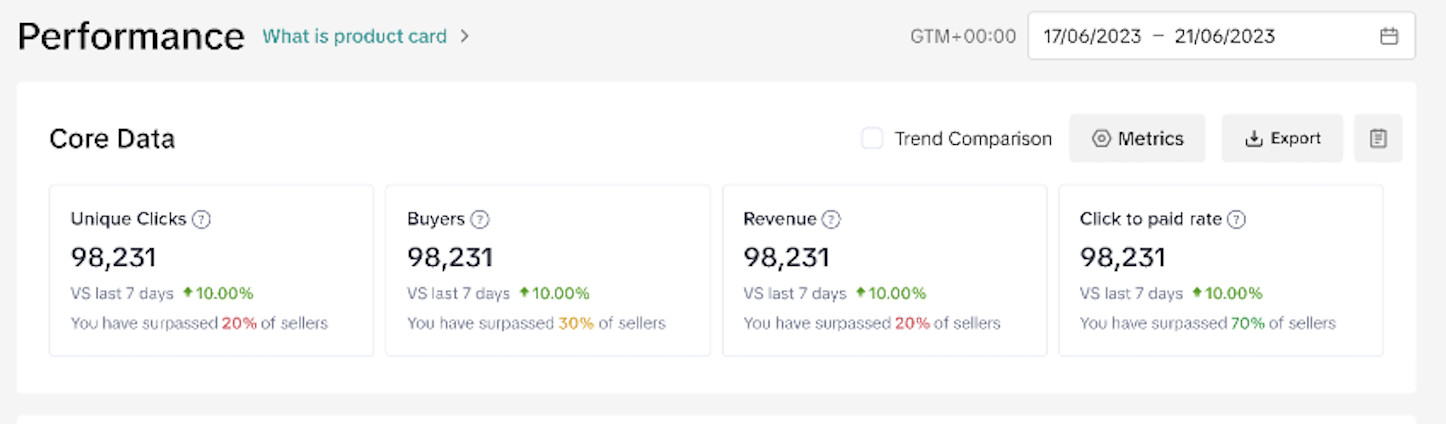
Core Data
- These metrics show the performance of your product cards in the selected period. There are 4 metrics by default: Unique Clicks, Buyers, Revenue, and Click to paid rate.
- Hover over the ? to view the metrics' definitions.
- You can download the performance and view trend charts.
- You can also compare the trends.
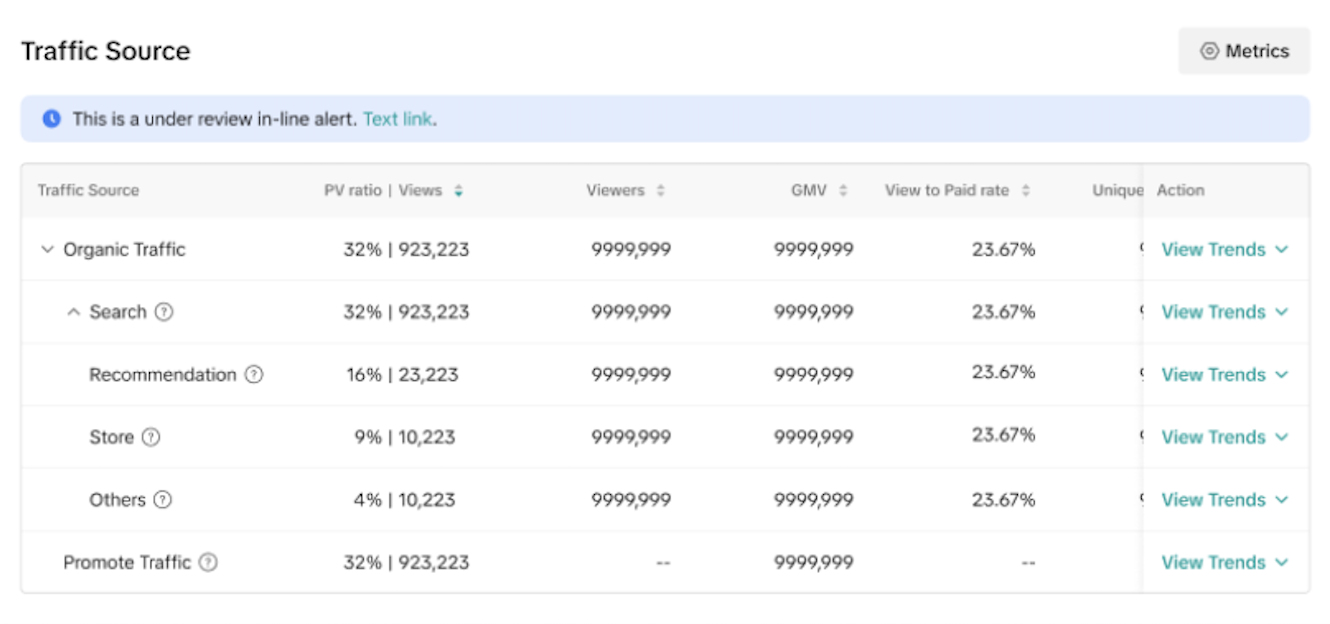
Traffic Source
- These metrics show the traffic sources that lead to your product cards. You can sort through metrics such as PV ratio, Views, Viewers, GMV, and View to Paid rate. Click on View Trends to bring up a trend chart for closer analysis.

What Are High Potential Upside Product Cards?
- There is now a dedicated section to search for product cards that have potential or contain opportunities for higher conversion or exposure through different suggestions.
- Here you will see a list of your product cards, suggested actions, last 7 days viewers, and more.
- Click on Export for your own reference or you can click on See details to further analyze a product card.
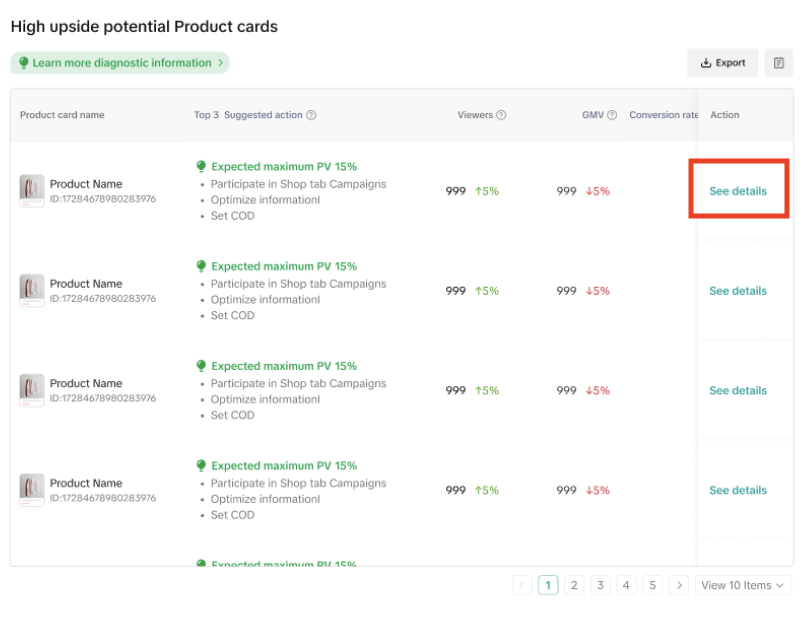
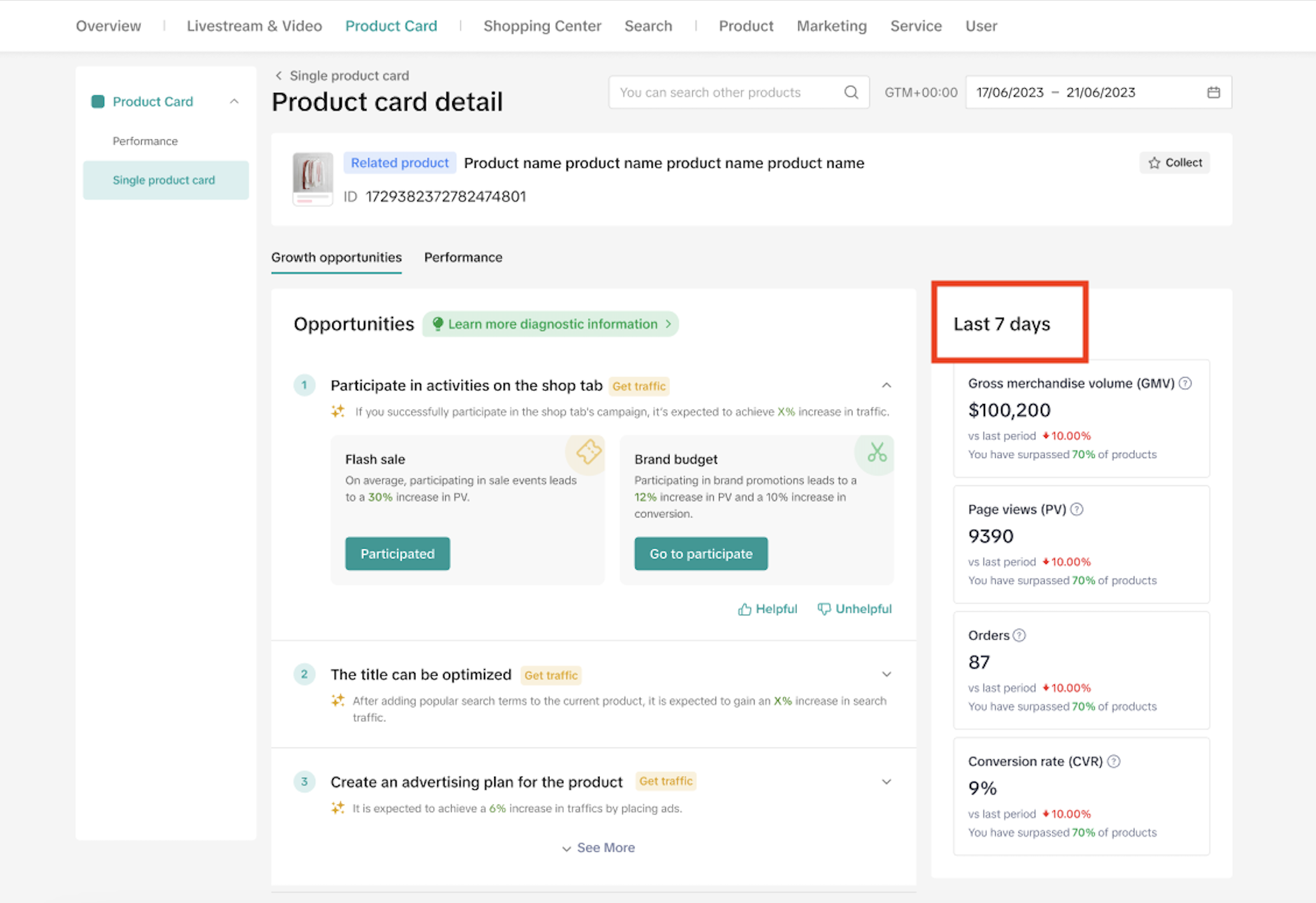
- Then you will move to the Single product card section where the growth opportunities and performance of the selected product card are shown.
- The Growth opportunities tab provide diagnoses that you can apply to improve the product card performance. There are a total of 14 suggestions as listed in the table below.
| Suggestions | Screenshots |
| Your shop is being restricted in search traffic. | 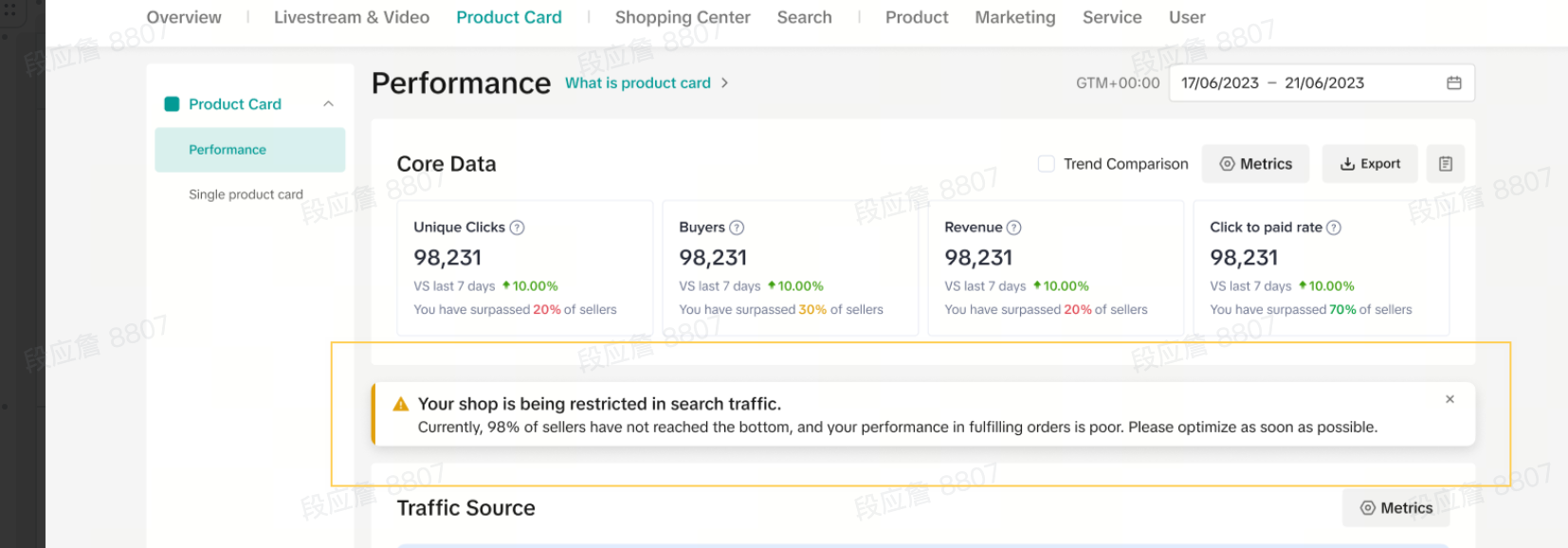 |
| Needs to meet recommendation standards | 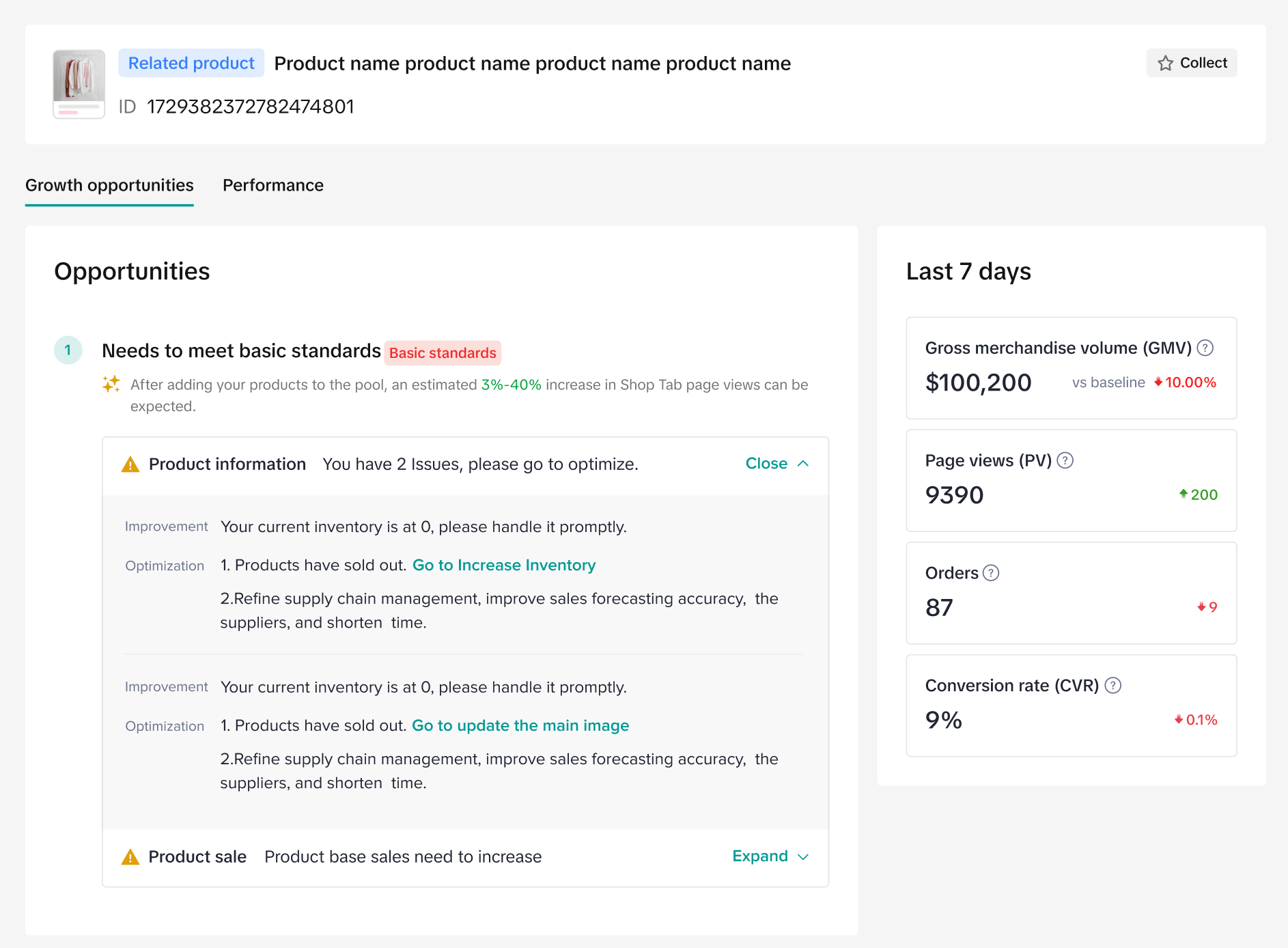 |
| The title can be optimized | 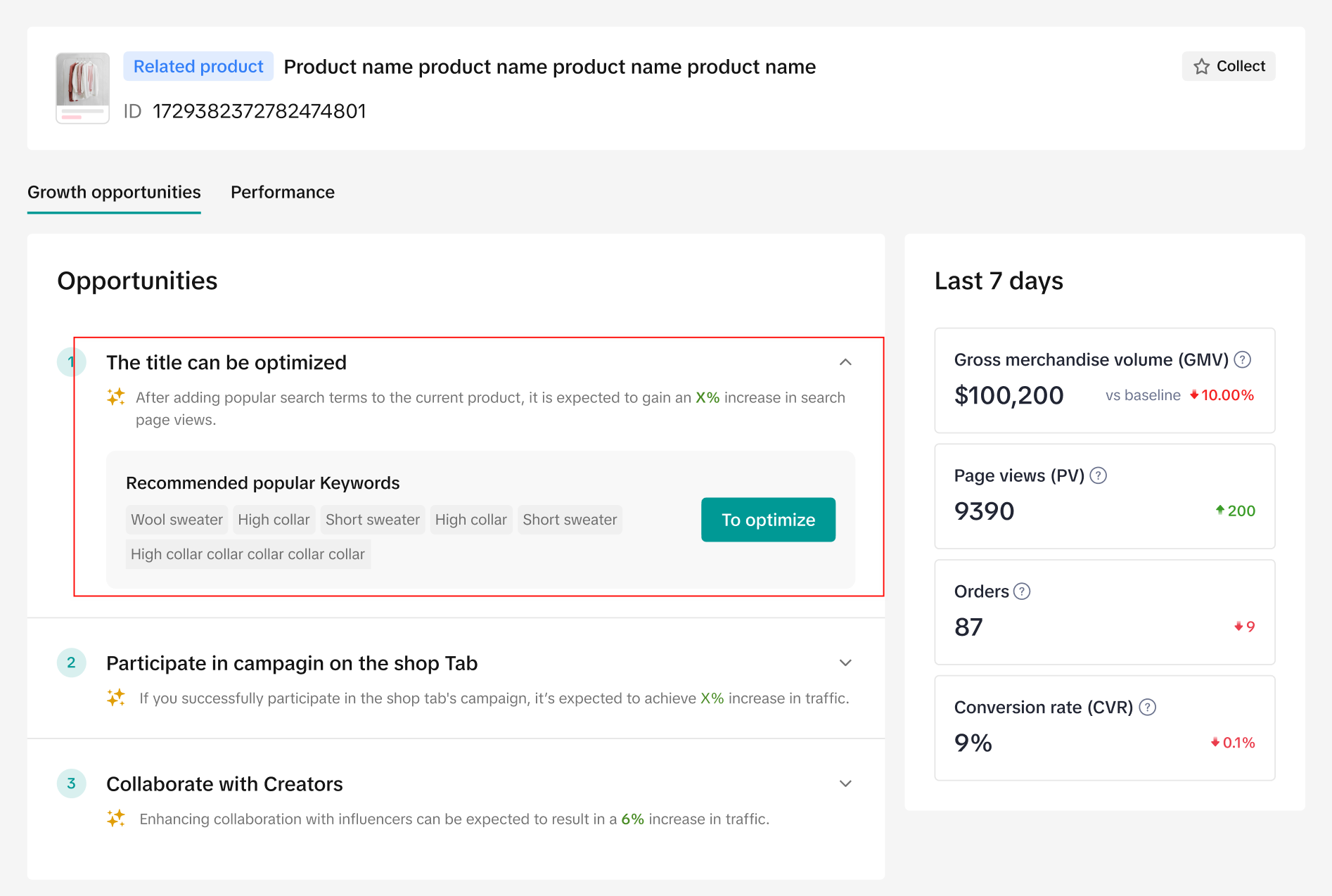 |
| Participate in activities on the Shop Tab | 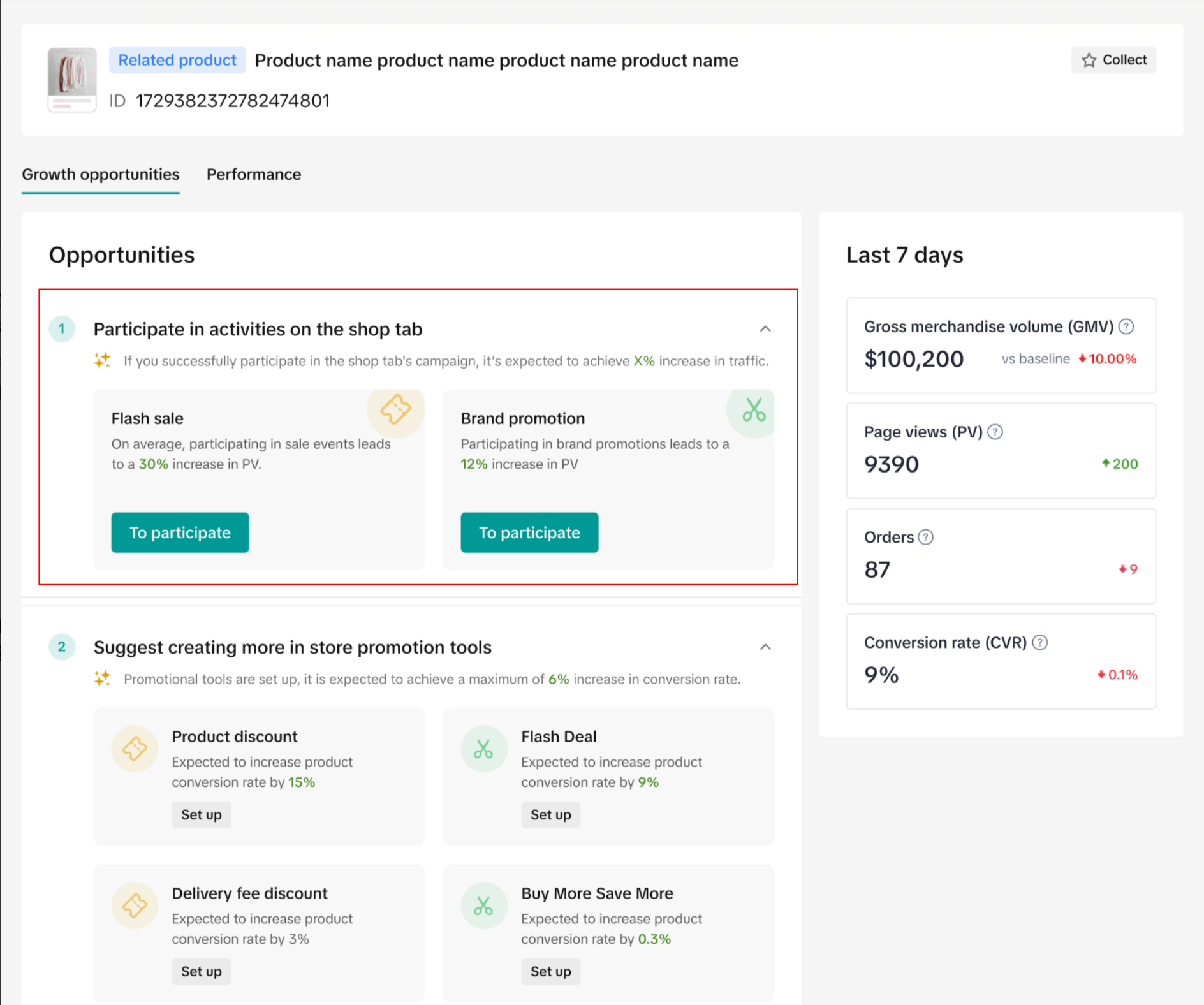 |
| Shop ads | 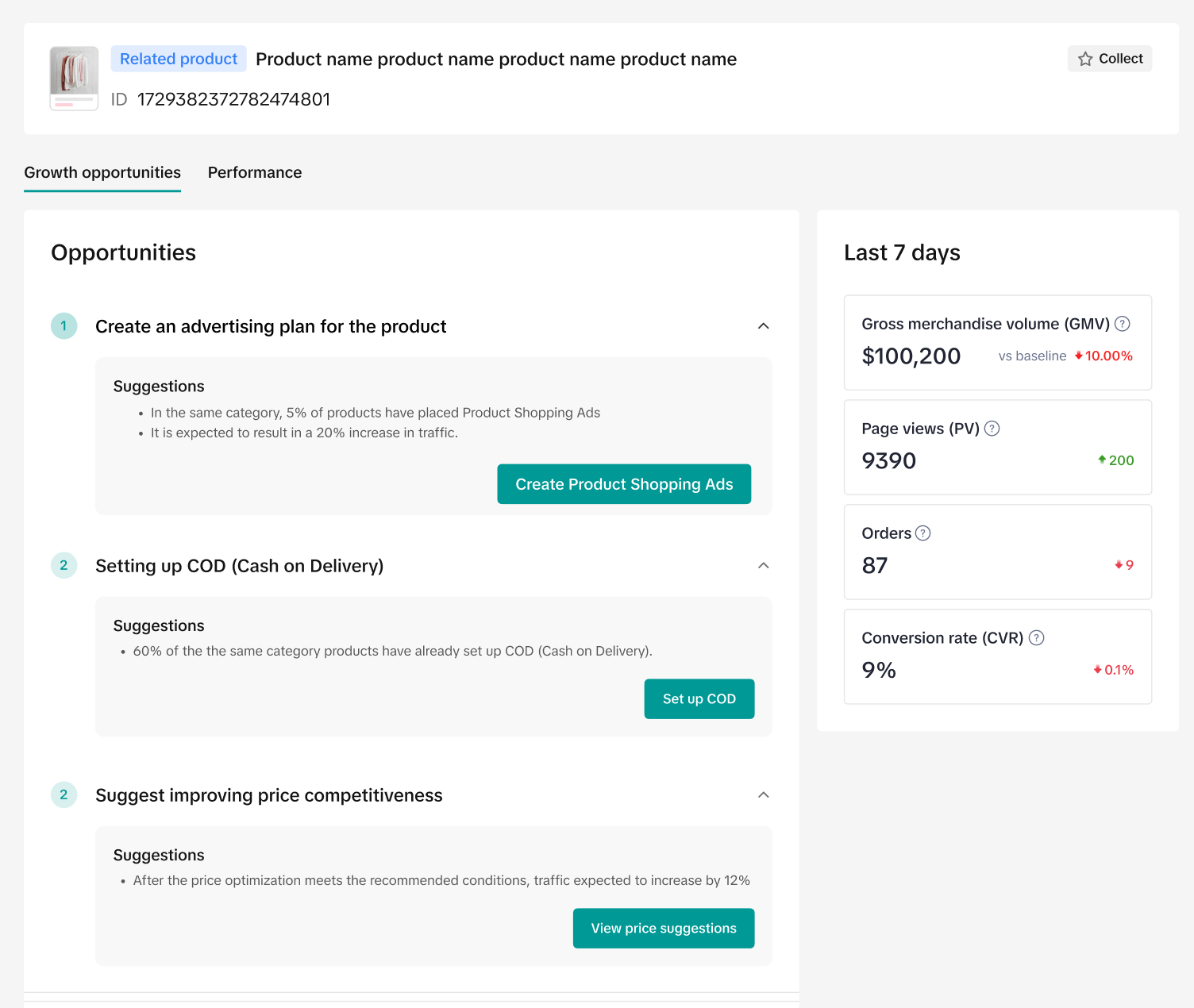 |
| Collaborate with more creators | 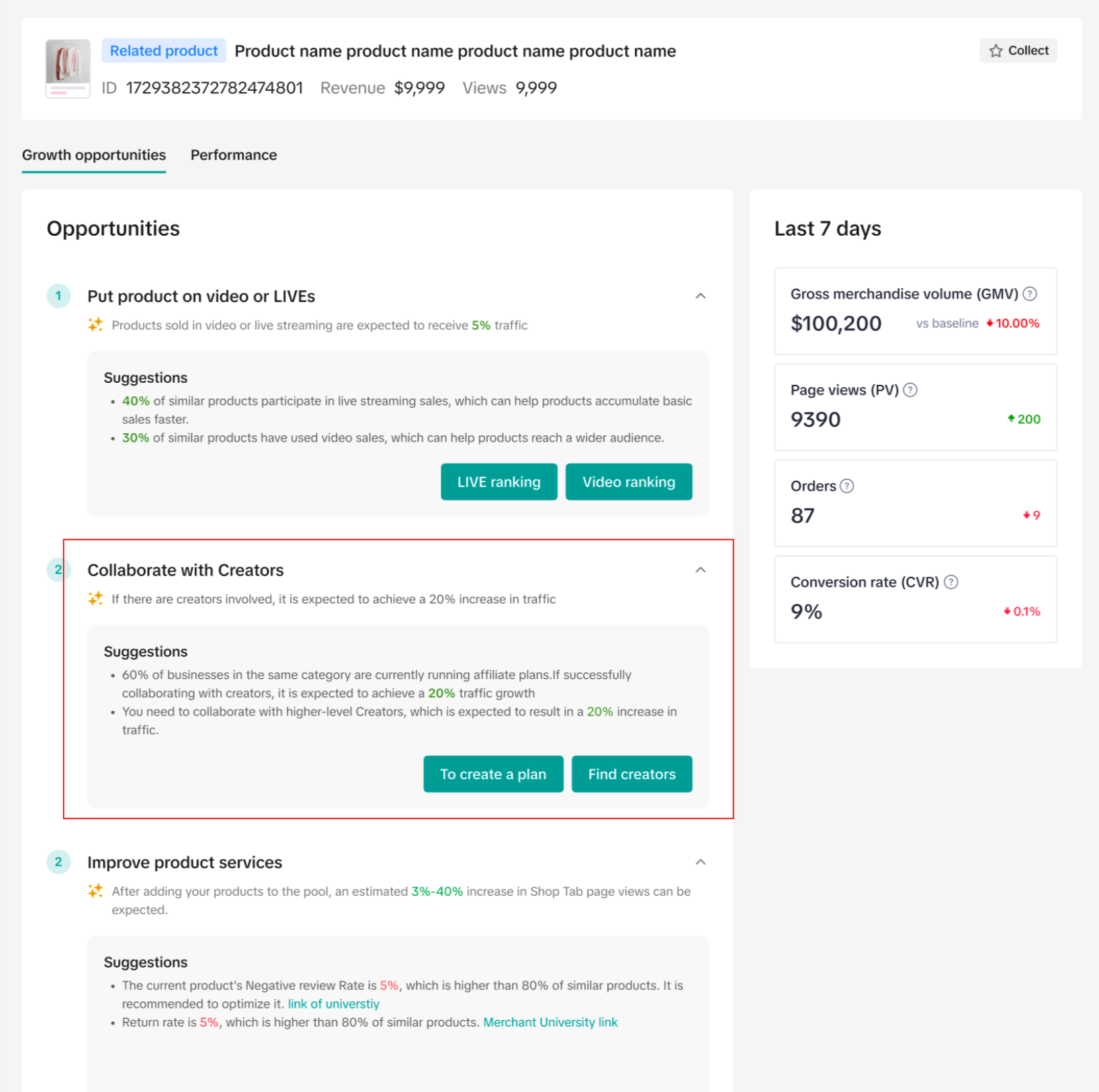 |
| Showcase products on Video or LIVE | 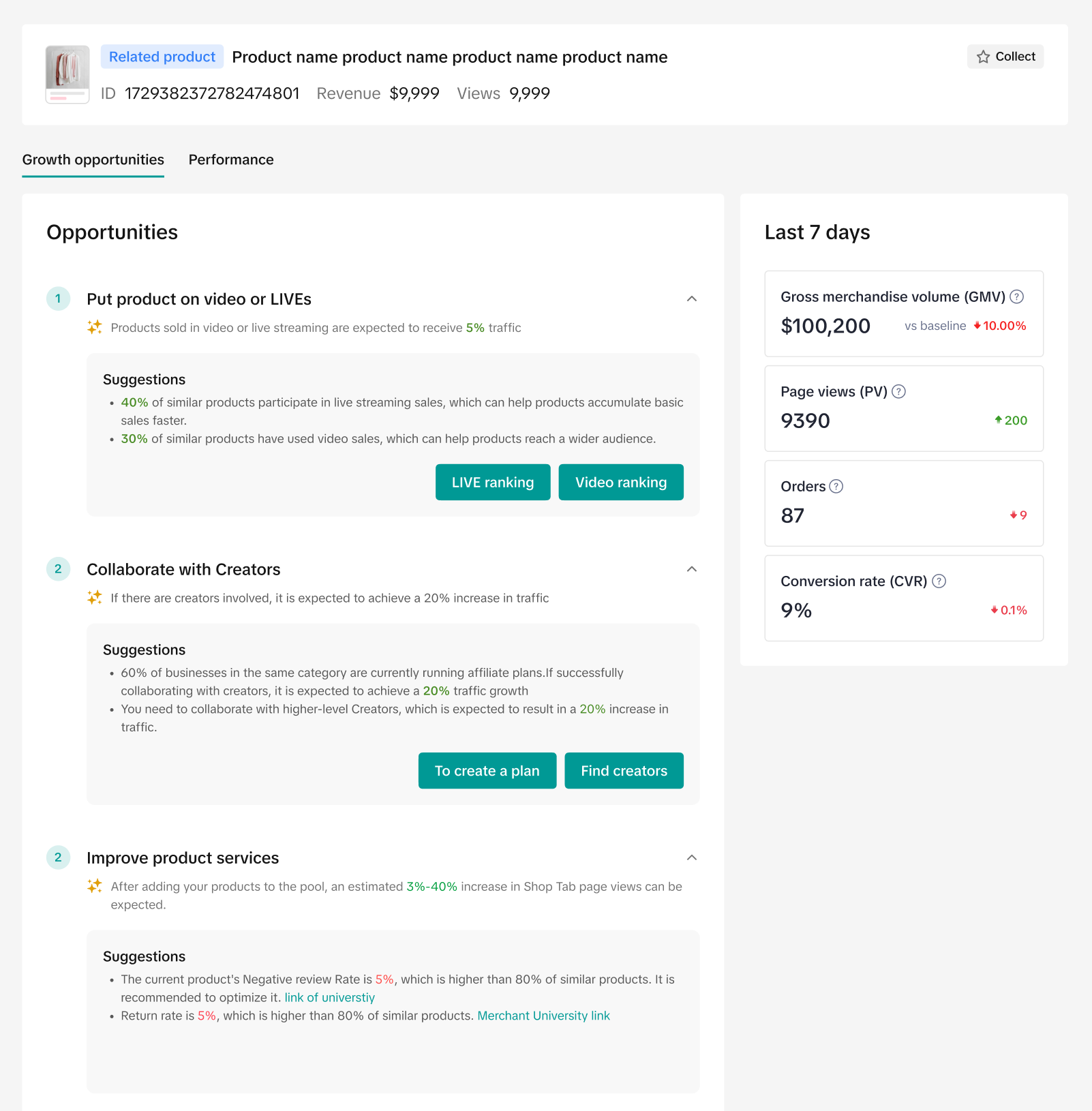 |
| Optimize product information | 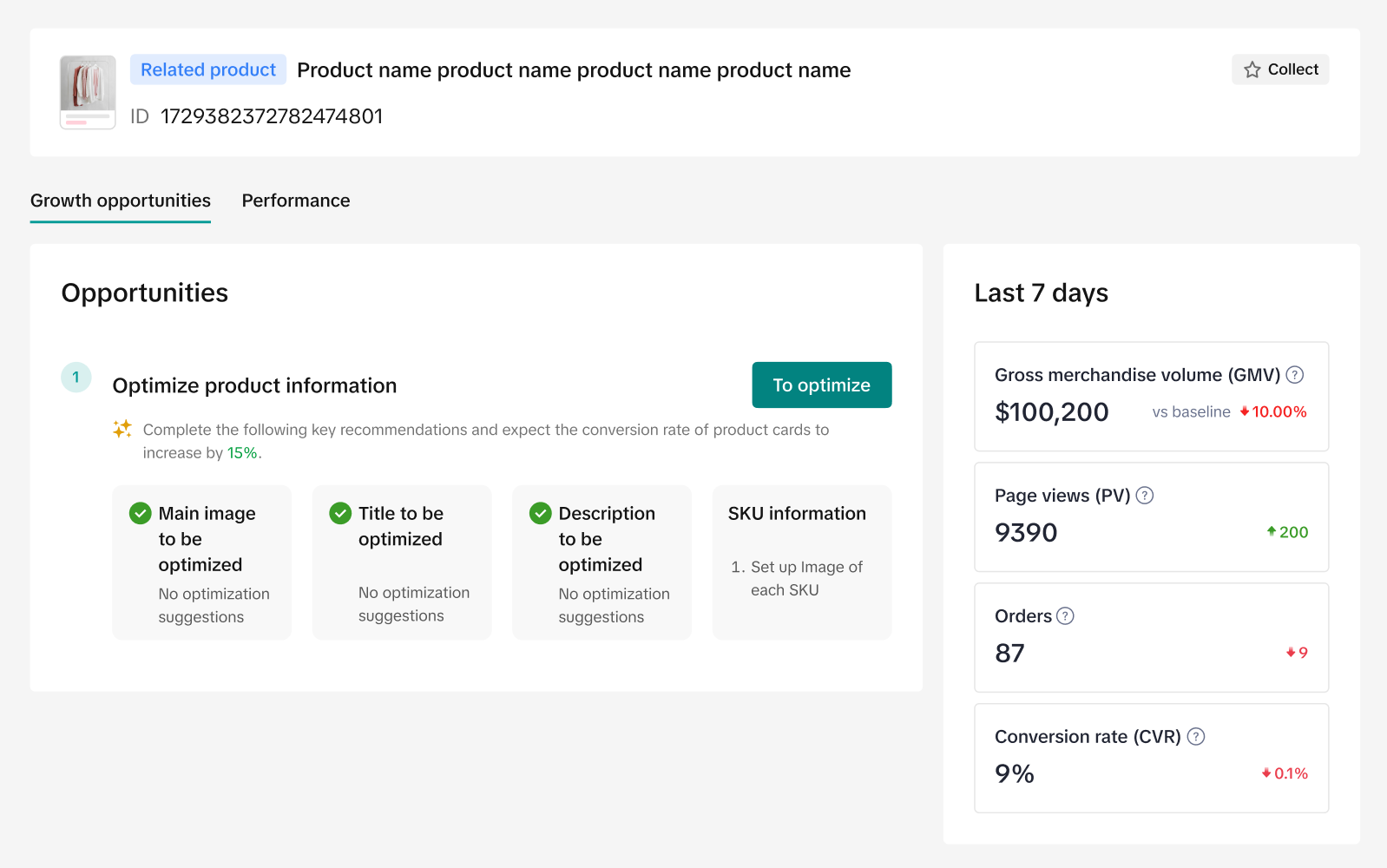 |
| Improve price competitiveness | 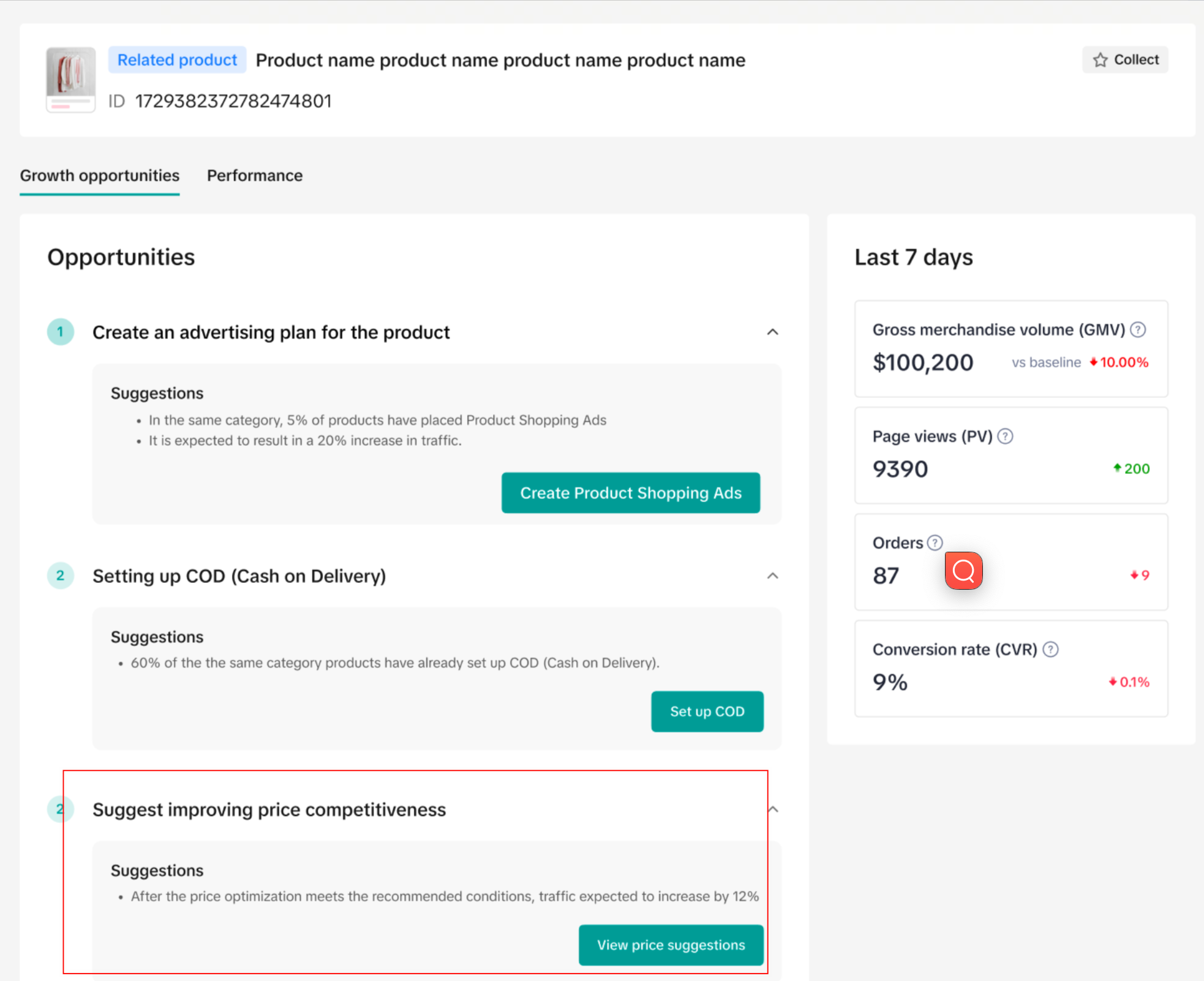 |
| Set up more promotion tools | 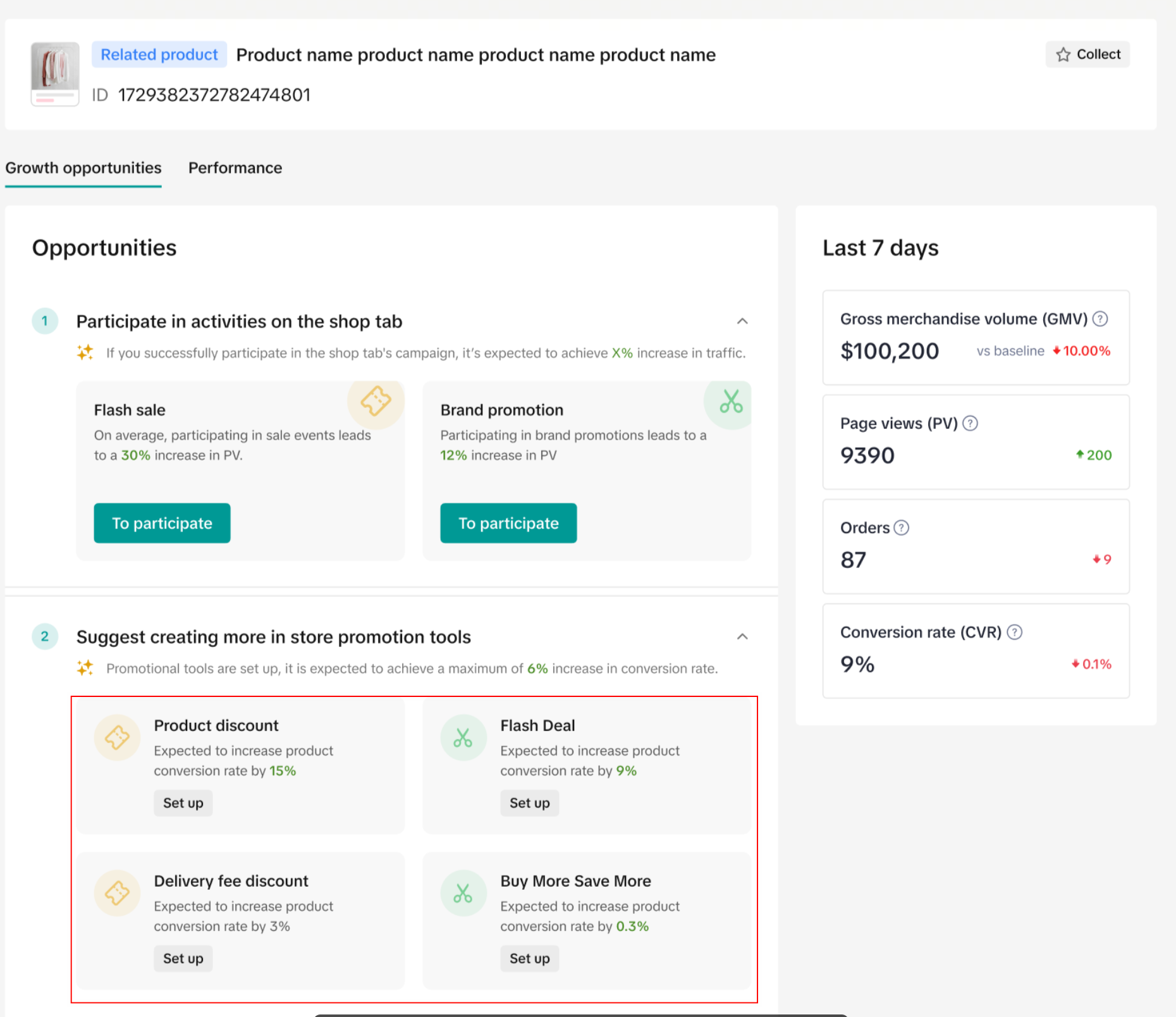 |
| Set up Cash on Delivery (COD) | 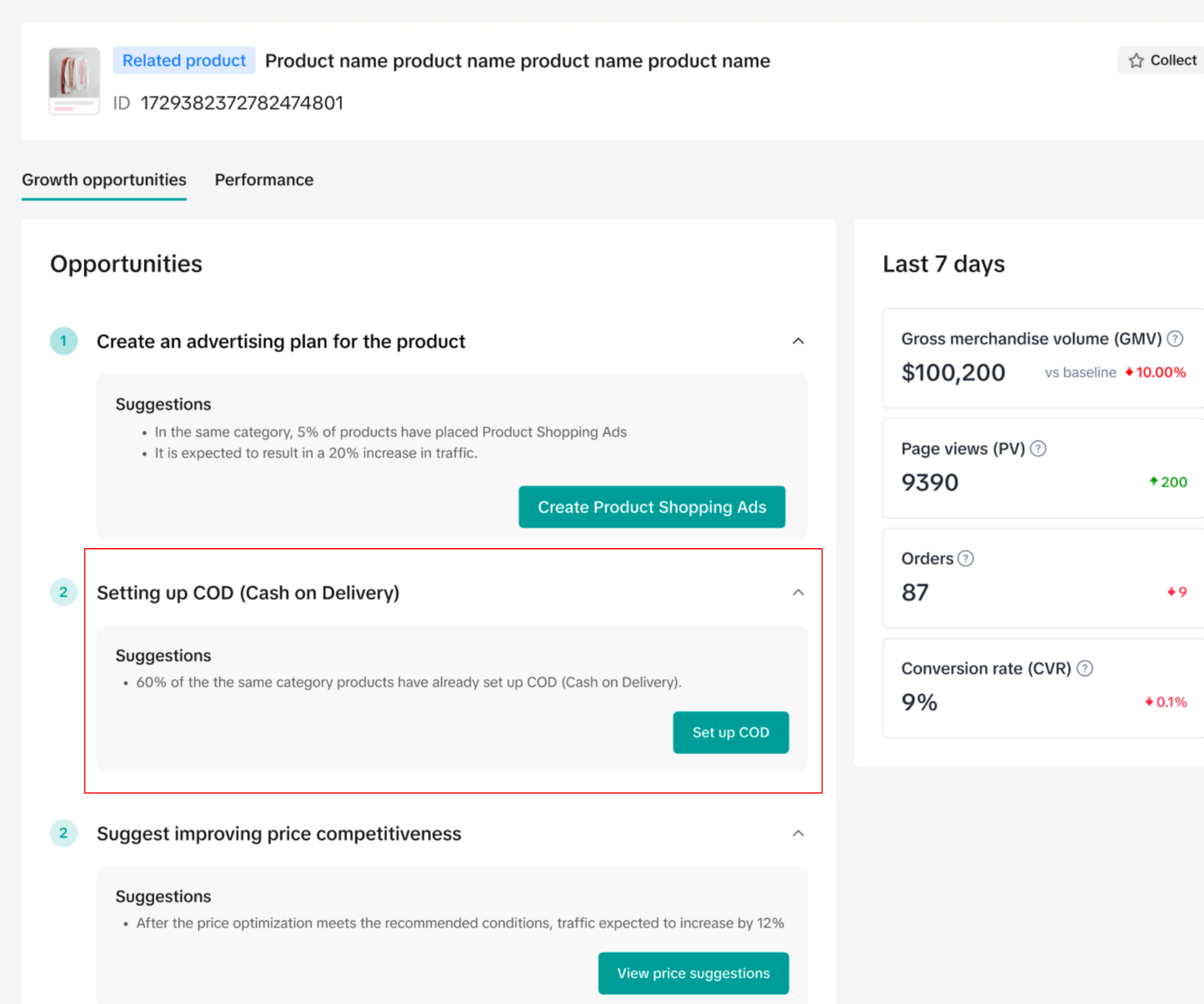 |
| Improve product services | 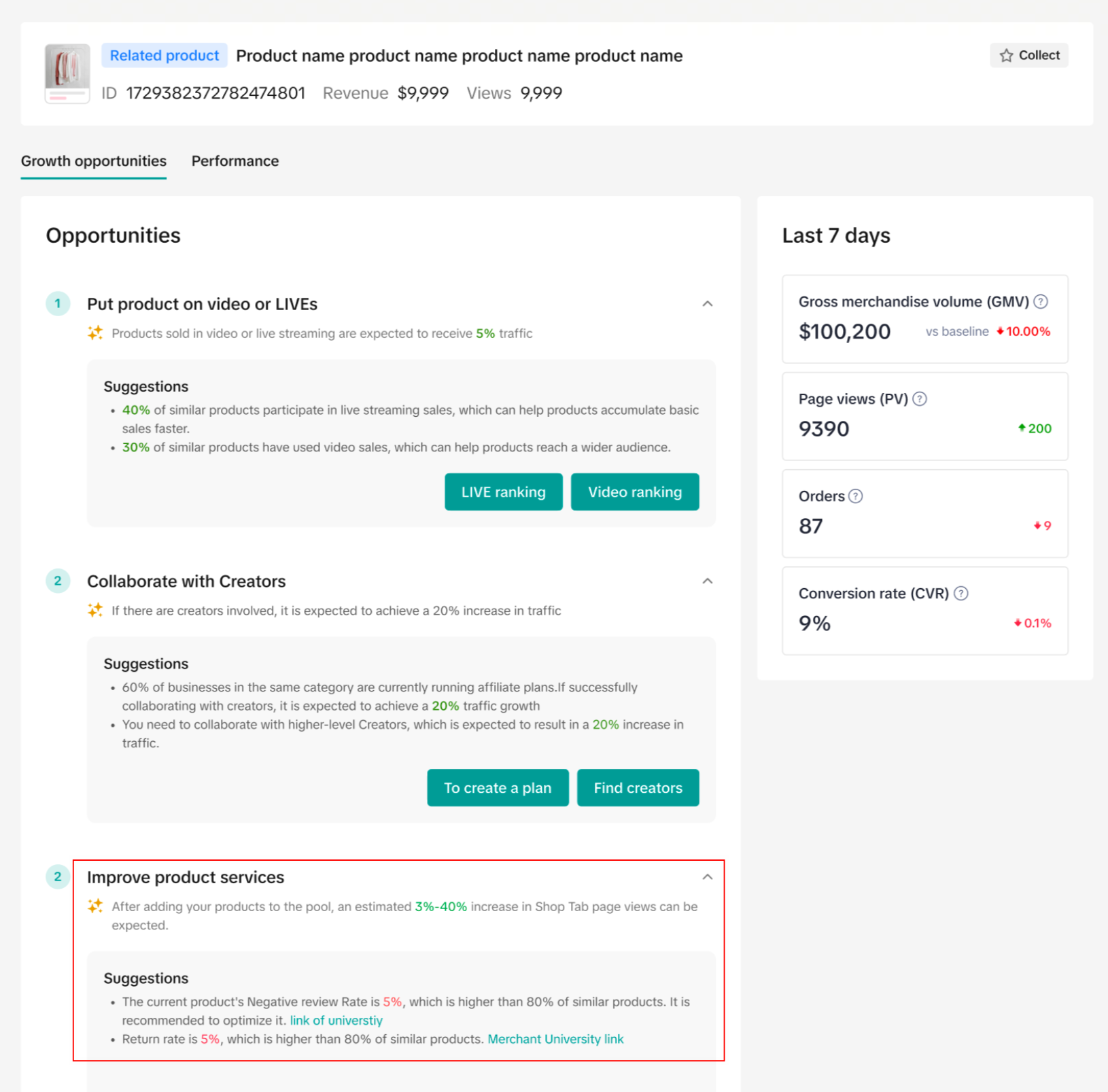 |
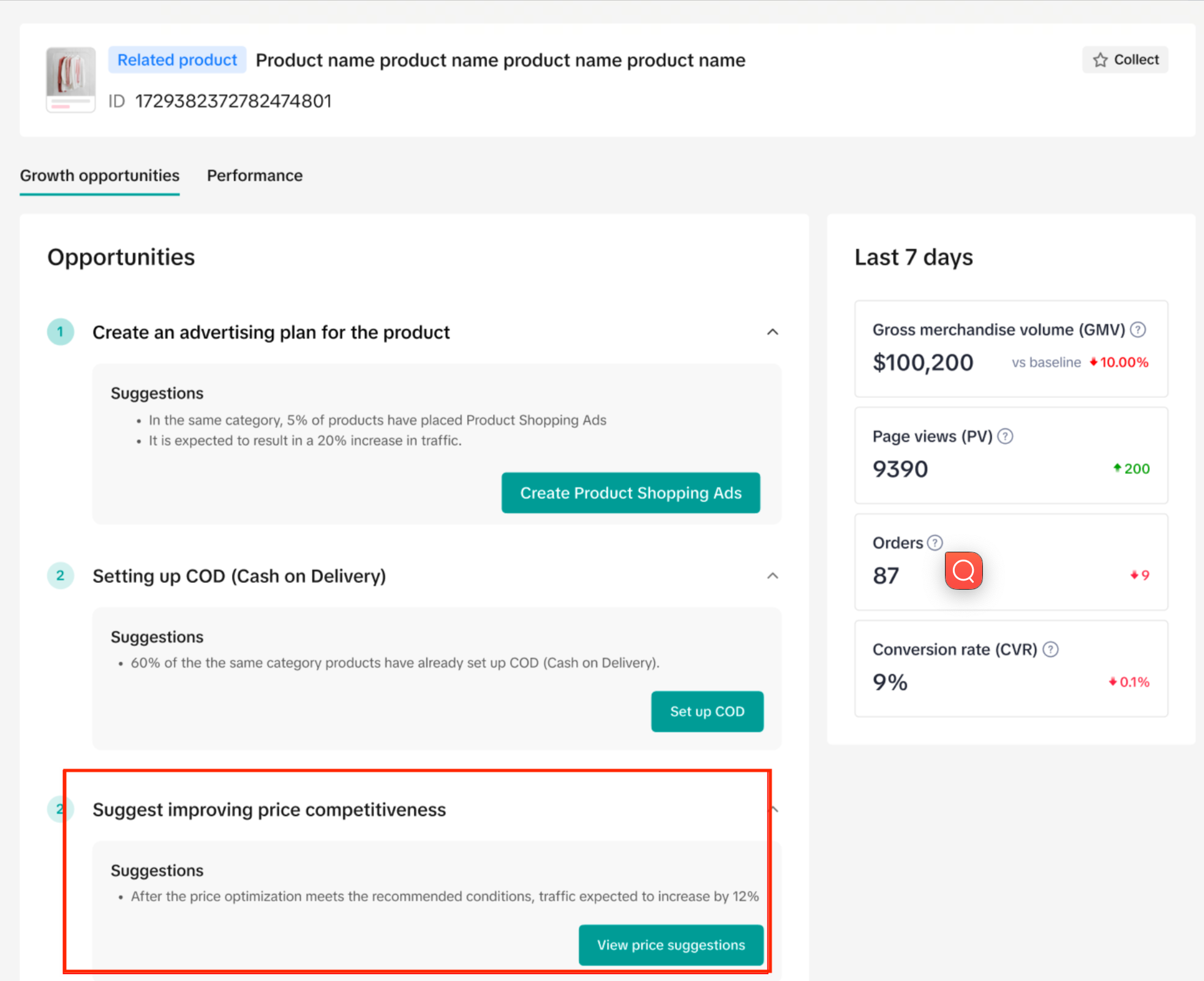
- For example, clicking on price suggestion as shown in the screenshot below will take you to the Price Diagnosis tab so you can improve the pricing of your products so they become more competitive. By just doing this, you could increase product traffic.
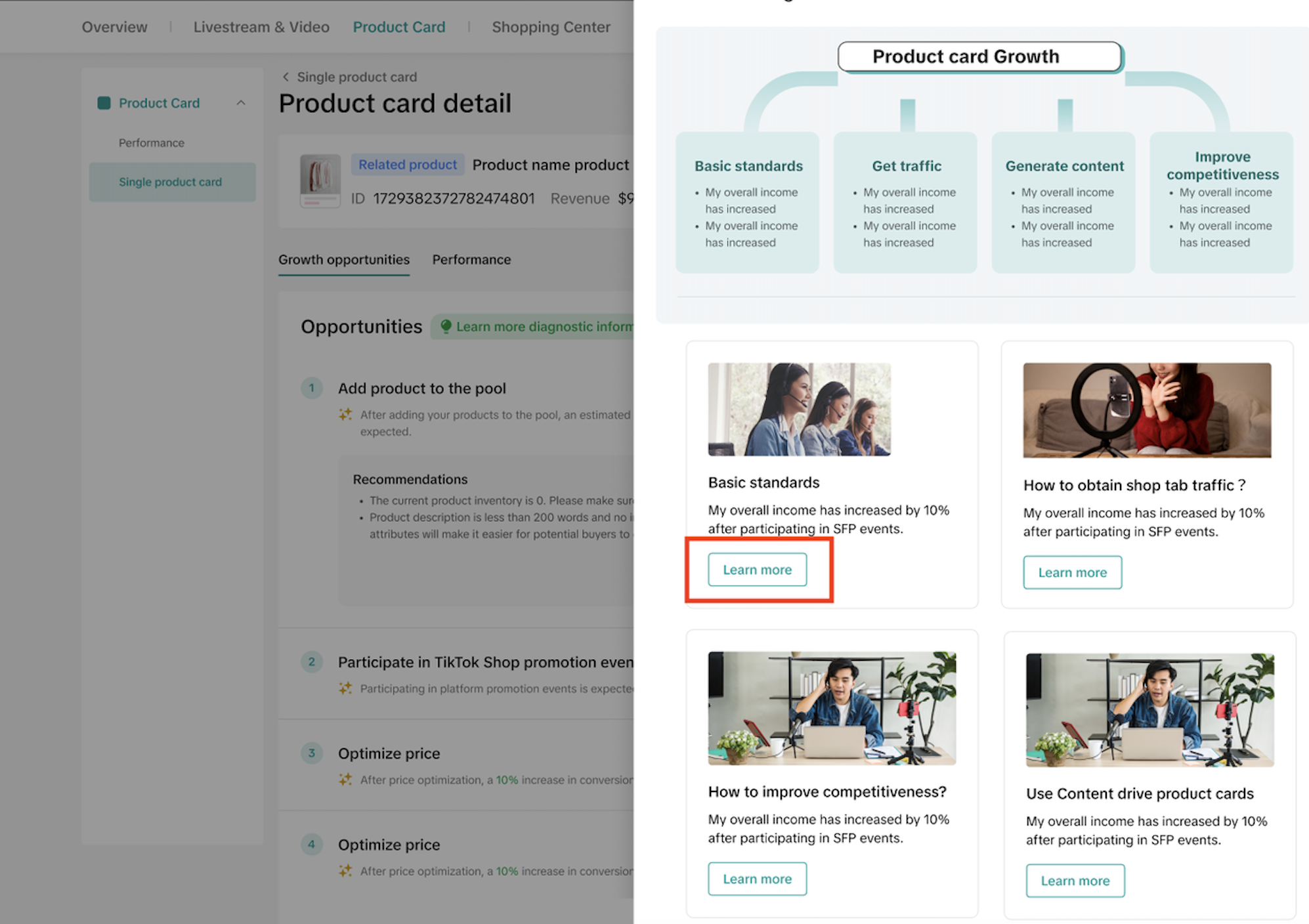
- For a thorough explanation of the aformentioned diagnoses, click on the Learn more button that will take you to a diagram listing out the different benchmarks of product card growth.

- Click on Learn more to access a thorough guidebook where we will offer explanations and examples of these benchmarks, specifically on how you to optimize your product cards for higher traffic flow.
- Lastly, the Single Product Card section also shows the performance of the selected product card over the last 7 days in metrics such as GMV, PV, and Orders.