

Live Diagnosis for Creator
03/18/2024
A successful livestream doesn't only have great products and an engaging host, leveraging data also helps to improve performance. With the intuitive and newly-launched Live Diagnosis feature, Creators can get a full view of all past livestreams, identify issues, and improve upon them.

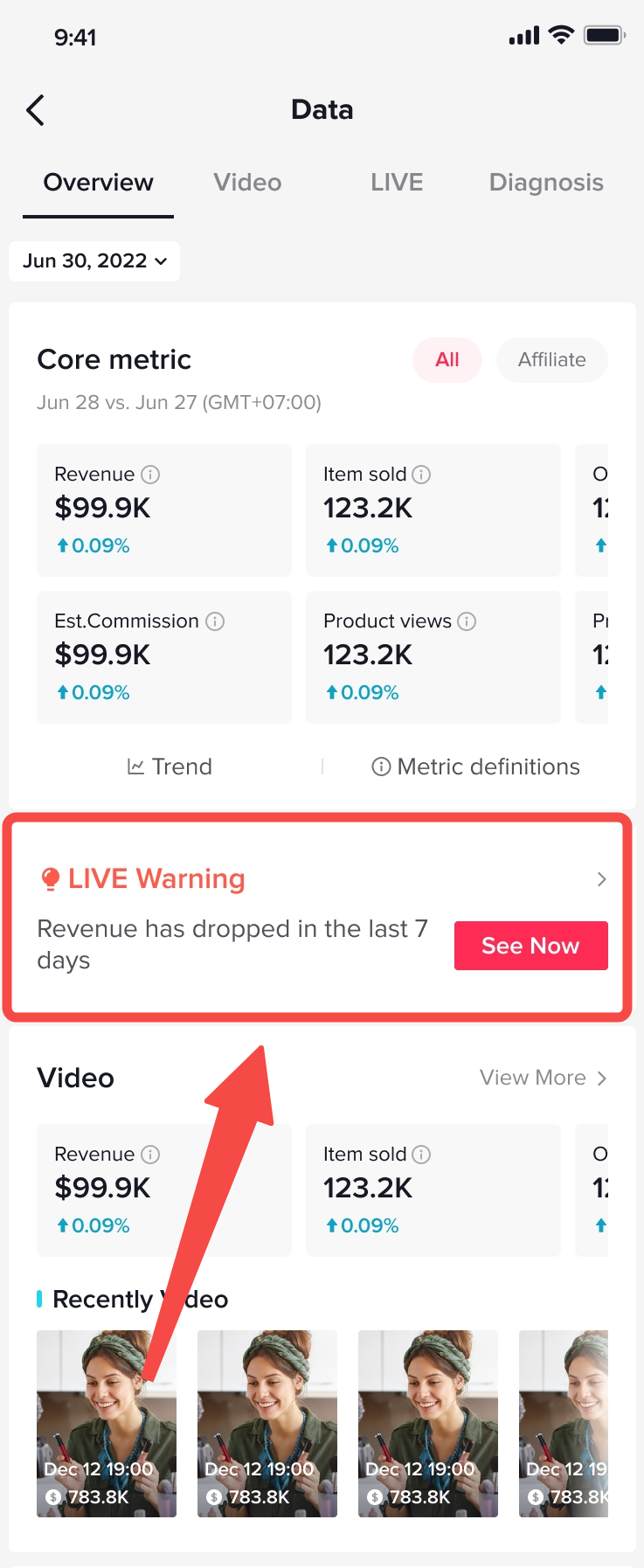
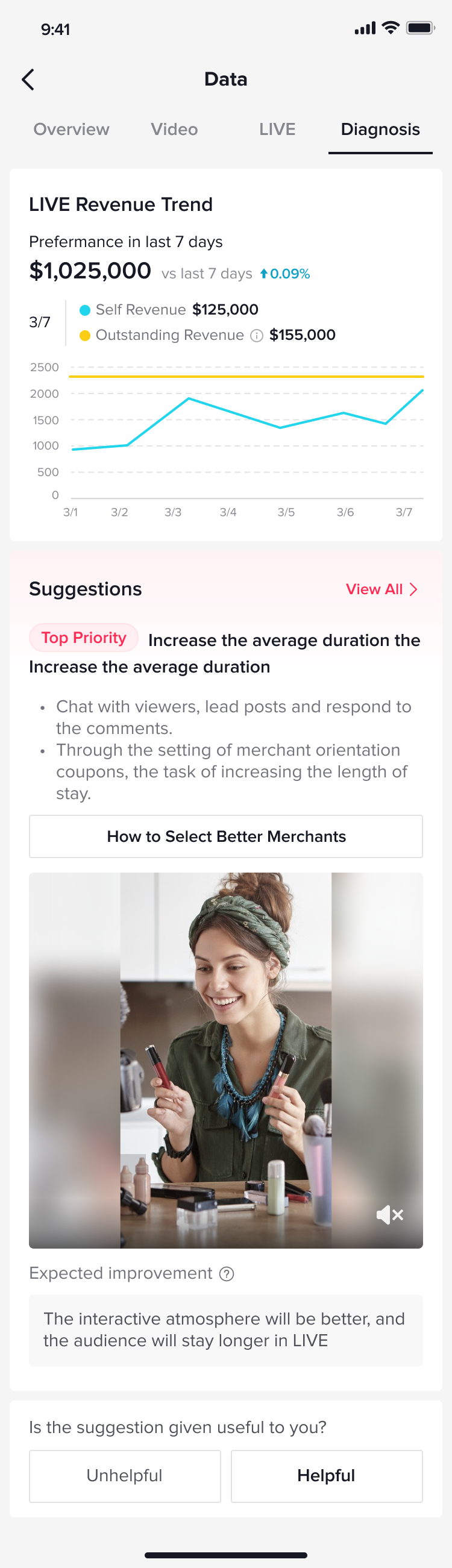

Data Compass For Creators
Located within the Data Compass for Creators, the new Live Diagnosis feature allows Creators to intuitively view recent livestreaming performances, acquiring relevant data that will help to generate and convert traffic.
In short, Creators can adjust their livestreams accordingly and improve performance.Understanding The Performance Of Your Livestream
Live Diagnosis gives Creators their diagnostic results and indicates which stages they're in. These stages are:
- Good: The livestream is doing good.
- Warning: The livestream's performance is declining and attention is required.
- Bad: The livestream is underperforming and immediate attention should be given.
- Comparing with past performances.
- Comparing with top creators in the same industry. Live Diagnosis finds Creators within your industry who are performing better than you, and benchmarks your performance with the average performance of the Top Creators. If your performance is behind the Top Creators of your industry, it means your livestreams have significant room for improvement.
Making Improvements To Your Livestream With Live Diagnosis
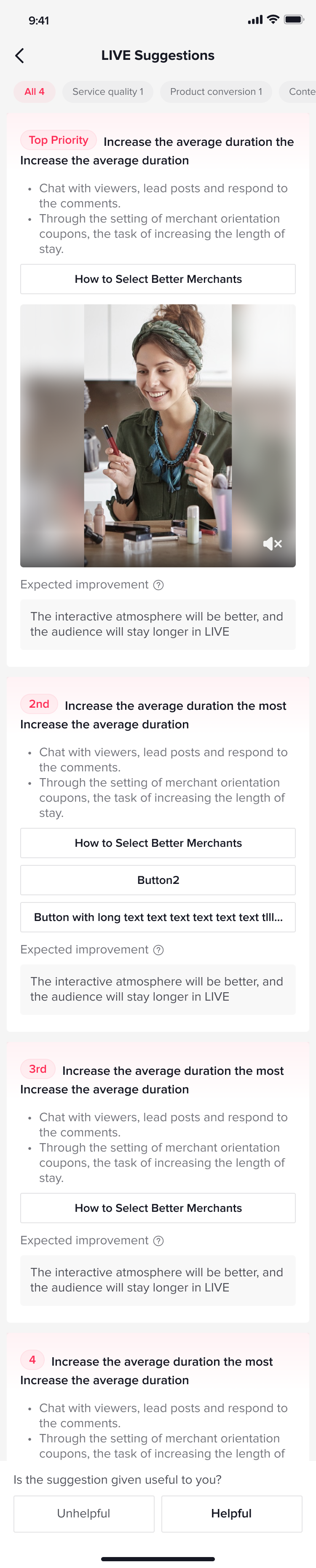
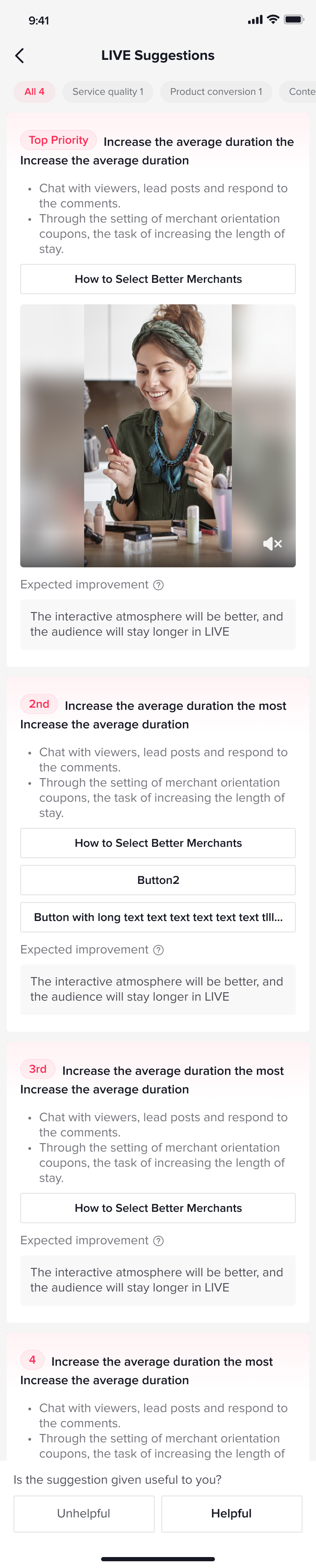
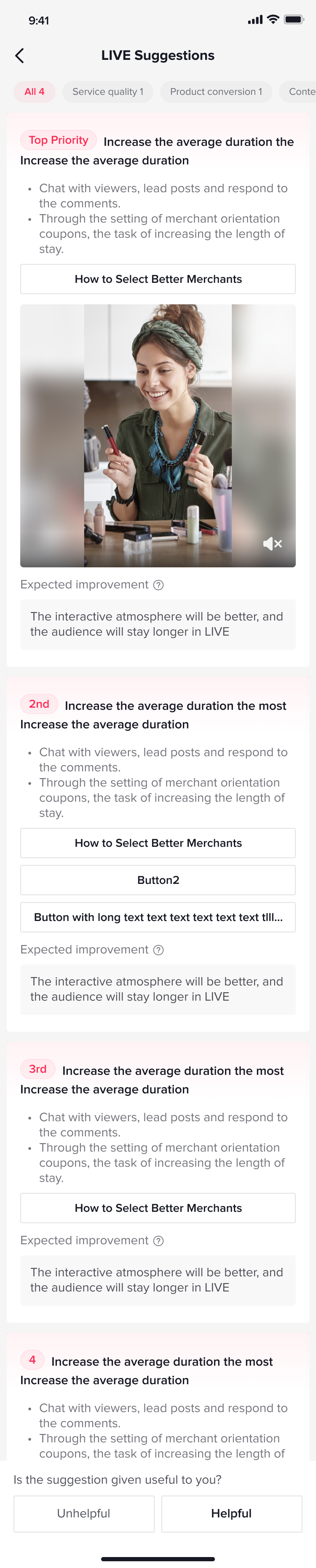
- After running Live Diagnosis, the Data Compass will give you personalized diagnostic suggestions based on specific issues. Specifically, Creators can improve their livestream traffic generation and conversion rate in 4 different areas: Content Quality, Product Conversion, Output and Frequency, and Violations.
Things To Note When Using Live Diagnosis
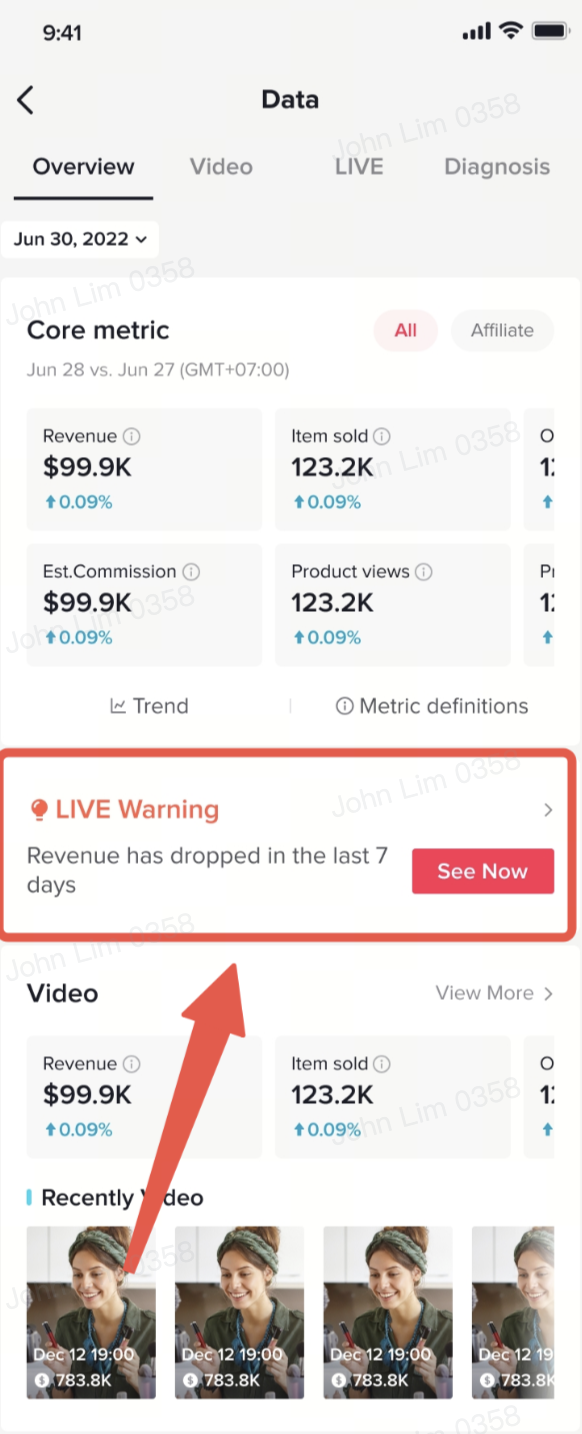
- If your livestream isn't performing, a LIVE Warning will be triggered so you can immediately take necessary steps for improvement.
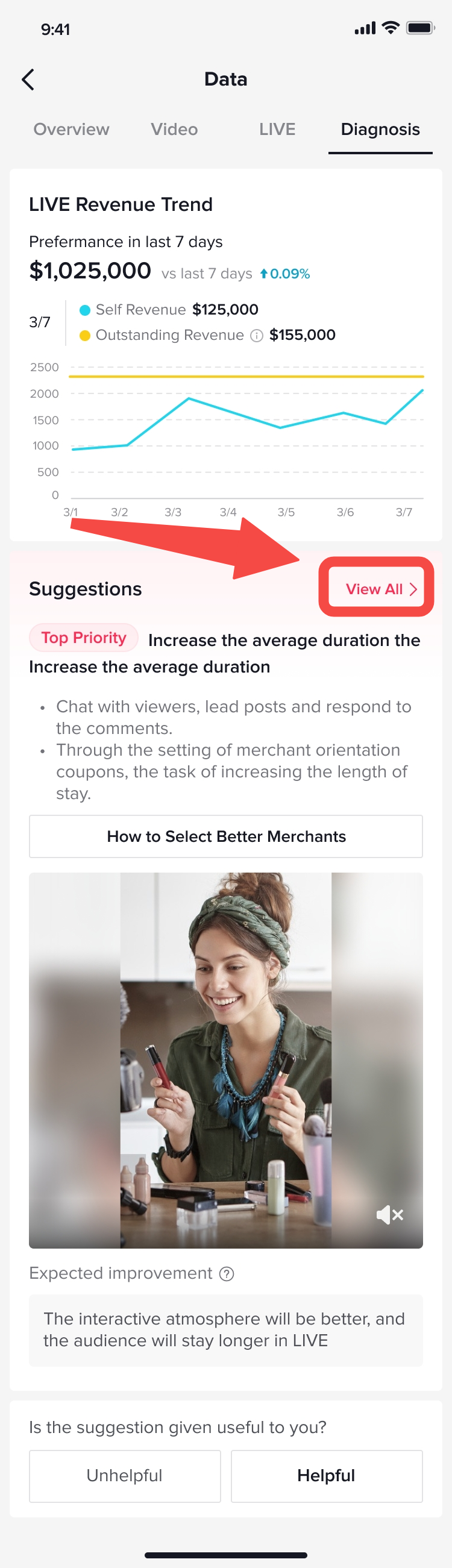
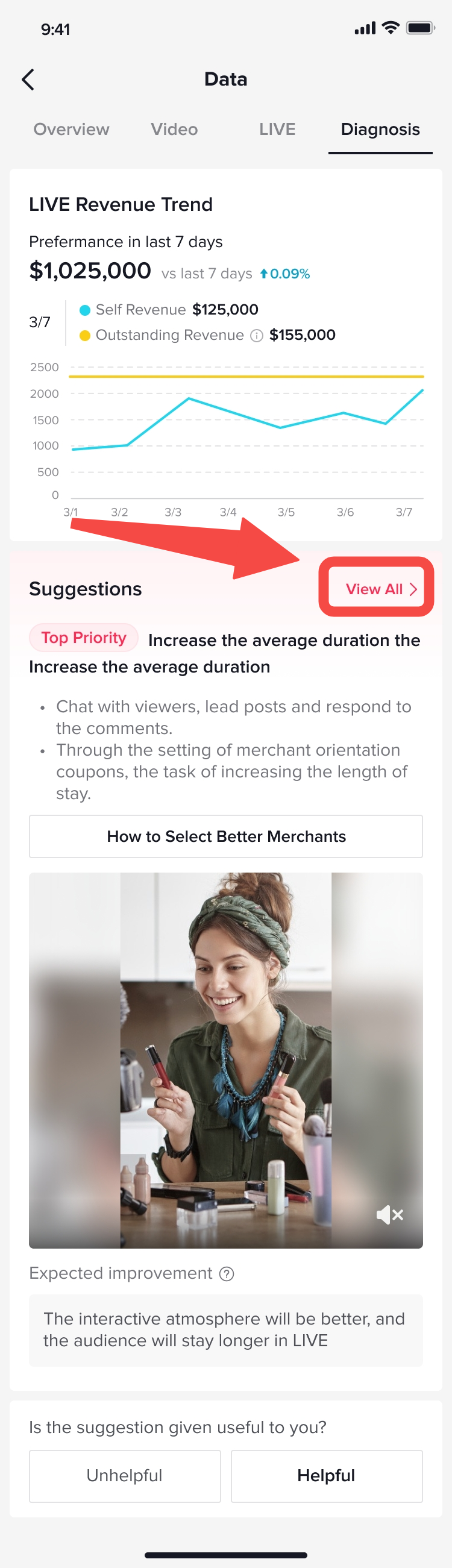
- For suggestions on how to improve, simply click on View All for a list of solutions tailored to your livestreams.
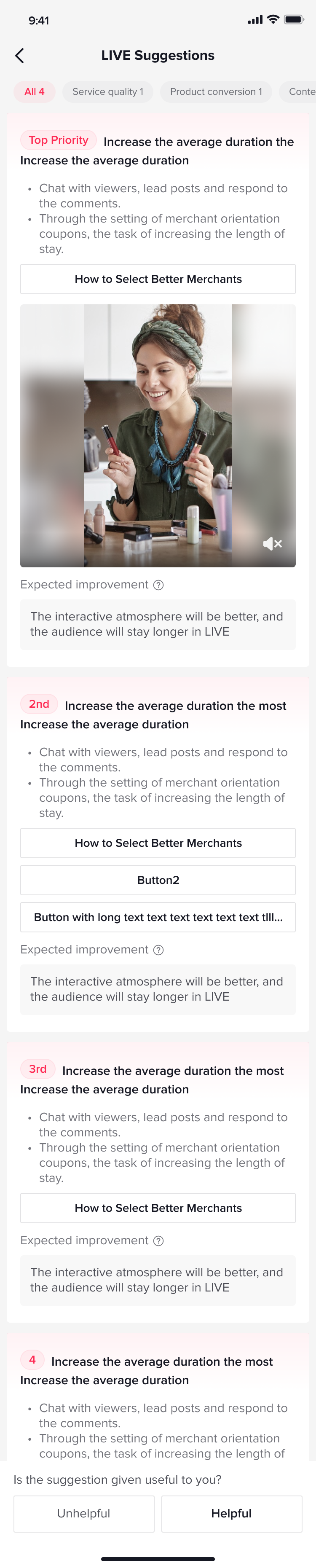
- You can select Content Quality, Product Conversion, Output and Frequency or Violations to improve livestream traffic generation and conversion rates.
You may also be interested in

Analyzing Livestream Data for Creators
This article will show you how to navigate to the LIVE & LIVE Details page via Creator App to utilis…

Strategi Menemukan Produk Trending
Kerjakan test pada link berikut untuk bisa masuk ke group edukasi ordal 'START': TEST: Kerjakan te…

3 Fitur Untuk Menemukan Konten Trending di TikTok
Selain kualitas dari video yang kamu post, tahukah kamu bahwa semakin 'relate' dan relevan konten ka…