

How to Join Affiliate Partner Campaigns
11/19/2024

What Are Affiliate Partner Campaigns
Affiliate partner campaigns are initiatives designed for ShopTokopedia Affiliate Partners (TAP) and sellers collaborate. An affiliate partner acts as a third-party agency that facilitates the matchmaking process between sellers and creators to ensure seamless collaboration and successful product promotion.There are two types of affiliate partner campaigns:
- Agency-initiated: These campaigns are organised by ShopTokopedia affiliate partners (TAP), allowing selected or all sellers to join and register their products. Once a seller joins, affiliate partners match their products with suitable creators who promote them and earn commissions in return. By participating in these campaigns, sellers can boost product visibility, utilise the expertise of top creators, and drive more sales.
- Seller-initiated: These campaigns are started by sellers who want to collaborate with affiliate partners. Sellers can choose to open the campaign to all partners or select specific ones, register their products, set the commission rate, and indicate their preferences for creators. Once the campaign is published, affiliate partners can join and collaborate with the seller.

Benefits of Joining Affiliate Partner Campaigns


How to Join Affiliate Partner Campaigns
- Go to Seller Center > Affiliate Center, then select Partner Campaign. You'll see two types of partner campaigns:
- Seller: For campaigns you initiate and manage, allowing affiliate partners to participate. To learn more about Seller Initiated Campaign, read our feature guide.
- Agency: For campaigns initiated by affiliate partners (TAP campaigns) where you can browse and register your products.
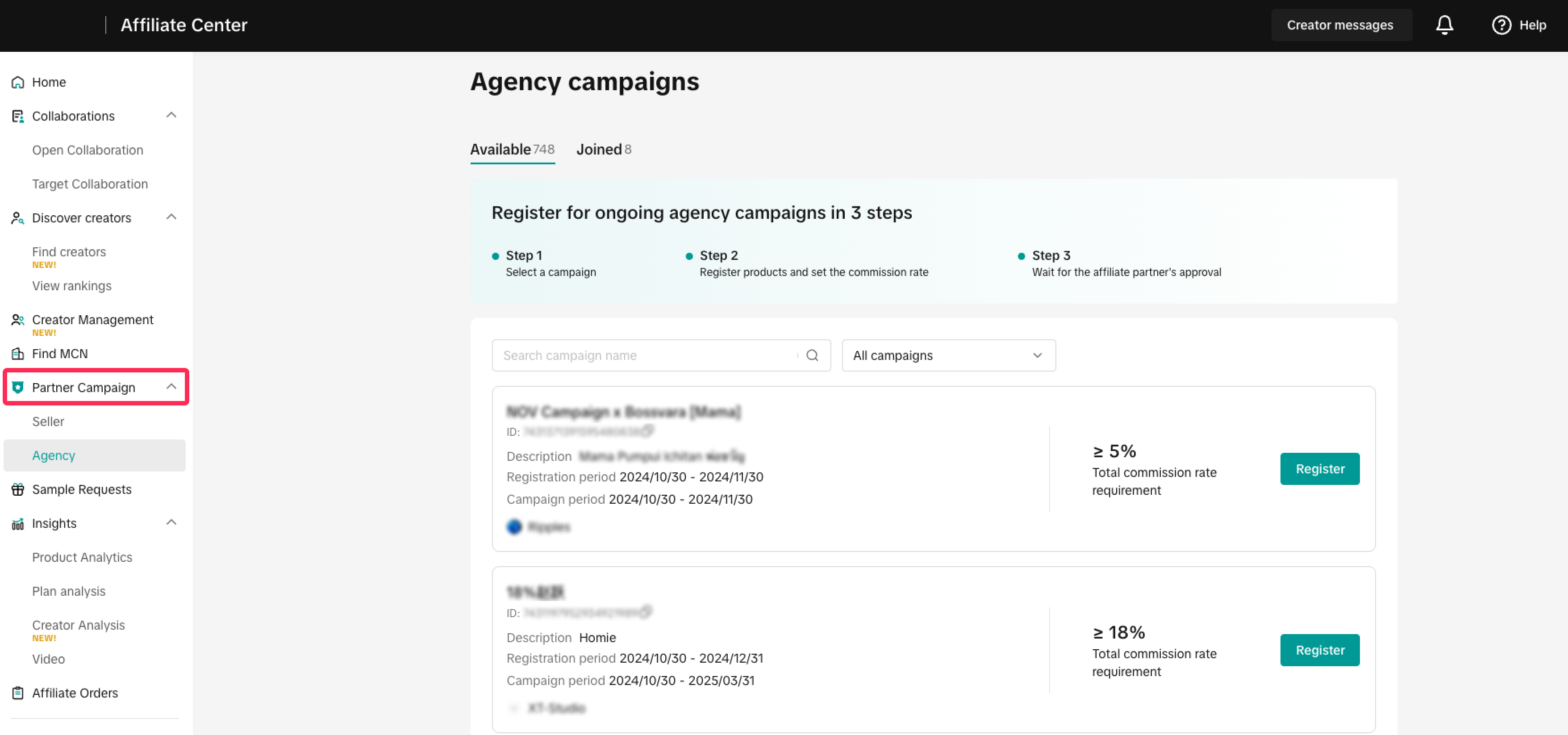
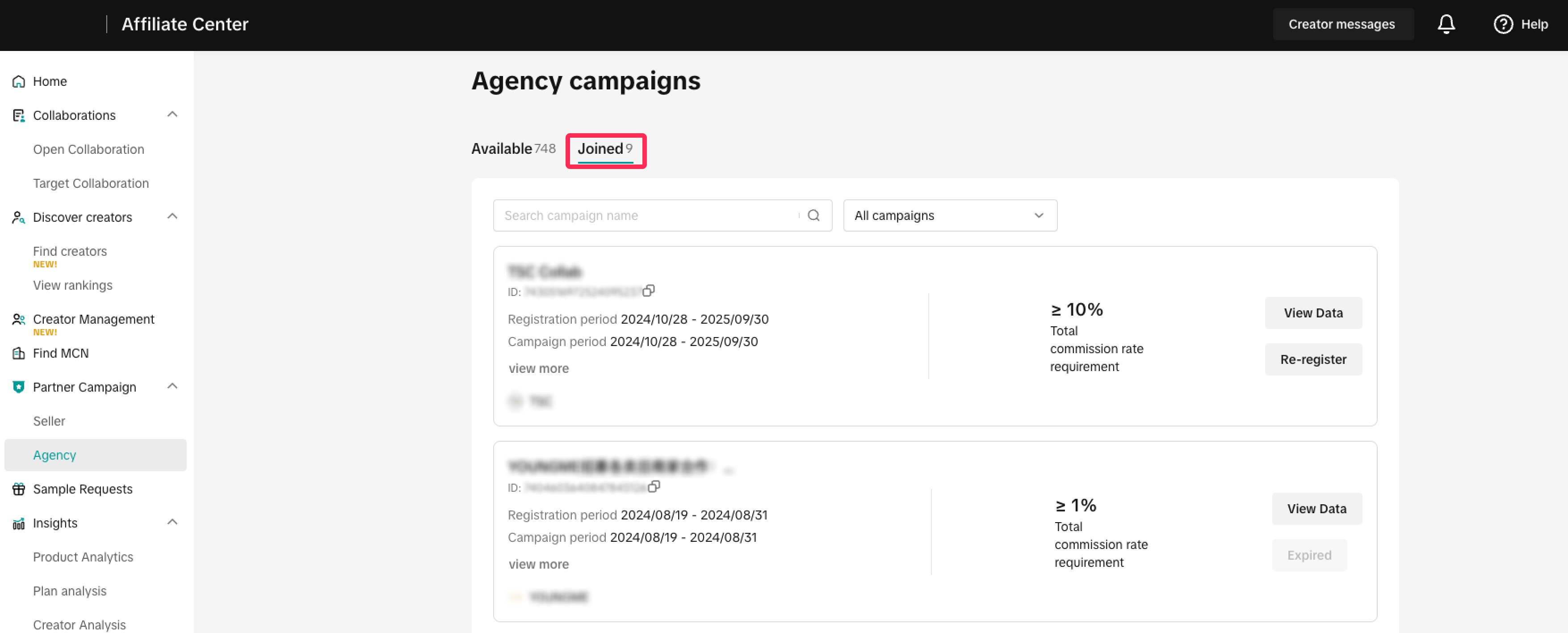
- Click Agency to view available affiliate partner campaigns. You can check campaign details and commission requirements before joining, including:
- Campaign name
- Campaign detail
- Registration period
- Campaign period
- Commission requirements
- Contact information of affiliate partner
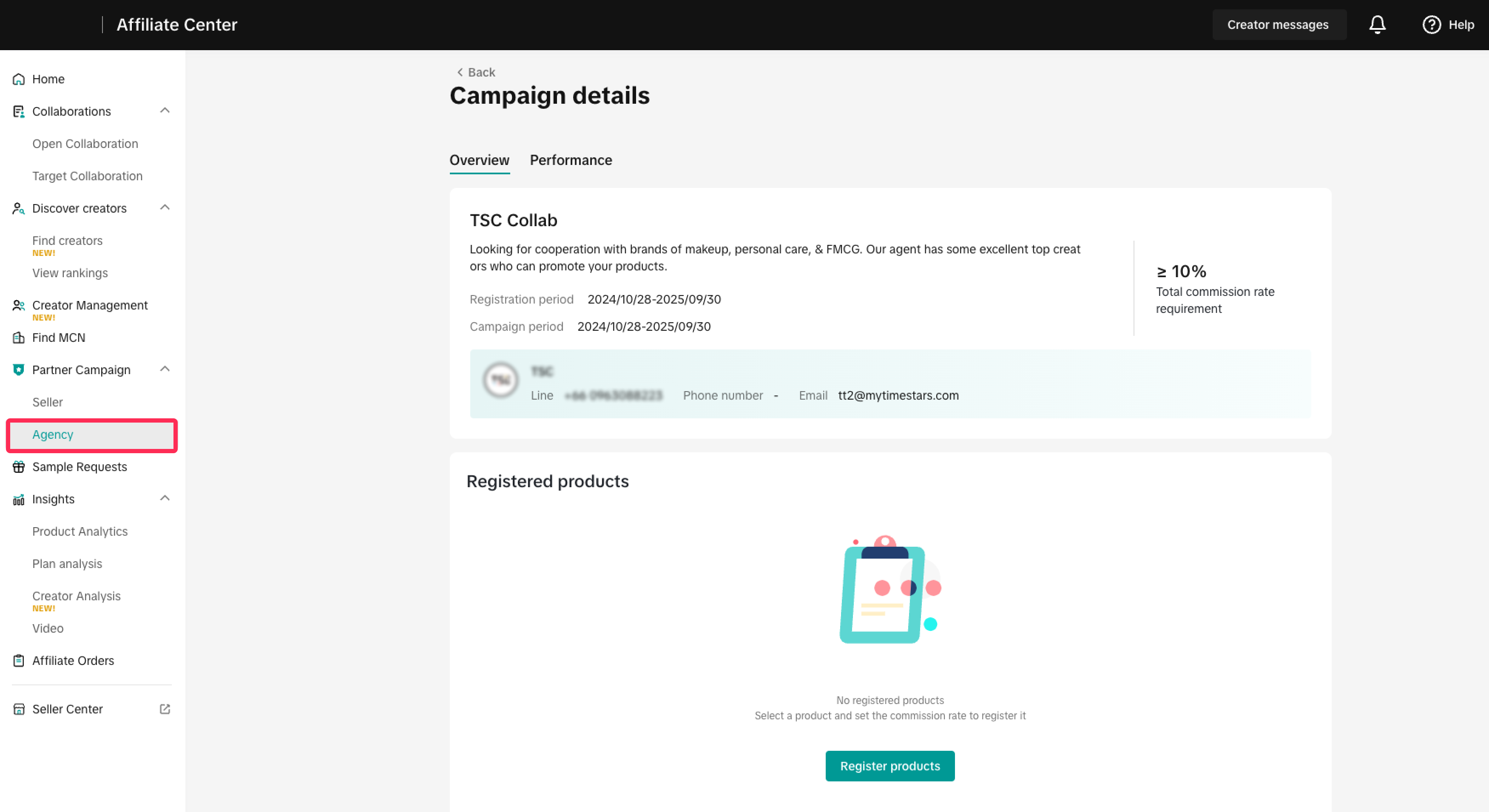
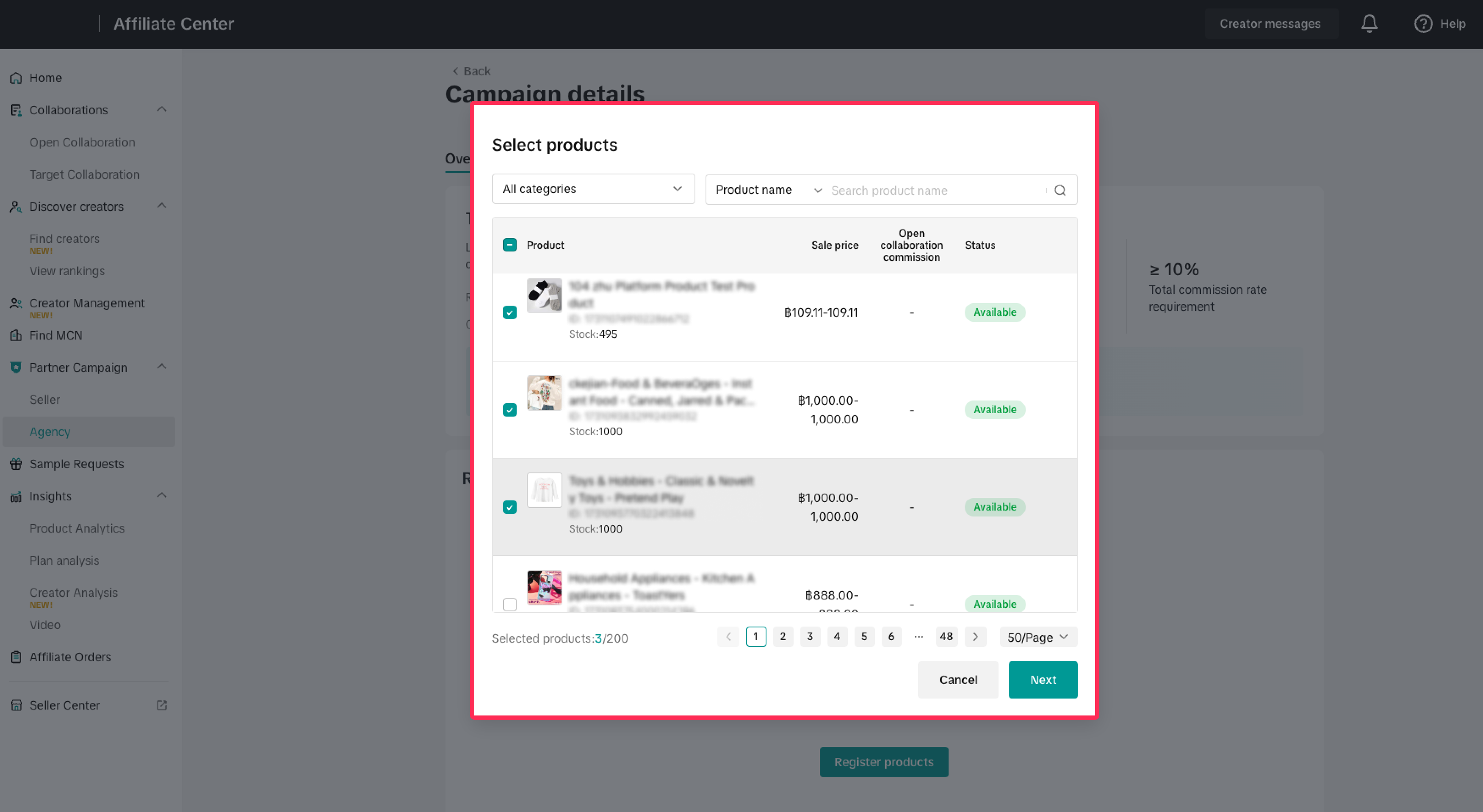
- If interested in a campaign, click 'Register Products' and select the products you wish to join.
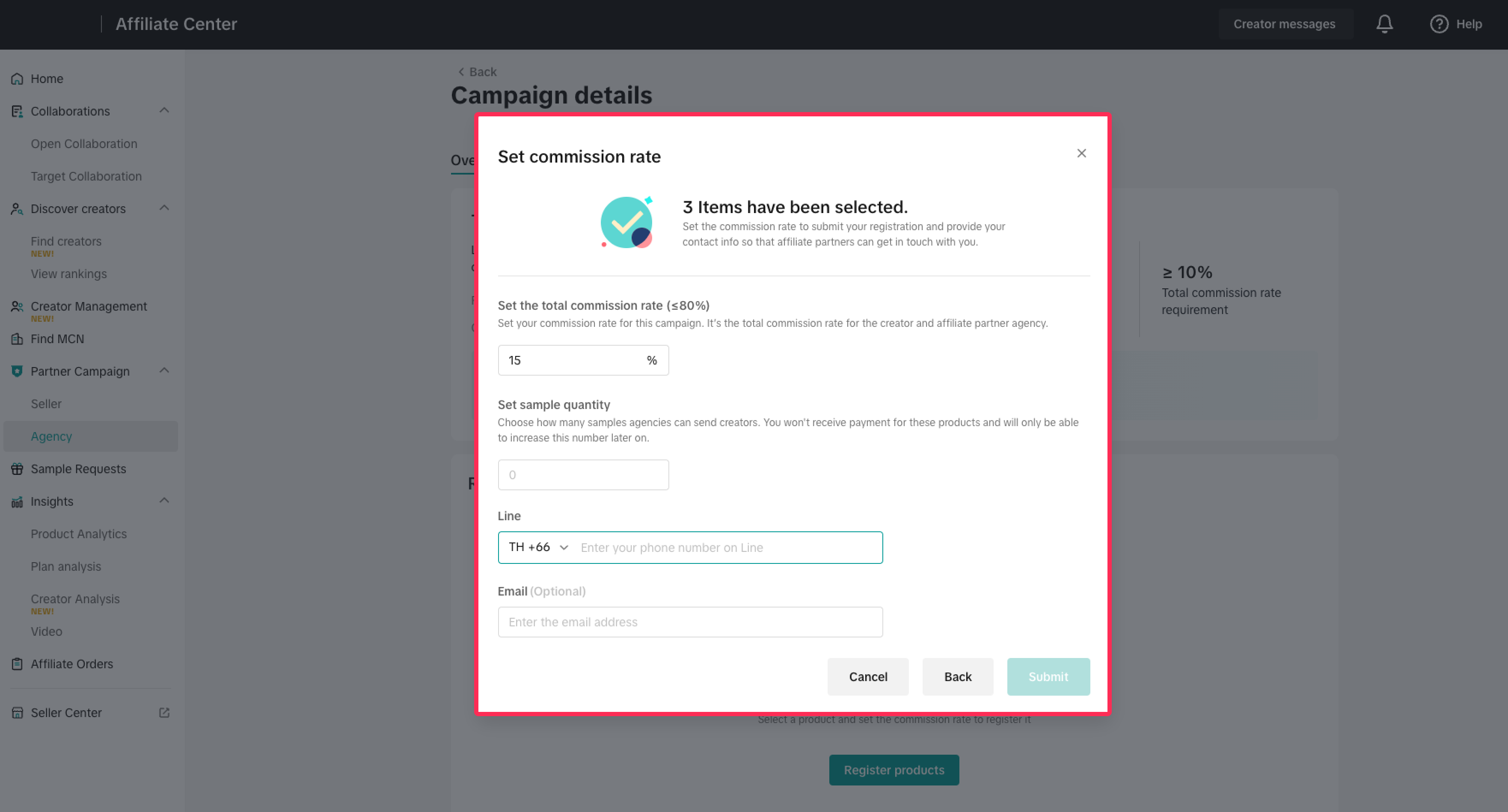
- After selecting your products, set the total commission rate for affiliate partners and creators, set sample quantity, add contact information, then click 'Submit.'
- The affiliate partners will review your products. Once approved, affiliate partners and creators will begin promoting your products to drive sales.
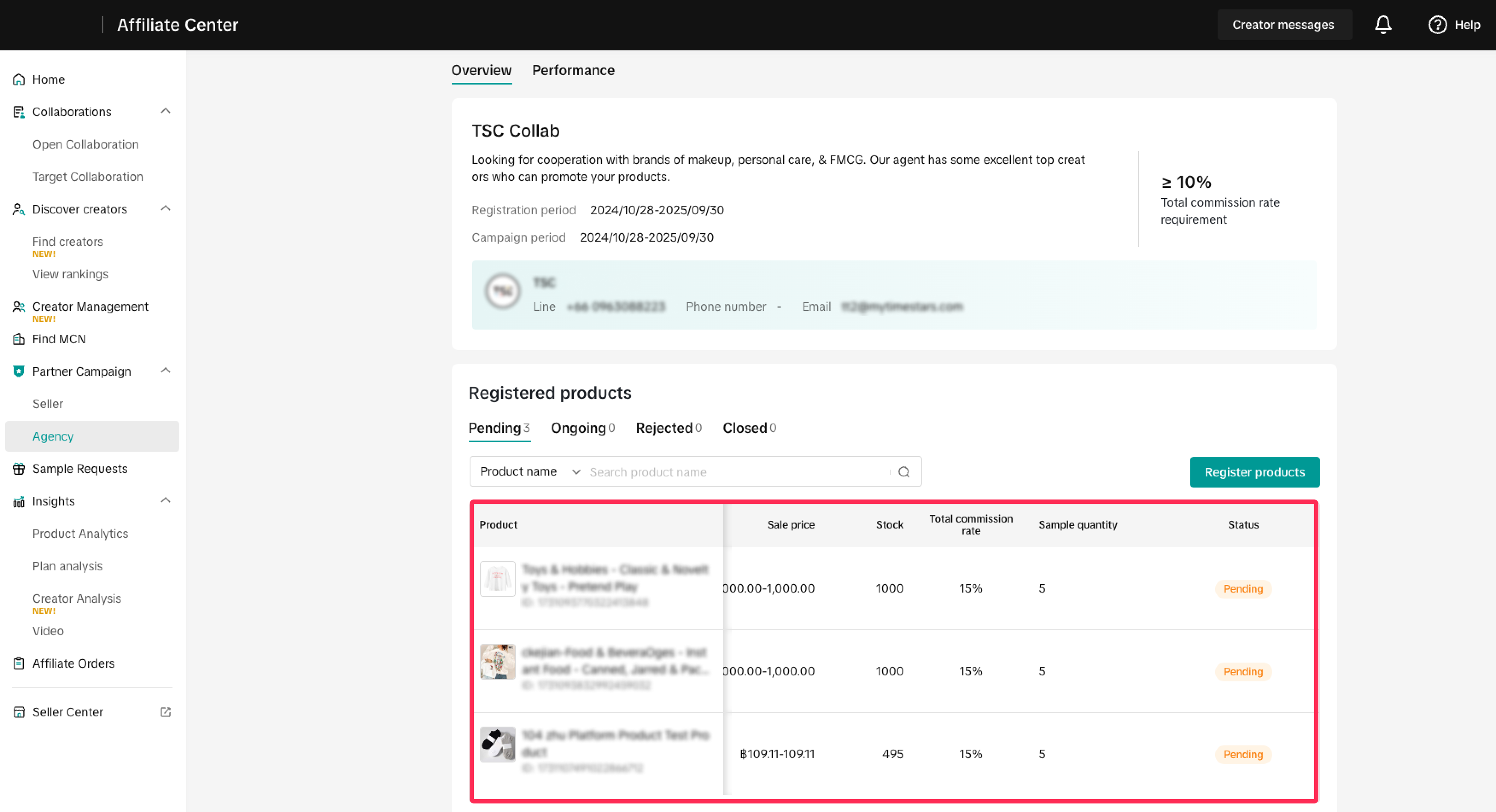
- You can monitor your registered products' status on the Agency Campaigns page under the Joined tab. Click on a campaign to check the progress of registered products.
You may also be interested in
- 11 lessons
Affiliate
Explore how to collaborate with creators and affiliates to boost product reach through organic promo…
- 1 lesson
MCN
Learn how to collaborate with Multi-Channel Networks (MCNs) to scale your affiliate marketing campai…
- 2 lessons
Find & Manage Creators
Techniques for identifying and managing affiliate creators to promote your products.
How to find and cooperate with a MCN?
What is a MCN? A MCN is a company or team that works across multiple channels with content creators,…
How to Request Shop Partners
In this guide, we'll walk you through the new process that allows sellers like you to connect and co…

Creator Ranking List
This article will teach you how to understand and navigate the "View Rankings" page in the Affiliate…

Find Creators for Affiliate
This article will guide you on how to look for Creators to work with for your Affiliate Collaboratio…

Manage Creators on Affiliate
This article will guide you on how to use and explore the "Manage Creators" page in the Affiliate Ce…

Creator Level for Sellers
What is Creator Level System? Creators are classified into L0 to L8 and their level will be refreshe…

Campaign Sample Management for Seller
In this guide, we will take you through the process you need to follow in order to manage sample req…