

Campaign Analytics
02/12/2025
This article will help you understand how to use the new feature to help in tracking your shop's performance during key campaigns. Data Compass can provide answers to the following questions:
Understand your shop's traffic, conversion and product performance during campaigns with comprehensive and clear data.

The previous campaign performance is also available for backtracking analysis.
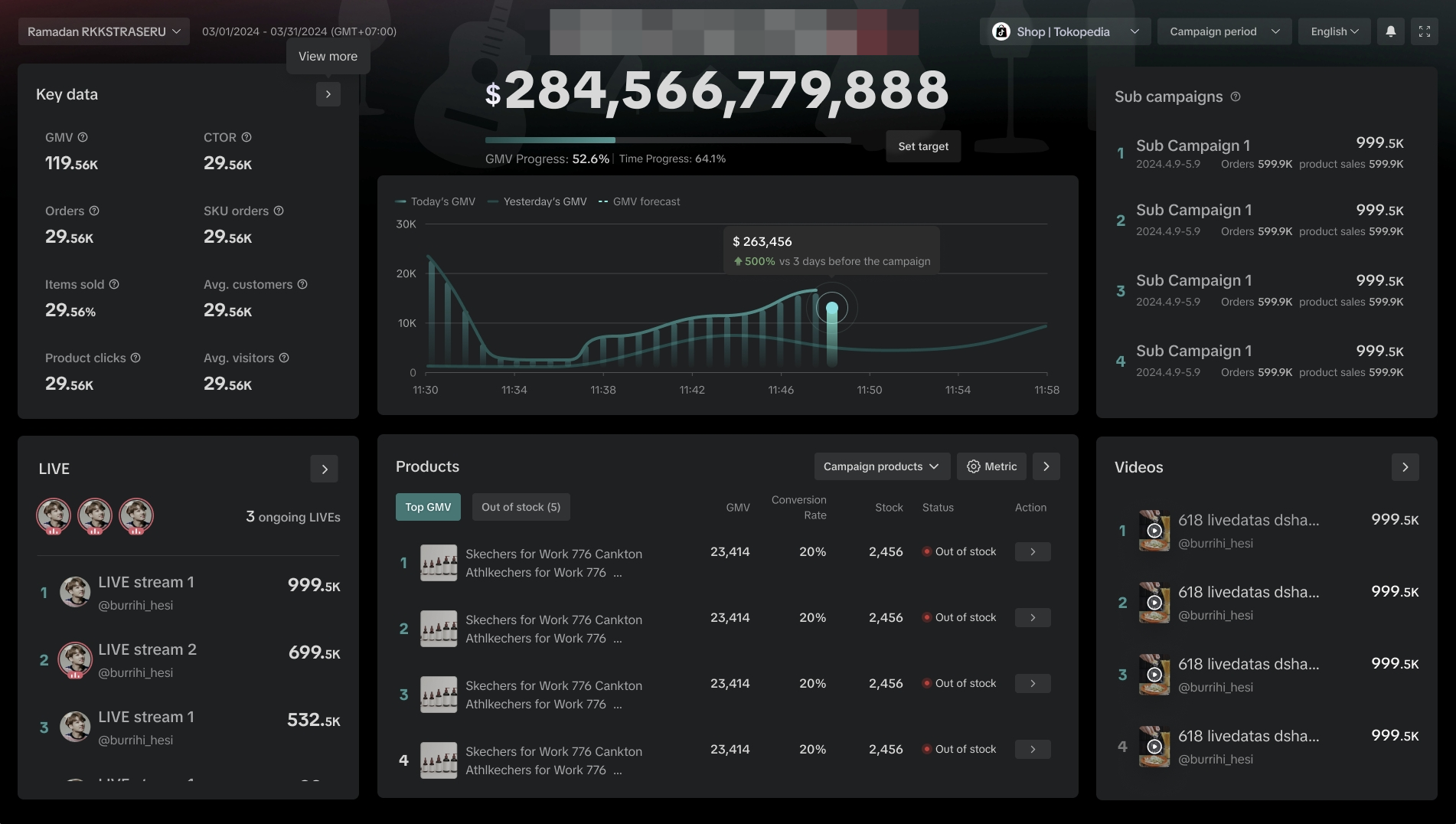
A. Get real-time Core Metrics on all campaign activities including:
C. Warning notifications and reminders will trigger for the below circumstances;
**All information displayed on the dashboard is fictional and used for demonstration purposes only. Actual interface may vary.
- How much traffic and turnover did I gain from joining campaigns? How much was my shop's growth during campaigns compared to my daily GMV?
- How can I review my performance during the year? How can I check my shop's growth when I try different activities?
- How can I share my shop's performance during campaigns ?
Understand your shop's traffic, conversion and product performance during campaigns with comprehensive and clear data.
- Year-round Campaign Calendar: Review your shop's historical GMV performance at any time
- Single Campaign Performance: Deep dive to big GMV, traffic, and product performance from a single dashboard in real time and on demand.
- Campaign Performance Look back: Re-watch the historical campaign activities just by changing the dates on the same Campaign Dashboard or enter via previous campaign rows.

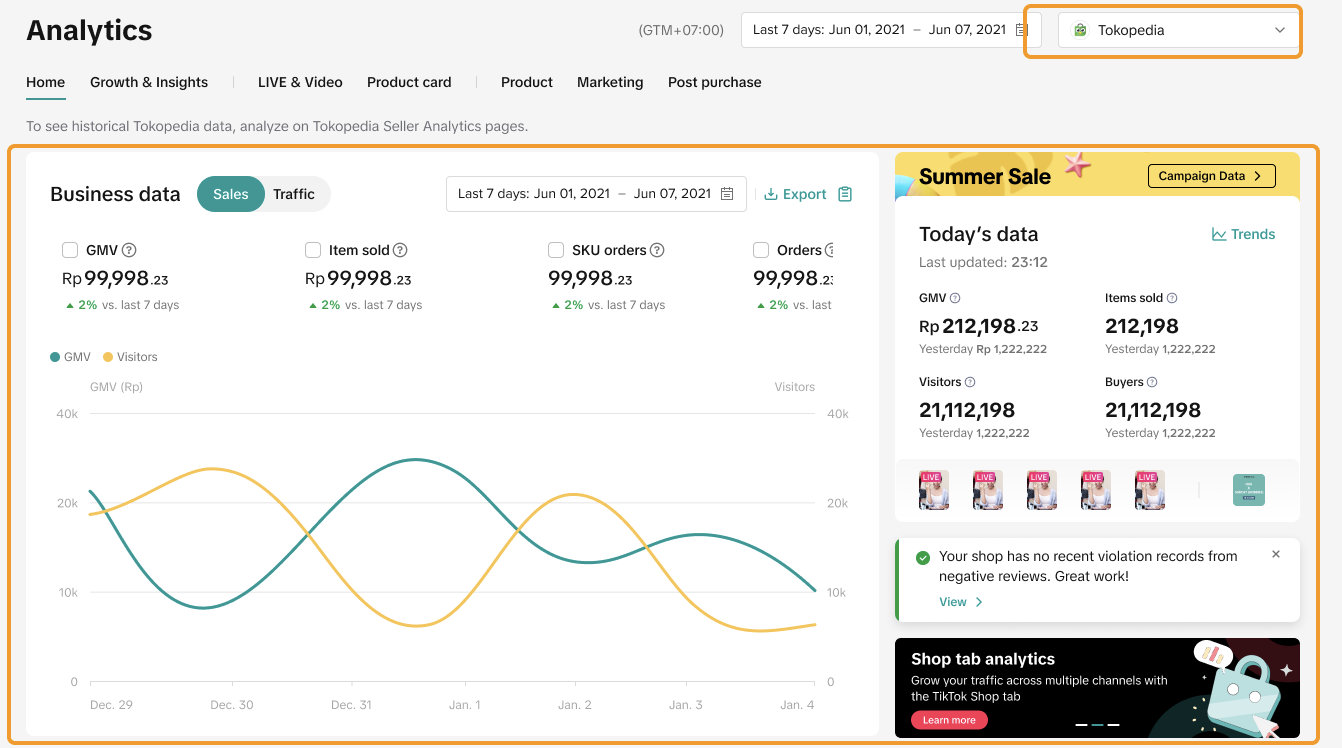
How to access Campaign Analysis tools?
Campaign Dashboard | ||
 |  |  |
What are the core functions of Campaign Performance?
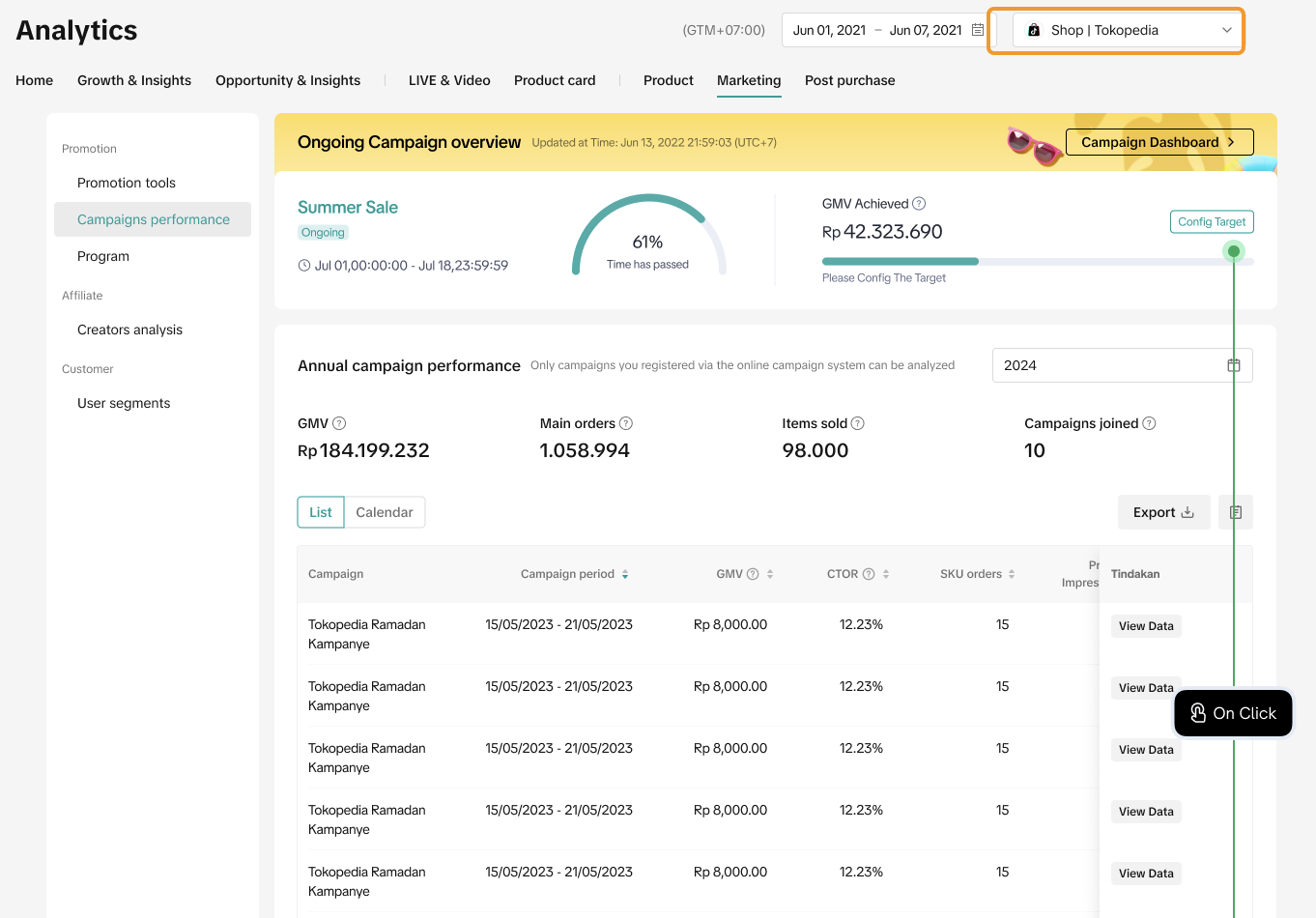
Annual Campaign Calendar
- Understand the cumulative annual GMV performance through registered campaigns with key metrics including GMV, Main Orders, Item Sold and Campaign Joined.
- Comprehensive list view and calendar view with export function for Year-To-Date performance data.
- When there's a campaign, sellers can set up GMV targets for the active campaigns on both ShopTokopedia and(or) Tokopedia.
| List ViewWithout on-going campaign | Calendar ViewWith on-going campaign |
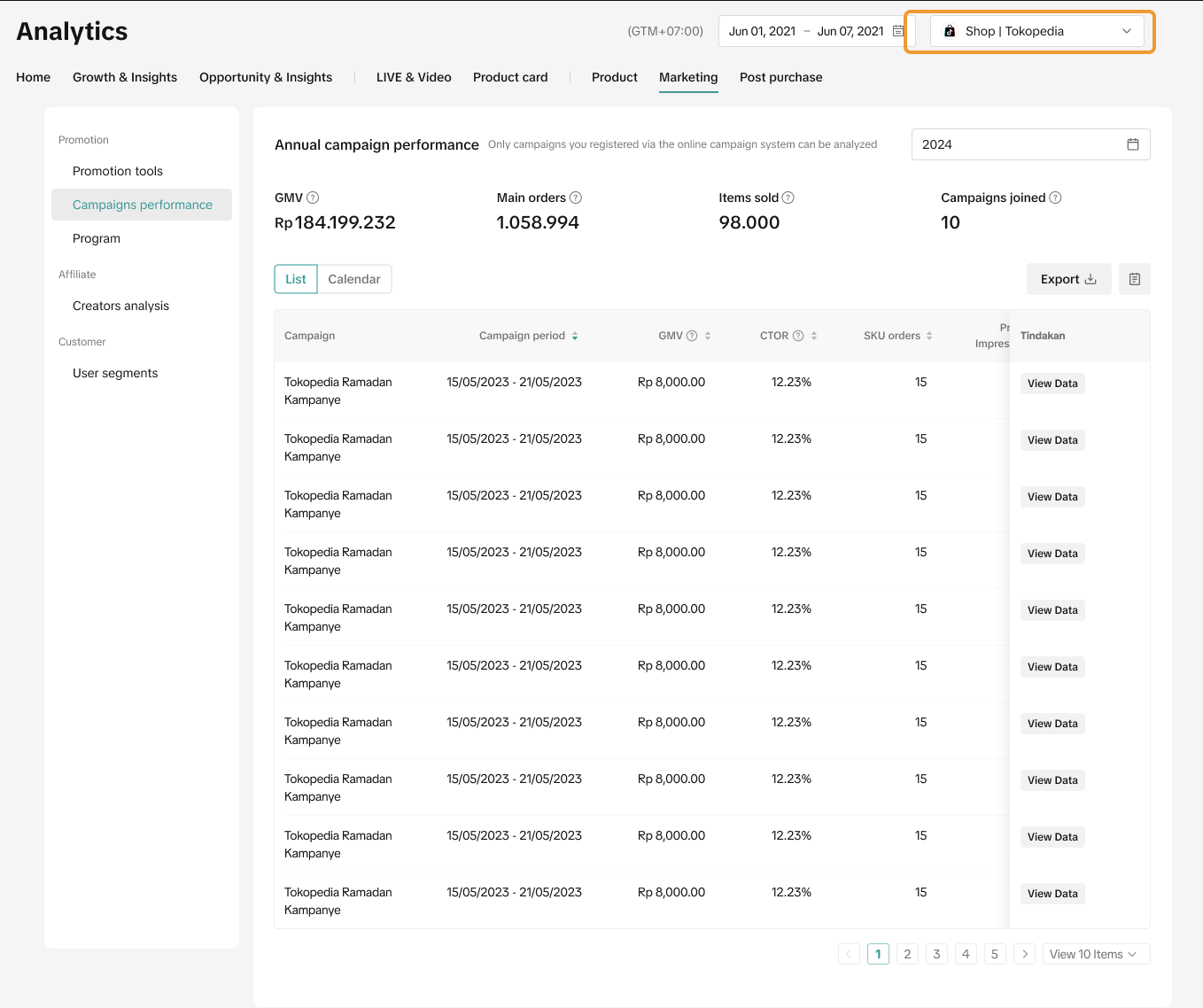 | 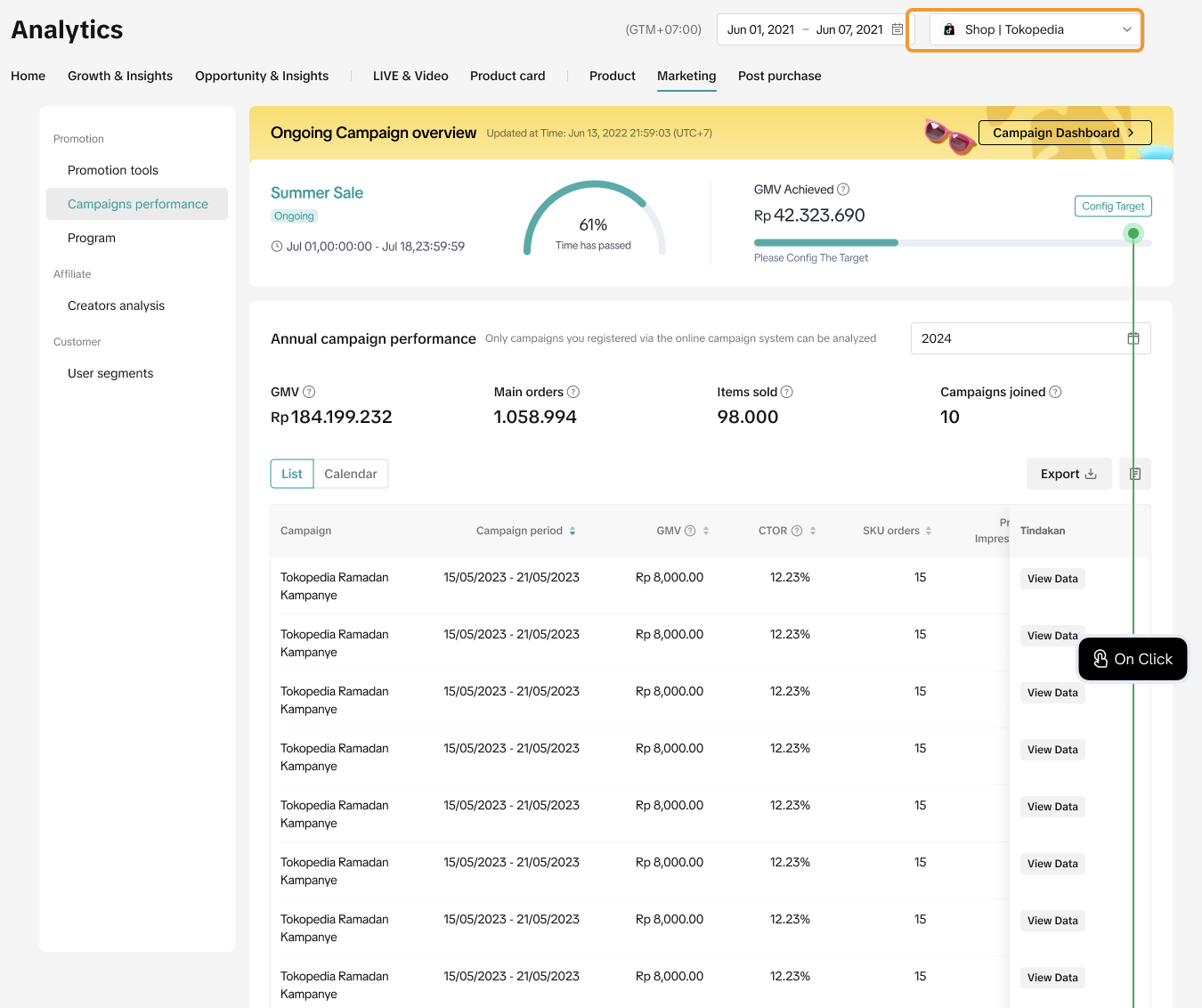 |
Real-Time Campaign dashboard
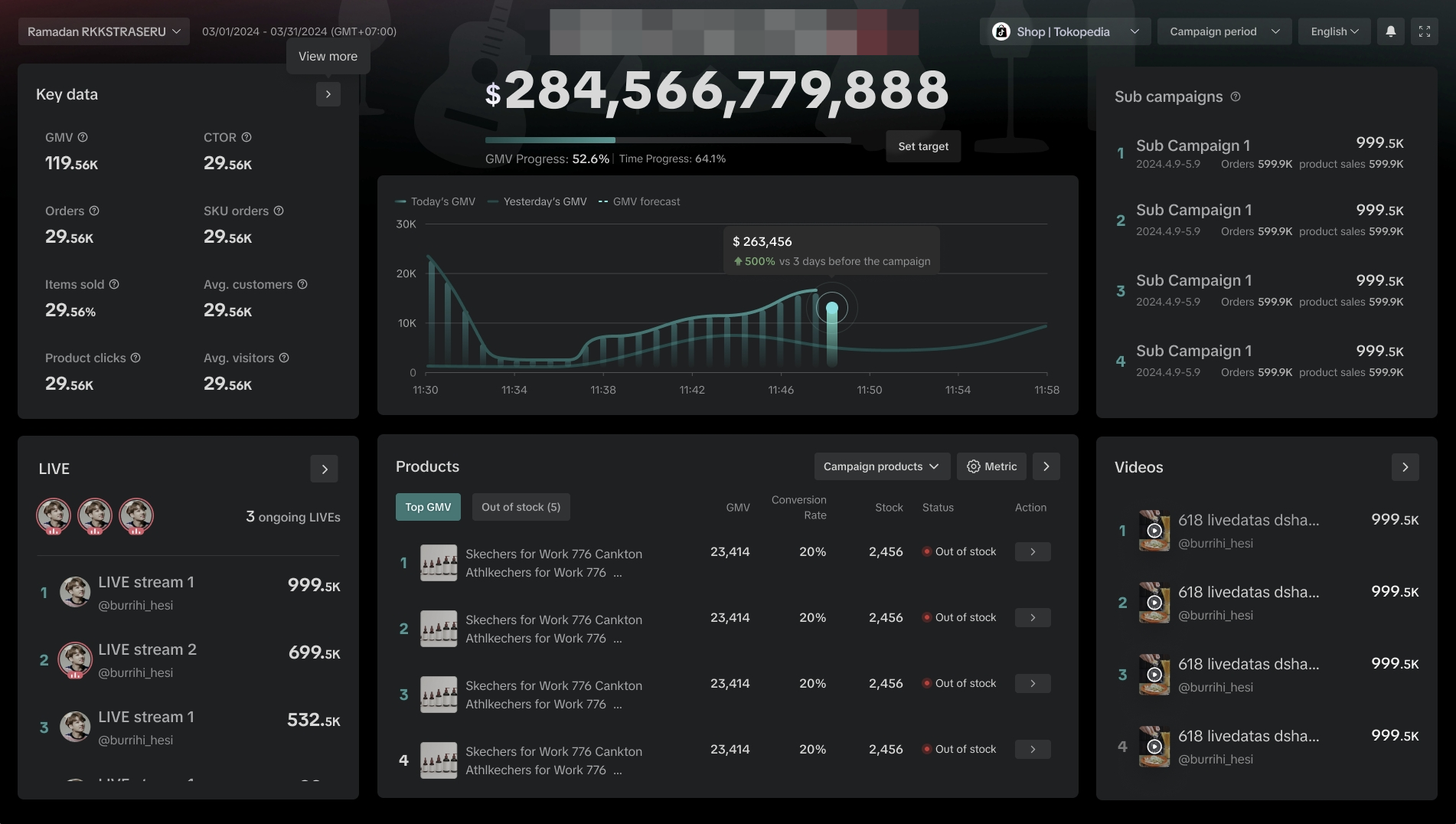
When you join a campaign, we now give you greater visibility on your GMV targets and real-time performance, allowing you to have greater control and flexibility over your campaign strategies and promotions.The previous campaign performance is also available for backtracking analysis.
Monitor mega campaign movement in real time
Sellers are able to keep track of GMV achievement progress towards the GMV target configured in real time.A. Get real-time Core Metrics on all campaign activities including:
- Registered Key Livestreams (KLS) campaigns*
- Short Videos from registered TikTok UIDs*
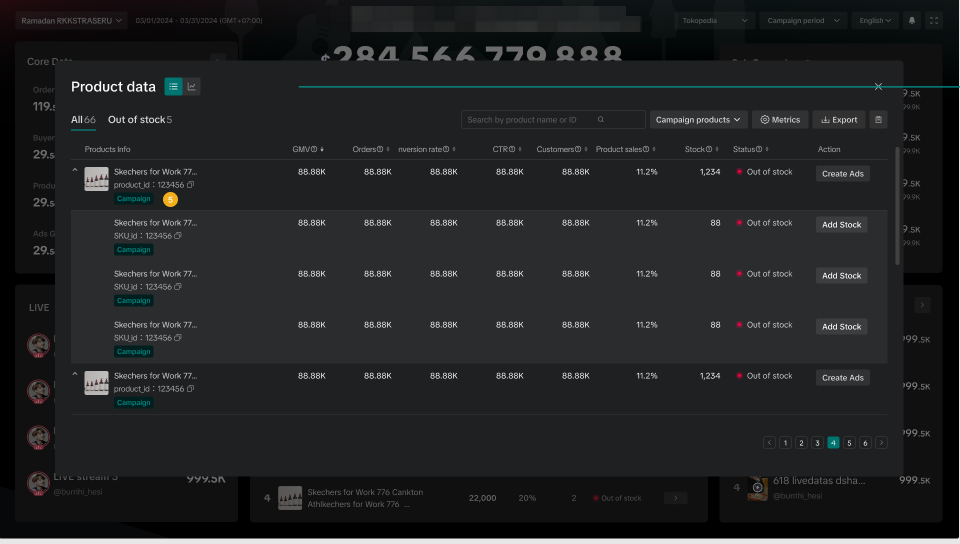
- Registered products with campaign price
LIVE Dashboard* | Videos Dashboard* | Products Dashboard |
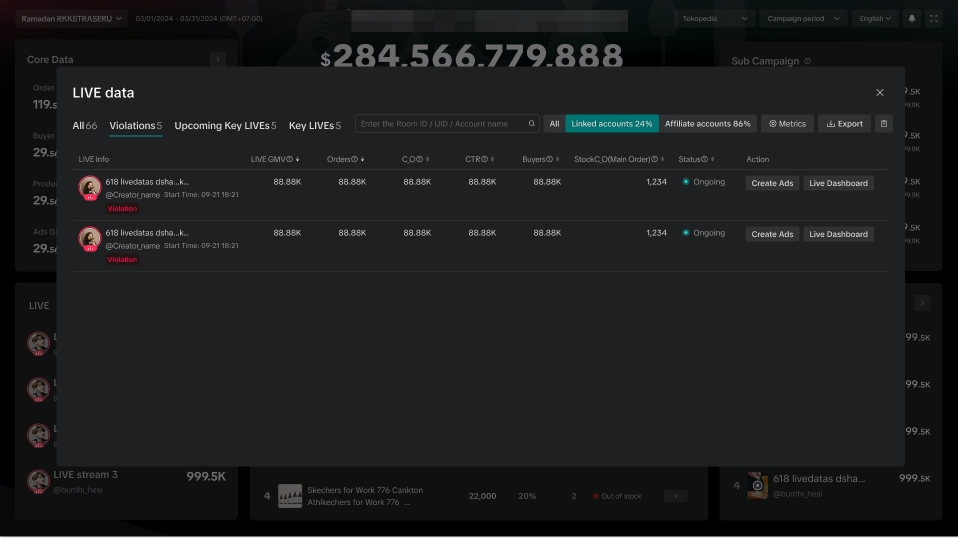 | 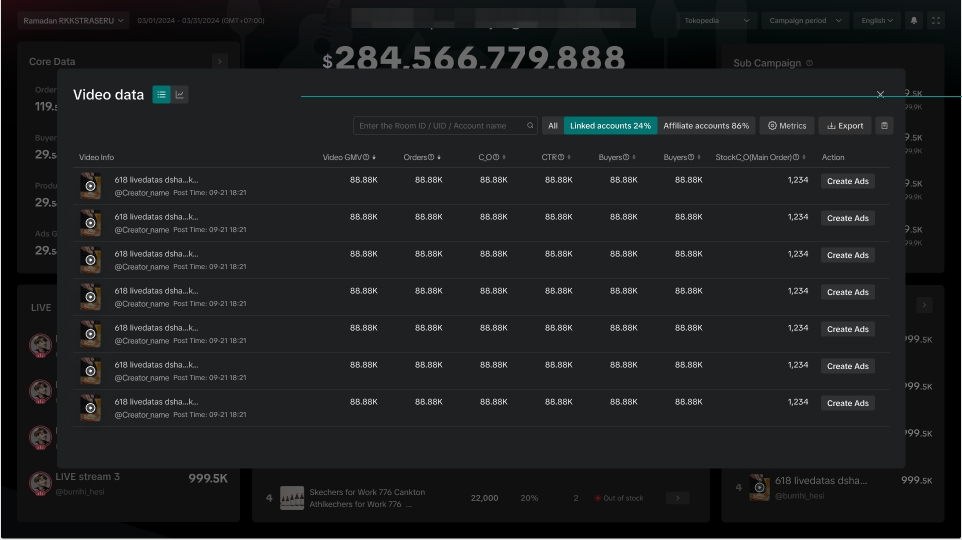 |  |
- Key Livestreams broadcast alert(s) (24h before the start time)
- LIVE violation(s)*
- Product low inventory (if inventory is not enough to support average GMV for the next 7 days)
- GMV target achieved.
**All information displayed on the dashboard is fictional and used for demonstration purposes only. Actual interface may vary.