Finding Creators for Affiliate
03/18/2024
Background
We have provided an IM tool for sellers and creators on Affiliate to realize timely and convenient communication between merchants and creators. Merchants can communicate with creators through the IM tool, deal with cooperation details, solve the current pain points in the process of establishing connections, and improve communication efficiency. Build more efficient connections and match the right creators with merchants for further cooperation.Access and message notification
Merchants can enter the chat tool in four ways from Affiliate Marketing. All accounts that can enter the Affiliate can use the chat tool.
Navigation bar on the homepage
You can enter from the navigation bar at the top of the homepage.
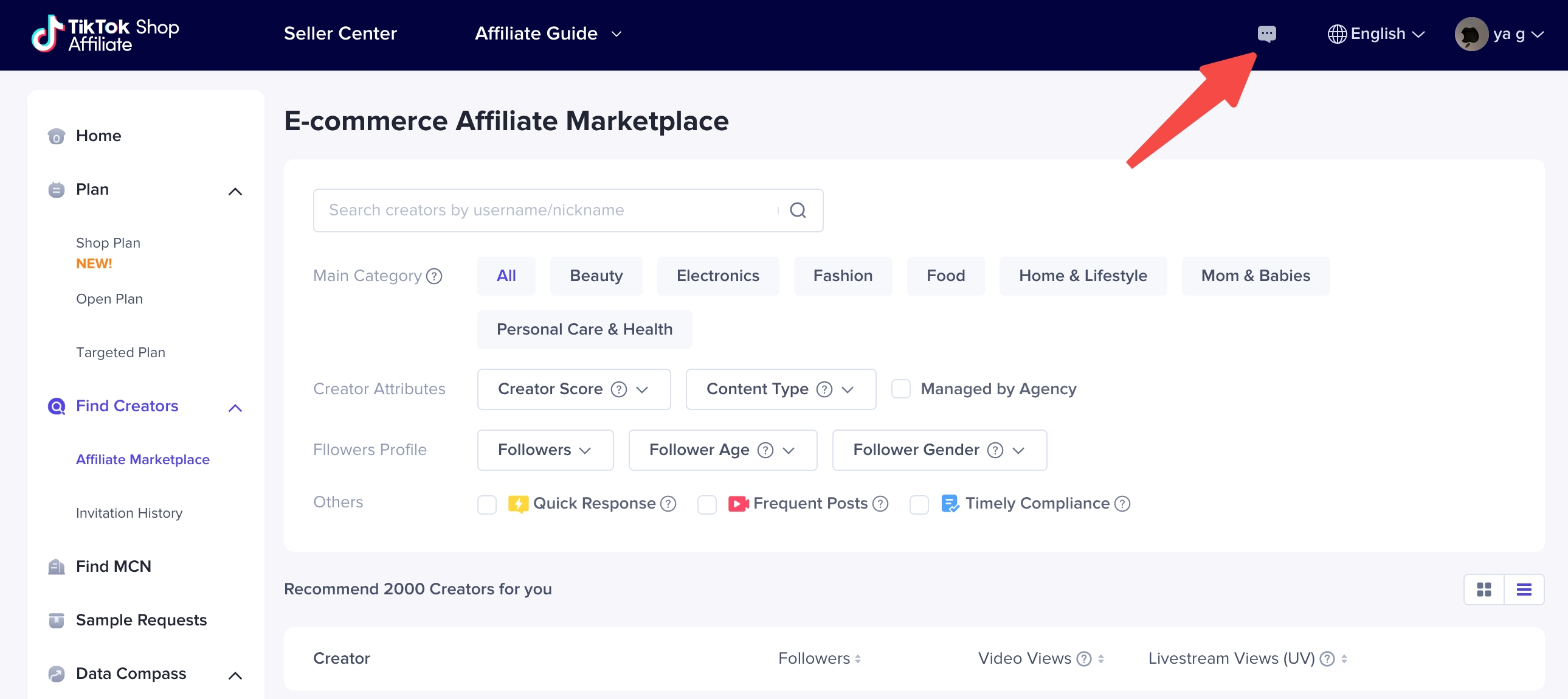
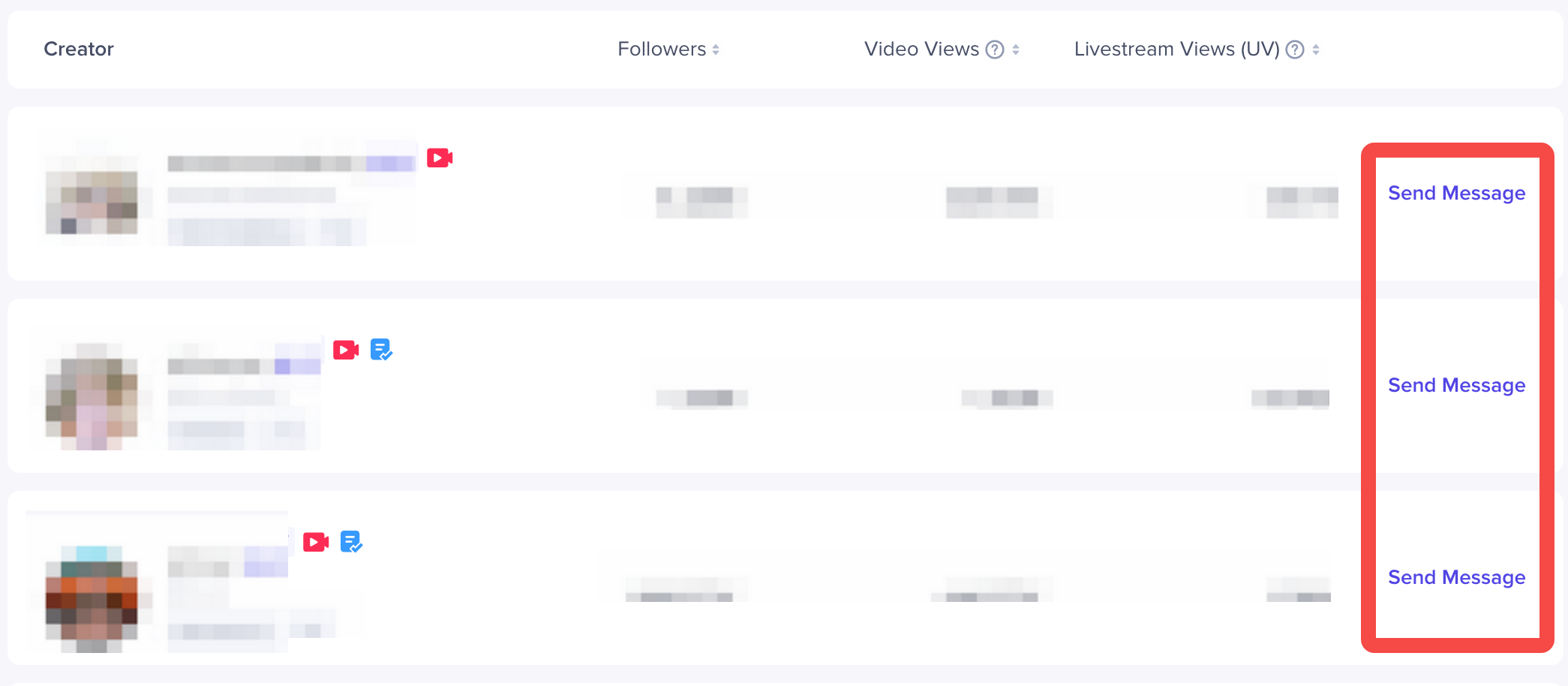
Find creators - Creator Connect
Creator ConnectYou can click the "Send message" button on the creator card in to enter the chat page.
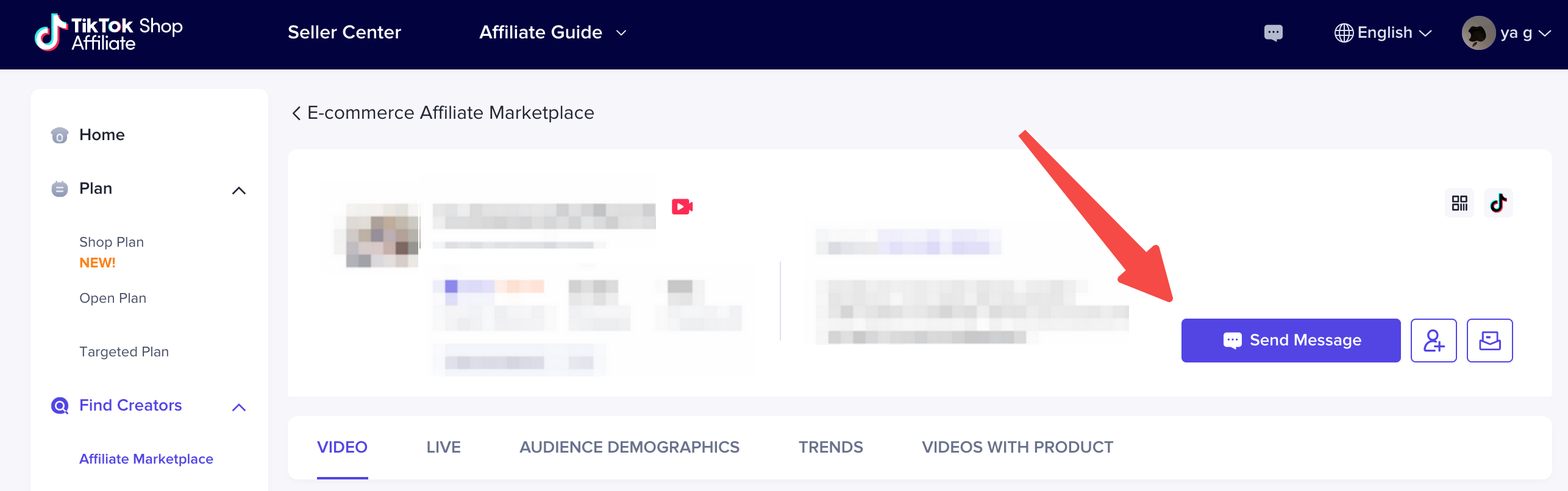
You can also click the "Send message" button on the right side of the avatar on the creator homepage to enter the chat page.
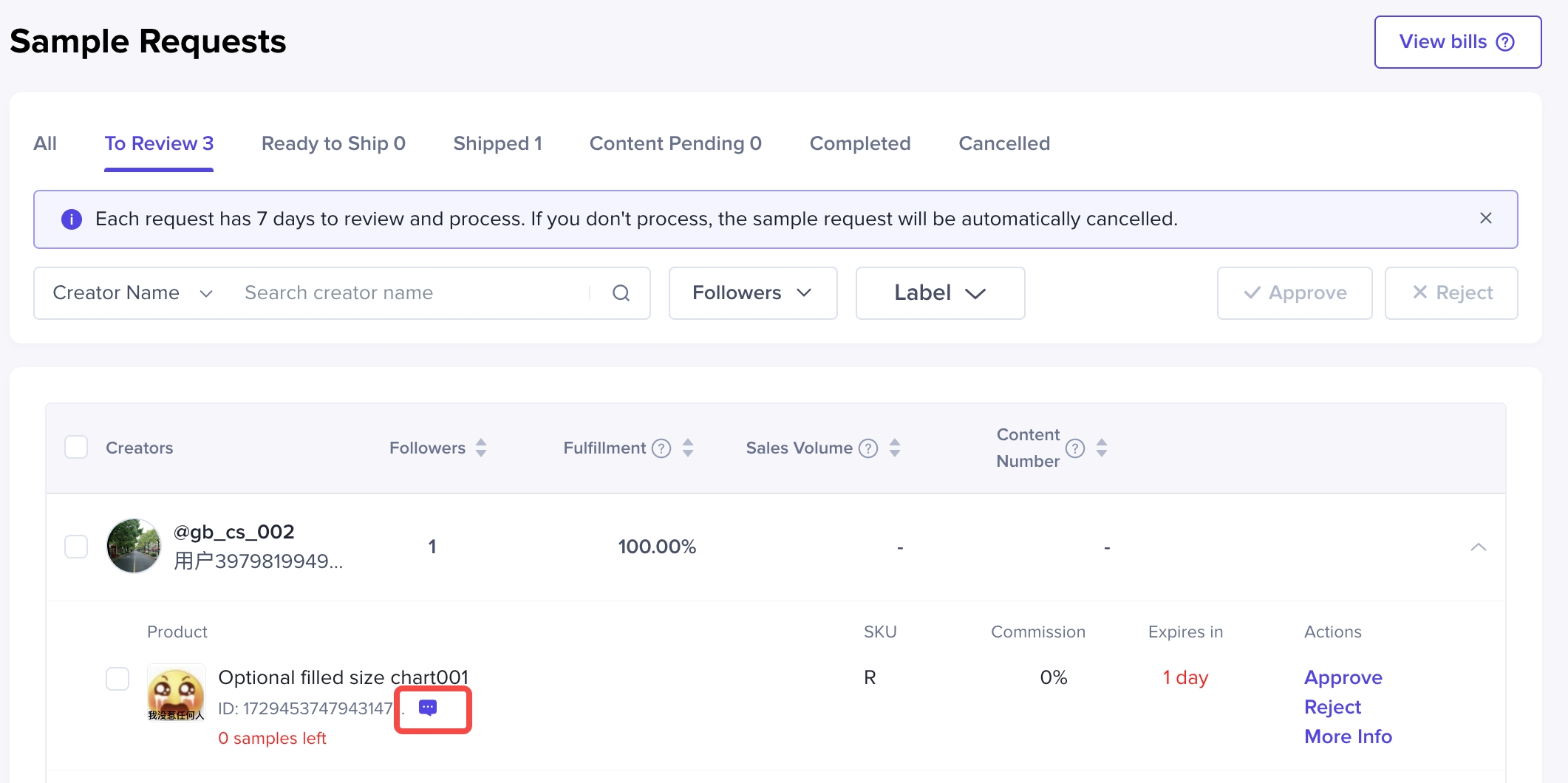
Free sample request page
In the free sample request list, you can expand the request history, and click the icon after the product information to enter the chat page.
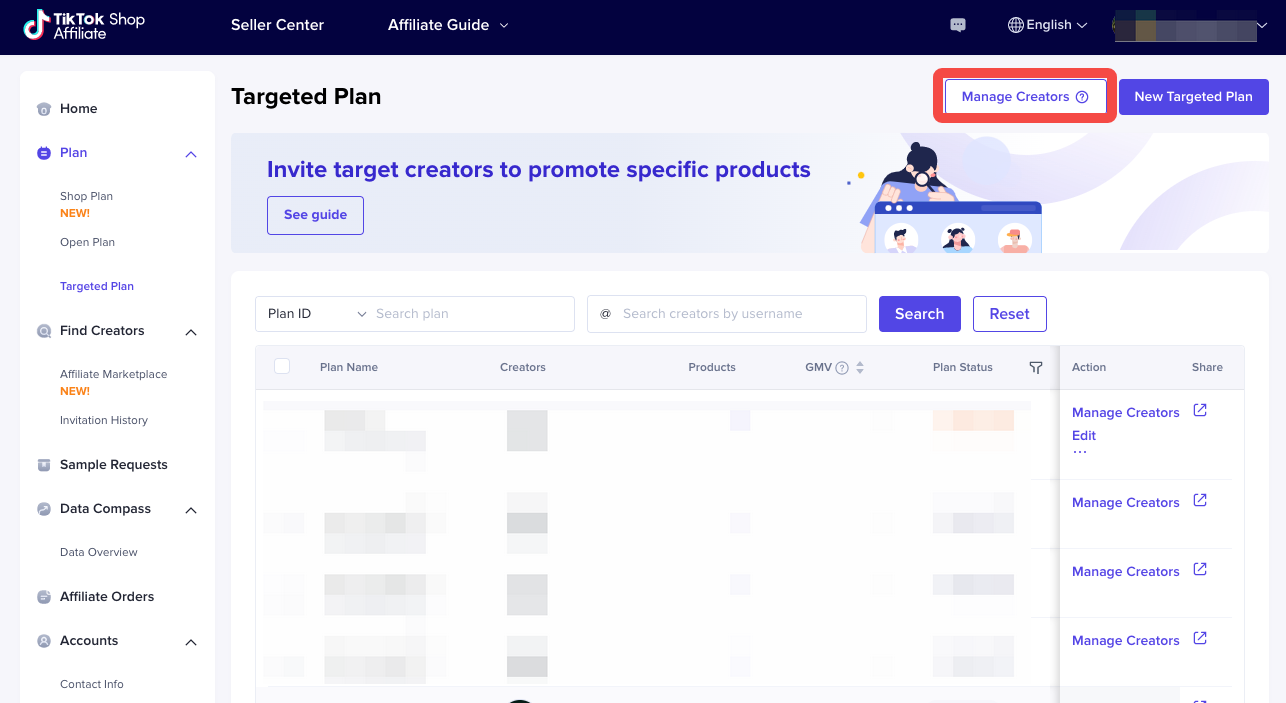
Targeted plan page
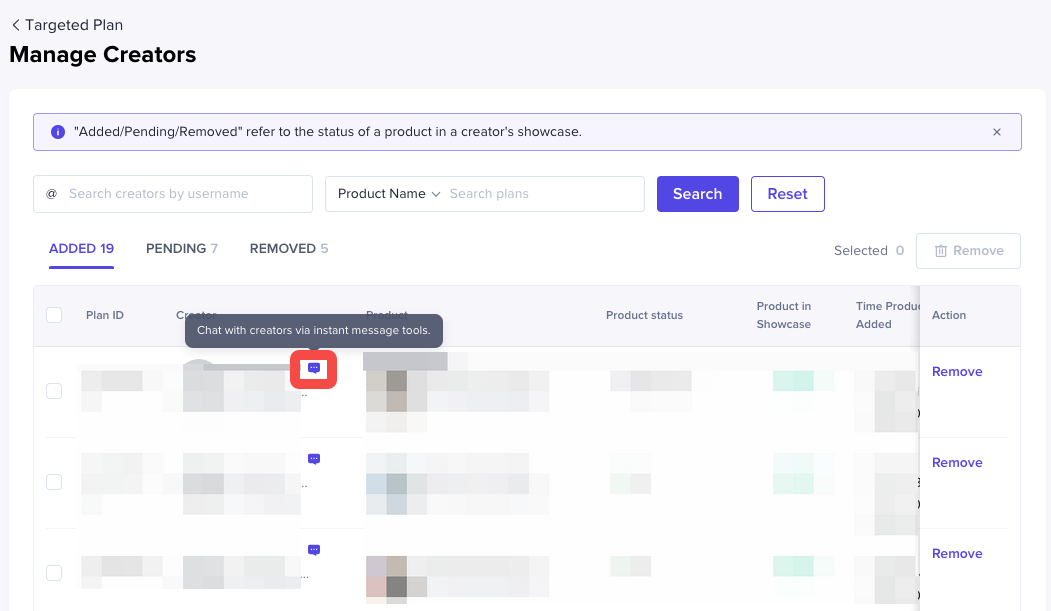
Click [Manage creators] and click the icon after the name of the creator to enter the chat page.
New message notification
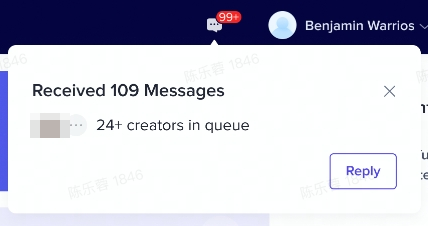
- When you receive a message from a creator, the number and red dot at the entrance will indicate the number of unread messages of this shop.

- If you are using Affiliate when the creator sends the message, you can receive a new message reminder pop-up. Click "Reply" to enter the chat page to reply to the message.
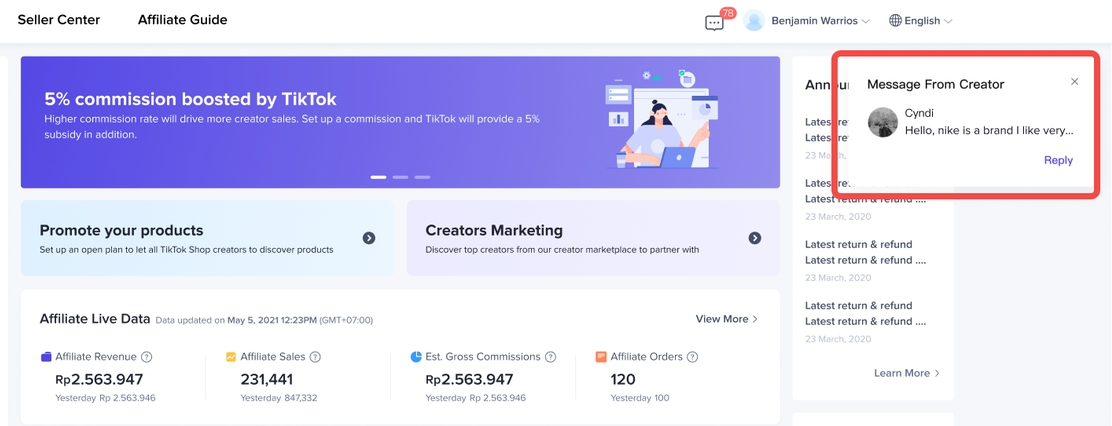
- If you are not using the Affiliate when the creator sends the message, when you log into the Affiliate, you will receive a pop-up to remind you of the total number of unread messages and the number of creators who are waiting to reply. Click "Reply" to enter the chat page to reply to the message.