

GMV Max as Requirement for Selected Campaigns
02/04/2026
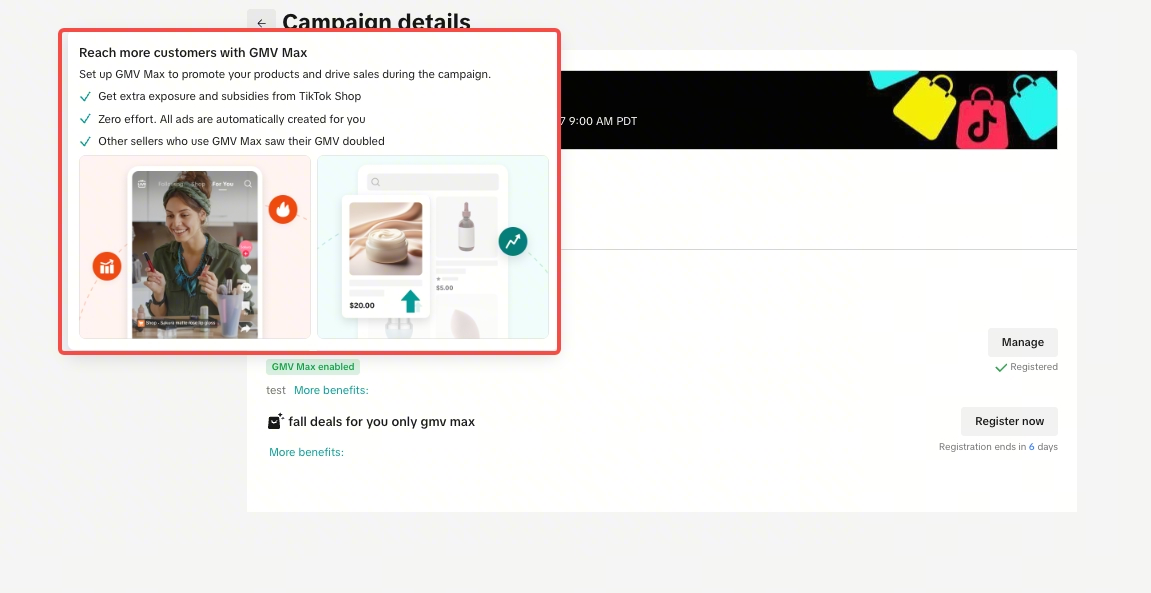
GMV Max Ads is now integrated directly into campaign registration, and is a requirement for participation in some campaigns (unless your store's ad spending exceeds a certain percentage). If the campaign requires GMV Max ads, you'll see a new tag "GMV Max ads required" on the campaign list page.
For campaigns that require GMV Max, you will only receive full campaign benefits if you meet the following conditions:
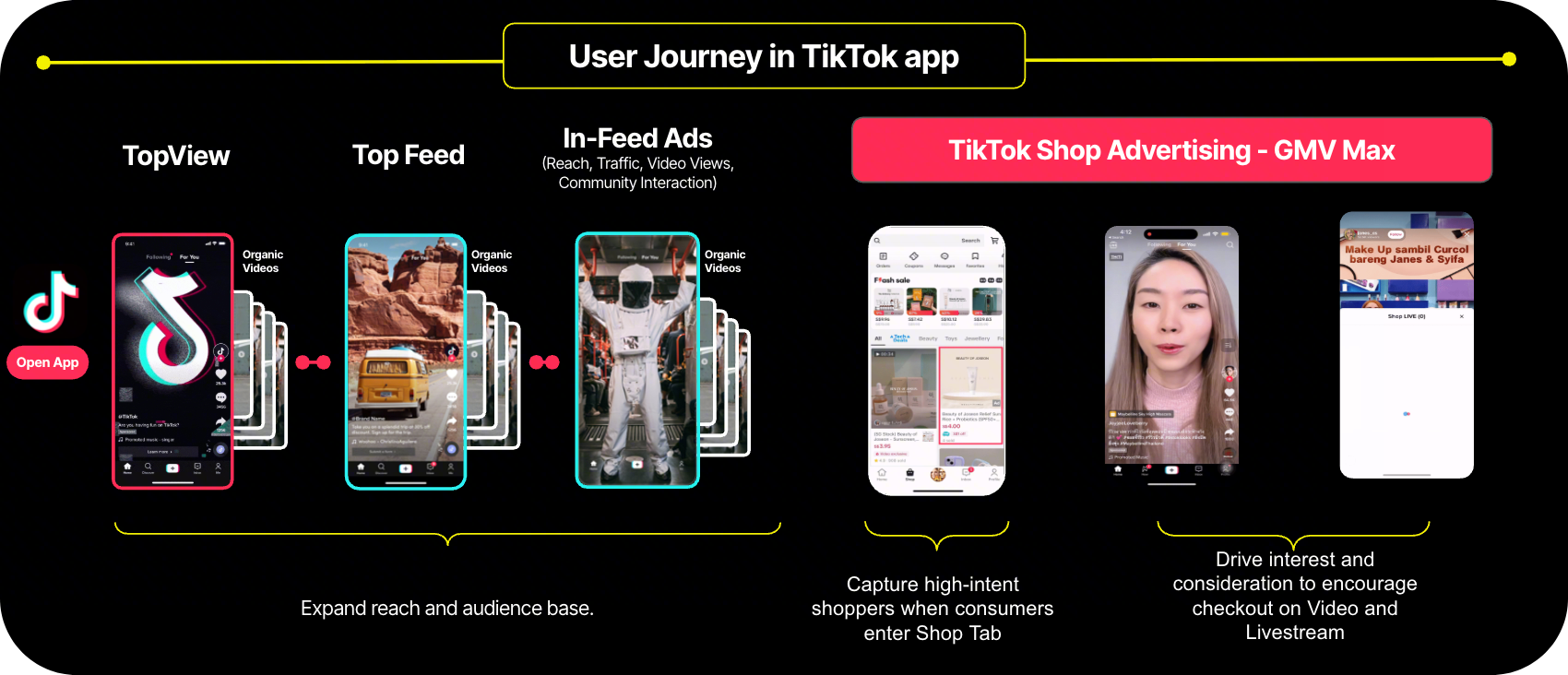
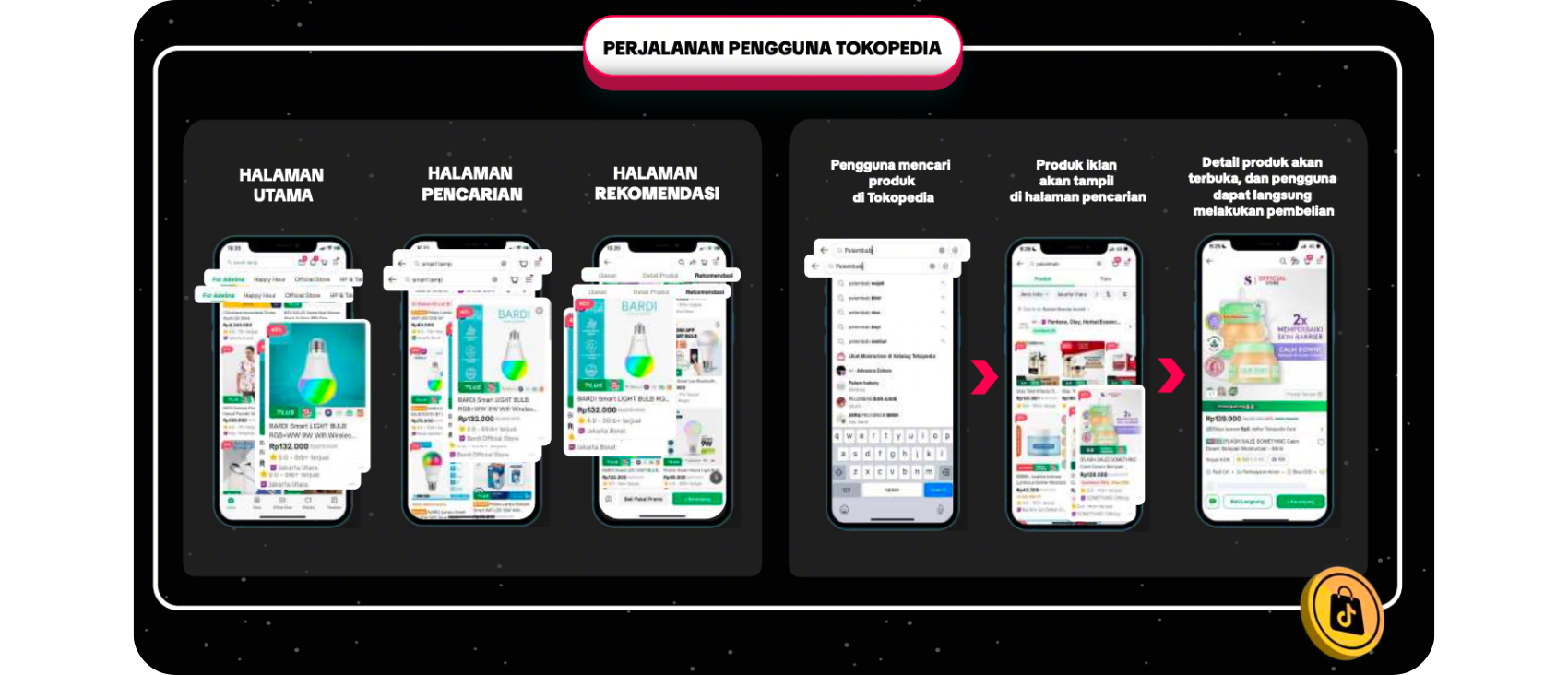

Automatic Product GMV Max Ads will only be created for campaign products that do not already have active Product GMV Max Ads, or if your shop's total ad spend (Take Rate) is still below the required threshold.
Product GMV Max ads created by the platform will continue after the campaign ends. You can deactivate it at any time via Shop Ads; doing so may remove campaign benefits if ad spending (Take Rate) requirement is not met.
GMV Max fees will be deducted from your available ad balance, in line with the daily budget of the automatically created GMV Max ads. If your ad balance runs out, you will receive a recommendation reminder to top up, so that GMV Max ads can resume running.
You will retain full control over your ads. The target ROI and daily budget can be adjusted at any time via the Shop Ads page, allowing you to manage your ads in line with your business strategy.
FormulaThe formula is as follows:
Take Rate = Total GMV Max Ads spending in the past 30 days / Total GMV in the past 30 daysCalculation Example
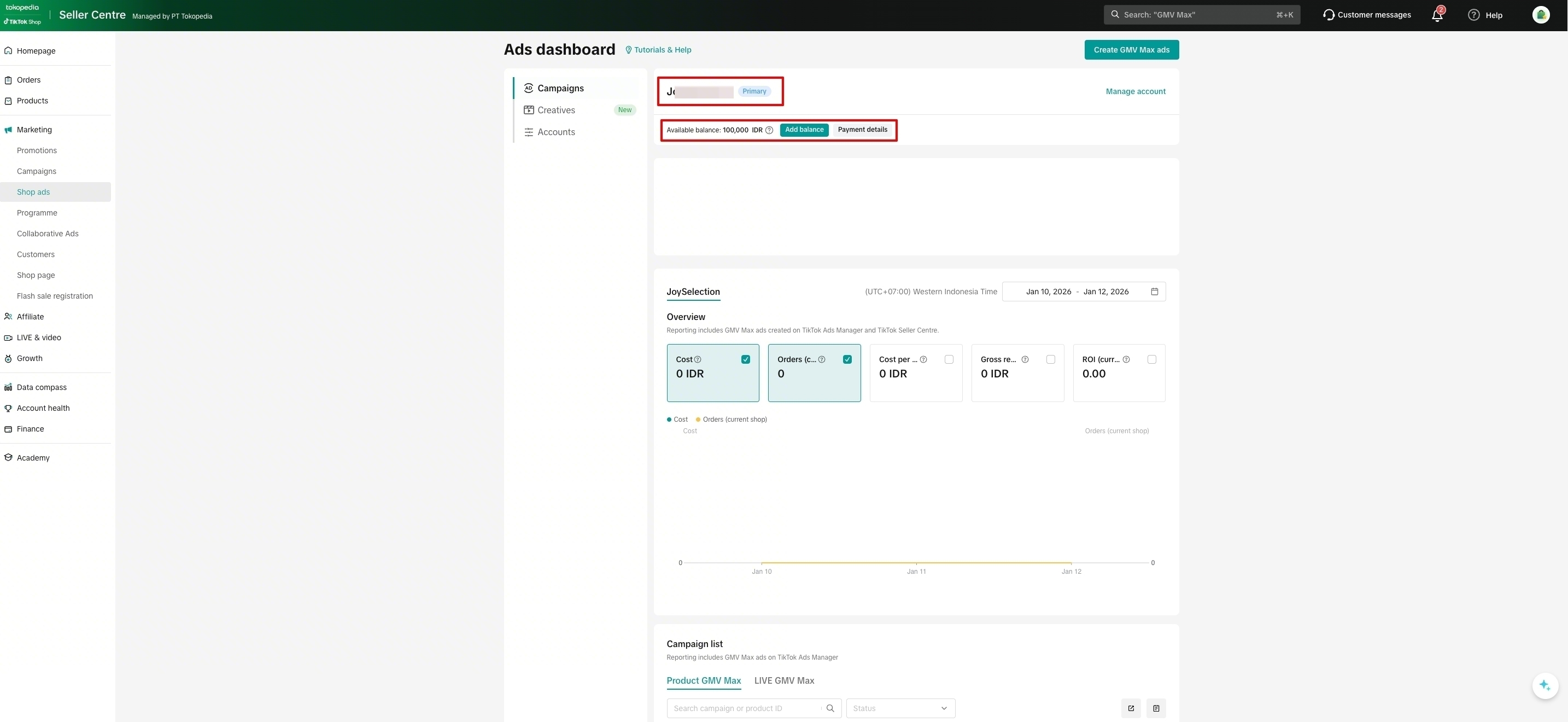
 You can also create Ads Account through Shop Ads page and ensure you fill billing information by clicking "Add billing information
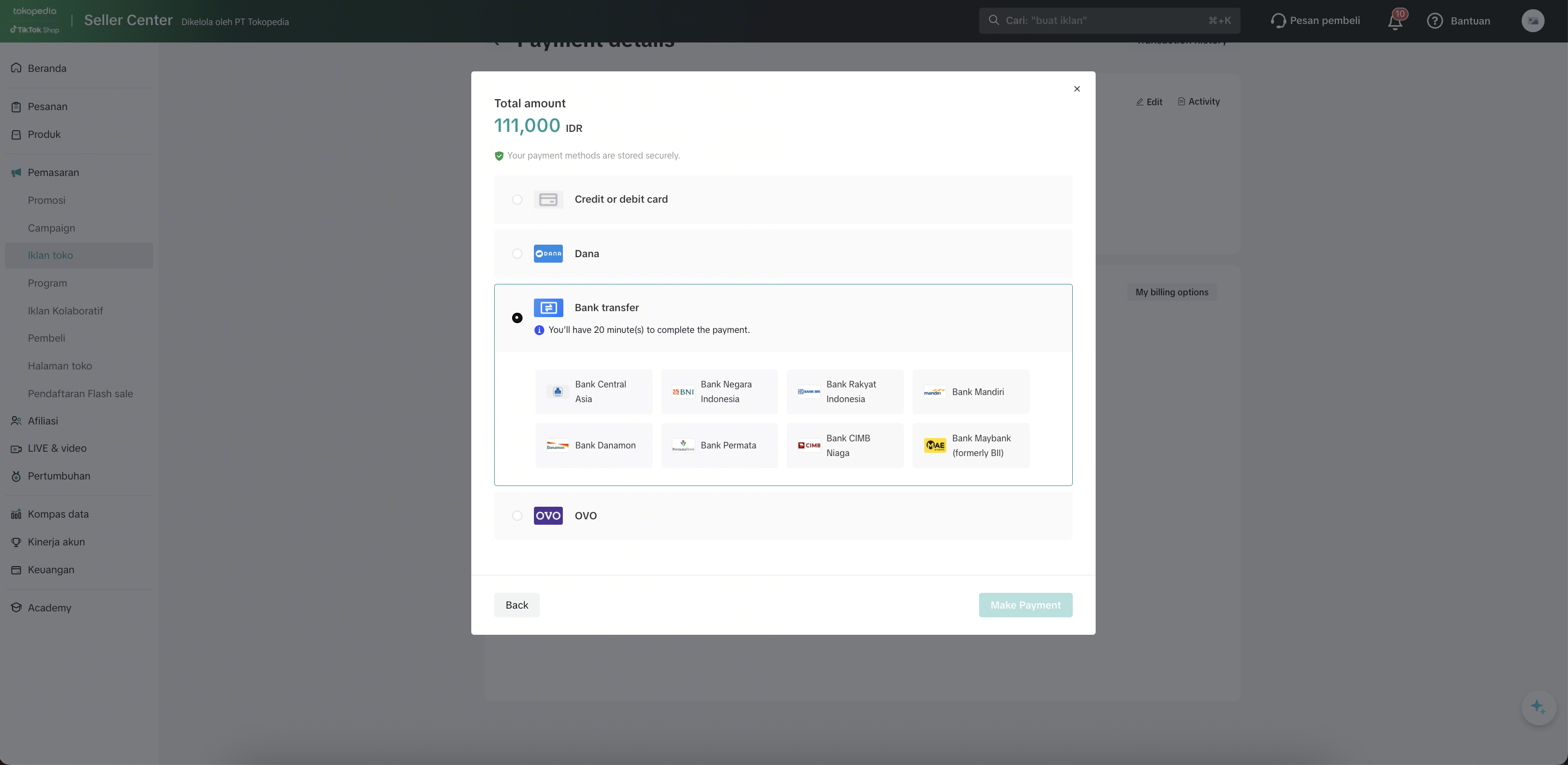
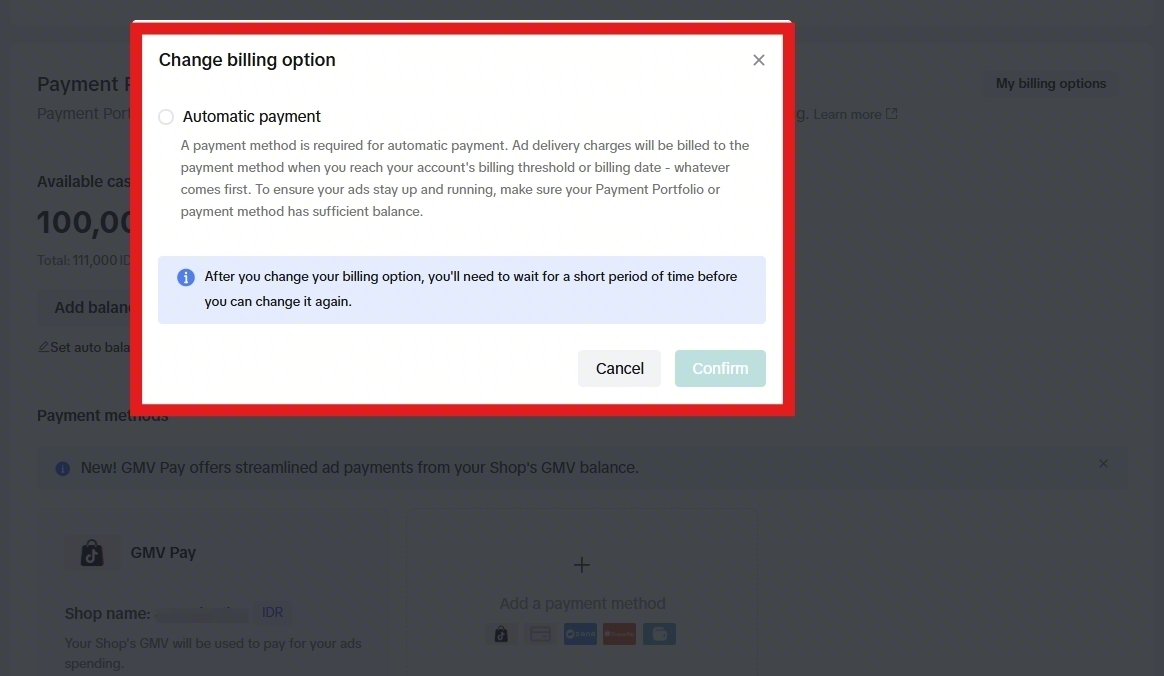
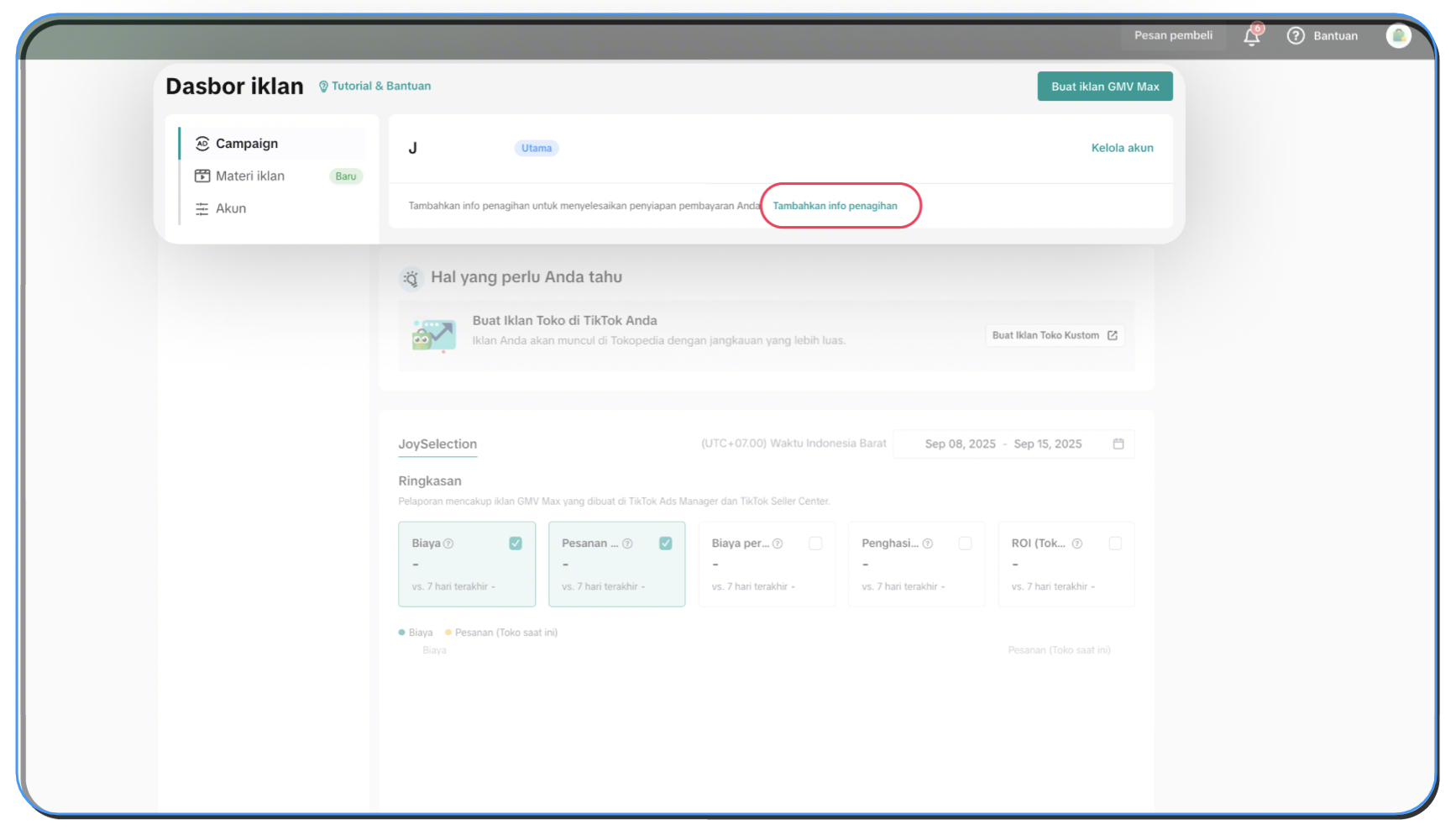 and meet one of these methods to be Payment Ready:
Only products that don't already have a Product GMV Max campaign will have a Product GMV Max Ads campaign automatically created within 7 days before the platform campaign begins. These ads will start running once the platform campaign officially starts.
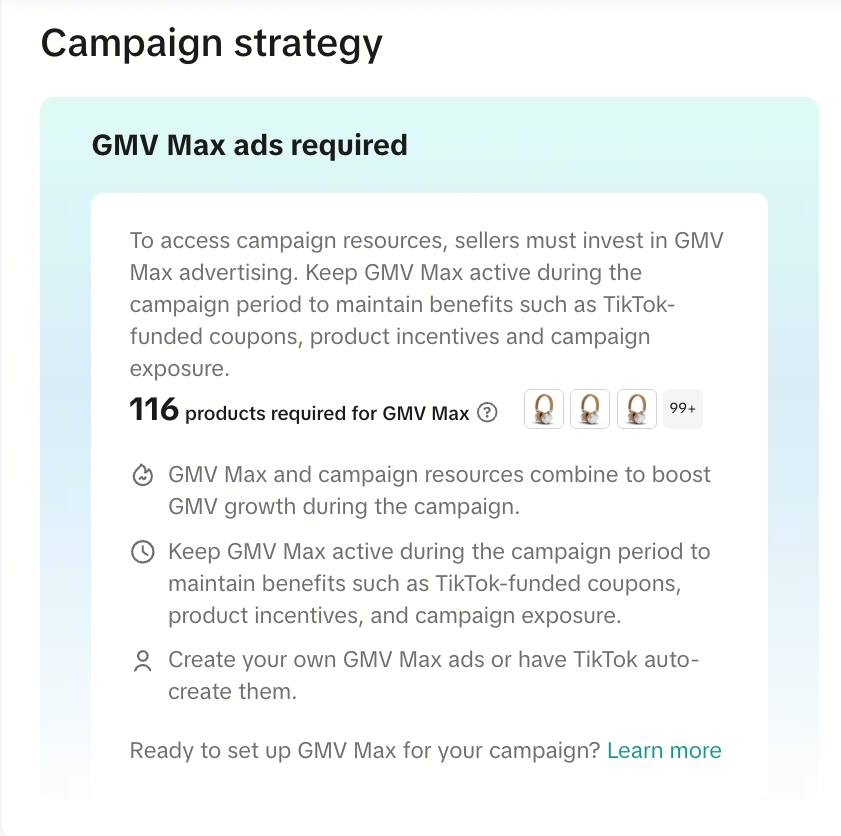
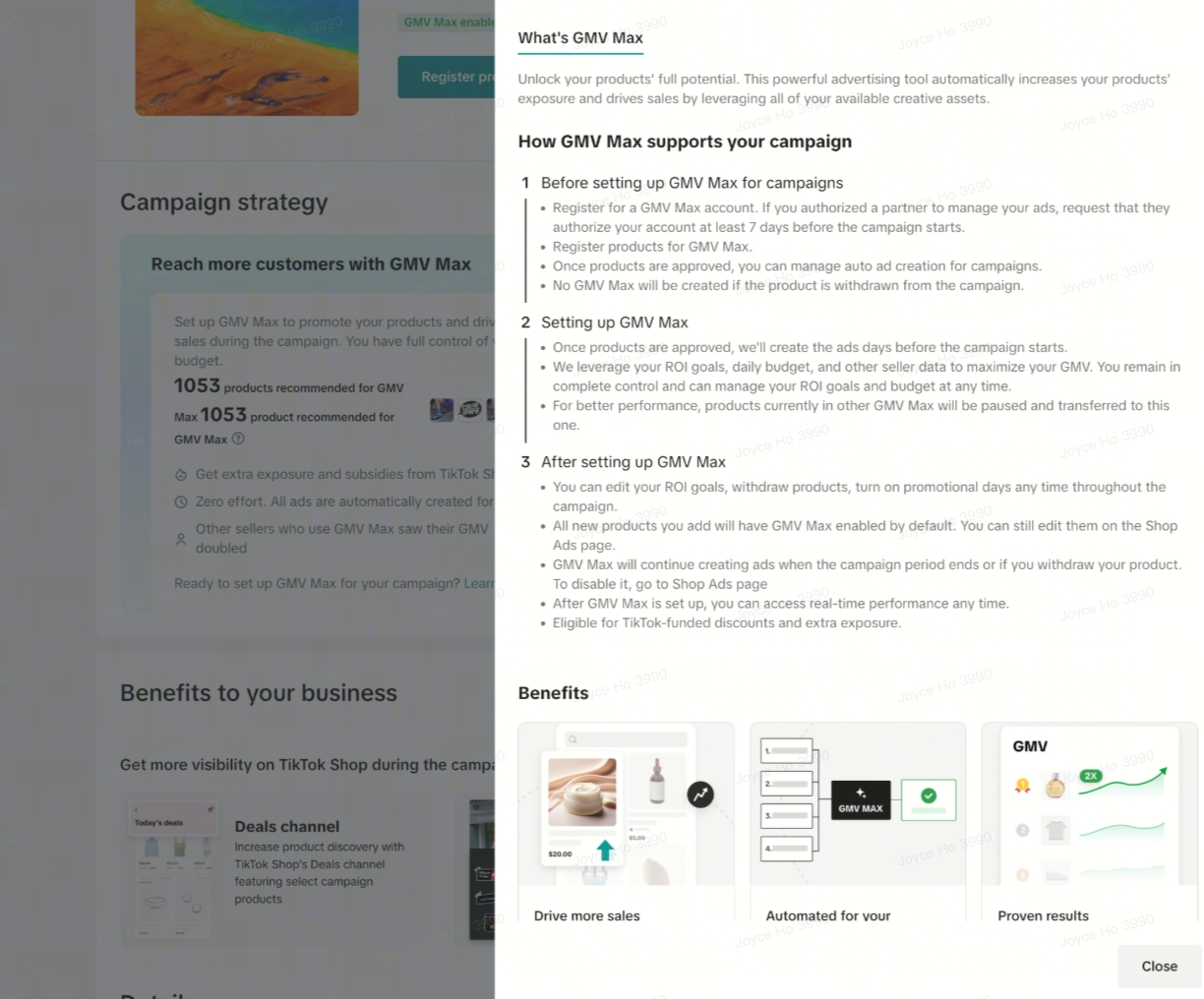 Learn more about how to Manage your GMV Max Auto-Creation
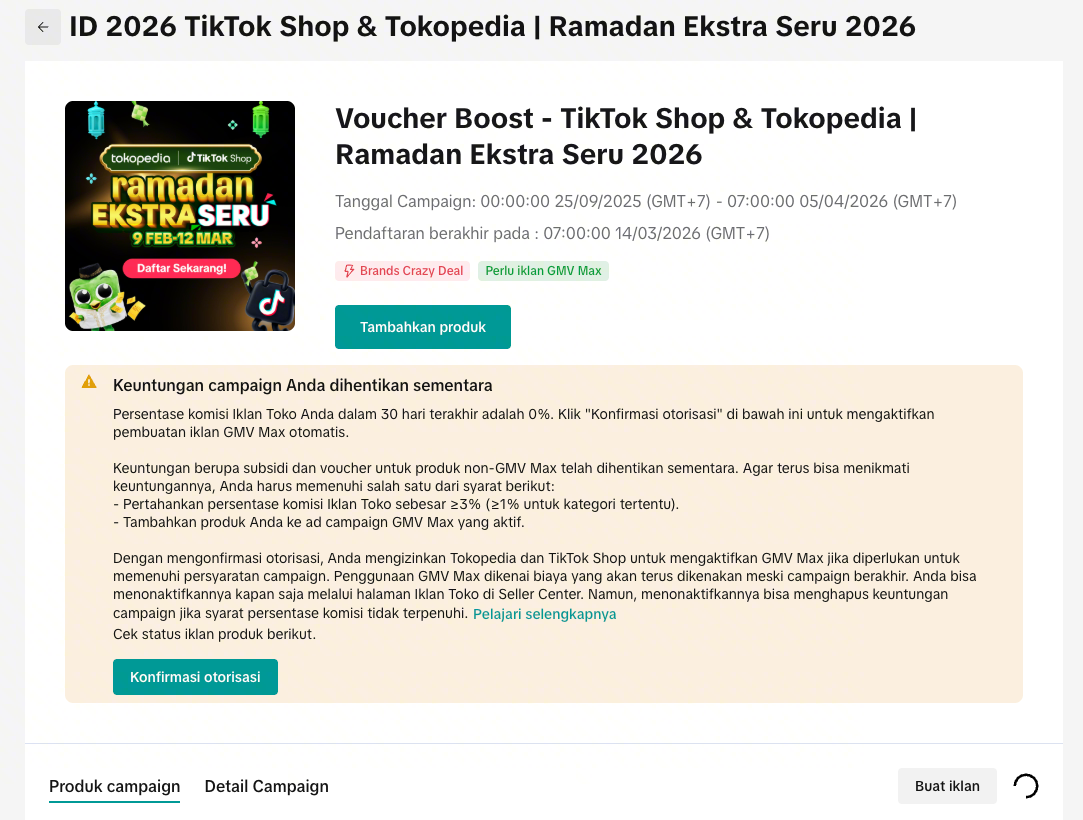 If your ad spend (Take Rate) percentage falls below 3%, the system will display a notification banner showing your Shop Ads percentage for the last 30 days, along with the status of applicable campaign subsidies and vouchers. To remain eligible for campaign benefits, make sure that your Shop Ads spend percentage stays above 3%, or that all campaign products are actively running in Product GMV Max Ads campaigns.
Alternatively, you may select "Confirm Authorization" to allow the platform to automatically activate Product GMV Max Ads when the requirements are not met. This helps ensure your products remain eligible for all campaign benefits, gain higher visibility, and removes the need for manual ad setup.
Q: Can I opt out of automatic Product GMV Max Ads creation?A: Yes. You can withdraw your products at any time on the Shop Ads page and disable the campaign. However, you may lose the campaign benefits associated subsidies (coupon, direct discount) and visibility resources. Please take note that if you have manually withdrawn your products, the system will not auto-create again, and retry is not supported. You'll need to manually create a Product GMV Max campaign.
Q: What happens when the promotion campaign ends?A: The Product GMV Max Ads created by the system will not automatically stop. You will need to manually manage or terminate them on the ads side. Sellers are advised to actively monitor and adjust ads settings to avoid unnecessary or excessive spending through manual set-up in Ads Manager or Shop Ads page in seller center.
Q: Why do I need to regularly monitor the Campaign Management page?A: The system updates the GMV Max ad spend percentage daily based on the last 30 days of data. Please ensure your shop's ad spend percentage remains above 3%, or that all campaign products are actively running in Product GMV Max Ads each day.
Need help? Fill in Help Form to get Ads consultation: https://m.tiktok.shop/s/AJITnyS0O59D
For campaigns that require GMV Max, you will only receive full campaign benefits if you meet the following conditions:
- Registered and approved campaign products in an active GMV Max campaign; OR
- Ad spending exceeds a certain percentage, as follows:
- If a seller's total GMV Max Ads spend exceed 3% of their total GMV (Take Rate ≥ 3%) on the platform in the past 30 days, all of their shop's registered campaign products, whether each specific product uses GMV Max Ads or not, can enjoy the benefits for all registered campaign products.
- If a seller's total GMV Max Ads spend exceed 1% of their GMV (Take Rate ≥ 1%) on the platform in the past 30 days, all of their shop's registered campaign products in the eligible categories, whether each specific product uses GMV Max Ads or not, can enjoy the campaign benefits.
- GMV Max Ads are considered active when the product is included in an active Product GMV Max Ads campaign for product registration
- Total ad spend calculation includes only GMV Max (including Product GMV Max and LIVE GMV Max) and excludes Custom Ads and Brand Ads
What Is GMV Max?
With millions of product searches happening every day, GMV Max ensures your products stand out on most strategic pages across Tokopedia & TikTok Shop—such as the Homepage, Search Results Page, and Recommendation Page—where buyer traffic is highest and purchase decisions are made. GMV Max combines paid, organic, and affiliate content into one integrated system. With AI automation and ROI control, it helps you promote products and LIVE sessions effortlessly. Unlike Shop Ads Custom, you don't need to manually adjust bids, placements, or creatives.Learn more: Get to Know Ads & GMV Max to Boost Your Sales
Auto-Creation of GMV Max
When registering products for platform campaigns that require Product GMV Max Ads, you will be asked to approve the creation of Product GMV Max ads by platform as part of the registration process. This is designed to help your products continue to enjoy campaign benefits seamlessly.Automatic Product GMV Max Ads will only be created for campaign products that do not already have active Product GMV Max Ads, or if your shop's total ad spend (Take Rate) is still below the required threshold.
Product GMV Max ads created by the platform will continue after the campaign ends. You can deactivate it at any time via Shop Ads; doing so may remove campaign benefits if ad spending (Take Rate) requirement is not met.
How To Calculate GMV Max Fee?
To help you run ads easily, GMV Max ads will be automatically created for products that do not have GMV Max ads yet. The target ROI and daily budget are determined based on multiple factors, such as the country, industry, product type, and time period (normal days vs. campaign periods), in comparison with the performance of similar products.GMV Max fees will be deducted from your available ad balance, in line with the daily budget of the automatically created GMV Max ads. If your ad balance runs out, you will receive a recommendation reminder to top up, so that GMV Max ads can resume running.
You will retain full control over your ads. The target ROI and daily budget can be adjusted at any time via the Shop Ads page, allowing you to manage your ads in line with your business strategy.
What Is Ads Take Rate & How To Calculate?
AAds Take Rate refers to the seller's GMV Max Ads spending of their GMV on the platform in the past 30 days.FormulaThe formula is as follows:
Take Rate = Total GMV Max Ads spending in the past 30 days / Total GMV in the past 30 daysCalculation Example
| GMV Max Ads Spending in the past 30 days (Rp) | Rp20.000.000,- |
| GMV in the past 30 days (Rp) | Rp200.000.000 |
| Take Rate (%) | 10% |
Campaign Requirements for Selected Campaigns with Product GMV Max
For selected campaigns with tag "GMV Max ads required" on the campaign list page, there will be a requirements:Learn more: Campaign Registration with GMV Max
Registration Requirements
You have to have an Ads account and payment method ready before registering for a campaign. If your shop doesn't have a GMV Max ads account, you can not register for the campaign until GMV Max account setup is complete.You can also create Ads Account through Shop Ads page and ensure you fill billing information by clicking "Add billing informationand meet one of these methods to be Payment Ready: - Manual Payment: Sellers have an Ad Balance greater than 0, either from top-ups or Ad Credit Balance provided by the platform, and fund their balance via manual bank transfer, e-wallets, credit cards, auto top-up, or have activated GMV Pay.
- Automatic Payment (Auto-pay) : Selected sellers who meet the eligibility criteria and have the Automatic Payment billing option enabled
- Monthly Invoice Payment : Sellers who use email invoices, partial invoices, or monthly invoices
Only products that don't already have a Product GMV Max campaign will have a Product GMV Max Ads campaign automatically created within 7 days before the platform campaign begins. These ads will start running once the platform campaign officially starts.
Learn more about how to Manage your GMV Max Auto-CreationPlatform Benefits Requirements
Platform benefits (vouchers, incentives, traffic exposure) will only be granted when:- Registered and approved campaign products in an active Product GMV Max campaign; OR
- Ad spending exceeds a certain percentage, as follows:
- If a seller's total GMV Max Ads spend exceed 3% of their total GMV (Take Rate ≥ 3%) on the platform in the past 30 days, all of their shop's registered campaign products, whether each specific product uses GMV Max Ads or not, can enjoy the benefits for all registered campaign products.
- If a seller's total GMV Max Ads spend exceed 1% of their GMV (Take Rate ≥ 1%) on the platform in the past 30 days, all of their shop's registered campaign products in the eligible categories, whether each specific product uses GMV Max Ads or not, can enjoy the campaign benefits.
If your ad spend (Take Rate) percentage falls below 3%, the system will display a notification banner showing your Shop Ads percentage for the last 30 days, along with the status of applicable campaign subsidies and vouchers. To remain eligible for campaign benefits, make sure that your Shop Ads spend percentage stays above 3%, or that all campaign products are actively running in Product GMV Max Ads campaigns.Alternatively, you may select "Confirm Authorization" to allow the platform to automatically activate Product GMV Max Ads when the requirements are not met. This helps ensure your products remain eligible for all campaign benefits, gain higher visibility, and removes the need for manual ad setup.
FAQs
Q: What can sellers modify after Product GMV Max ads are created?A: You can adjust ROI, budget, and add/remove products in Ads Manager or Shop Ads page in seller center.Q: Can I opt out of automatic Product GMV Max Ads creation?A: Yes. You can withdraw your products at any time on the Shop Ads page and disable the campaign. However, you may lose the campaign benefits associated subsidies (coupon, direct discount) and visibility resources. Please take note that if you have manually withdrawn your products, the system will not auto-create again, and retry is not supported. You'll need to manually create a Product GMV Max campaign.
Q: What happens when the promotion campaign ends?A: The Product GMV Max Ads created by the system will not automatically stop. You will need to manually manage or terminate them on the ads side. Sellers are advised to actively monitor and adjust ads settings to avoid unnecessary or excessive spending through manual set-up in Ads Manager or Shop Ads page in seller center.
Q: Why do I need to regularly monitor the Campaign Management page?A: The system updates the GMV Max ad spend percentage daily based on the last 30 days of data. Please ensure your shop's ad spend percentage remains above 3%, or that all campaign products are actively running in Product GMV Max Ads each day.
Need help? Fill in Help Form to get Ads consultation: https://m.tiktok.shop/s/AJITnyS0O59DAnda mungkin juga tertarik
- 1 lesson
Campaign and Cofunded Program
Join campaigns and cofunded programs for greater product exposure!

How do campaign co-funded vouchers work?
Sellers will first need to register and add products to the respective campaign page. Once the prod…

What if the campaign period overlaps with other promotional…
After approval, the price will take effect in accordance with the campaign dates. Campaign prices ar…

Marketing Benefits Packages
This article teaches you what Marketing Benefits Packages are, how it works, as well as how you, as…

Product Campaigns
This article teaches you how to participate in platform product campaigns to increase sales in your…

Marketing Benefit Package - Payment
This article introduces the different payment methods available for our Marketing Benefits Packages.…

Livestream Campaigns
This article teaches you how to use Livestream Campaigns to increase traffic and conversions in your…