

Manage Creators and Build Stronger Results
10/07/2025
With TikTok Shop by Tokopedia's Manage Creator page, you can easily track performance, streamline your creator communication, and build better outcomes with data-driven decisions.

Why Effective Creator Management Matters
A high-performing affiliate program isn't just about finding the right creators—it's about managing them effectively. The Manage Creator feature gives you full control over who promotes your products and how well they’re doing.Key benefits of Manage Creator:
Benefit | Description |
| Clear overview | View all creators you're working with in one place |
| Performance tracking | Monitor product clicks, GMV, commission, and orders |
| Control & customization | Adjust commission, pause collaboration, or blacklist non-performing creators |
| Streamlined management | Export data, filter by metrics, and make bulk actions easily |

How to Use Manage Creator Page
Follow these steps to get the most out of the Manage Creator tool:| Step | What to Do | Where to Access |
| 1. Open Manage Creator | Go to Affiliate Center > Manage Creator | 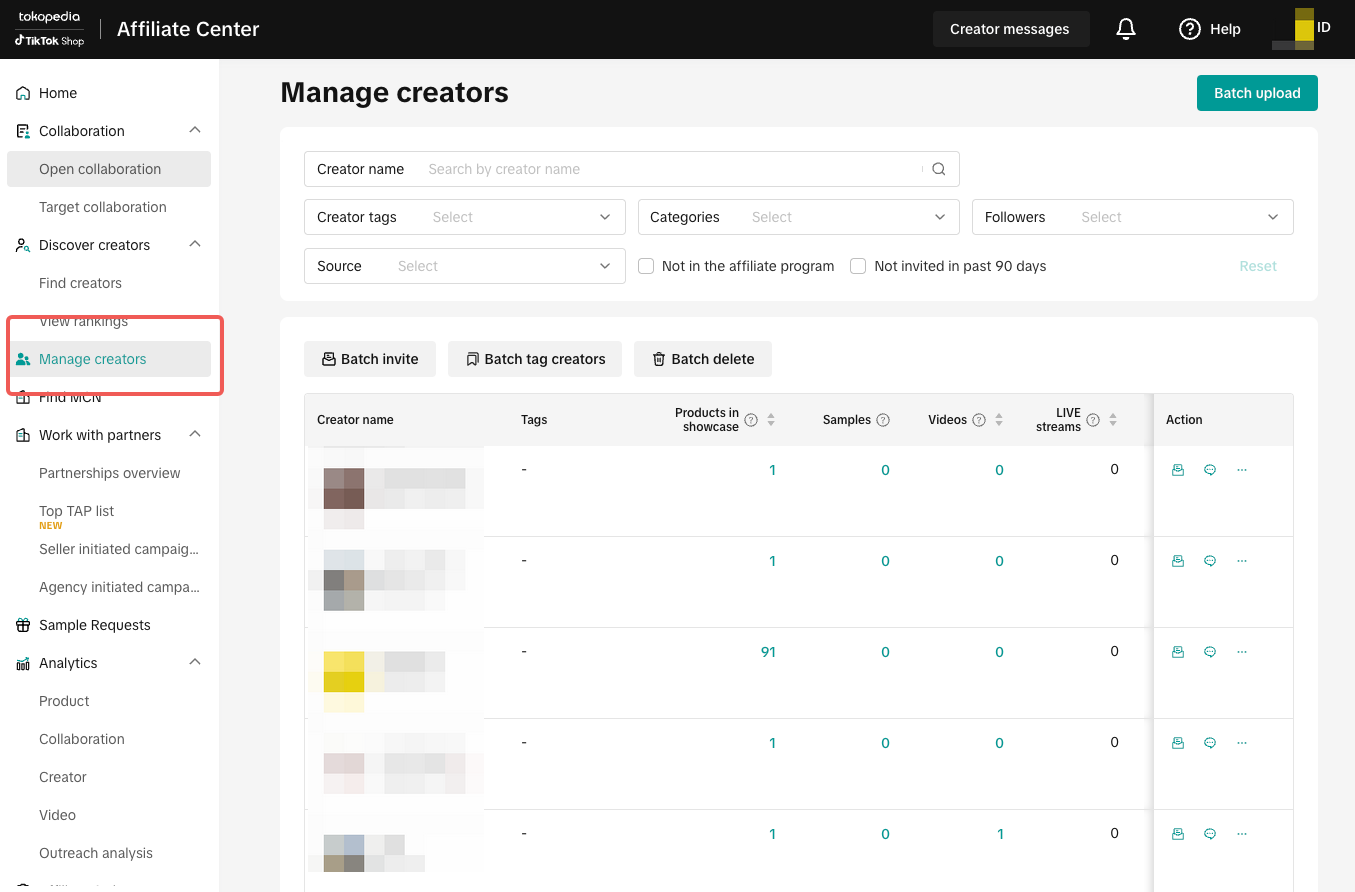 |
| 2. View all creators | See list of creators currently promoting your products along with performance metrics | 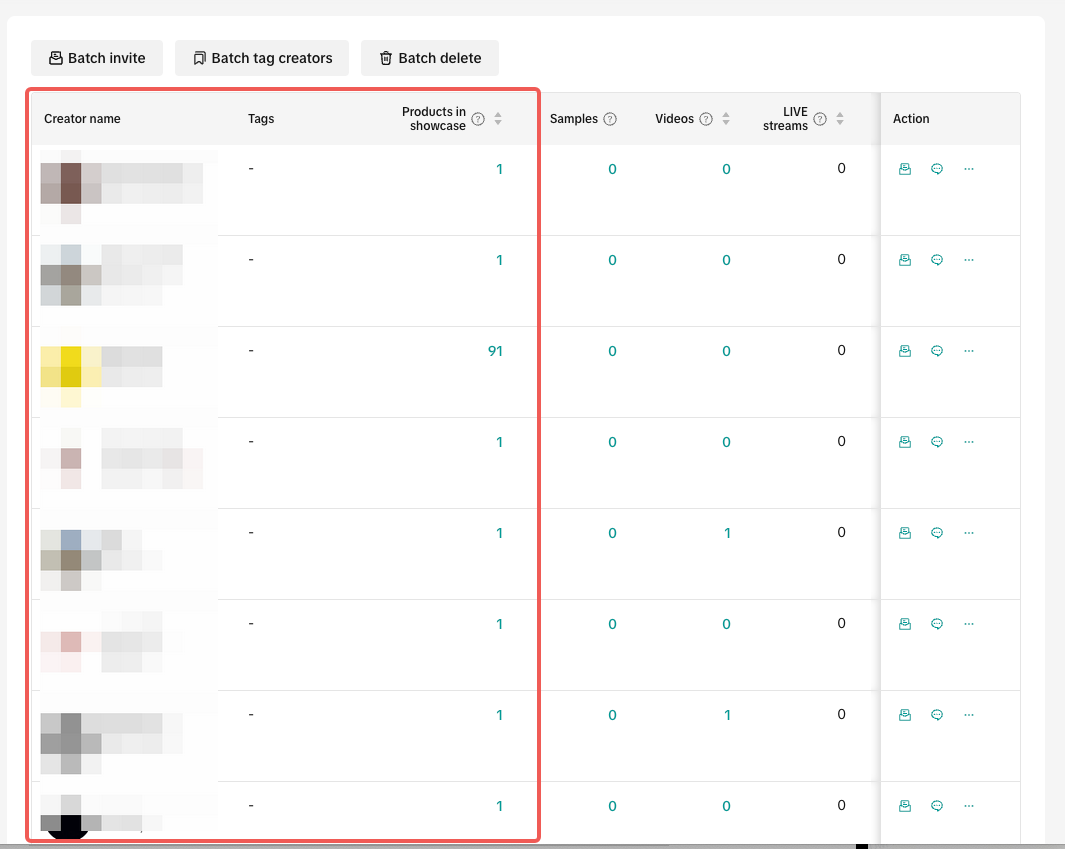 |
| 3. Sort & filter | Use filters (date range, product, creator name, performance metrics) to review effectiveness | 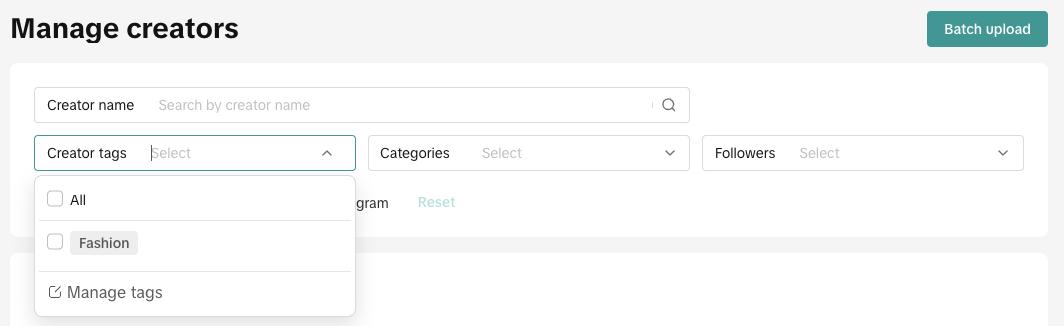 |
| 4. Remove creators | Pause collaboration or blacklist if creator underperforms or violates terms | 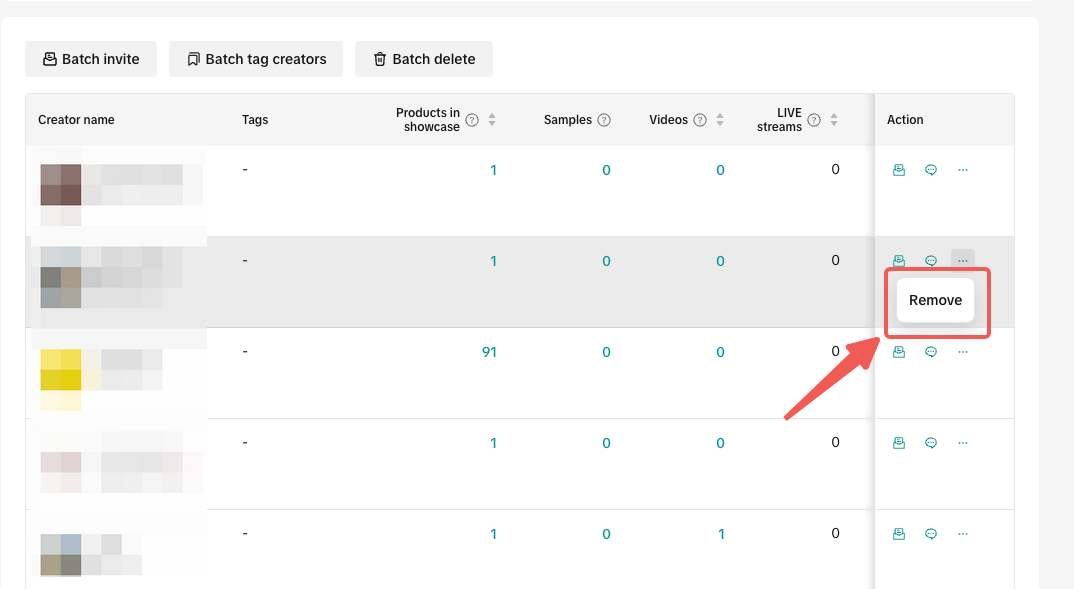 |
| 5. Batch eature | Take bulk actions (e.g., invite, edit, delete) for multiple creators at once | 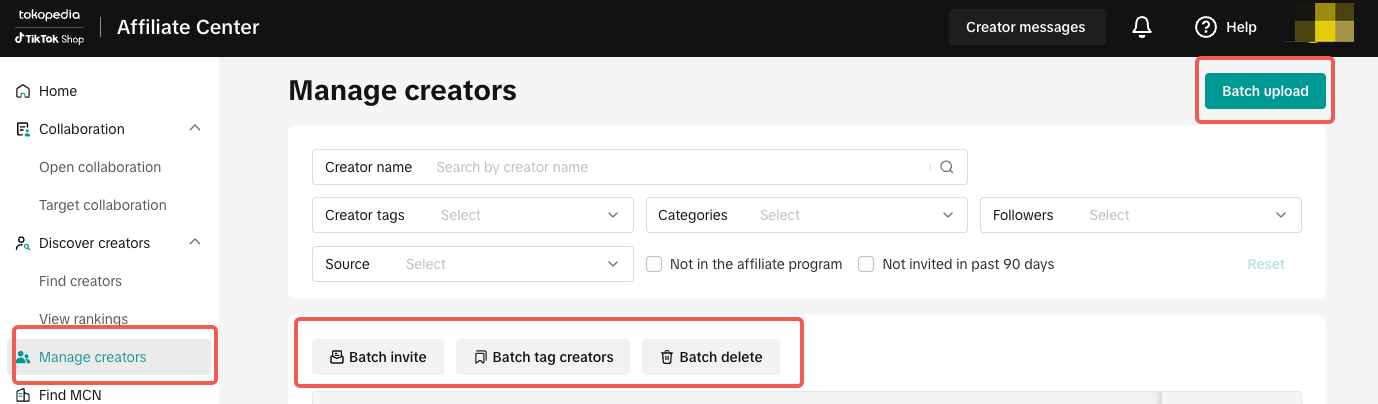 |

Mistakes to Avoid When Managing Creators
Mistake | Why It Happens | What to Do |
| Keeping all inactive creators | Forgetting to review regularly | Regularly pause or remove underperforming creators |
| Setting commission too low | Not aligned with market rate | Check competitor benchmarks before adjusting |
| Ignoring data | Relying only on impressions | Use GMV and conversion data to evaluate real impact |
| Delayed updates | Missed optimization chances | Review performance weekly and act quickly |

- Sort by GMV or Clicks to identify high-performers
- Pause inactive collaborations from the past 30 days
- Offer better commission to top 10% converting creators
- Export creator list and highlight those eligible for new product offers
You may also be interested in
- 2 lessons
Affiliate Collaboration Plan
Learn how to create an effective plan for collaborating with affiliates to expand your reach.
- 1 lesson
Affiliate Center Guide
A detailed guide on using the Affiliate Center to manage partnerships and campaigns.

Affiliate Creatives for Ads (ACA), for Sellers
This guide will focus on affiliate operations, which entail setting up your Shop Ads Commission Rate…

Free Sample Guide for Sellers
This article will teach you everything you need to know about Free Samples from a Seller's standpoin…

Automatic Opt-In for Open Collaboration
We have launched a one click solution for sellers to fully enroll in our Open Collaboration affiliat…

External Traffic Program (ETP) Guide for Sellers
In this article, we will teach you how External Traffic Program (ETP) works and how it can help your…

Affiliate Integration Guidelines for Tokopedia Sellers
Through this guide, you will find information about changes in the Affiliate program on Tokopedia af…

Affiliate Commission Settings for Seller
This article will tackle features in the Affiliate program that enables the user to edit the commiss…

Affiliate Collaboration with Tiered Commissions
In addition to the same rate commission model for all orders, you can now offer Tiered Commission—a…

How to find and cooperate with a MCN?
What is a MCN? A MCN is a company or team that works across multiple channels with content creators,…