

Frequently Asked Questions (FAQs)
03/09/2026
This comprehensive FAQs addresses the Campaign Package Registration for TikTok Shop and Tokopedia sellers. It covers registration procedures, payment mechanisms, commission calculations, and benefit utilization to help sellers maximize their marketing impact while understanding financial obligations and platform integration requirements.
| No | Questions | Answers |
| 1 | How to Register? | Navigate to: Seller Center → Promotions → Campaigns Home Page → Purchase Now.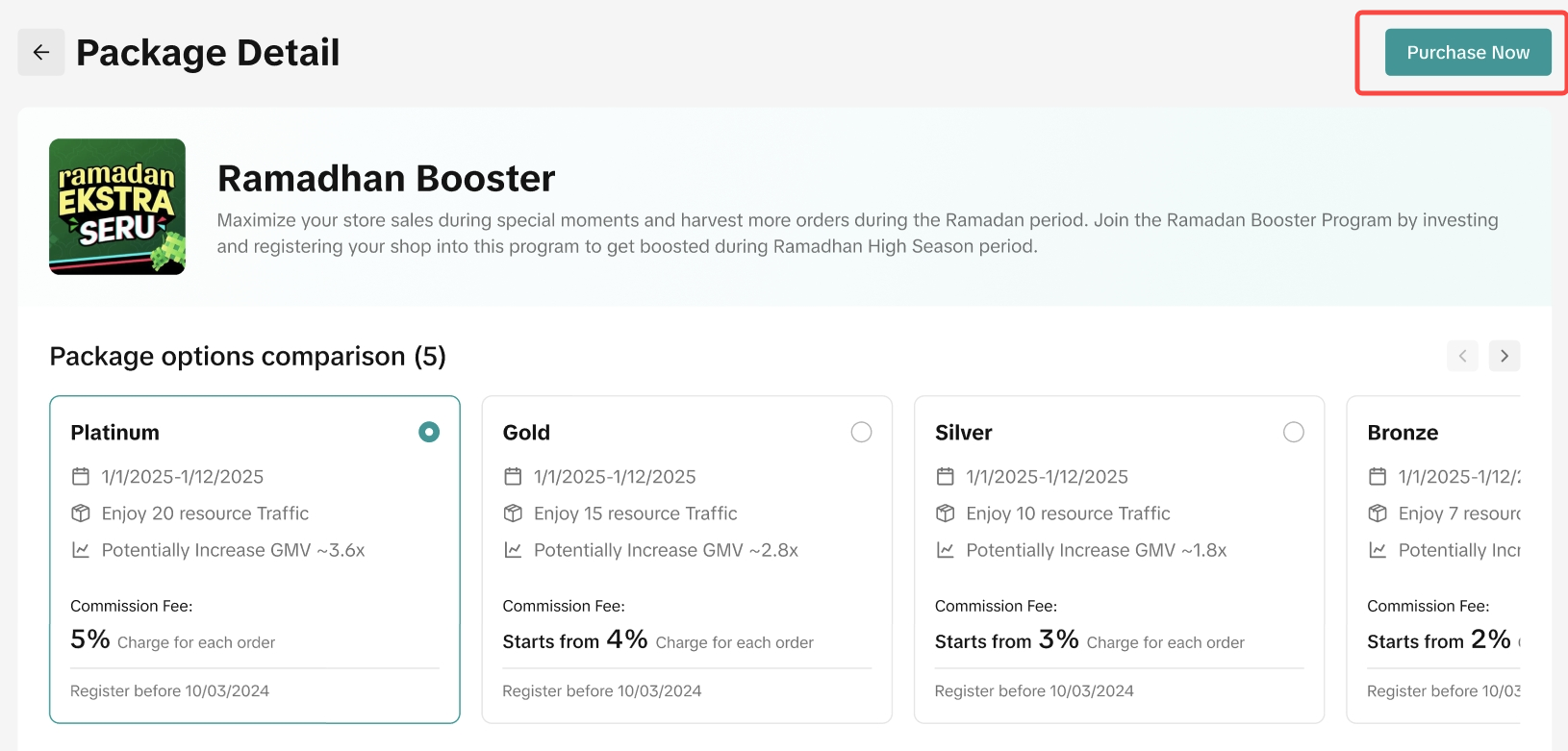 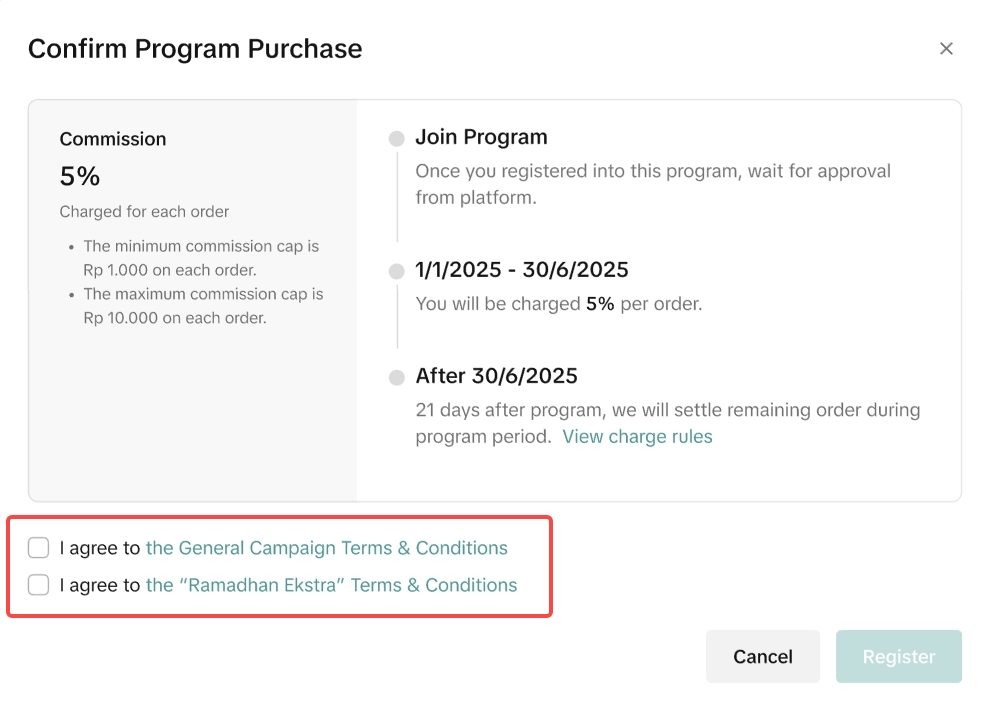 Note: Registration is confirmed once you agree to the Terms & Conditions. You will be redirected to a ‘Registered Successfully’ page upon completion. Note: Registration is confirmed once you agree to the Terms & Conditions. You will be redirected to a ‘Registered Successfully’ page upon completion. |
2 | What is Campaign Commission Fee Package? | Logic : Think payday, double dates! Now you can purchase our holistic campaign package consists of marketing features, traffic support, campaign landing page, budget voucher support and other extra marketing perks to get your brands out there during campaign period with total support value can be up to ~$150k USDSupport and Benefit ✅ Budget Voucher Support: We give you an extra budget where you can subsidize your products creatively with attractive vouchers.✅ Exclusive Visibility: Get exclusive visibility for your brand to stand out in the crowd i.e slide banners, campaign landing page (H5) and more Commission Fee Type : Depends on package tiers, commission fee percentage will be based on combined GMV from both TikTok + TokopediaMechanics : For all sales made during the campaign period, xx% commission applies (with a maximum cap, of course!) |
| 3 | Can a Seller Withdraw? | Yes, but eligibility depends on the package status:1. Cancel Registration: Only available if status is "Pending/Under Review." Click the 3 dots next to View Records → Cancel Registration.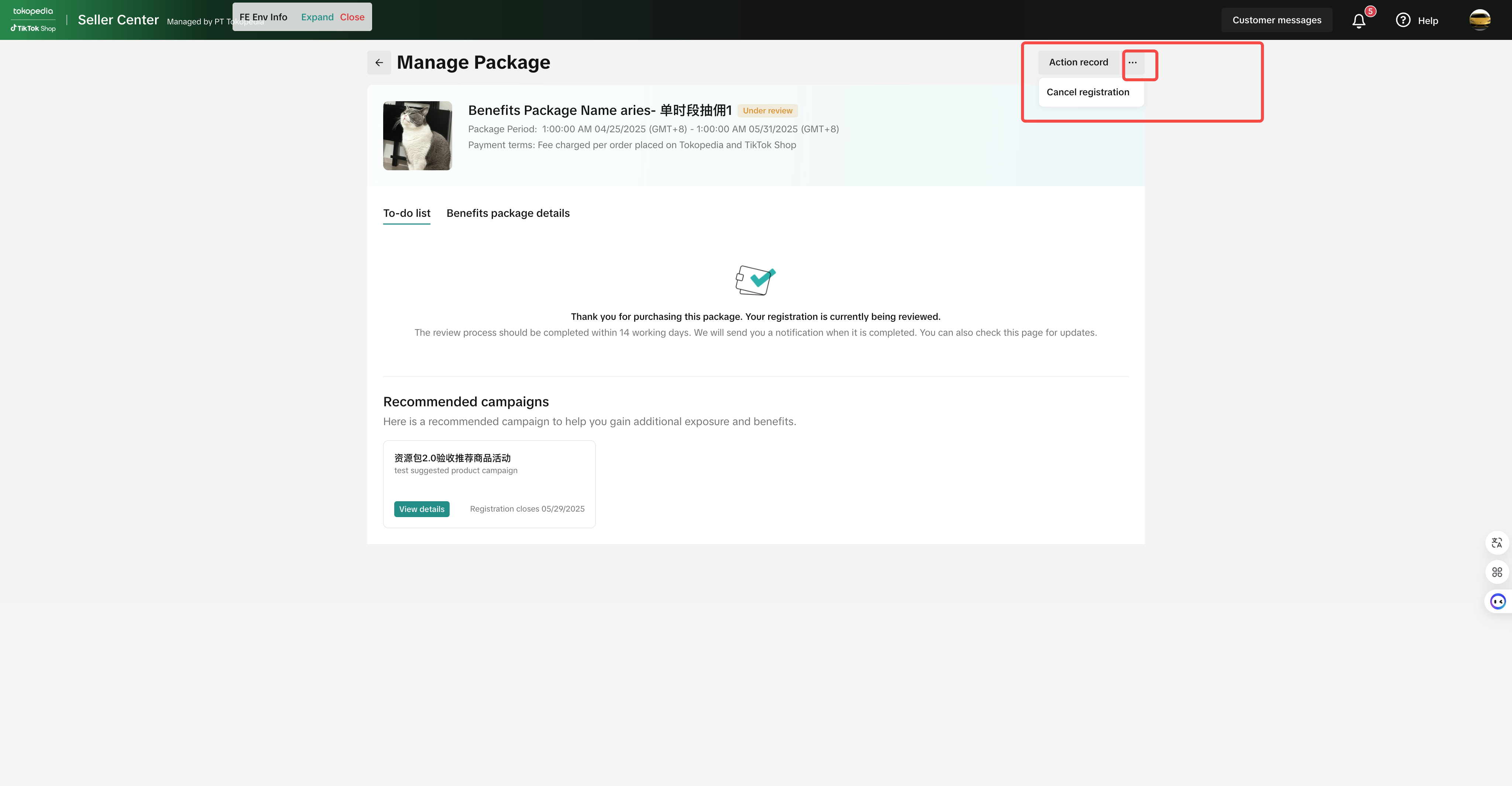 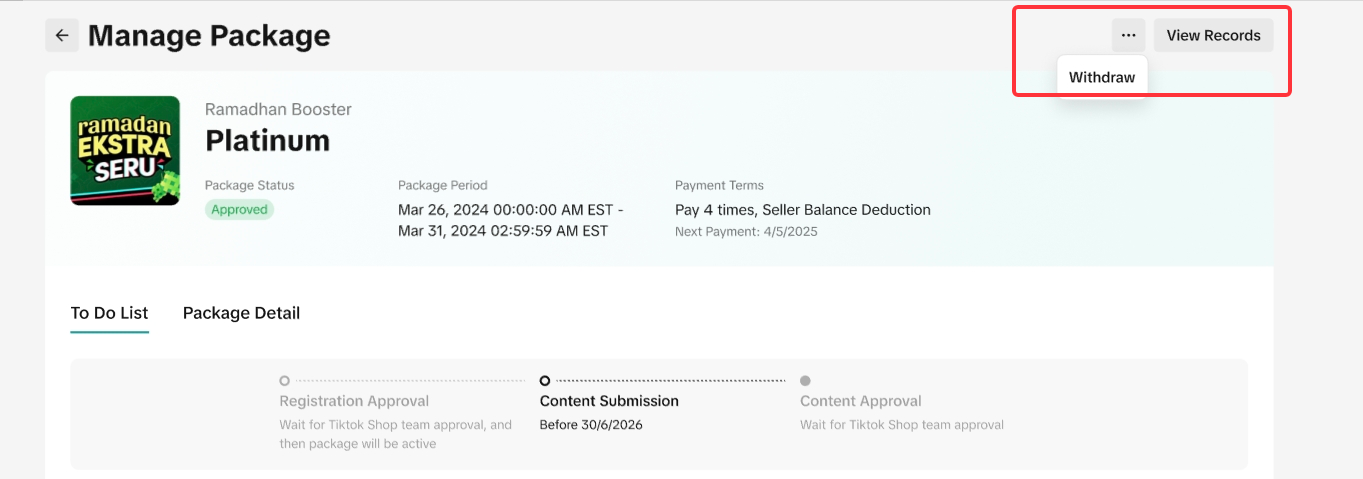 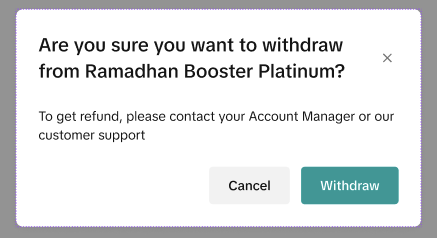 |
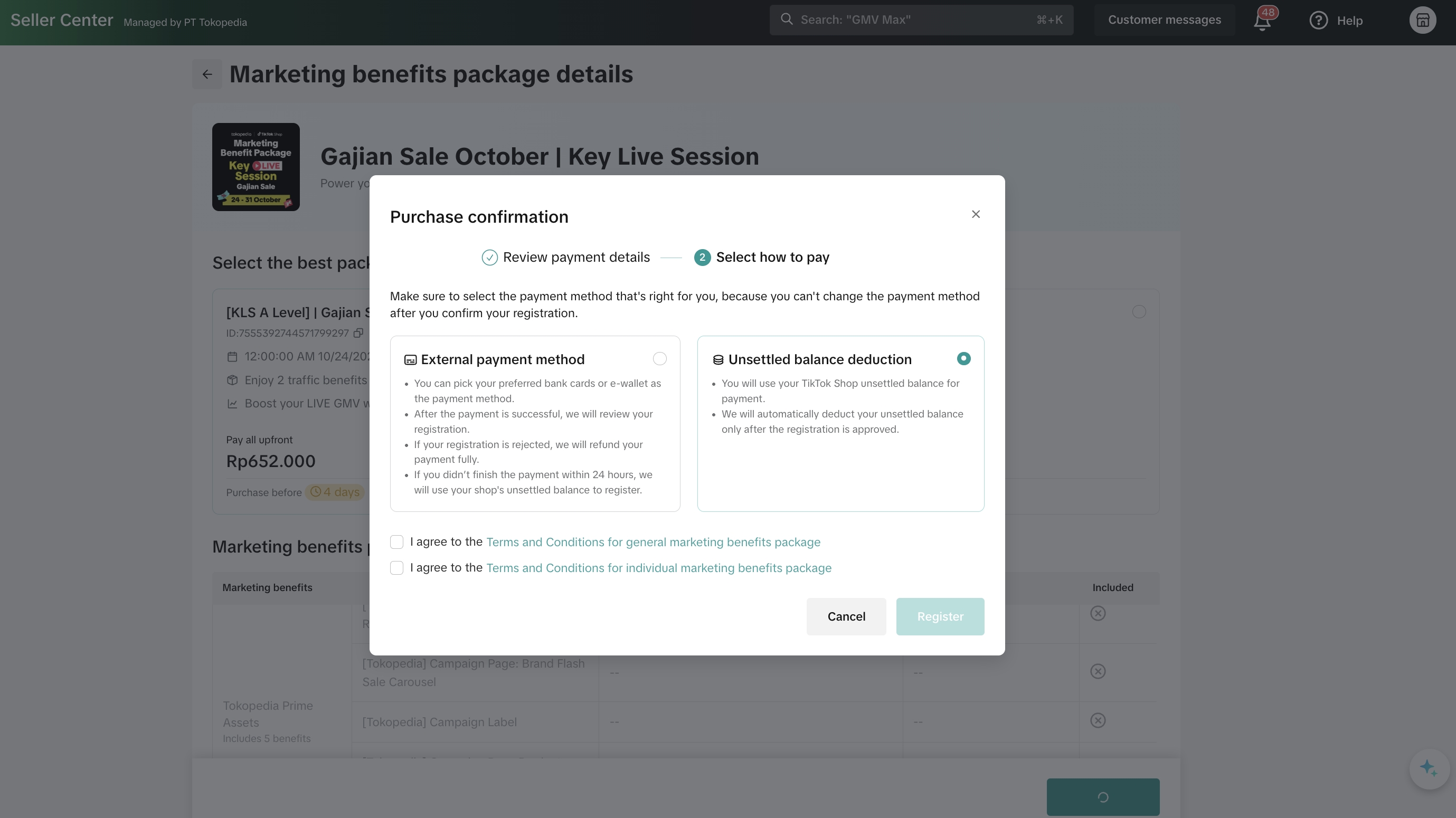
4 | How does the charging system work? | Please ensure that you have enough GMV in your seller account once they successfully purchase the package. Order-Commission Based
 |
5 | Is there any simulation or commission calculation example to share? | The commission charged will be based on
|
6 | Will the seller be charged a commission fee twice (2x), in the TikTok Shop and Tokopedia store? | No, sellers won’t be charged twice. Charges happen at the Seller Center level. If a seller integrates both their TikTok Shop and Tokopedia store, the fee is based on their combined GMV. If they don’t integrate, charges apply only to the registered store. |
7 | Where can the seller find the package fee deductions? | To find the package fee deductions, you can go Campaigns > My Packages > Manage my packages > Deduction HistoryThis will show all deductions related to the package that the seller has purchased. As per the logic of package charging, the total package fee is "all orders x %" during package dates. If there are any outstanding fees, it will be deducted as "Additional campaign fees" T+21 after package end date. |
8 | Where can the sellers find the transaction history or deduction history? | To check seller balance deduction details, please go to Seller Center > Finance > Transactions > To Settle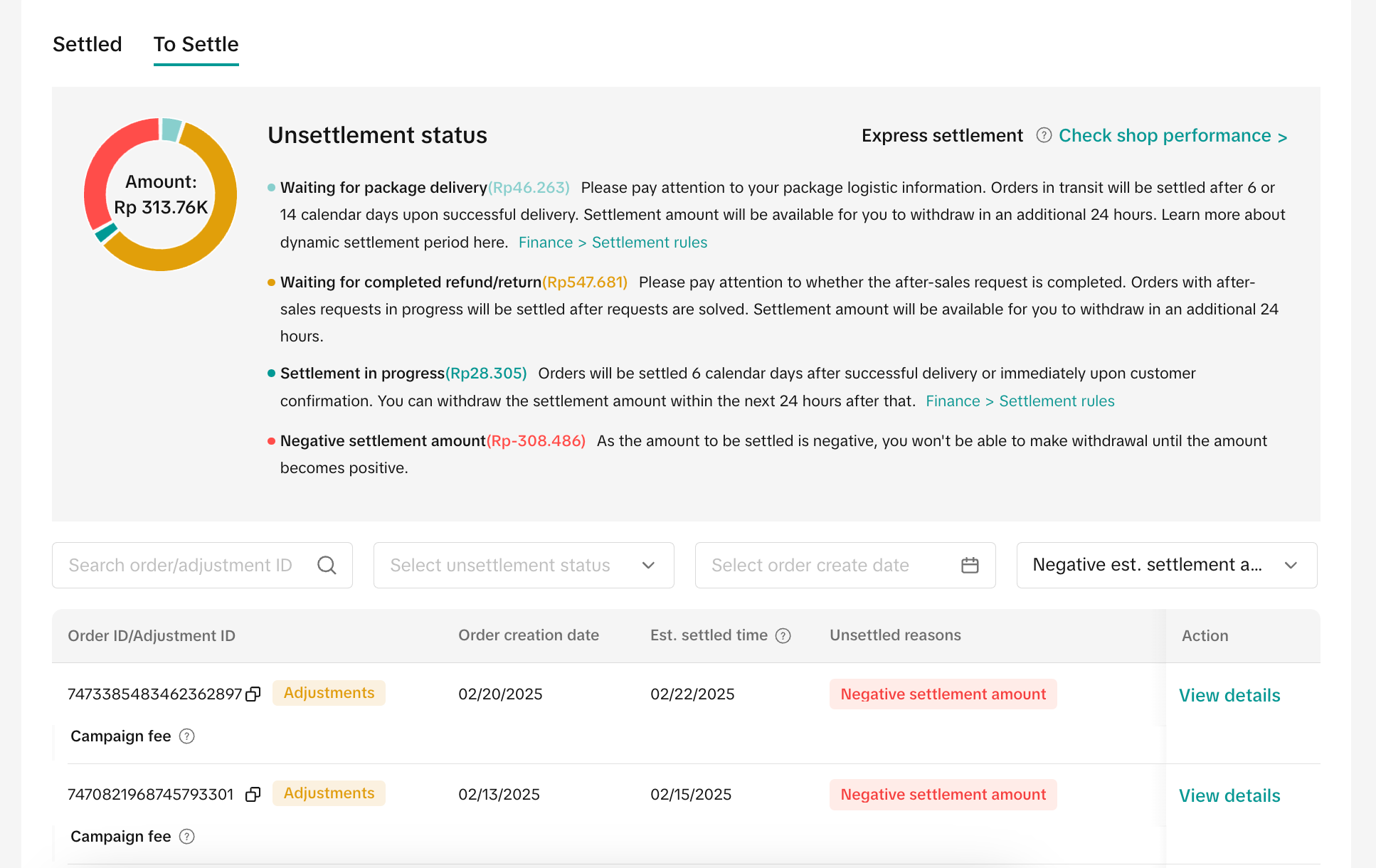
|
9 | Why is my balance negative despite having funds? | 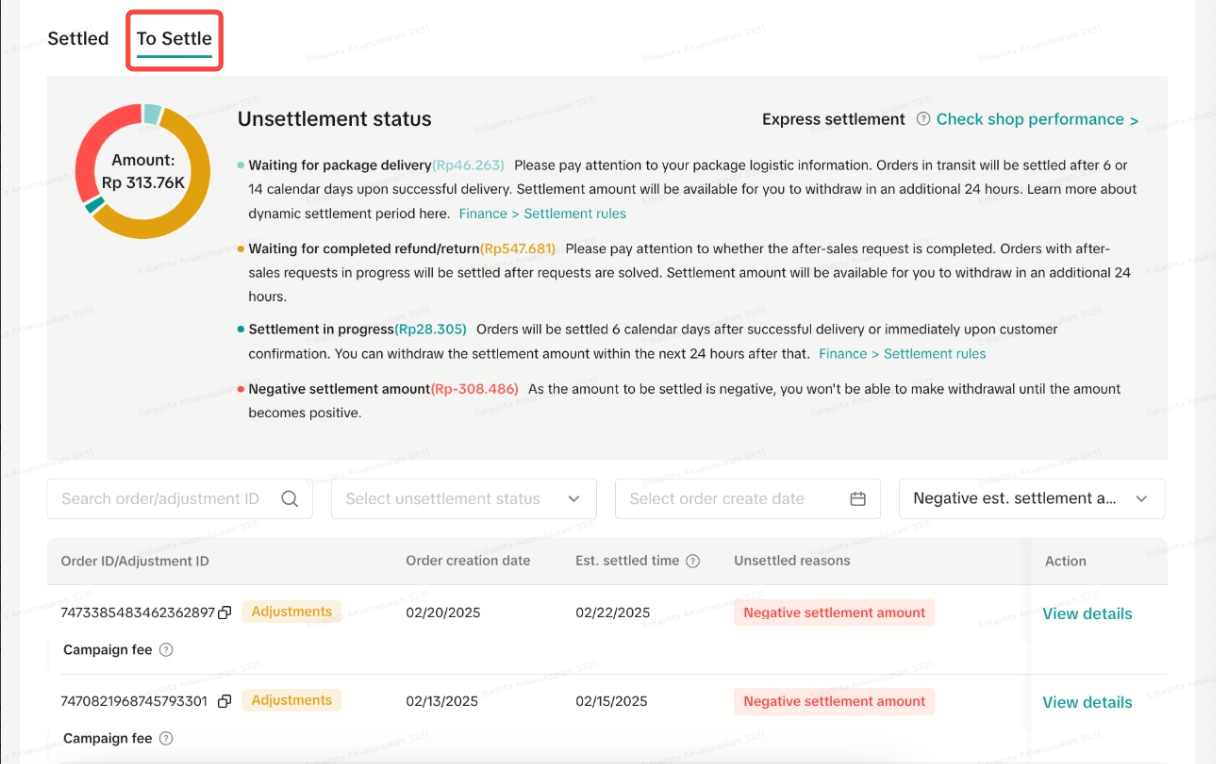 |
| 10 | Will there be invoice and tax invoice released? | No, our system currently does not support invoice releases specifically for Commission Campaign Package. MBP Fees are included in platform invoice, together with SFP/Platform Fees etc. This invoice is generated on a cyclical basis. 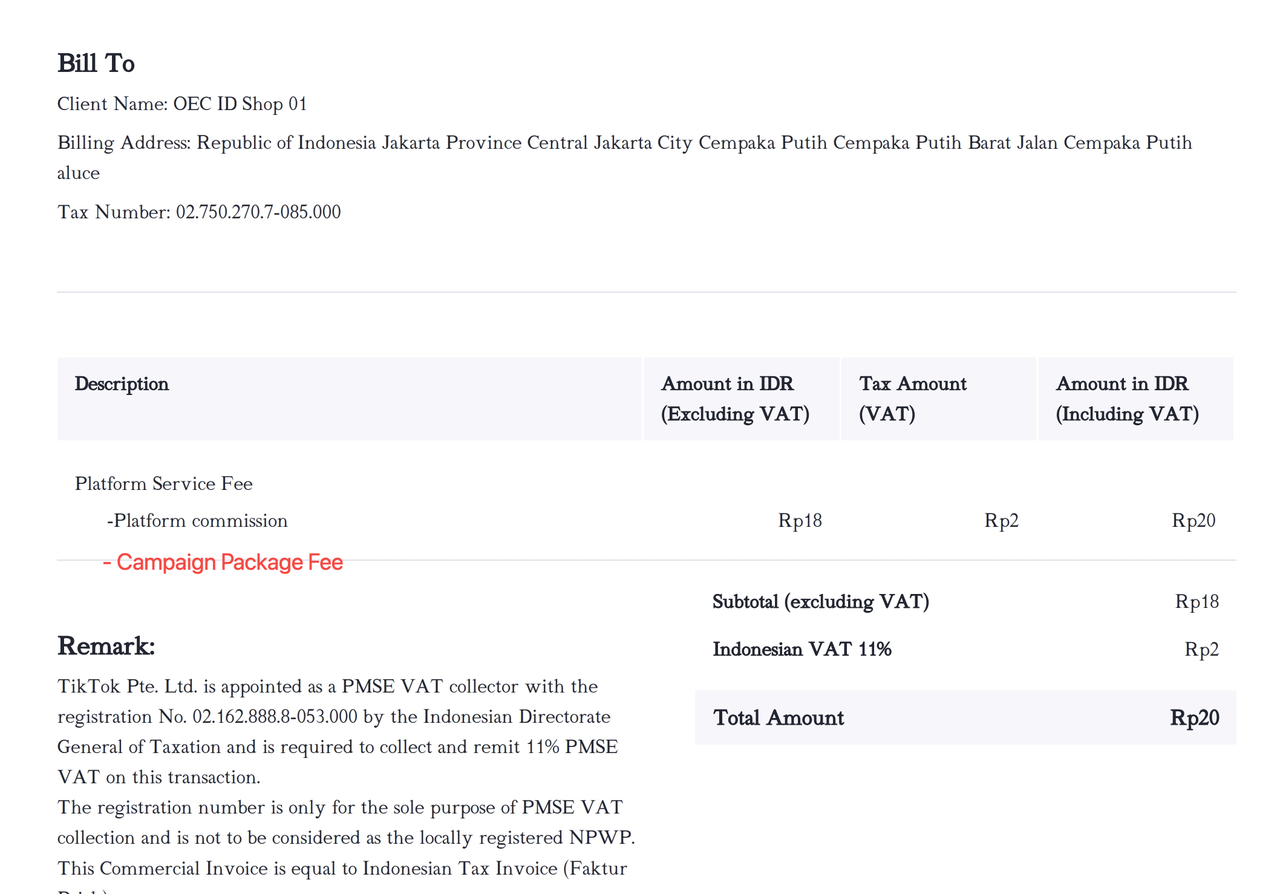 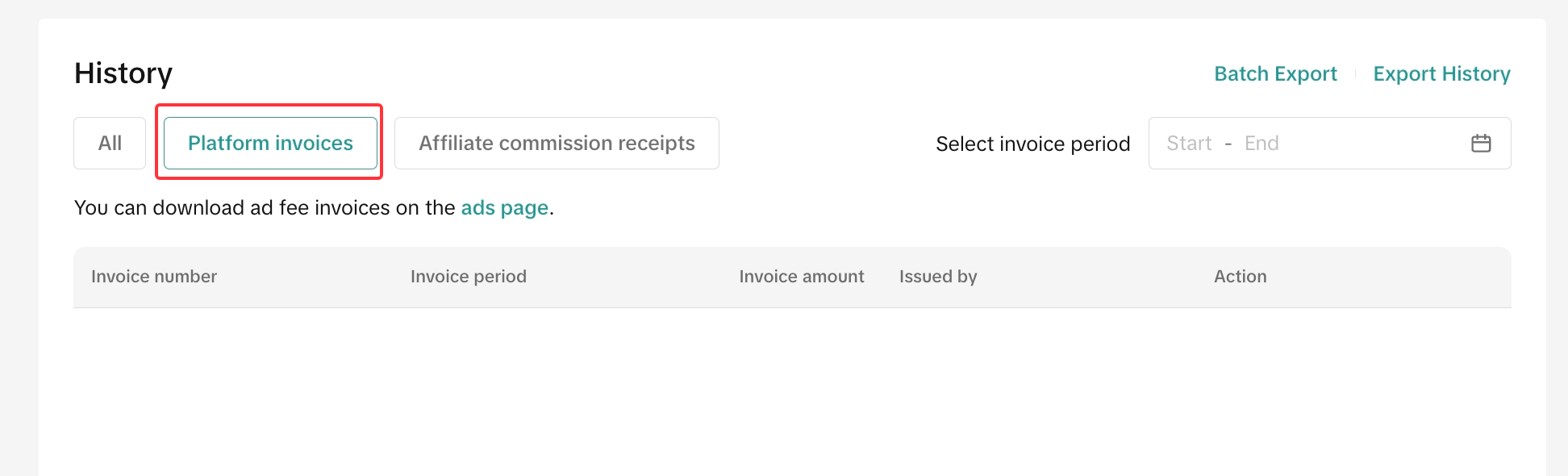 |
| 11 | Why can't I cancel my participation? | Withdrawals must be confirmed at least 7 working days before the campaign starts. After this, budgets and resources are locked. Accidental registration is prevented by multiple confirmation pop-ups and T&C displays.👉 Package Purchase: A confirmation pop-up appears before completing the transaction.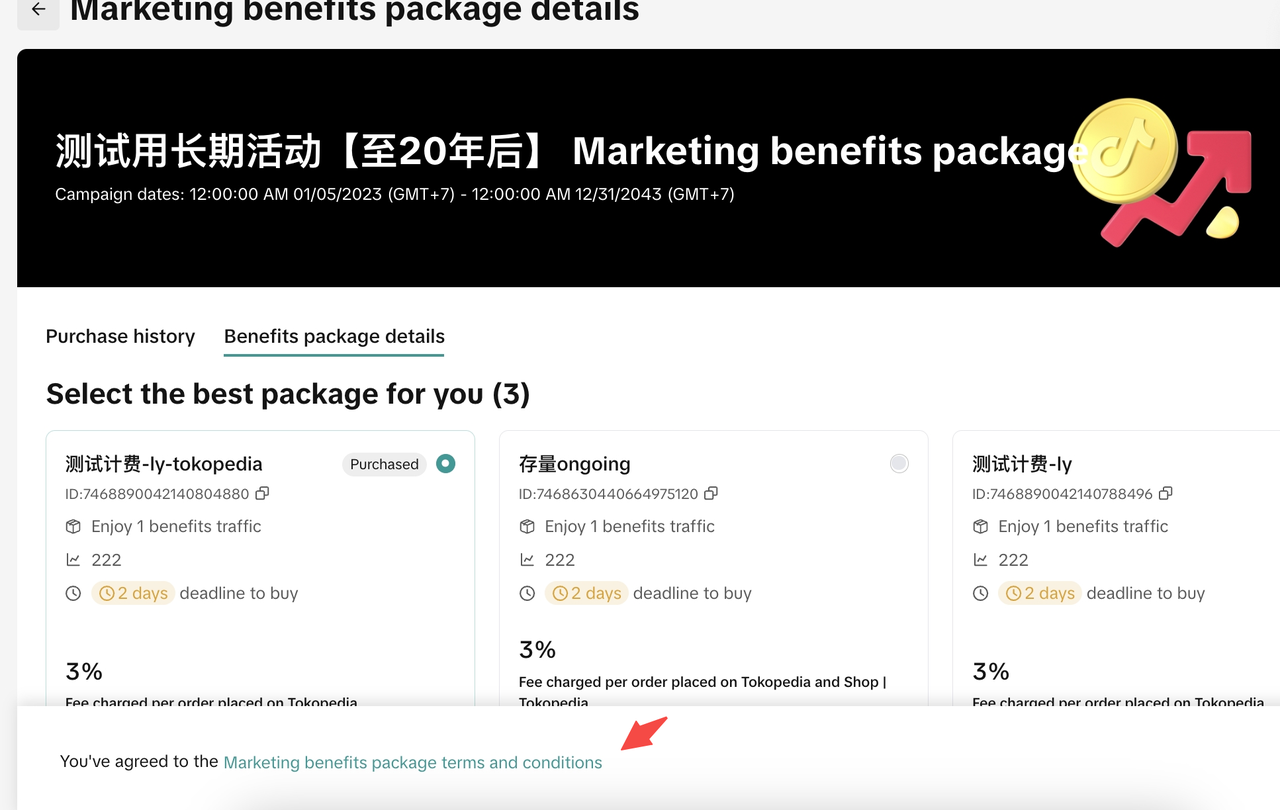 👉 Successful Purchase: The T&C is clearly displayed at the bottom of the page for review. 👉 Successful Purchase: The T&C is clearly displayed at the bottom of the page for review.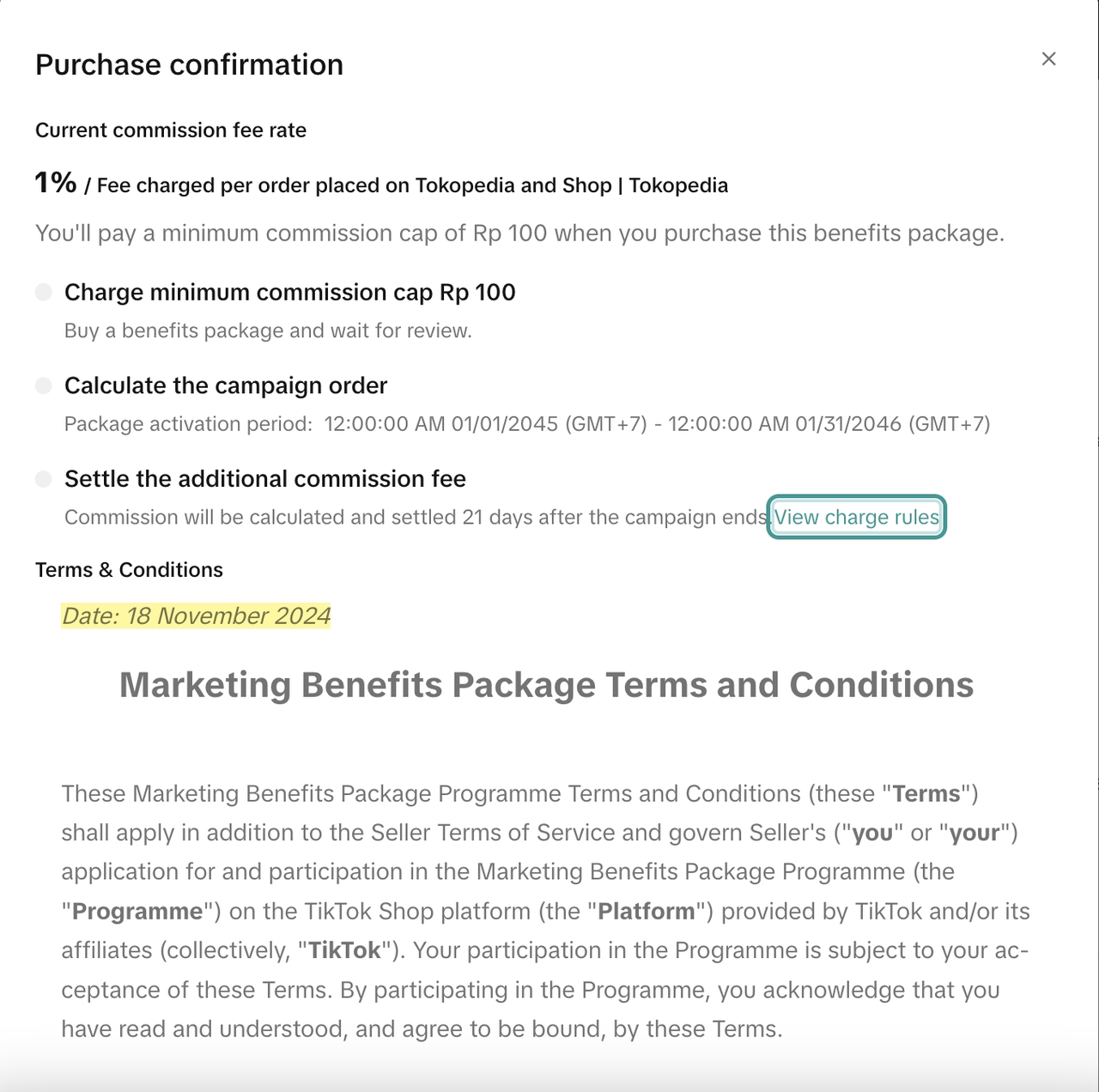 |
12 | If a seller buys the joint package but only has an active TikTok Shop (with an inactive or non-integrated Tokopedia store), can they transfer the Tokopedia benefits to their TikTok Shop? | No, they can’t. Sellers can still buy the package, but they won’t receive any Tokopedia benefits. |
You may also be interested in
- 1 lesson
Campaign and Cofunded Program
Join campaigns and cofunded programs for greater product exposure!

How do campaign co-funded vouchers work?
Sellers will first need to register and add products to the respective campaign page. Once the prod…

What if the campaign period overlaps with other promotional…
After approval, the price will take effect in accordance with the campaign dates. Campaign prices ar…

Marketing Benefits Packages
This article teaches you what Marketing Benefits Packages are, how it works, as well as how you, as…
Periodic Payments
This guide explains how to use bank transfer payments for Marketing Benefit Resource Packages, speci…

Product Campaigns
This article teaches you how to participate in platform product campaigns to increase sales in your…
Understanding Payments
This article introduces the different payment methods available for our Marketing Benefits Packages.…

Livestream Campaigns
This article teaches you how to use Livestream Campaigns to increase traffic and conversions in your…