

How Does Product Card Diagnosis Work? #1
03/25/2024
Overview
The Product Card Diagnosis feature is an effective way to analyse if a product card is performing well or requires optimization. And these optimizations are triggered by different factors, four in total. In this document, we will go through how they are diagnosed and why they play a part in the overall performance of your store.Access: Data Compass > Product Card > Performance
Factor #1: Not Reaching the Threshold
- What it means: The product card has not reached the minimum threshold to enter the recommendation pool.
- Why it is important: Recommendation and search accounts for a significant chunk of traffic for product cards, making it an essential aspect of performance.
- How to optimize:
- Method #1:
- Head to Data Compass > Shop Tab > Recommendations > Performance
- Here you will see the product cards that are not qualified for the recommendation pool.
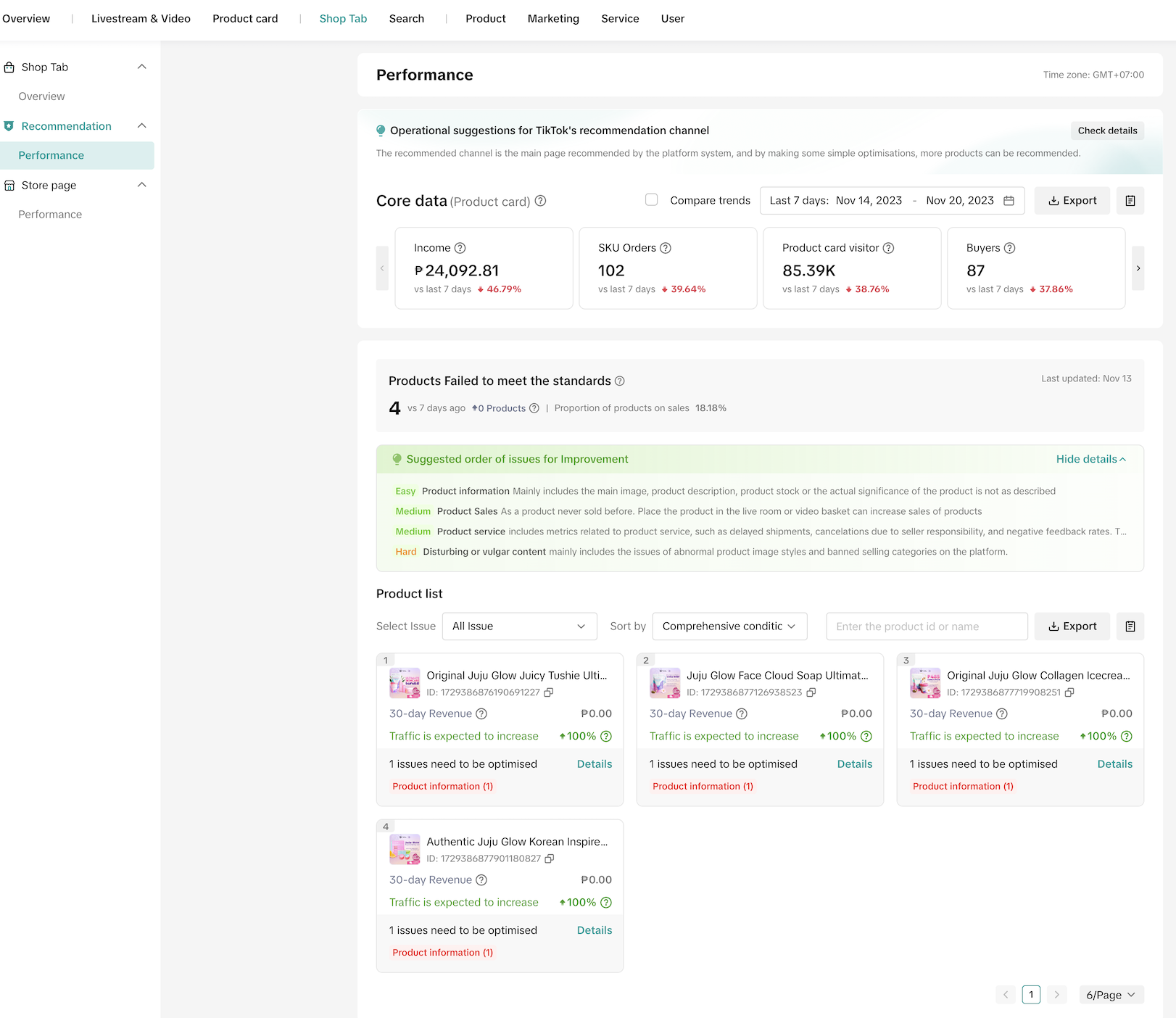
- Method #1:
- Method #2:
- Head to Data Compass > Product Card > Product Card Details
- Here you will see the existing issues for a specific product card and actions to optimize them.
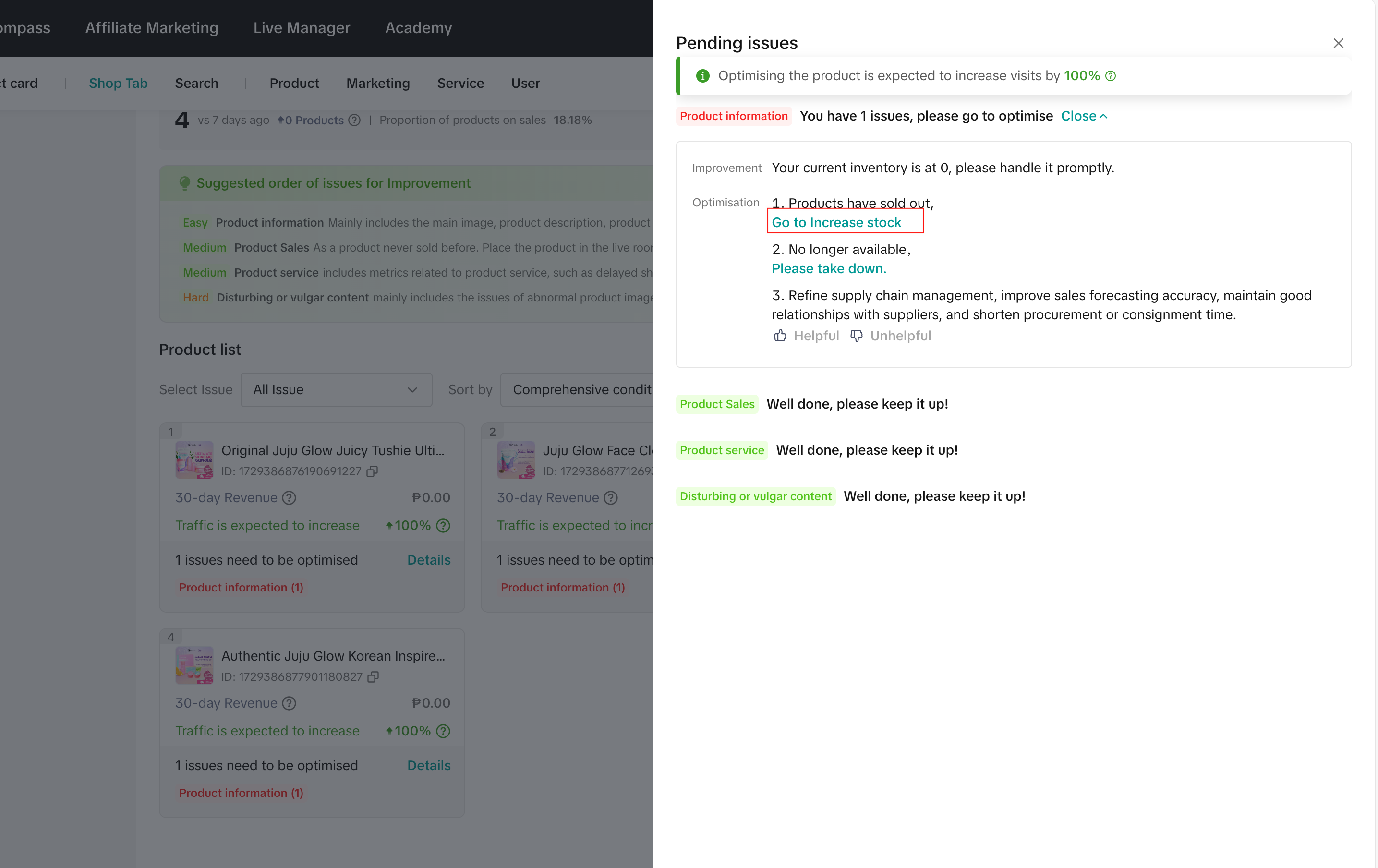
- Important note:
- This is important because when your shop falls to the bottom of search or product not meet recommendation threshold, exposure becomes hard and it will affect your store's performance.