

Creator Level
03/31/2025
In this article, we’ll show you how to use the Creator Level feature, which rewards creators for completing tasks.
To get you started, we will go over the following:

How Creator Level Benefits Creators:


To get you started, we will go over the following:
- What is Creator Level?
- Where to find the Creator Level page
- How to Level Up
What is Creator Level?
Creator Level is a season-based program that gives Creators a set of tasks in order to level up and receive rewards.How Creator Level Benefits Creators:
- Encourages creators to produce high-quality, intentional content through a dedicated program
- Offers additional benefits that can enhance creators’ day-to-day content creation (more sample requests, LIVE tools, etc.)
- Introduces useful features that creators may not be aware of yet

Where to find the Creator Level page
| Creator/Affiliate Center Homepage | Growth Center Page |
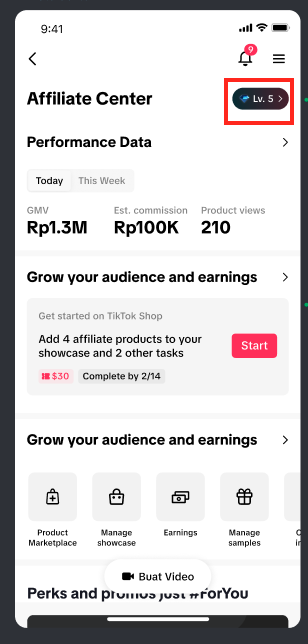 | 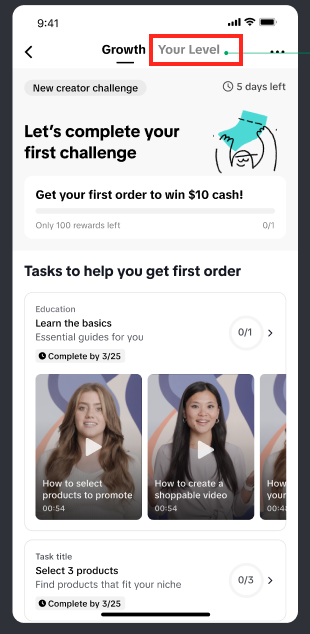 |
Entering the Creator Level page for first timers
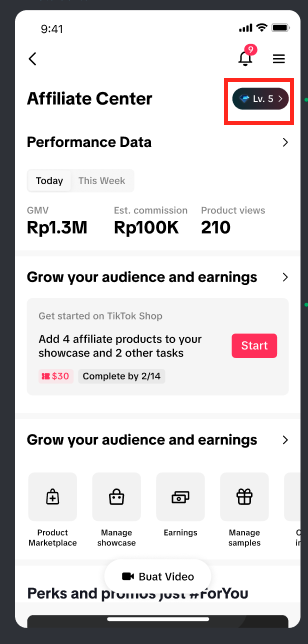 | 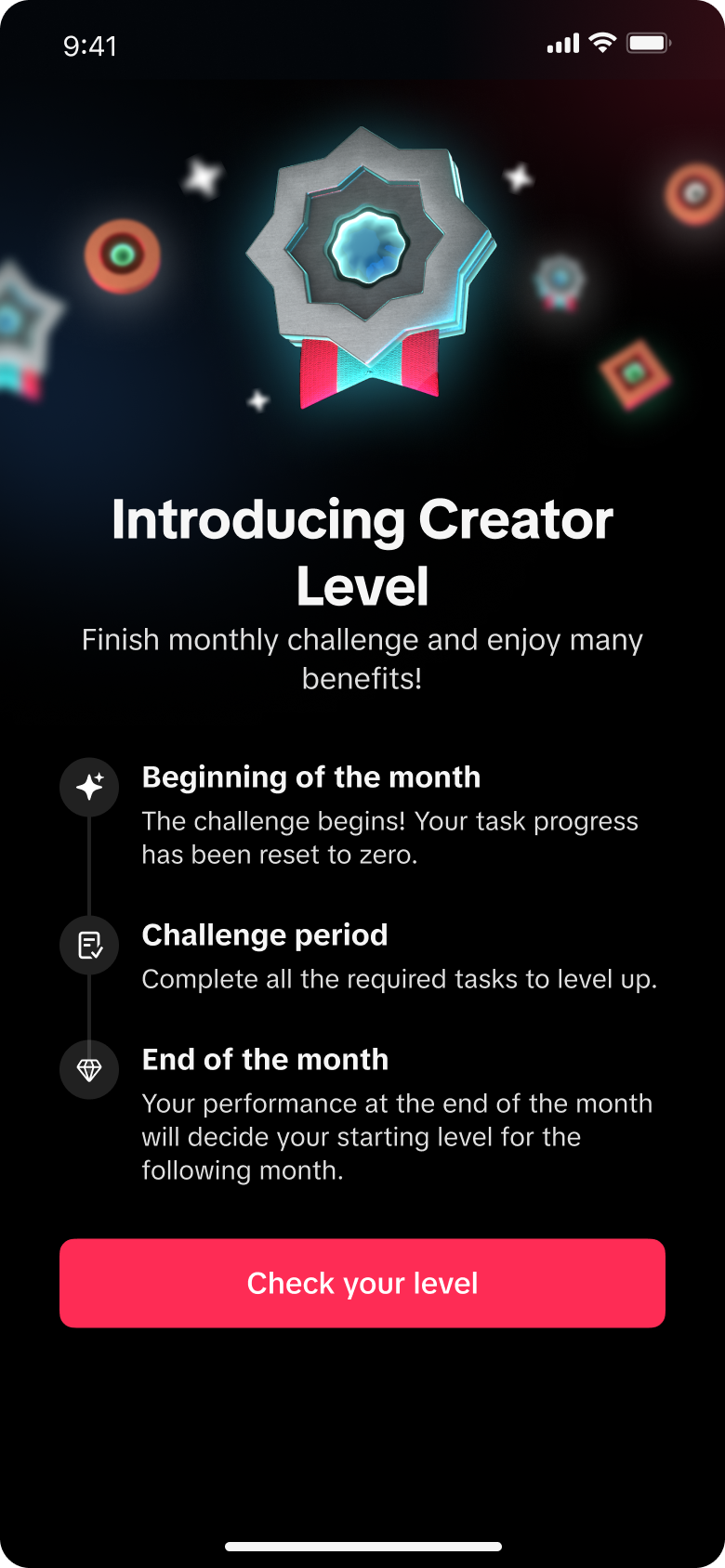 | 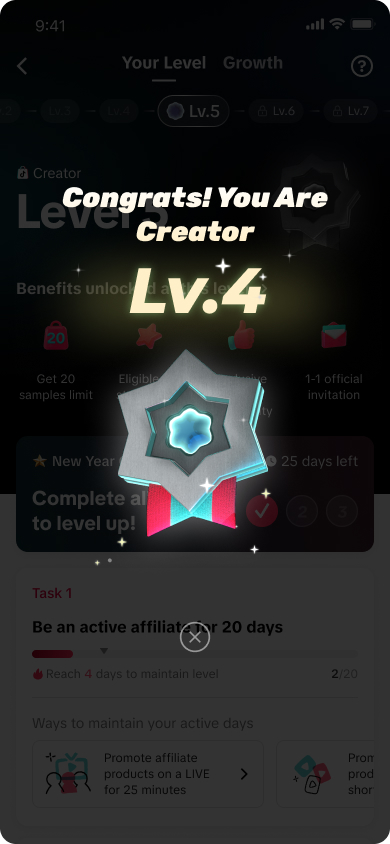 | 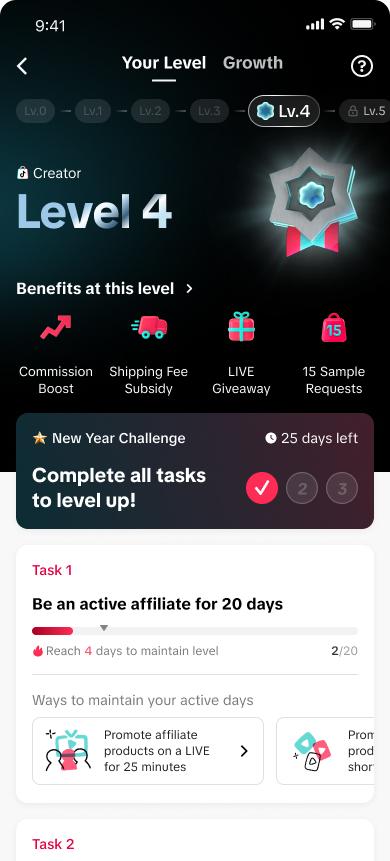 |
| Enter the Creator Level page through the Affiliate Center | For first time users, they will be greeted with a guide page | Your starting level will be based on your previous month's performance | The Creator Level page shows your current benefits and the tasks you need to complete |
Navigating the Creator Level page
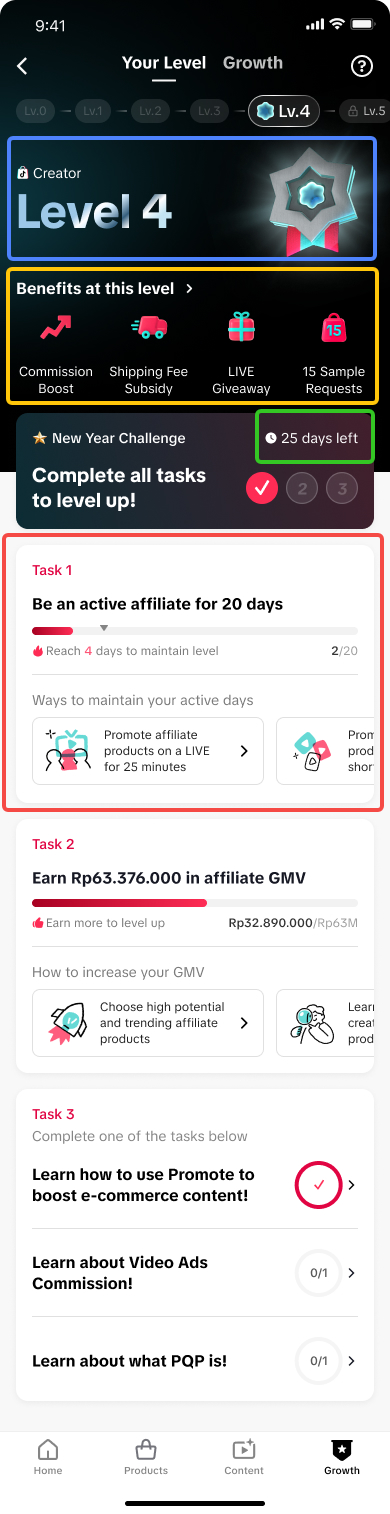 | The Creator Level page can be dissected into four (4) main components:Creator Level
Benefits at the current Level
Challenge Duration
Creator Level Tasks
|
Learn more about Creator Level
Tapping on the "?" button beside the growth tab will redirect you to a page that explains Creator Level.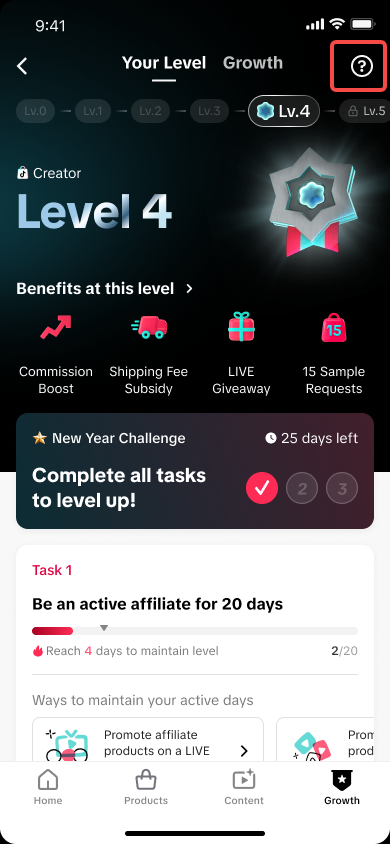 | 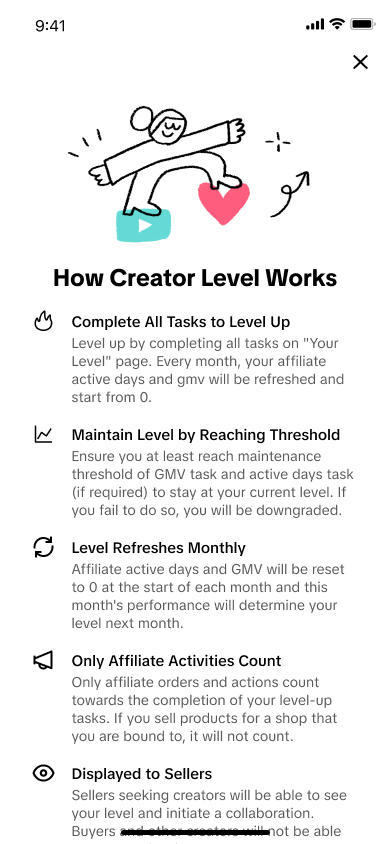 |
How to Level Up
 | 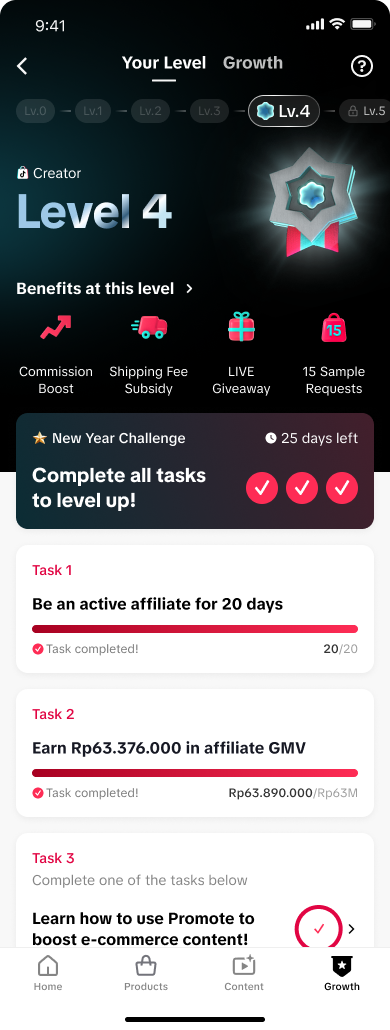 | 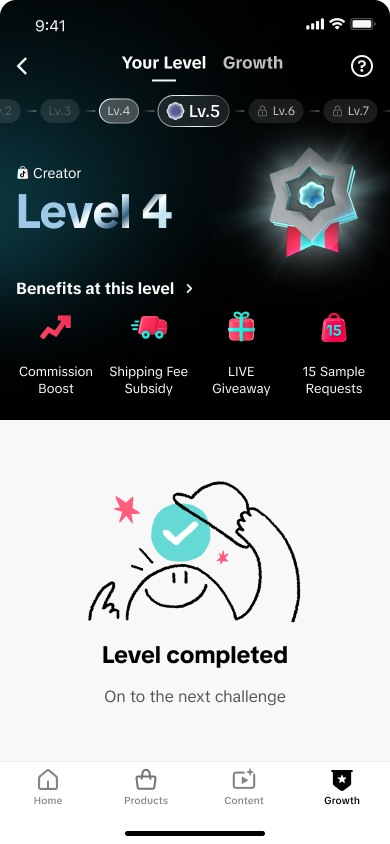 | 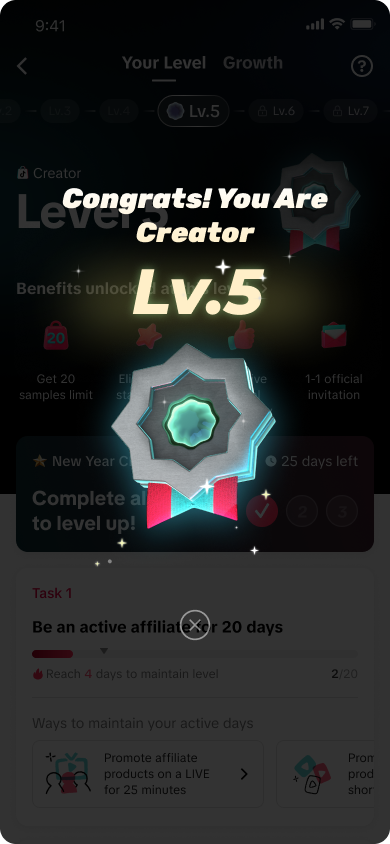 |
| You need to complete tasks for each level. | When you finish all tasks, you’ll move to the next level. | The page will show you’ve completed all the tasks for your level. | A pop-up will confirm you’ve leveled up. |
FAQ
- Are all Creators eligible to use Creator Level?
- Yes, all Affiliate Creators are eligible to use this feature (barring any violations that limit the Creator's account)
- Will all Creators start at Lv. 0?
- No, the initial level of Creators will be based on their GMV and activity level from last month
- After the season is done, will all Creators revert back to Lv. 0?
- No, the Creator levels for the next month will adjust based on the Creator's end of season level
- How long is the duration of each Creator Level season?
- A Creator Level season runs monthly, starting on the 1st and ending on the last day of the month.
- Once I complete all the tasks, will my level up be instant along with the benefits?
- No, achieving a level only gives creators a chance to be potentially selected to enjoy the benefits; it does not ensure automatic entitlement to the benefits.
- What is the specific criteria used by the platform to select creators for platform-funded benefits?
- The selection of creators to enjoy the benefits is based on creators' performance during different themed campaigns. The stronger the ability to promote products, the greater the likelihood of receiving platform-supported benefits.
- How will I get notified if I am selected by the platform to enjoy the benefits, and what communication channels are used?
- Selected creators for the benefits will be notified through usual communication channels, including in-app notification, emails, official community, pop-ups, and creator tasks.