

[Attention Required] Important steps required for your products on your ShopTokopedia journey!
02/14/2025
We are delighted to welcome you to ShopTokopedia! Before you start, here are some important things you need to know to prevent any disruptions. ❗Main To-Do's
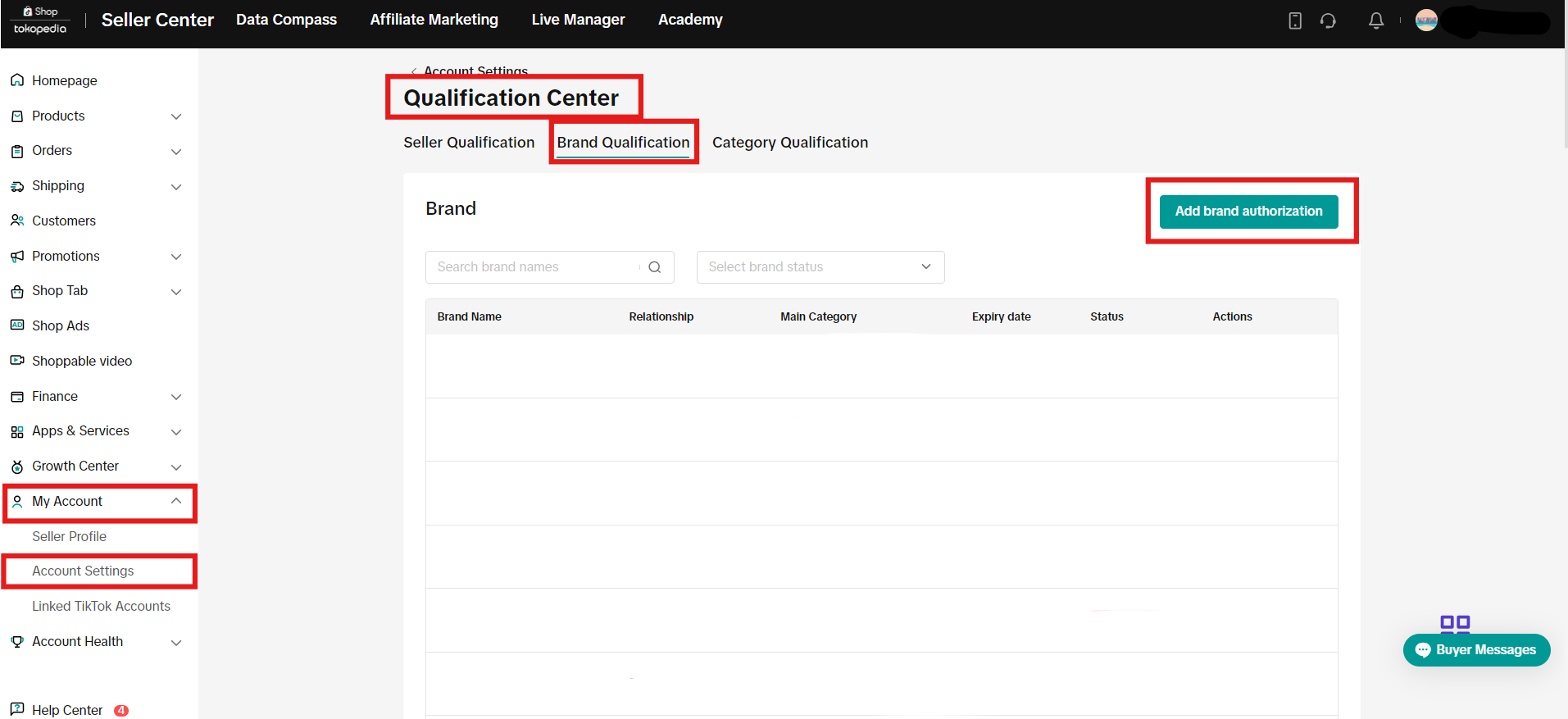 Read More: Brand Authorisation - Application & Guide

 Note: Sellers will receive a notification when uploading products if the product falls under an unsupported category.

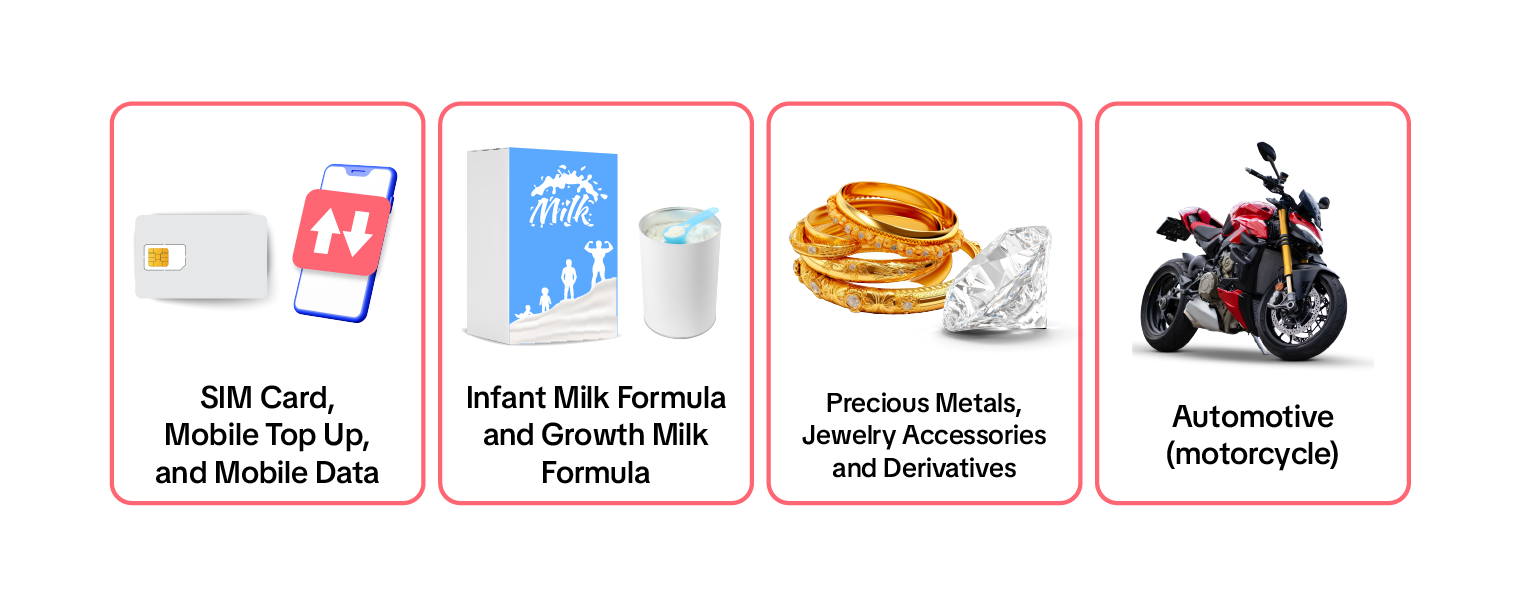 To apply to sell Invite-only products, you can access Seller Center, go to
My Account > Account Settings > Qualification Center > Category Qualification > Add Category Authorization Read more: ShopTokopedia Restricted And Unsupported Products Guidelines
- If you are selling branded products, do submit your brand authorization documents
- Be aware of product categories that require you to submit product attributes
- Note the products with restrictions on ShopTokopedia that differ from Tokopedia
- Ensure that the product title and description do not contain any Intellectual Property Rights (IPR) violations.
If you are selling branded products, do submit your brand authorization documents
- Identify which type of seller you are. Are you a trademark owner or authorized retailer?
- You will need to prepare the following document
- If you are brand owner or trademark owner, please provide trademark or IP certificate
- If you are authorized to sell this brand, please provide authorization letter given to you by the merchant/distributor you procure your product from
- You can upload the required documents through the Brand Qualification in Tokopedia & Shop Seller Center by following these steps
Read More: Brand Authorisation - Application & GuideBe aware of product categories that require you to submit product attributes
How Can I Upload Product Attributes For Products?
❗ If you sync your product to ShopTokopedia from current Tokopedia products, please ensure that you upload these documents to existing products as well to avoid product delisting on ShopTokopedia
Read more: Mandatory Product Attributes
- You can find the BPOM registration number on:
- Product Certificate
- Product Packaging
- BPOM Official Website
- Go to the Seller Center home page and select "Products" > "Manage Products".
- For new product listings:
- Click "Add new product" and fill in the mandatory attributes included under the "Product Attributes" tab.
- For existing product listings:
- Click "Edit".
- For new product listings:
- Mandatory attributes will be labelled as "Mandatory". Fill in the mandatory attributes fields by:
- Choosing from the available options in the drop-down list; or
- Manually entering the information as free text.
- Click "Publish" or "Update"
Note the products with restrictions on ShopTokopedia that differ from Tokopedia
Note: Sellers will receive a notification when uploading products if the product falls under an unsupported category.- Products that may not be sold on ShopTokopedia
- Products which require Category Authorization
To apply to sell Invite-only products, you can access Seller Center, go to My Account > Account Settings > Qualification Center > Category Qualification > Add Category Authorization
Read more: ShopTokopedia Restricted And Unsupported Products GuidelinesEnsure that the product title and description do not contain any Intellectual Property Rights (IPR) violations.
- Made for
- Compatible with
- Intended for
- Applicable for
- Fits with
- If your product is a "compatible" product actually manufactured by the brand:
- [Your Product’s Brand Name] + [Product Type] + "for"/"compatible with"/"fits"/"intended for"[Brand and Type of Compatible Product] + [Other Product Title Elements, If Applicable]
- If your product is a generic "compatible" product:
- [Product Type] + "for"/"compatible with"/"fits"/"intended for"[Brand and Type of Compatible Product] + [Other Product Title Elements, If Applicable]