

Content Sync to Tokopedia App
04/22/2025
This article will guide you on how to enable the Content Sync function. The content sync function enables your short videos to be shown on two platforms: Tokopedia and TikTok. 


*For sellers with bound marketing accounts, ensure the criteria below are met in order to access the above content performance:
The Tokopedia Content Dashboard (via App or PC) will reflect video performances before content syncing (pre-sync) and after content syncing (post-sync). To differentiate between the video performances of pre-sync and post-sync, simply change the date period accordingly.
For example:
Benefits of Enabling the Sync Function
- Reach More Customers
- Sync your content to connect with two different customer groups on TikTok and Tokopedia, expanding your audience across both apps
- Generate Sales on Two Platforms
- With just one video, you have the opportunity to make sales on both TikTok and Tokopedia, doubling your chances of earning
- Save Time and Effort
- Instead of creating separate content for each platform, syncing allows you to manage everything from one place, making your flow more efficient.

- Instead of creating separate content for each platform, syncing allows you to manage everything from one place, making your flow more efficient.
Content Sync in TikTok & Tokopedia Apps
Follow these simple steps to enable Content Sync and get double the exposure by showcasing your video on both TikTok and Tokopedia:
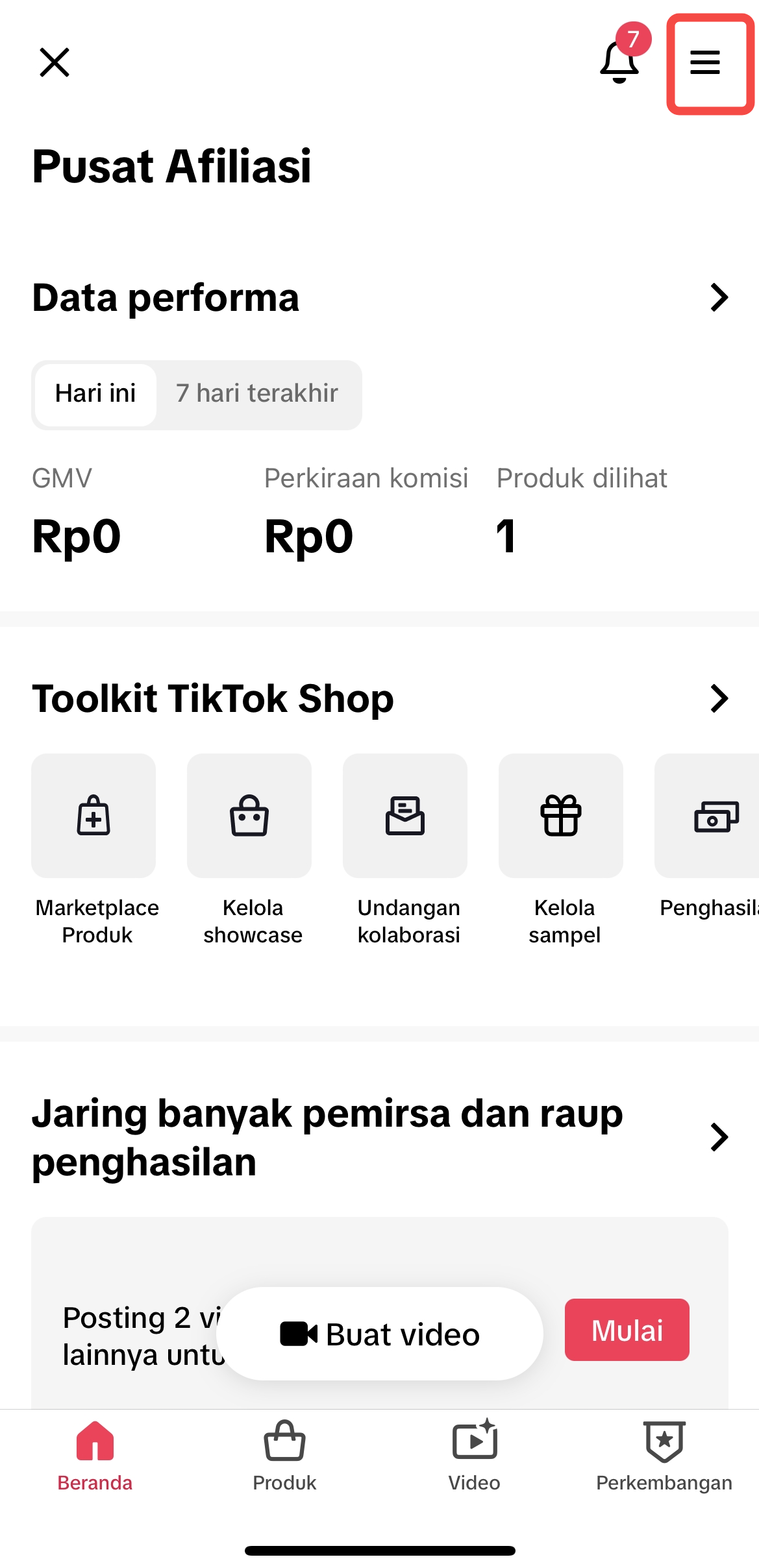 | 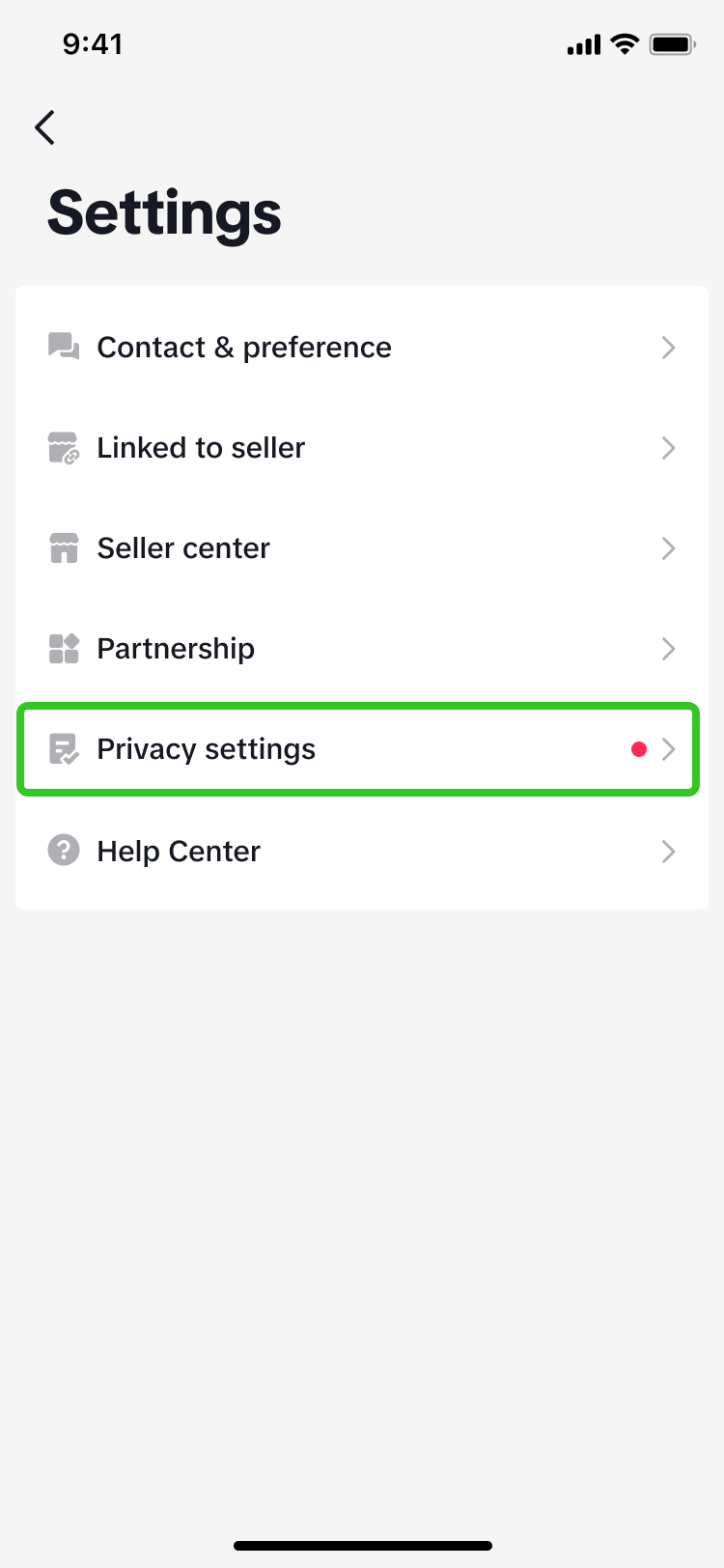 | 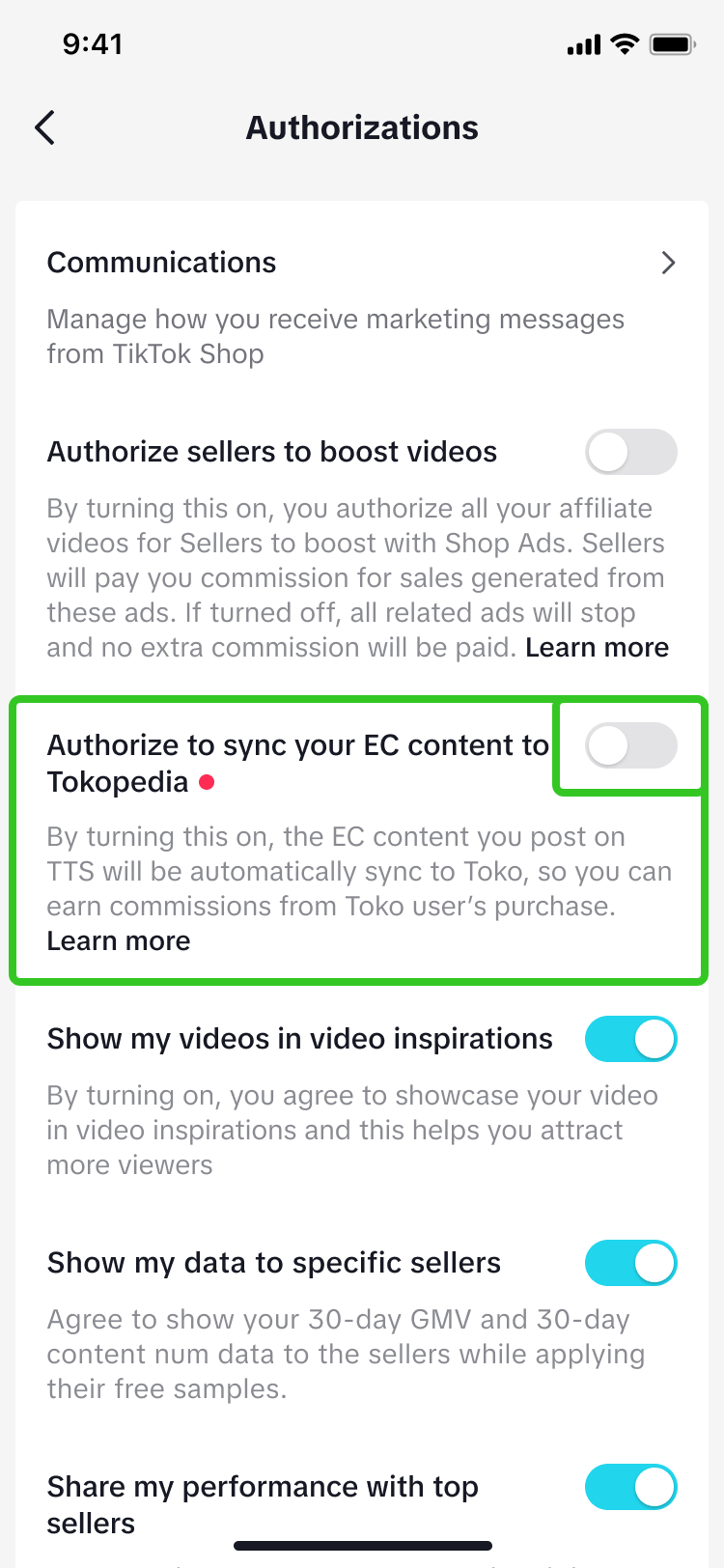 | 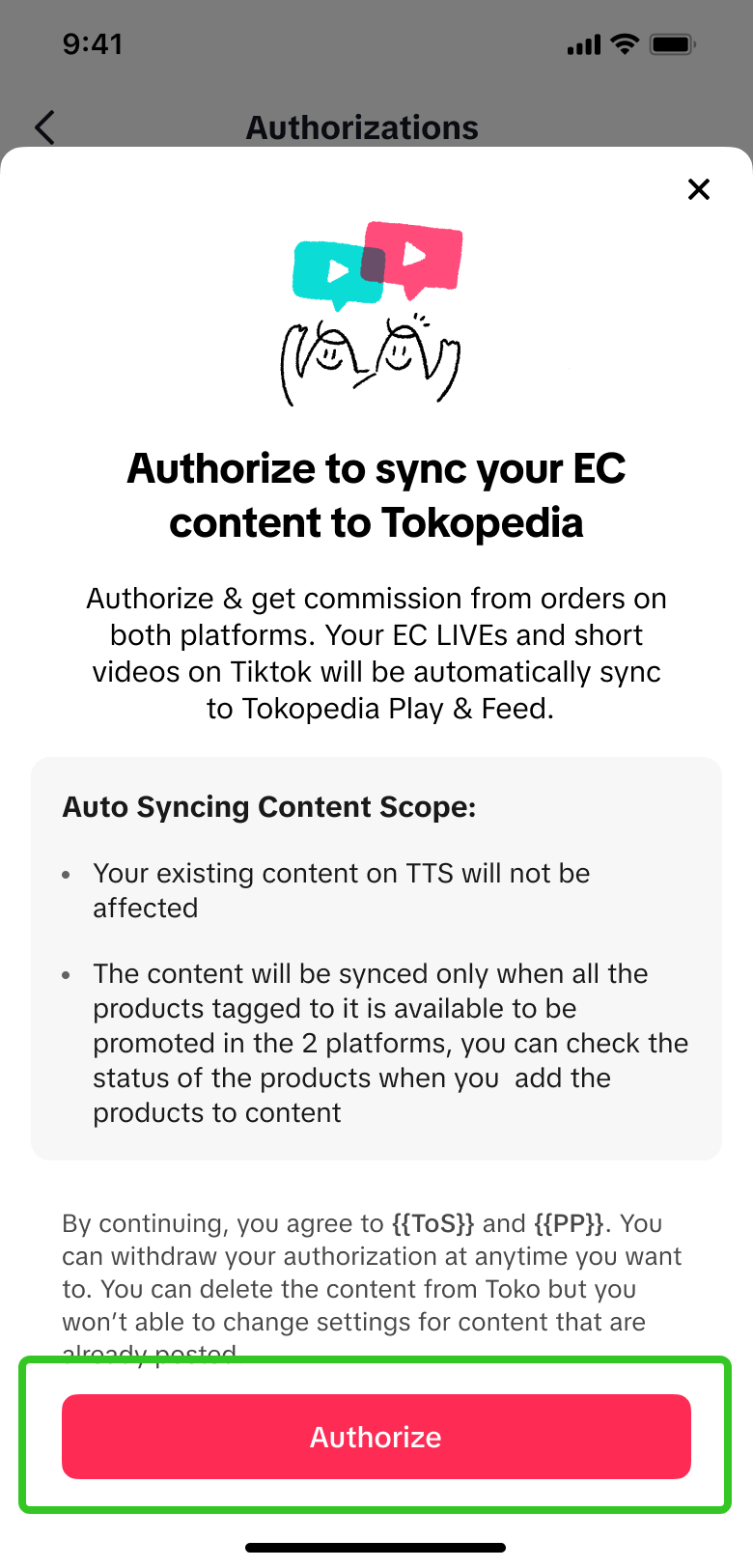 |
| Go Creator Center and tap on the three lines | Select Privacy Settings | Tap on the Toggle for Content Sync | A pop-up will confirm your Sync |
Creating a Synced Shoppable Video
Follow these steps to create a synced shoppable video and make sure your content is visible on both TikTok and Tokopedia.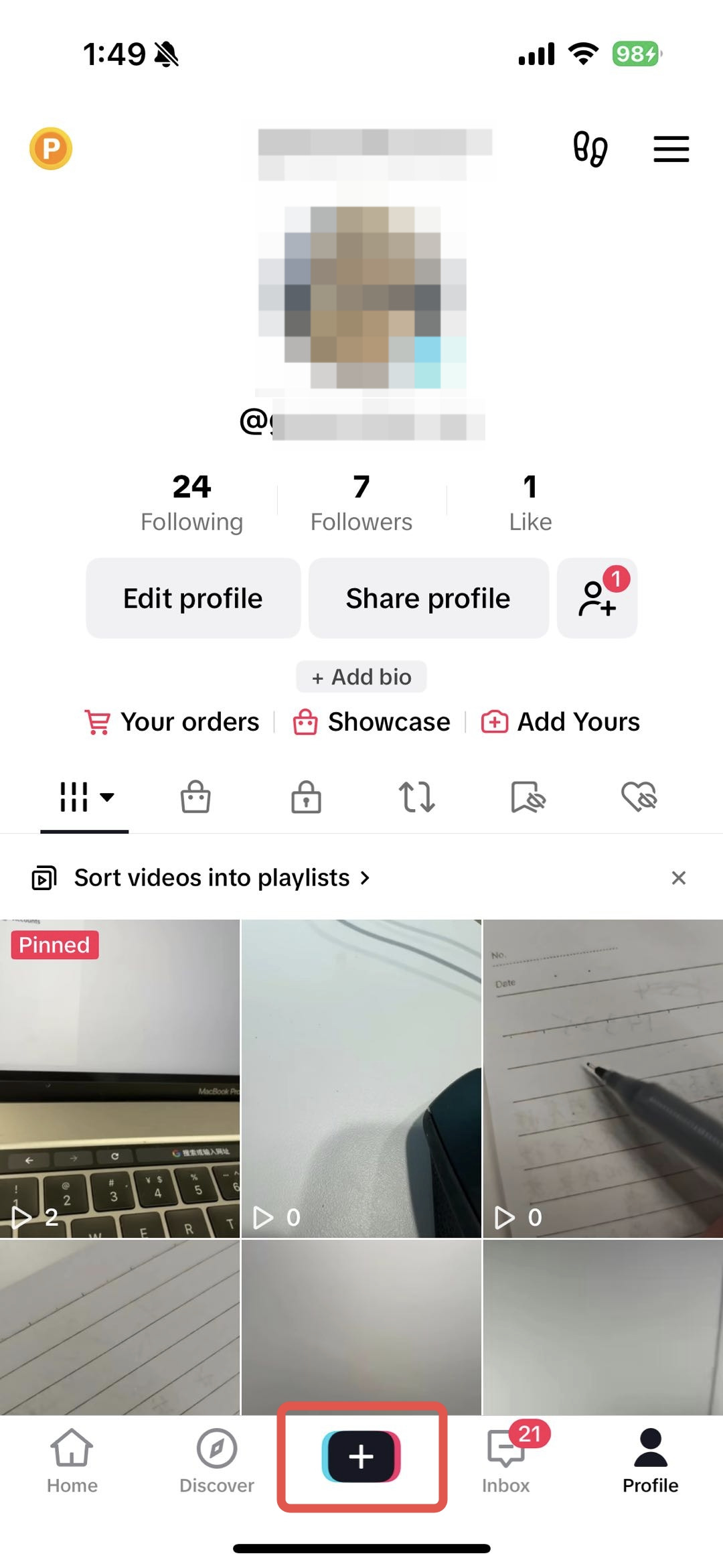 | 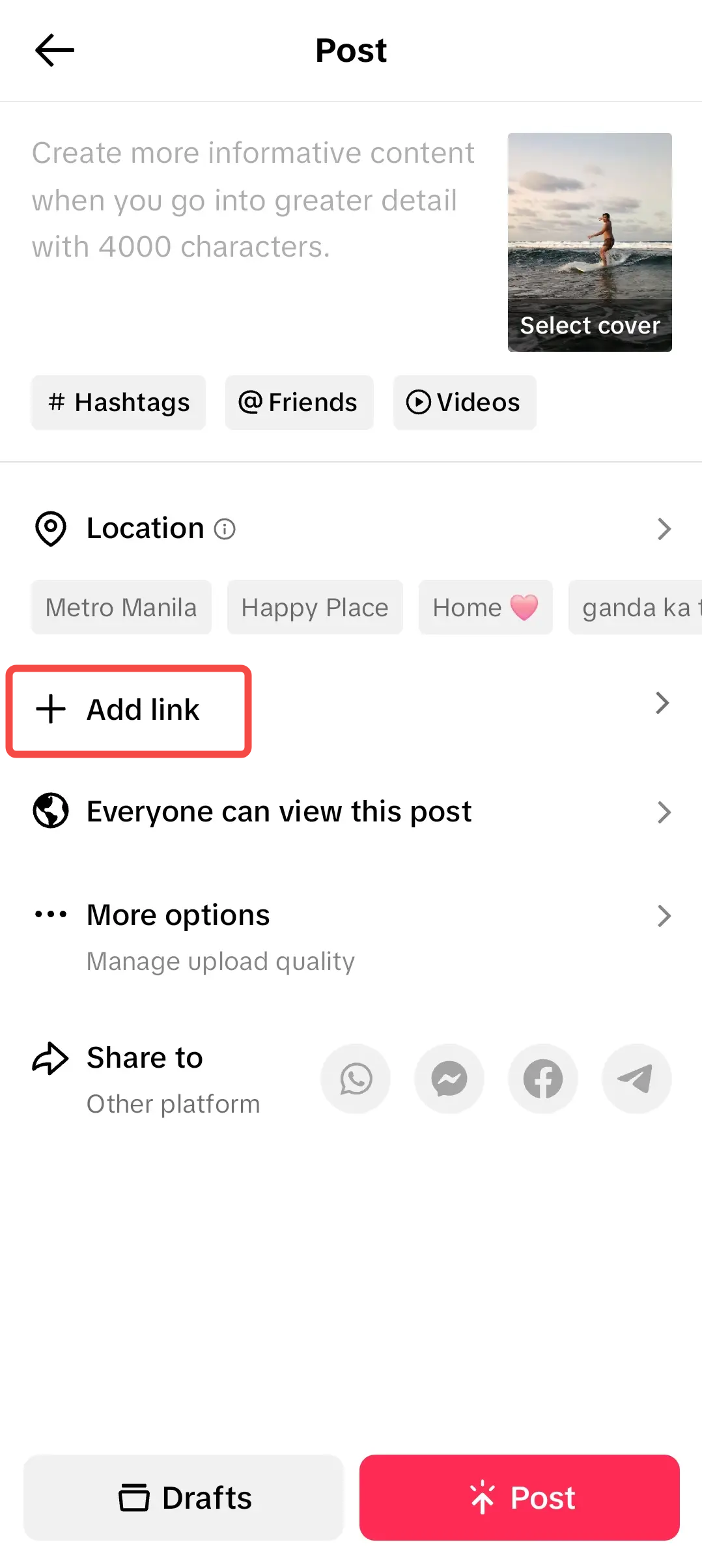 | 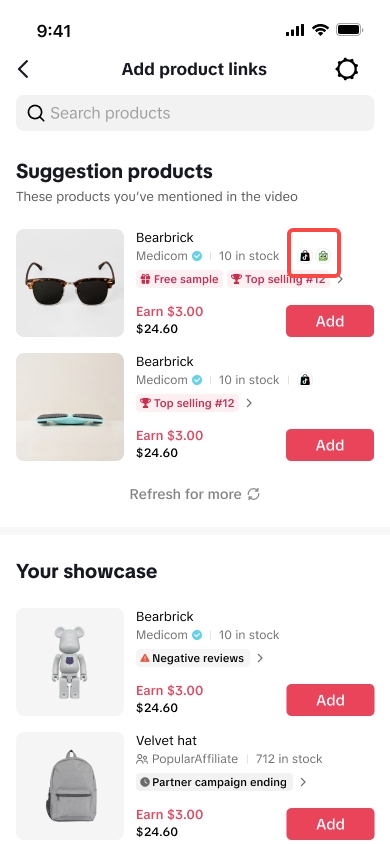 | 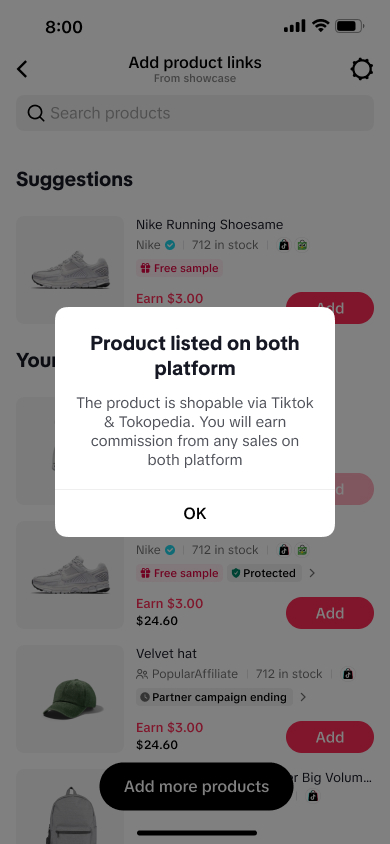 | 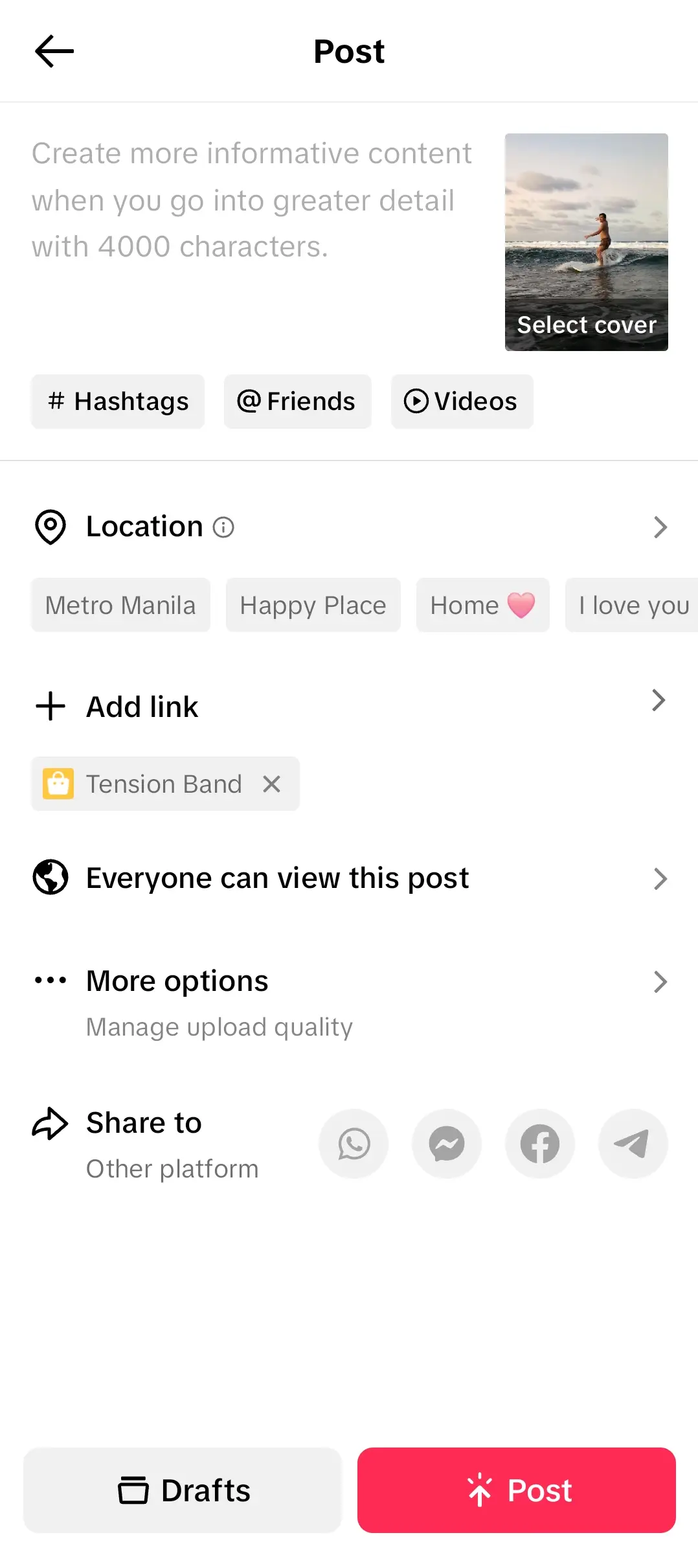 |
| Step 1: Create your video for affiliate | Step 2: Once you're done editing, tap on Add Link | Step 3: Select product/s from your showcase or shop that has both app logos | Step 4: Tapping on the App logos will confirm if the product is listed on both platforms. | Step 5: Once you've added your product/s, it will reflect on the edit page as shown above! |
Checking Content Performance
Once you have completed the content sync, you'll be able to check the performances of these synced videos via the Affiliate Center to analyse how Tokopedia audiences are engaging with your content. For affiliate creators and sellers who have bound marketing accounts*, simply follow these steps below:Step 1: At Affiliate Center Performance Data, click on [>] 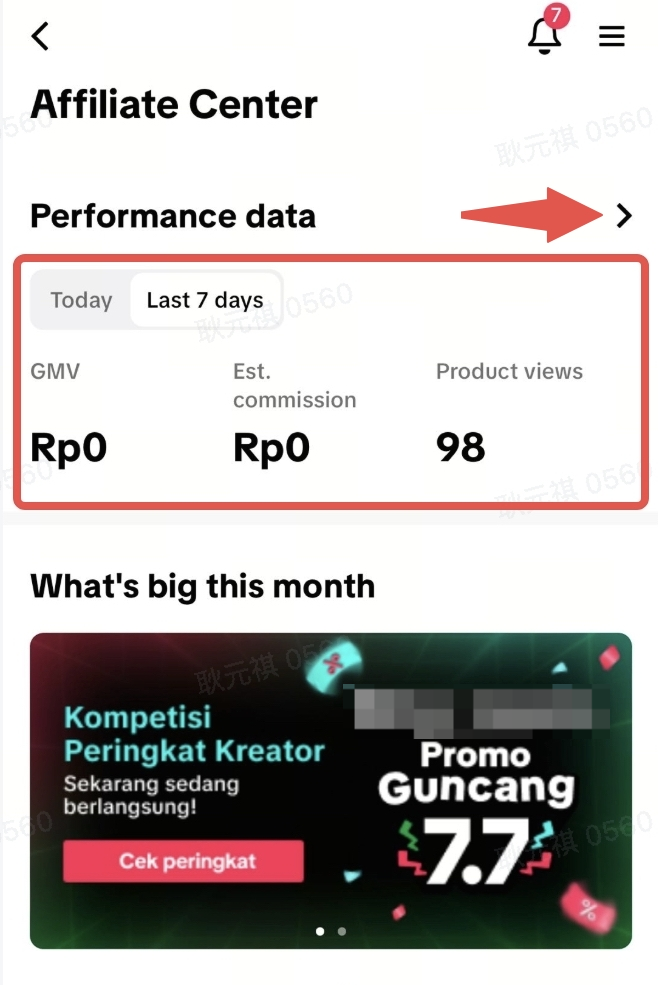 | Step 2: Select Tokopedia as your data source, then click on Video 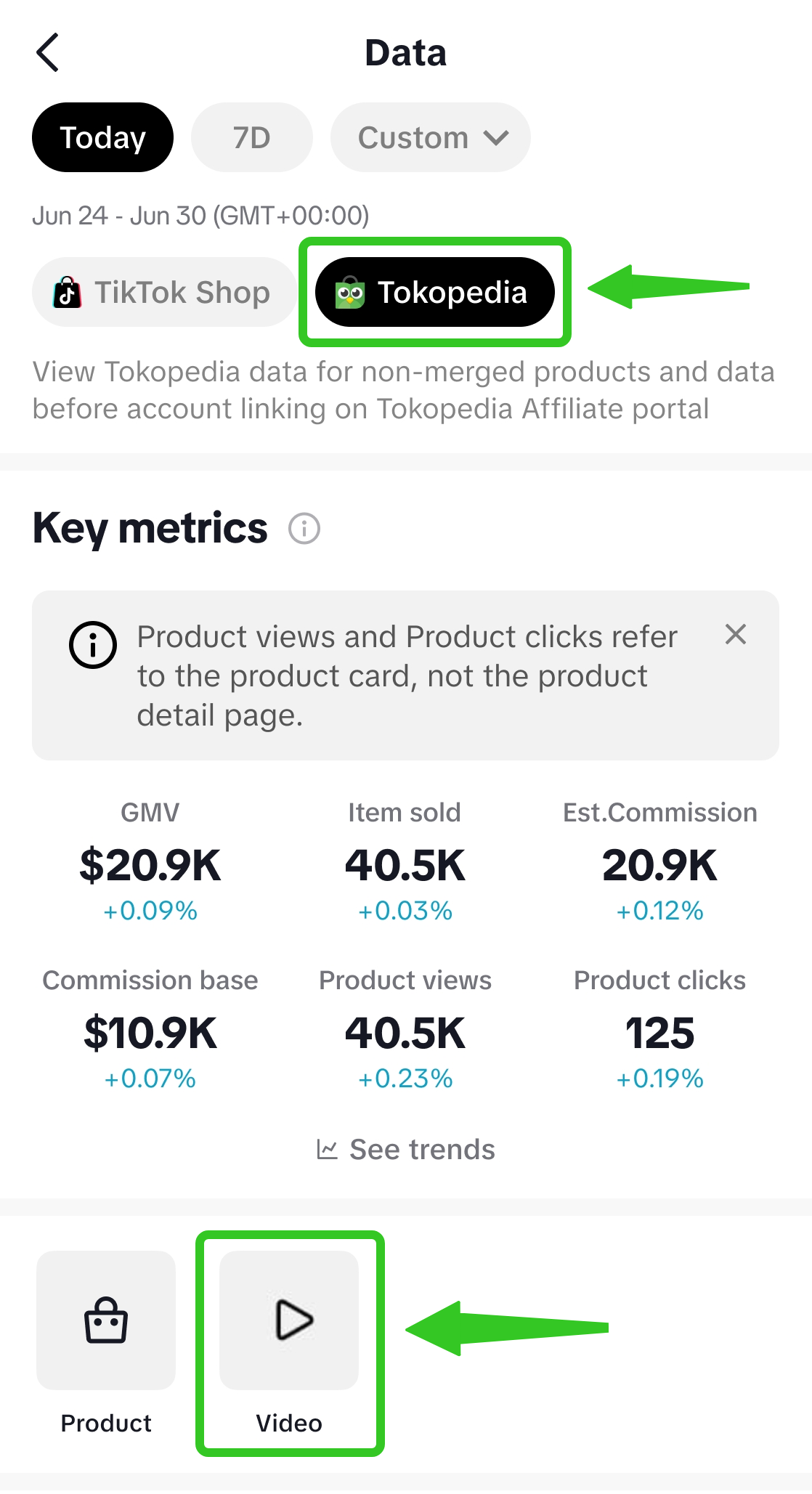 | Step 3: On the Video page, view your Tokopedia Synced videos & respective performance metrics such as GMV, Views & Items Sold! 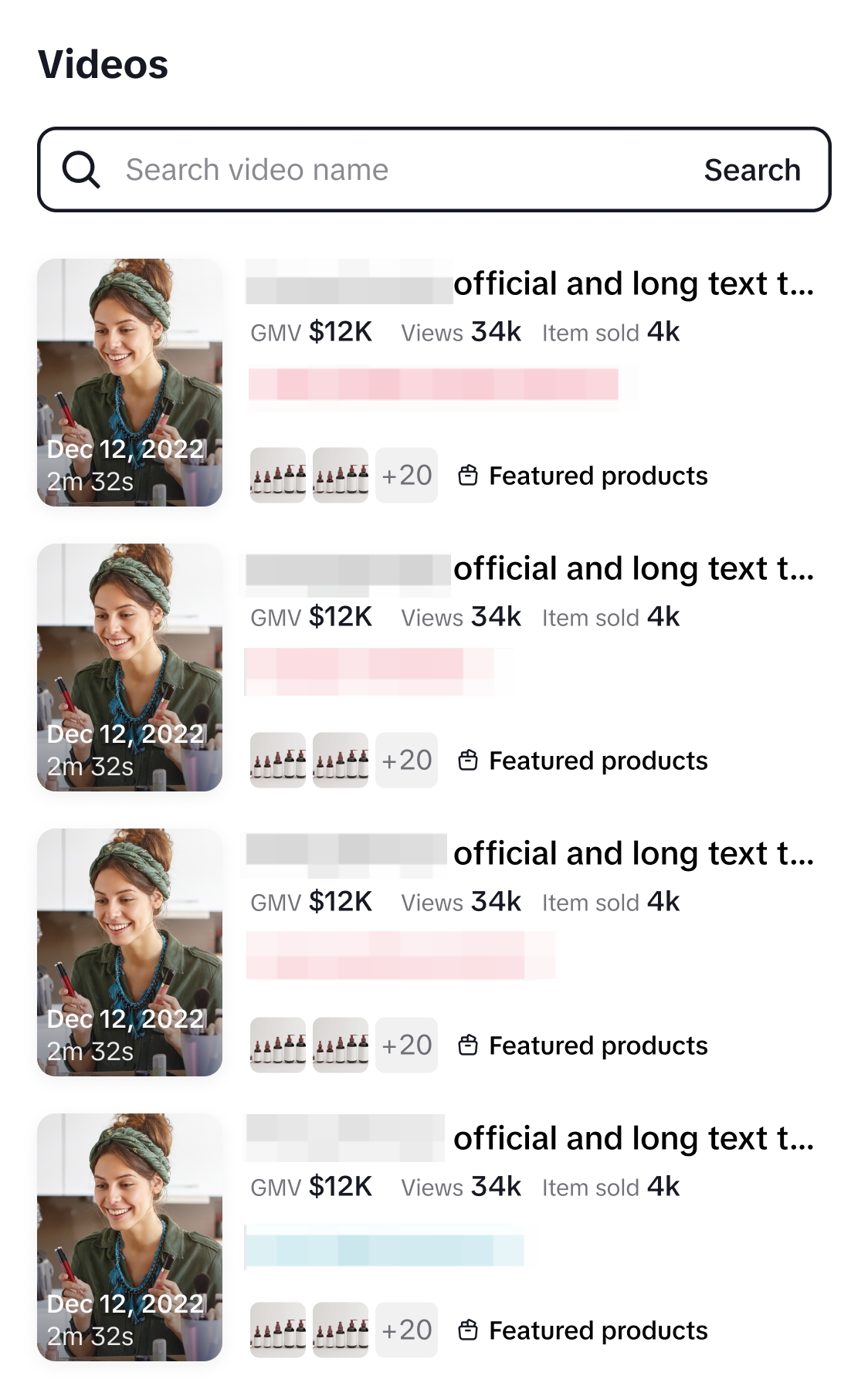 |
- Completed account binding to a Tokopedia affiliate account
- Toggled on Content Sync
PC via Iklan dan Promosi > Tokopedia Play. 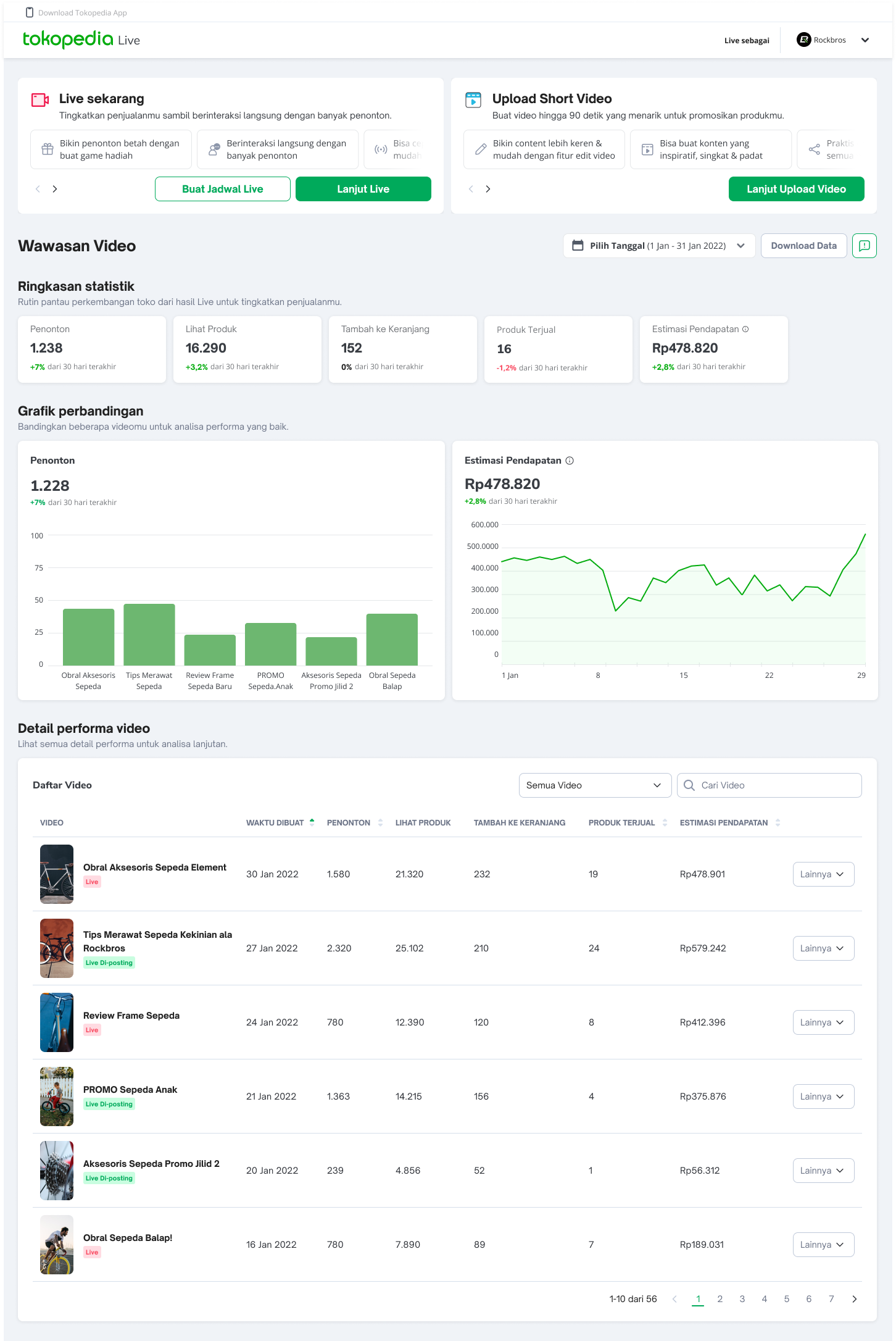 | App Via Performa Live 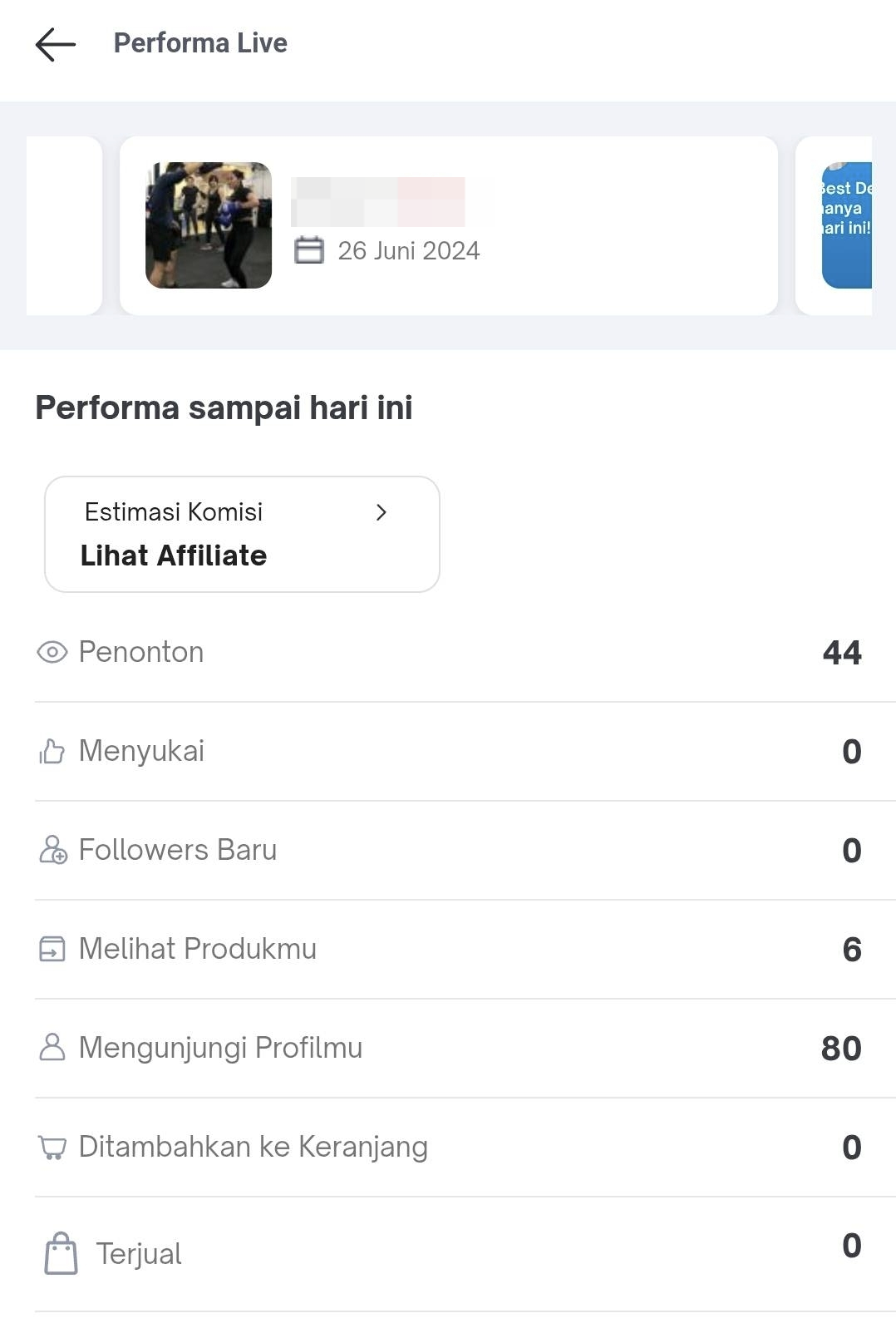 |
For example:
- Toko affiliate account binding date: 1st May 2025
- Content sync toggle on: 1st May 2025
- [Pre-sync] To view performances of videos created before content sync: Select date stamp 31 April 2025 or earlier
- [Post-sync] To view performances of videos created after content sync: Select date stamp 1 May 2025 onwards

FAQ
- Can we sync LIVE sessions in Tokopedia App?
- Currently, you can only sync short videos on both TikTok and Tokopedia. If you want to do LIVE sessions, you can do them on TikTok. However, we're working on adding the ability to sync LIVE sessions on both platforms soon.