

Video Pre-Check Tool
05/14/2025
This article will guide you on how to use the Video Pre-Check Tool on your TikTok Shop toolkit. This tool can be used by both Creators and Sellers (with their Official and/or Marketing Accounts) to proactively check if their content is perceived as low quality by the system.
*Note: This feature can only predict possible violations, so it is possible that a video can still get violations even if it was pre-checked.

*Note: This feature can only predict possible violations, so it is possible that a video can still get violations even if it was pre-checked.
What is the Video Pre-Check Tool?
The Video Pre-Check Tool is a great content tool that allows both Sellers and Creators to check their unposted content for any possible risks/restrictions it might receive.Benefits of using the Video Pre-Check Tool
- Enables Sellers and Creators to check if their content is flagged as low quality.
- Encourages adoption of pre-check as a best practice, reducing creator concerns.

Using the Video Pre-Check Tool
The Video Pre-Check Tool can be accessed through the Content tab in the Creator Center.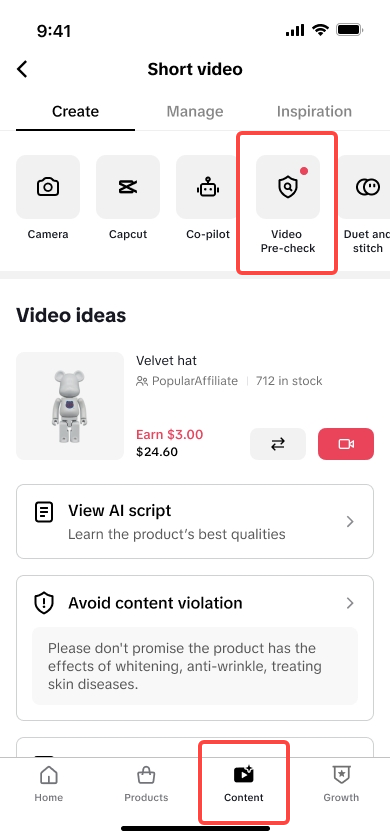 | 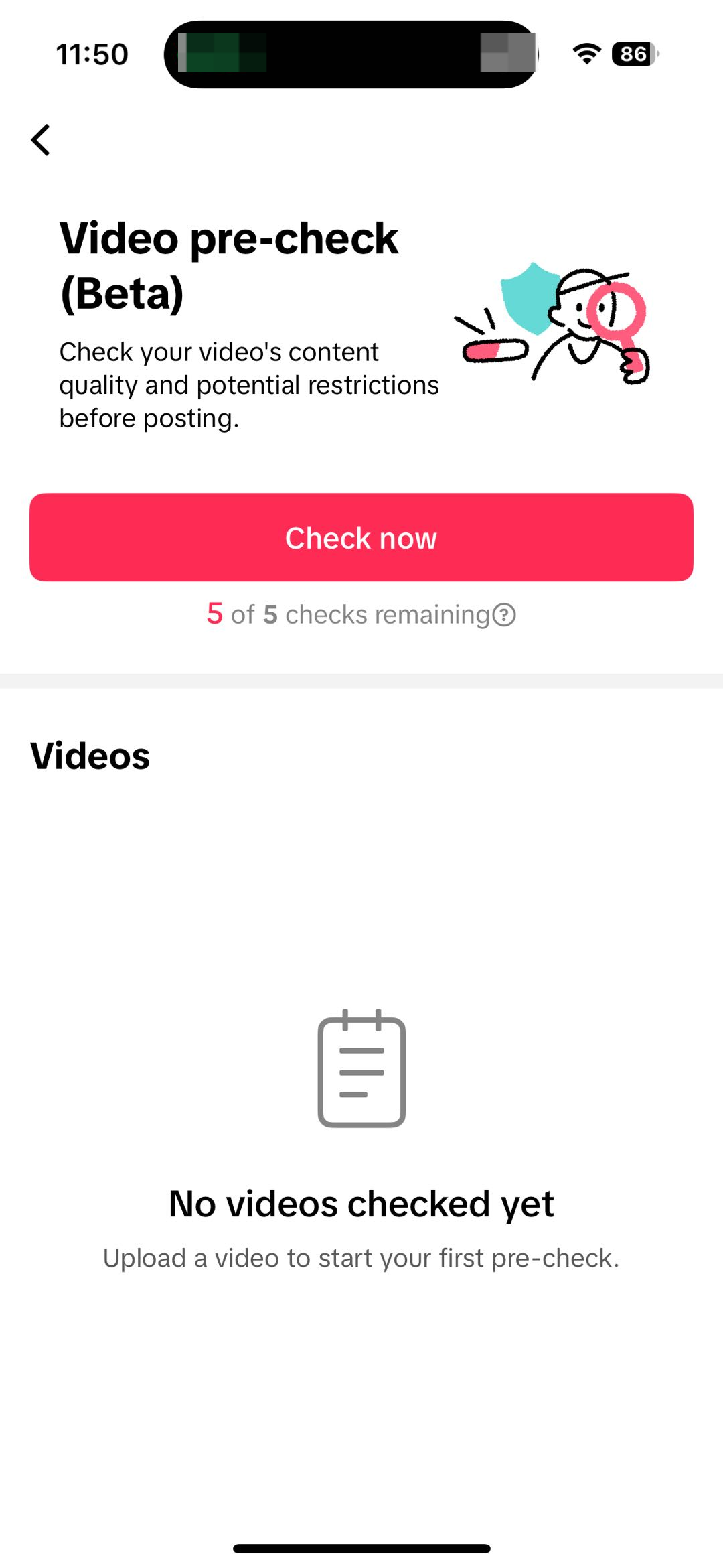 | 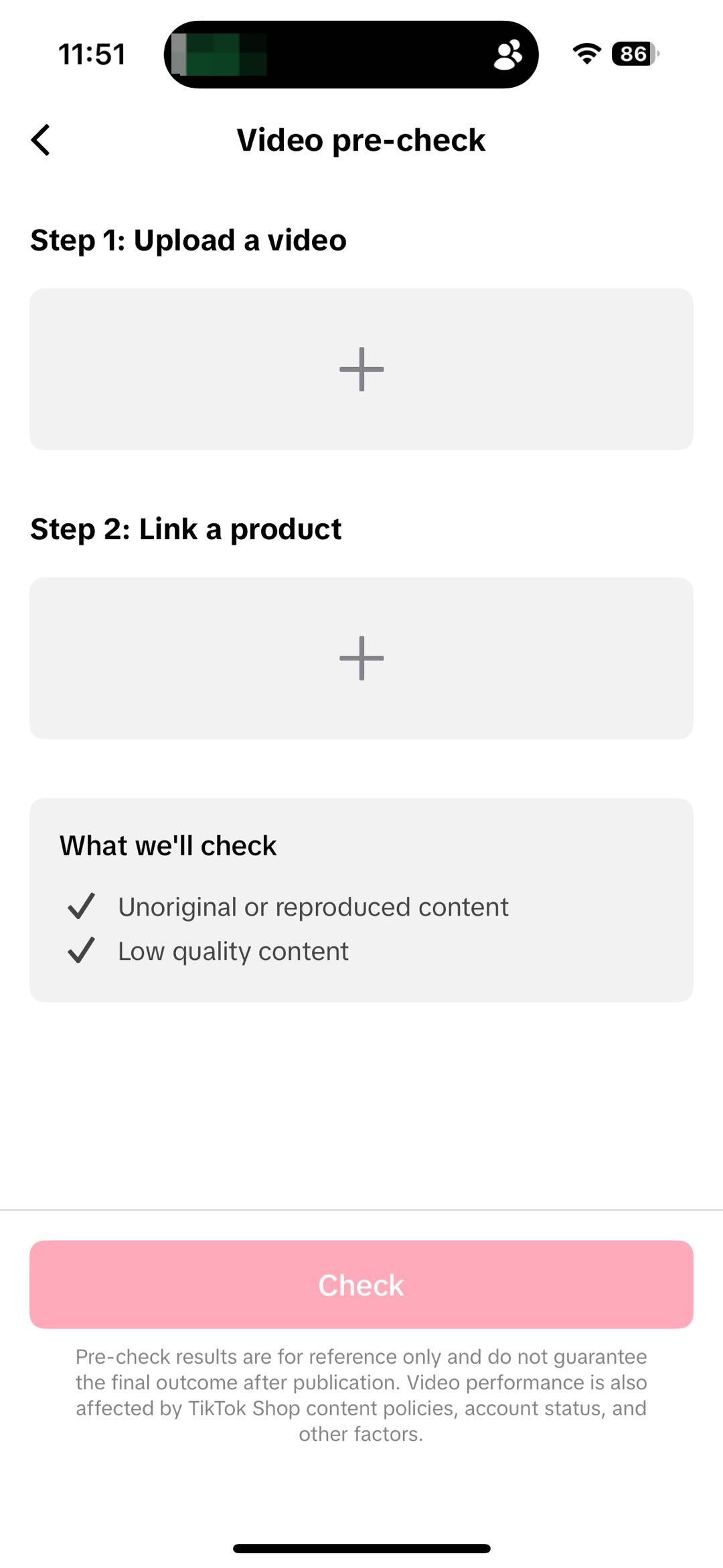 |
| Upon entering the Creator Center, go to the Content Tab and tap on the Video Pre-Check tool. | The Video Pre-Check tool allows you to check 5 videos a day. Tap on check now to try the feature. | Upload the video draft along with the product link. This step will not post your video publicly. |
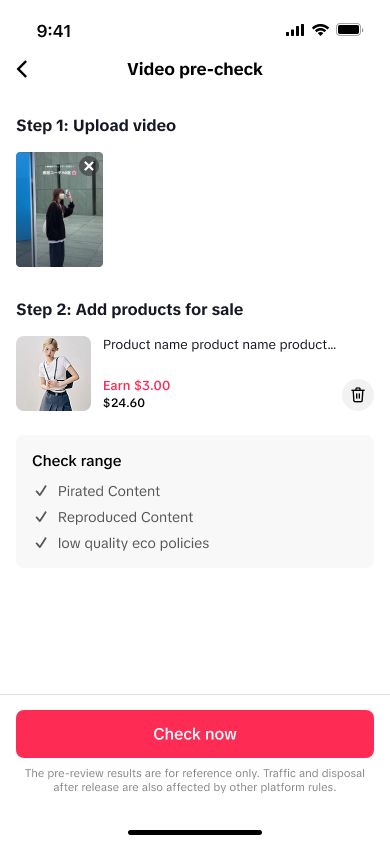 | 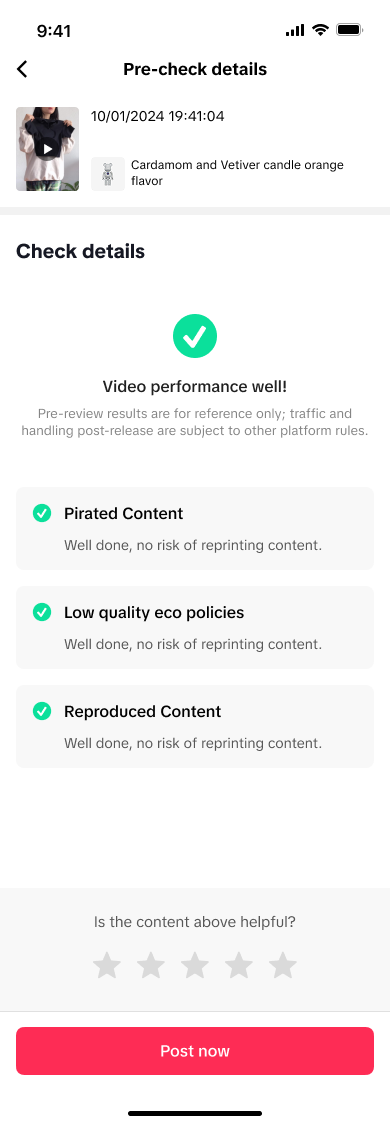 | 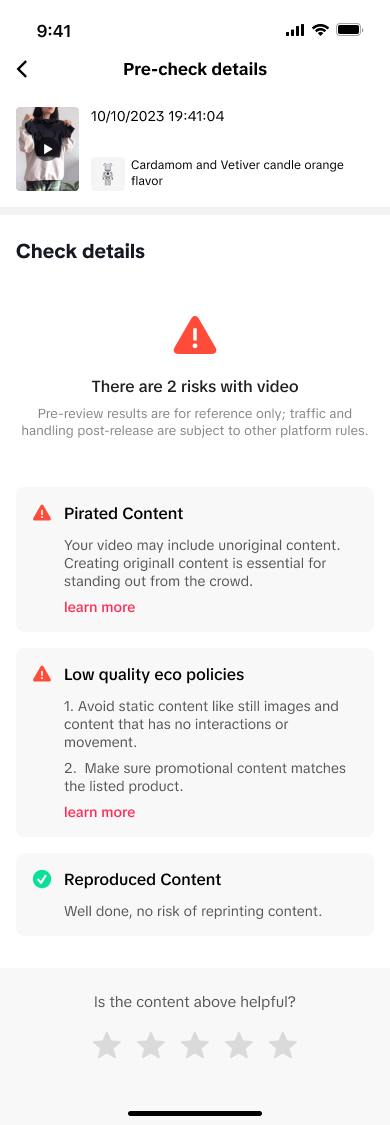 |
| Once you add the needed details, tap on Check Now. The checking will possibly take 10-15 minutes. | For Content with no possible risks: The check details will show that the video's performance will possibly go well. | For Content with possible risks: The check details will show the possible risks they encountered with your video. |
FAQ
- Does this feature prevent all violations from appearing after the video is posted?
- No, this feature only provides recommendations to lessen violations on your shoppable video. This tool does not prevent possible restrictions outside of the tracked possible risks.