

How to Launch Your First GMV Max
01/30/2026
Hi, Seller!
New to ads on Tokopedia & TikTok Shop? GMV Max is the easiest way to start. With AI automation and ROI control, it helps you promote products and LIVE sessions effortlessly—perfect for first-time advertisers. This guide walks you through what to prepare, when to launch, and how to maximize the impact of your first ads.


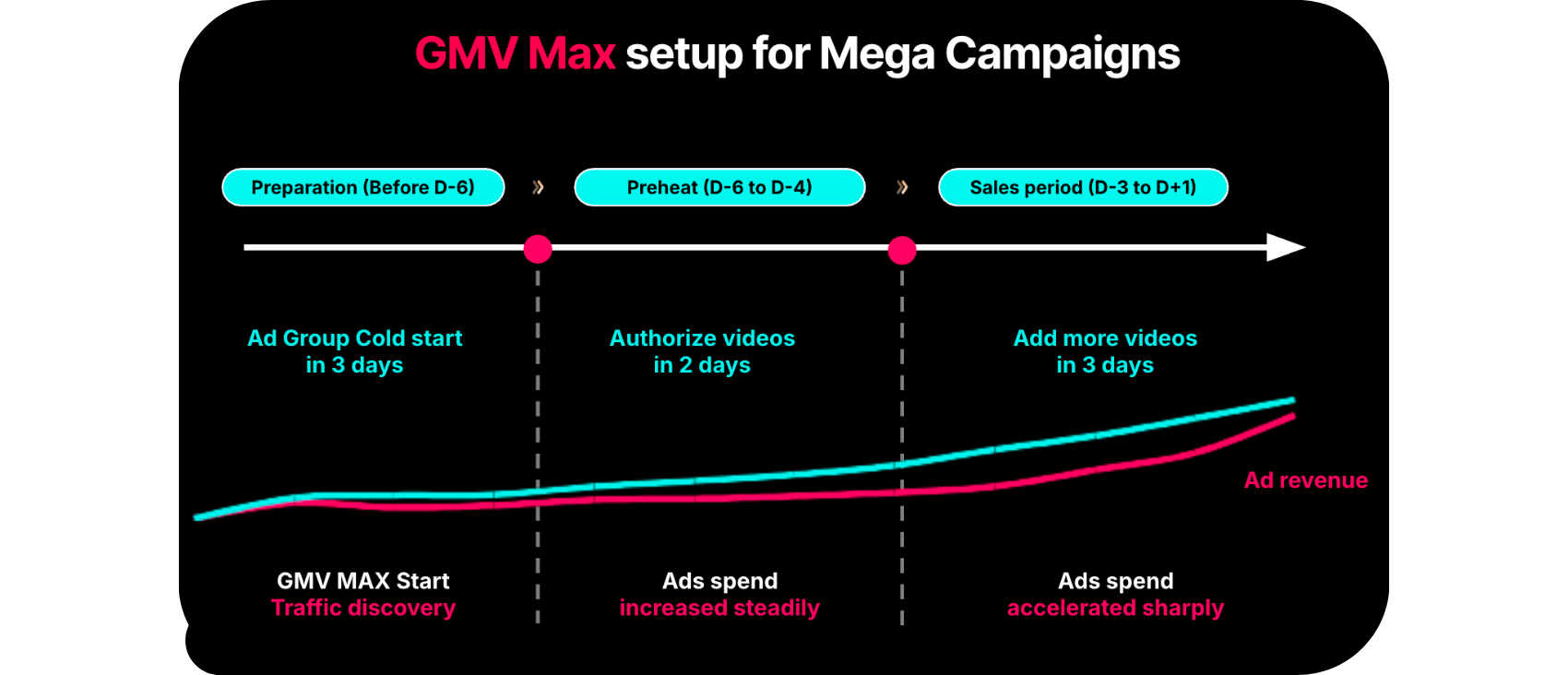
Below is an example of how to structure your GMV Max setup for Mega Campaigns—so you can plan ahead and maximize performance during high-traffic events.

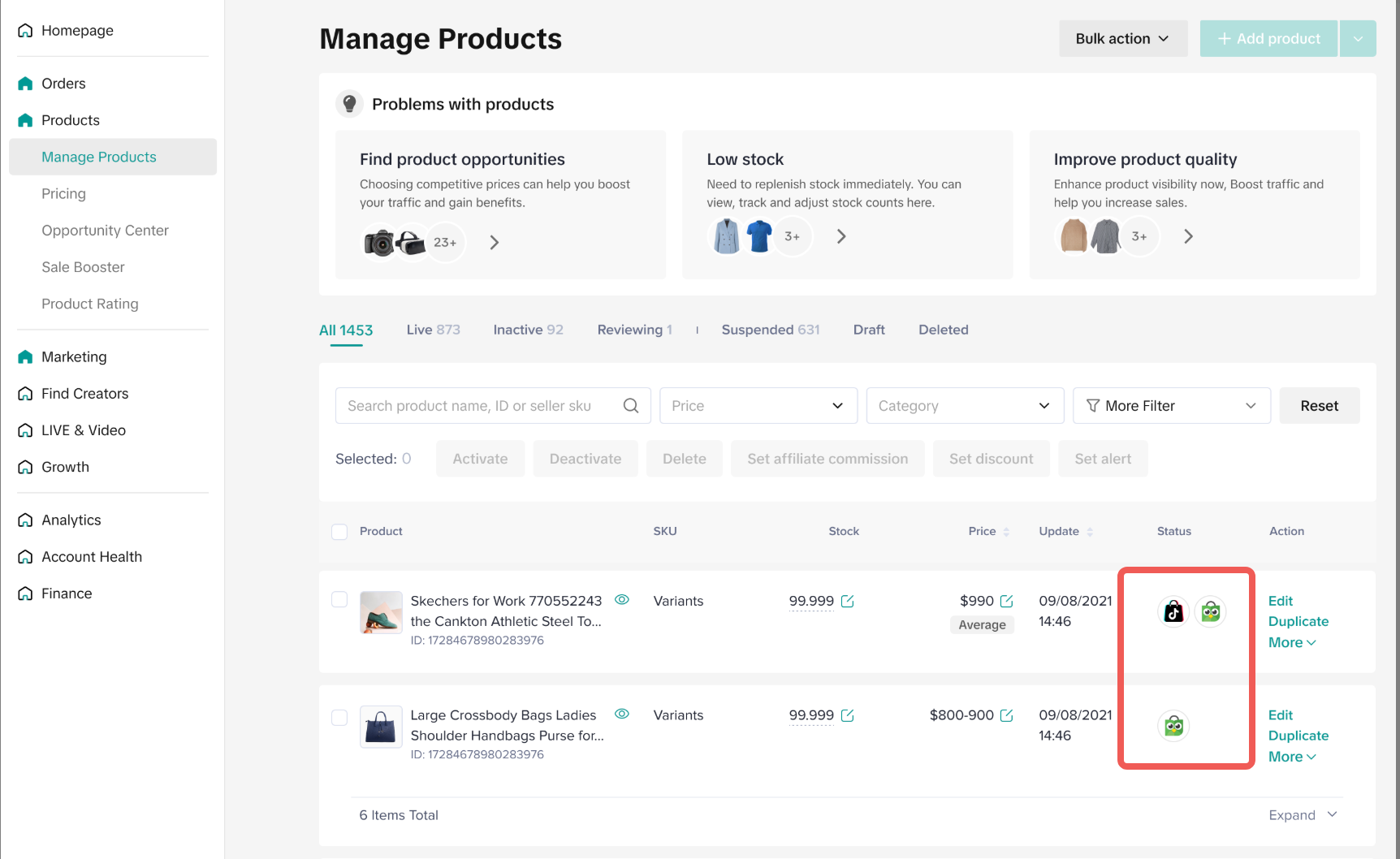
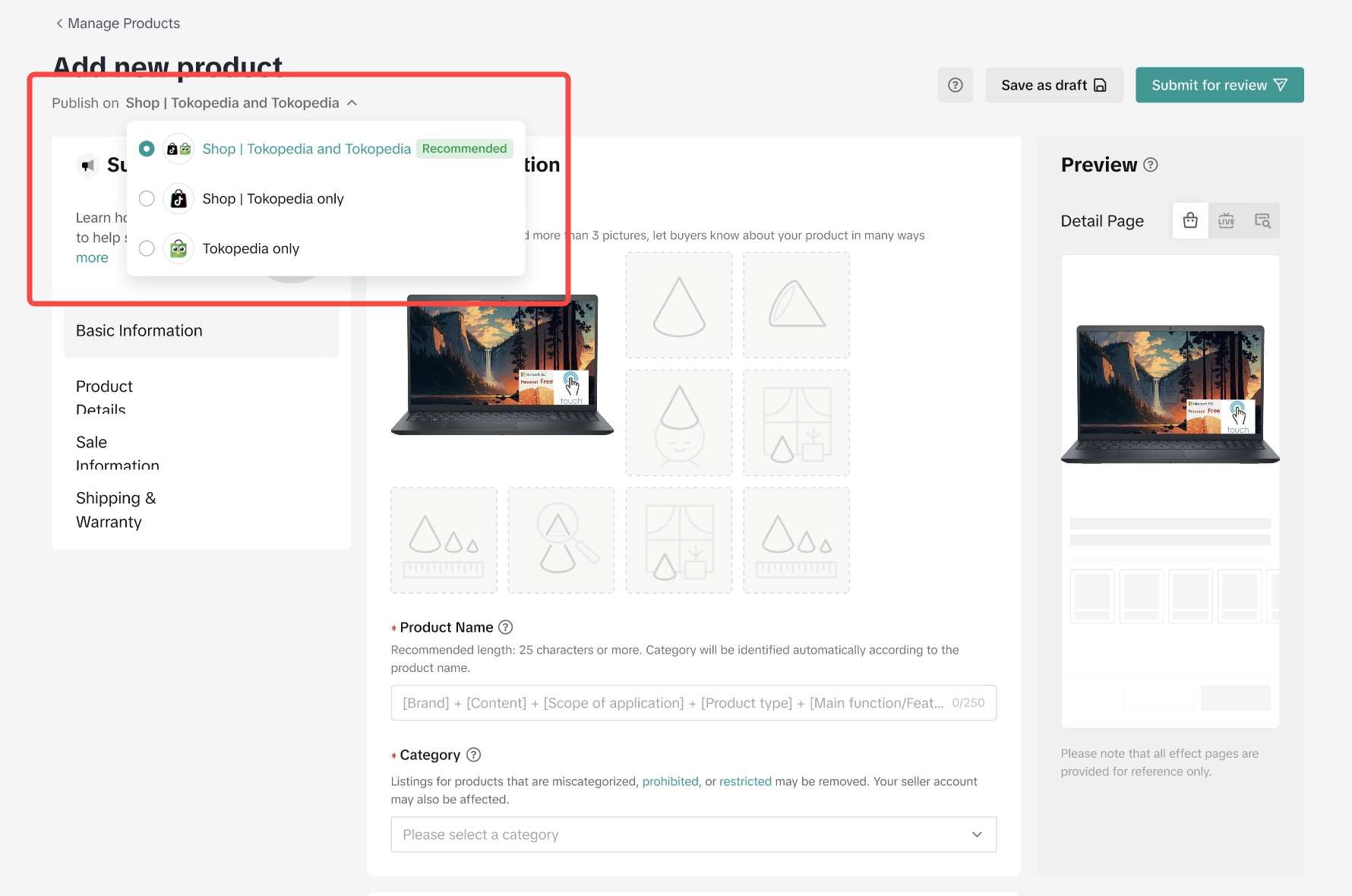
 📌 Important: Since GMV Max also automatically displays your ads on Tokopedia App, make sure your products are active on Tokopedia.


Q: My store is brand new—can I still use GMV Max? A: Absolutely! GMV Max is built to be simple and beginner-friendly, even for new sellers.
Q: Should I start with Product GMV Max or LIVE GMV Max? A: If you’re not doing livestreams yet, start with Product GMV Max for an easier setup.
Ready to grow your store with less effort?Start your first GMV Max ad today from Seller Center—set your ROI, pick your products, and let Tokopedia & TikTok Shop do the rest.
Still unsure about GMV Max?
Check out the facts (and bust the myths) in our article > GMV Max Mythbusters – What’s True, What’s Not
New to ads on Tokopedia & TikTok Shop? GMV Max is the easiest way to start. With AI automation and ROI control, it helps you promote products and LIVE sessions effortlessly—perfect for first-time advertisers. This guide walks you through what to prepare, when to launch, and how to maximize the impact of your first ads.
Are You Ready to Start Advertising?
✅ At least 3 short videos (organic or affiliate) with high views or that have reached FYP
✅ A hero product with stable stock and good performance
✅ 5+ orders in the last 14 days
✅ Video content or ACA (Affiliate Creatives) ready to use for ads
If you have already checked these boxes, your store is ready to advertise and scale faster with GMV Max.When's the Best Time to Use GMV Max?
If you’re working with a limited budget, maximize impact by running GMV Max during high-traffic moments:- Mega Campaigns like 9.9, 11.11, 12.12
- Payday periods (25th to 5th every month)
- New product launches
- LIVE events or creator collaborations
Campaign Type | Recommended GMV Max Format |
| New Product Launch | LIVE GMV Max |
| Awareness Campaign | Product GMV Max |
| Mega Campaign (e.g., 9.9) | Product + LIVE GMV Max |
| Payday Promotions | Product + LIVE GMV Max |
How to Set Up Your First GMV Max
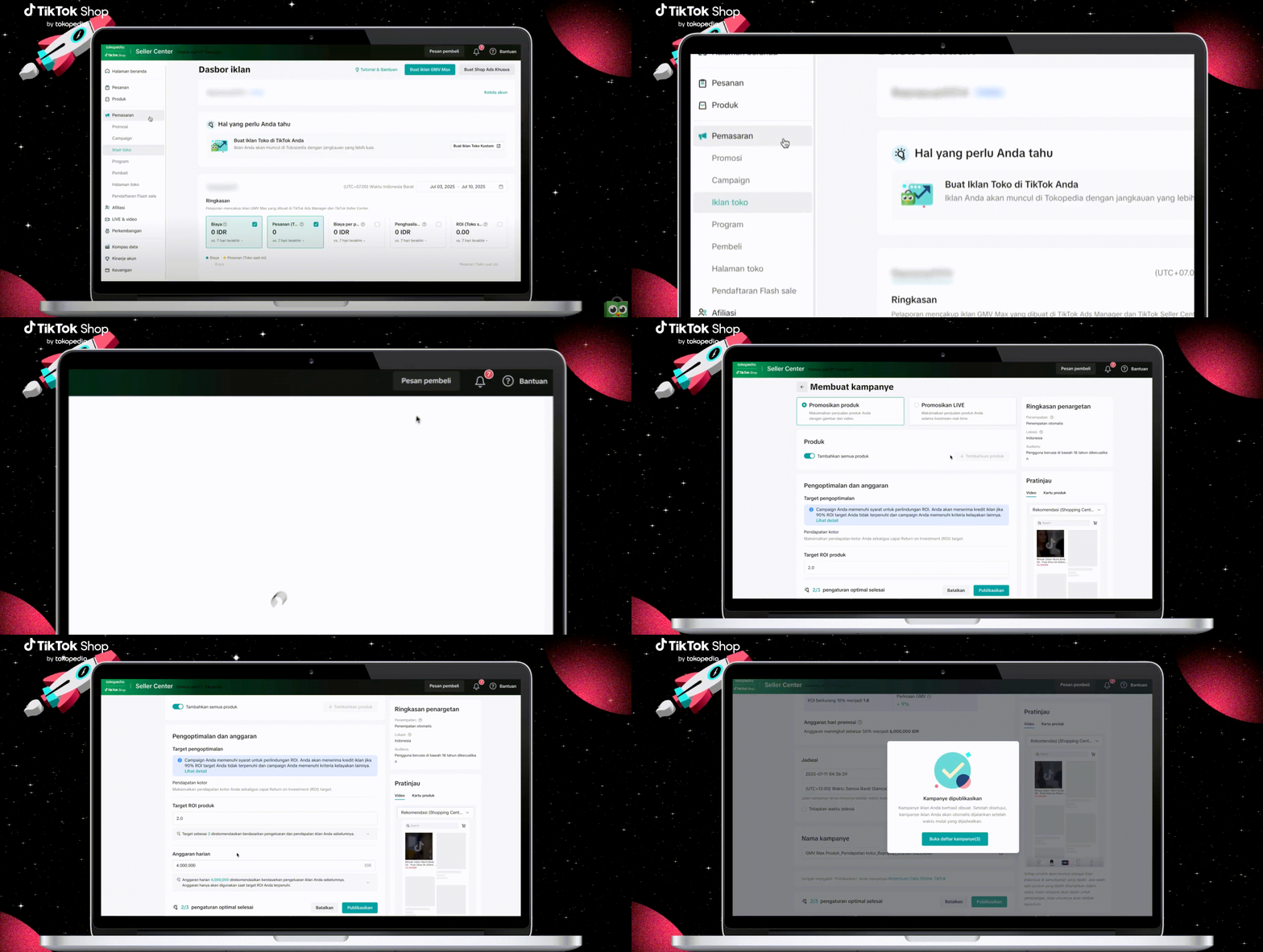
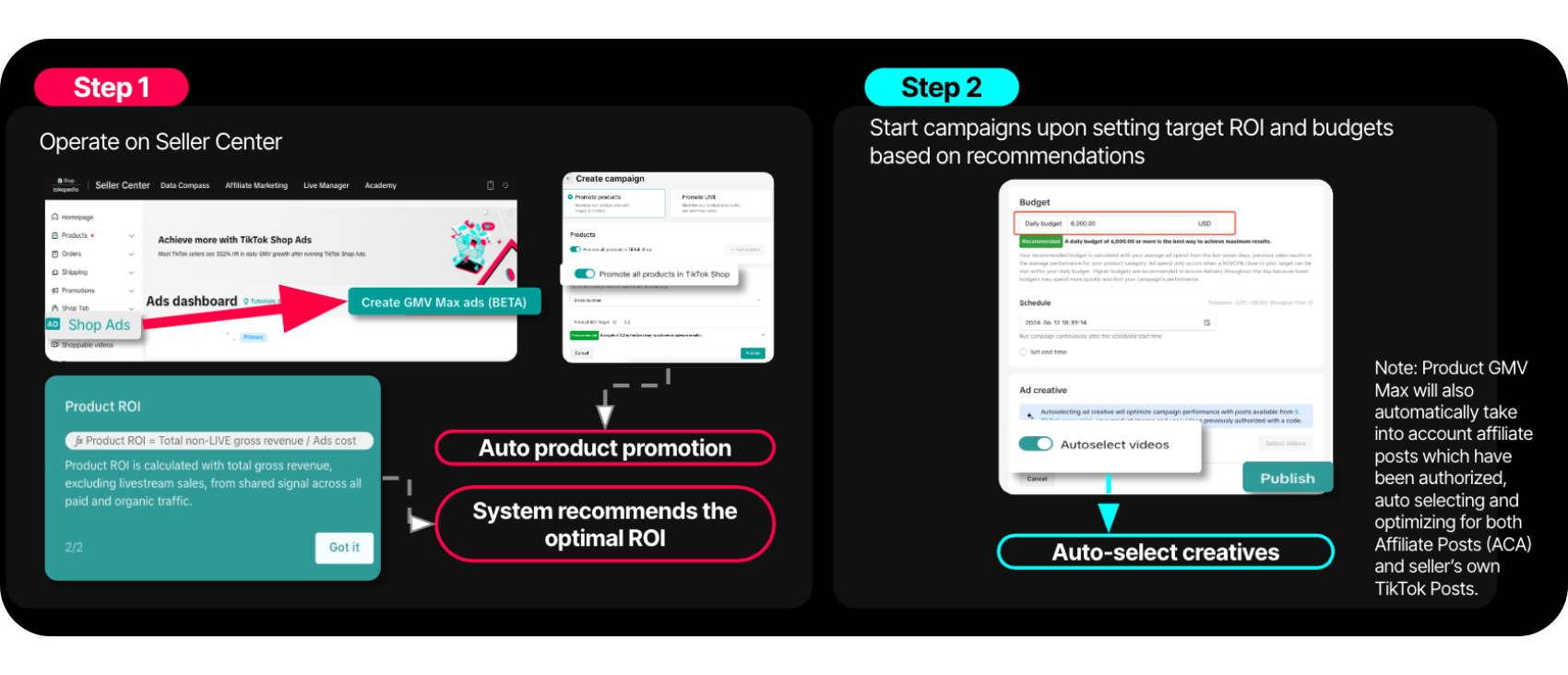
- Product GMV Max: Set up in 2 simple steps
📌 Important: Since GMV Max also automatically displays your ads on Tokopedia App, make sure your products are active on Tokopedia.Go to Seller Center > Manage Product to check.
 |  |
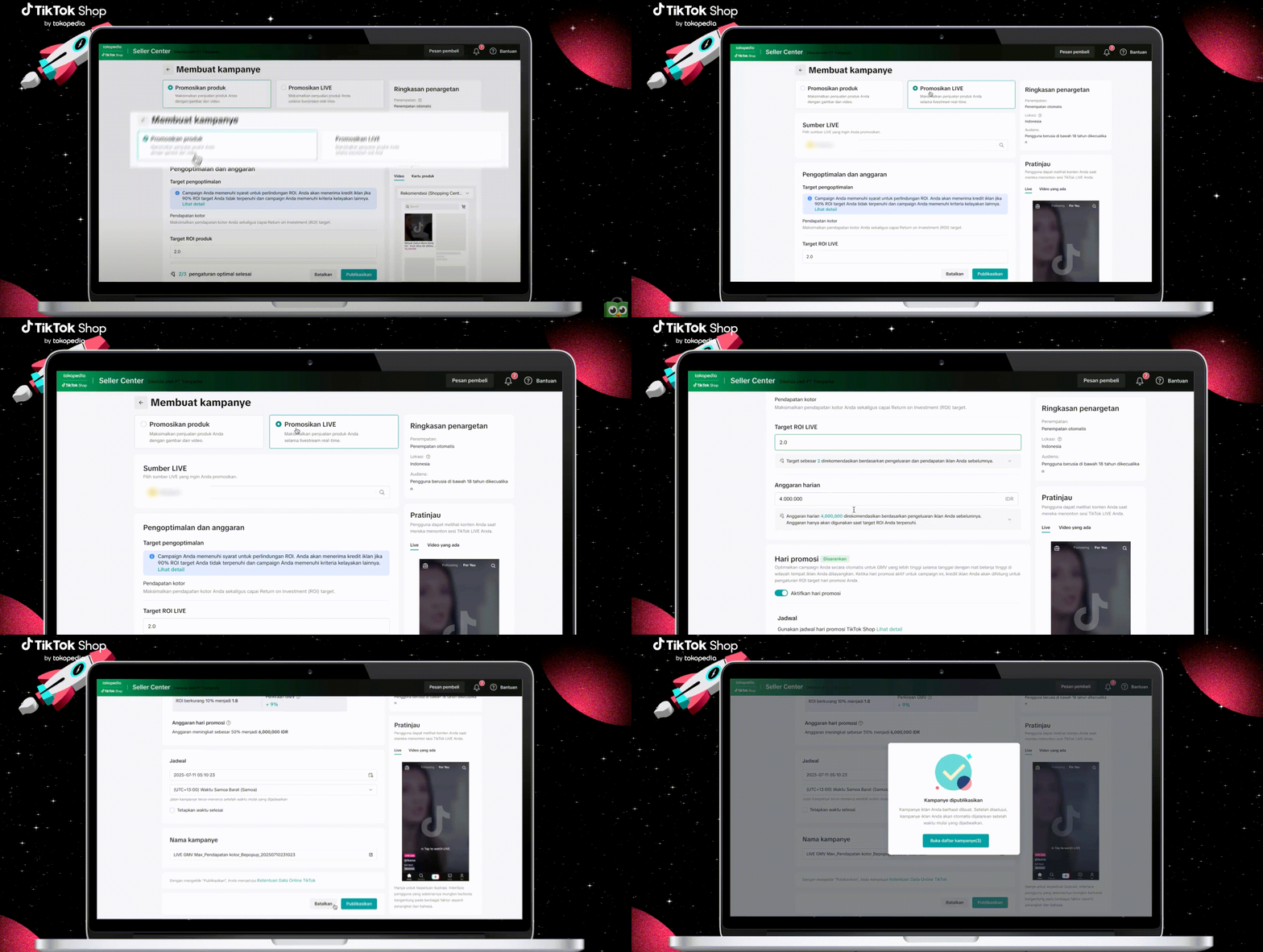
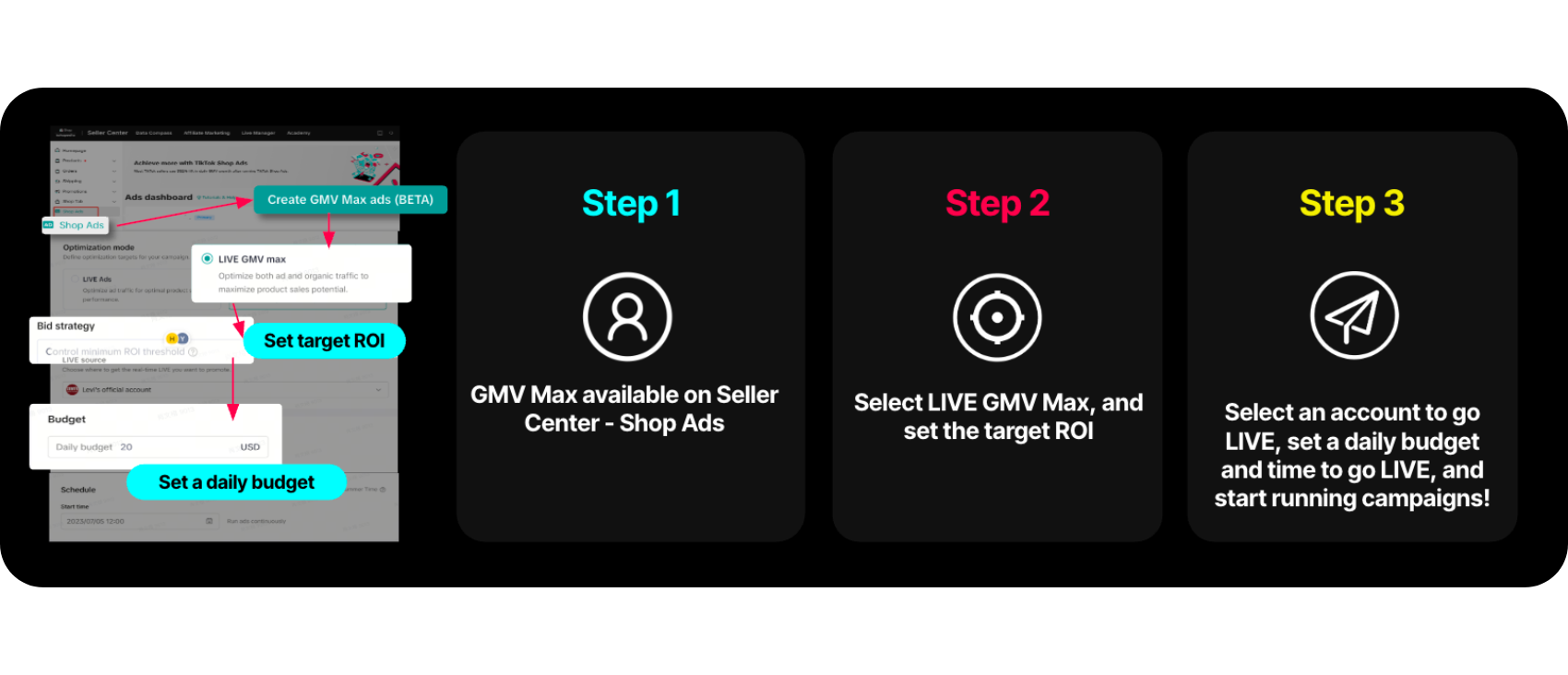
- LIVE GMV Max: Set the target ROI and the system will take care of the rest
Common Mistakes & How to Avoid Them
- Promoting low-performing or out-of-stock products → Focus on hero products with stable inventory
- Running ads without engaging video content → Use ACA or high-performing organic videos with product anchors
- Setting too low a budget → Follow daily budget recommendations so the system can optimize effectively
FAQ
Q: What if I don’t have any videos—do I need to make my own? A: Not necessarily! You can use affiliate videos (ACA) or repurpose your existing organic content.Q: My store is brand new—can I still use GMV Max? A: Absolutely! GMV Max is built to be simple and beginner-friendly, even for new sellers.
Q: Should I start with Product GMV Max or LIVE GMV Max? A: If you’re not doing livestreams yet, start with Product GMV Max for an easier setup.
Ready to grow your store with less effort?Start your first GMV Max ad today from Seller Center—set your ROI, pick your products, and let Tokopedia & TikTok Shop do the rest.
Still unsure about GMV Max?
Check out the facts (and bust the myths) in our article > GMV Max Mythbusters – What’s True, What’s Not