

LIVE Billboard
08/26/2025
Hi, Seller!
Want to attract more viewers and guide them toward purchases during your LIVE? Use LIVE Billboard—a feature that lets you highlight key messages in real time to boost visibility and drive conversions.
Let’s learn how to set it up, choose templates, and make your product spotlight shine!

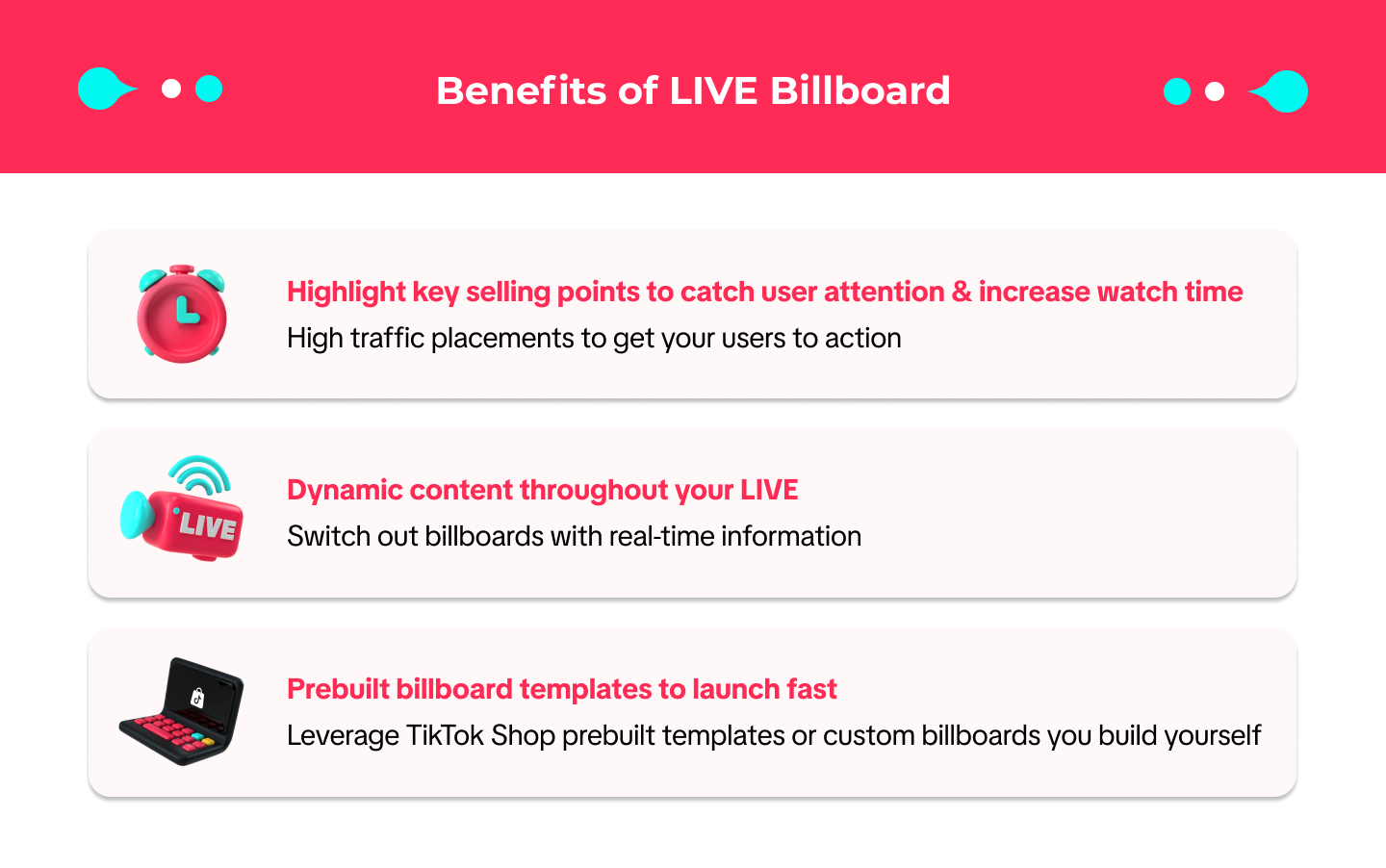





Want to attract more viewers and guide them toward purchases during your LIVE? Use LIVE Billboard—a feature that lets you highlight key messages in real time to boost visibility and drive conversions.
Let’s learn how to set it up, choose templates, and make your product spotlight shine!
What Is LIVE Billboard?
LIVE Billboard is a tool that displays important selling points directly on the livestream screen. Think of it like a virtual “poster” that supports your sales pitch. Whether you're highlighting promotions, creating urgency, or simply informing, LIVE Billboard helps your message stand out.How to Set Up LIVE Billboard
You can set up your Billboard in two ways:
|
|
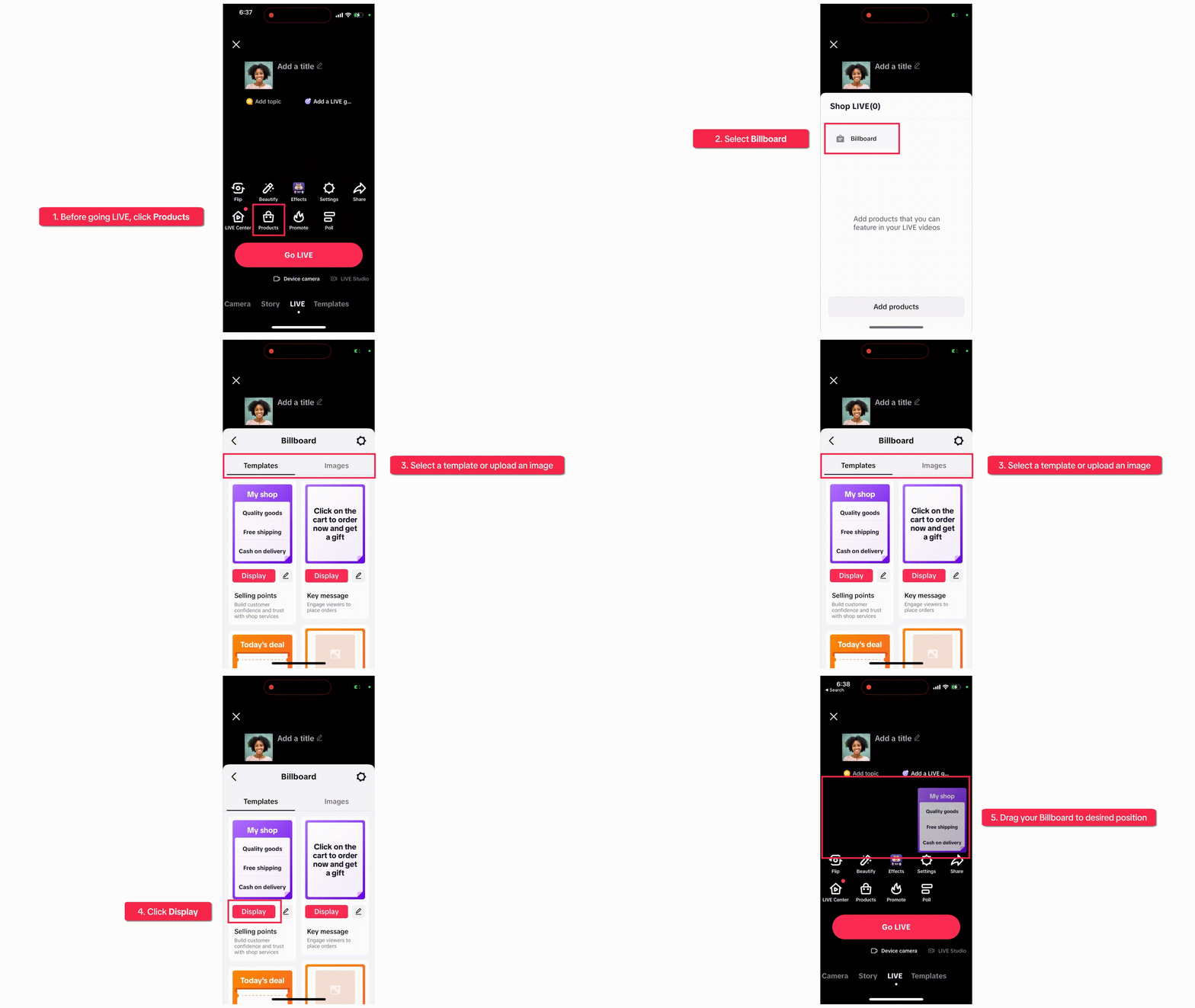 | 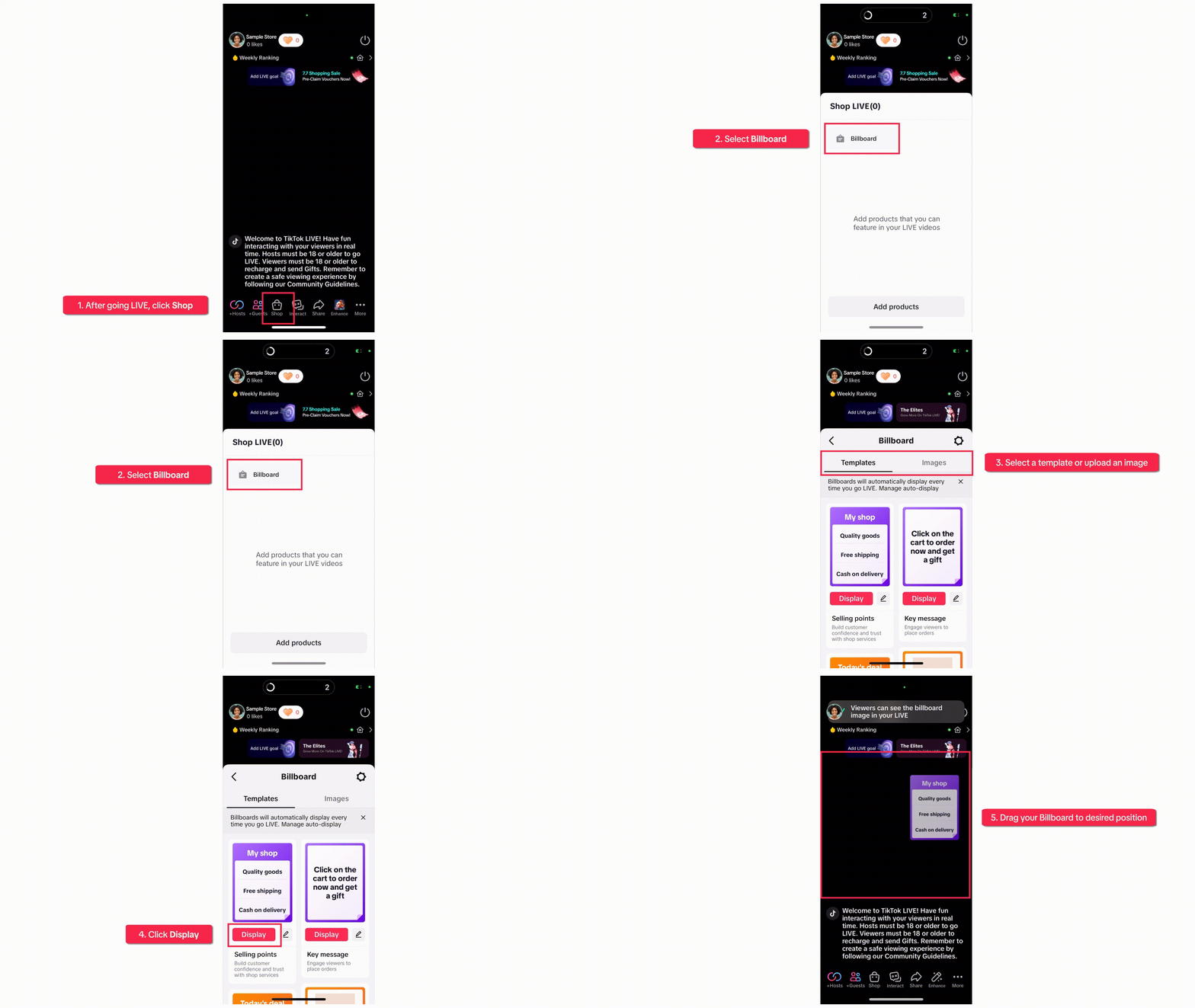 |
Choose the Right Template Style
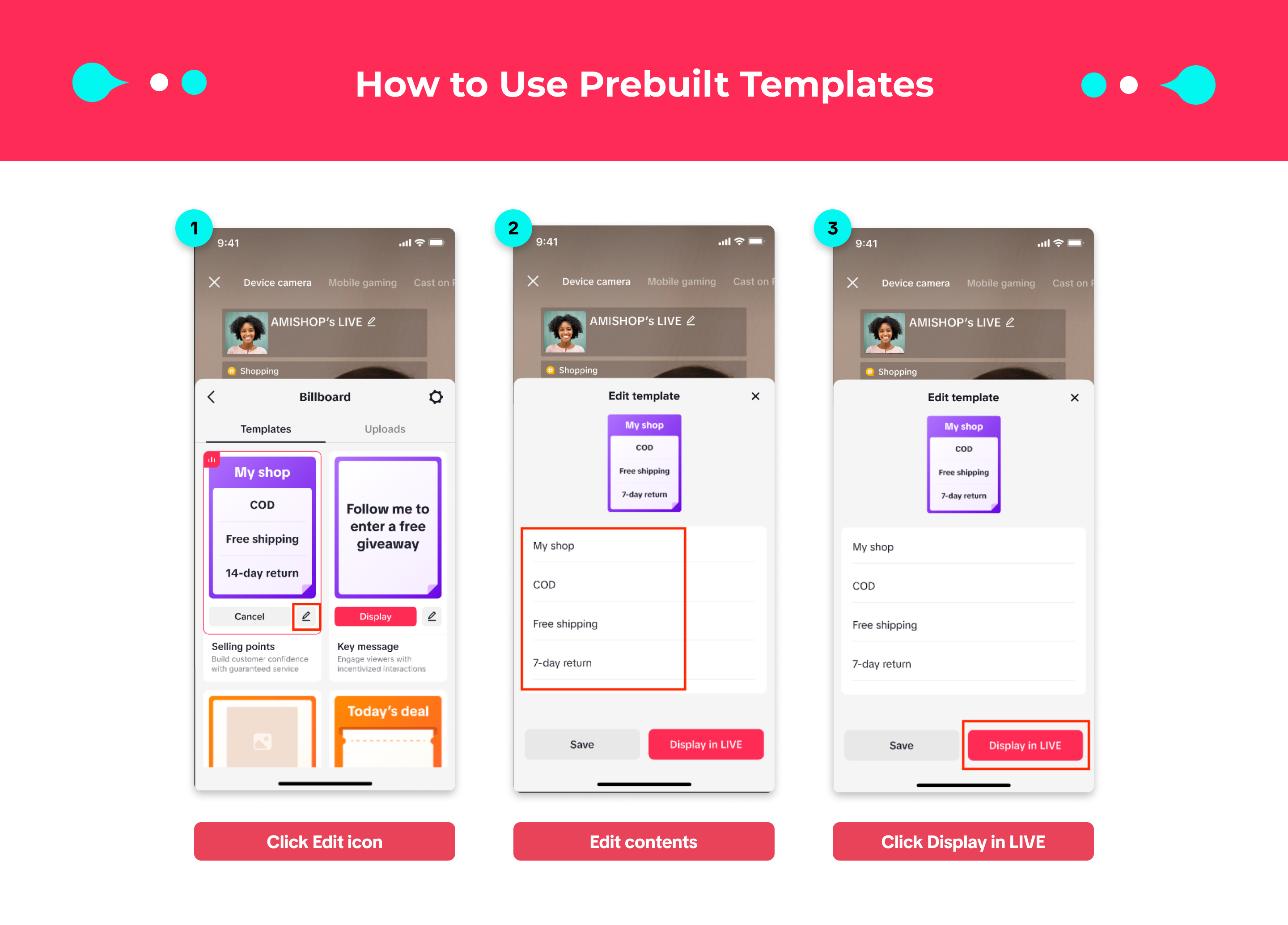
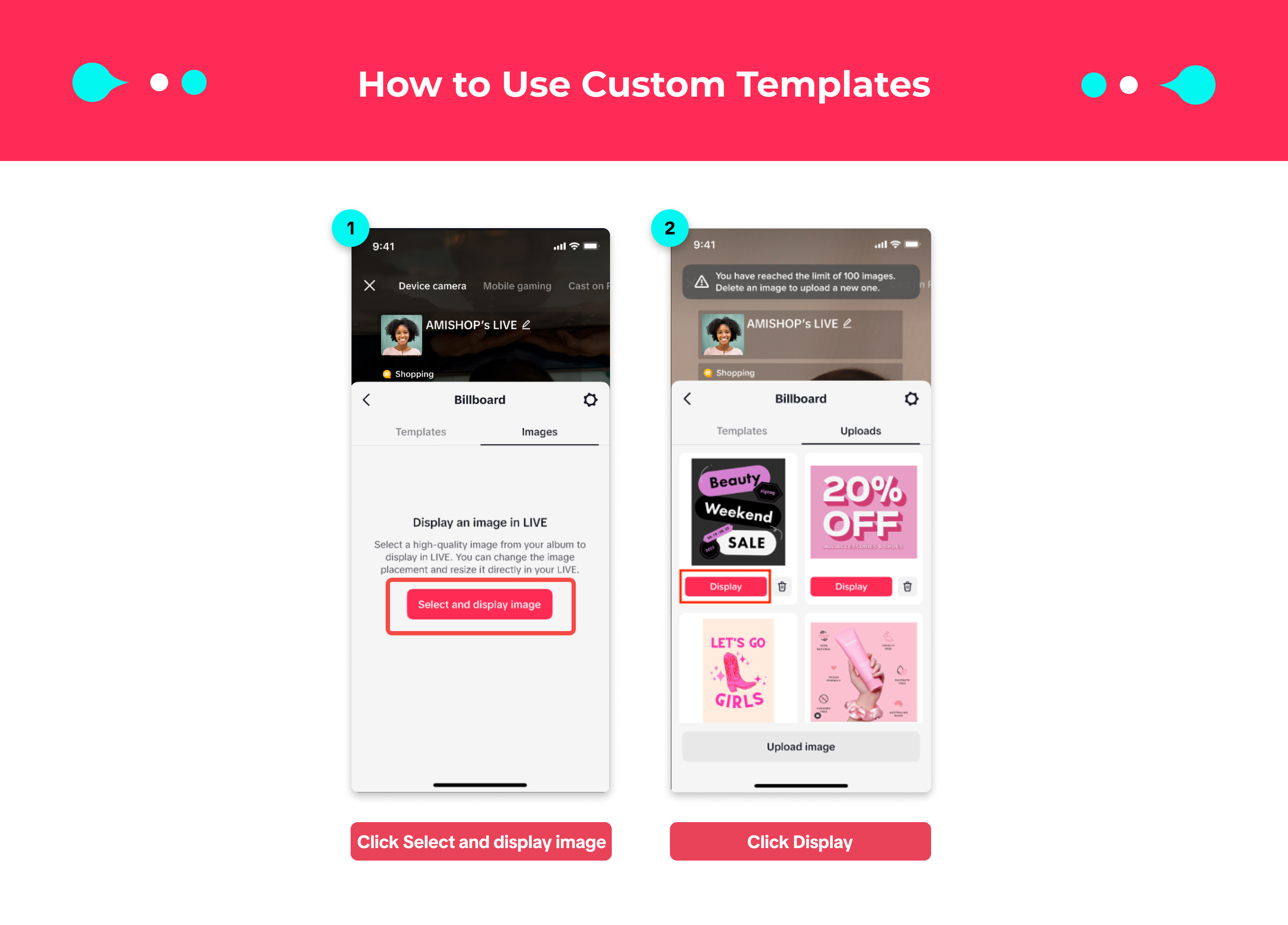
You can use one of TikTok’s ready-made billboard templates, or upload your own image for a custom look.Option A: Use Prebuilt Templates
| Option B: Use Custom Templates
|
 |  |
Manage LIVE Billboard Easily
You can switch, edit, or remove your Billboard at any time during LIVE: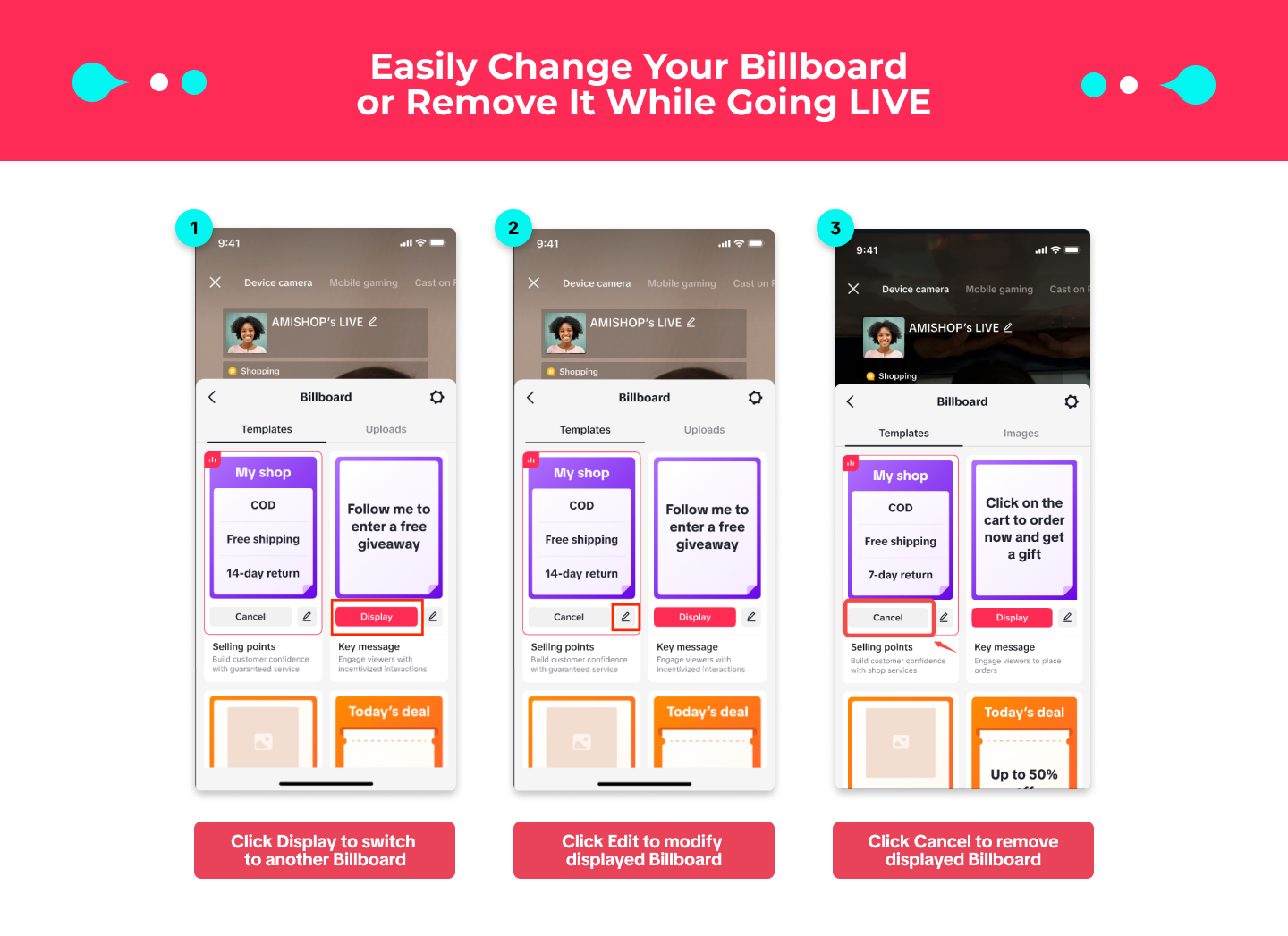 | 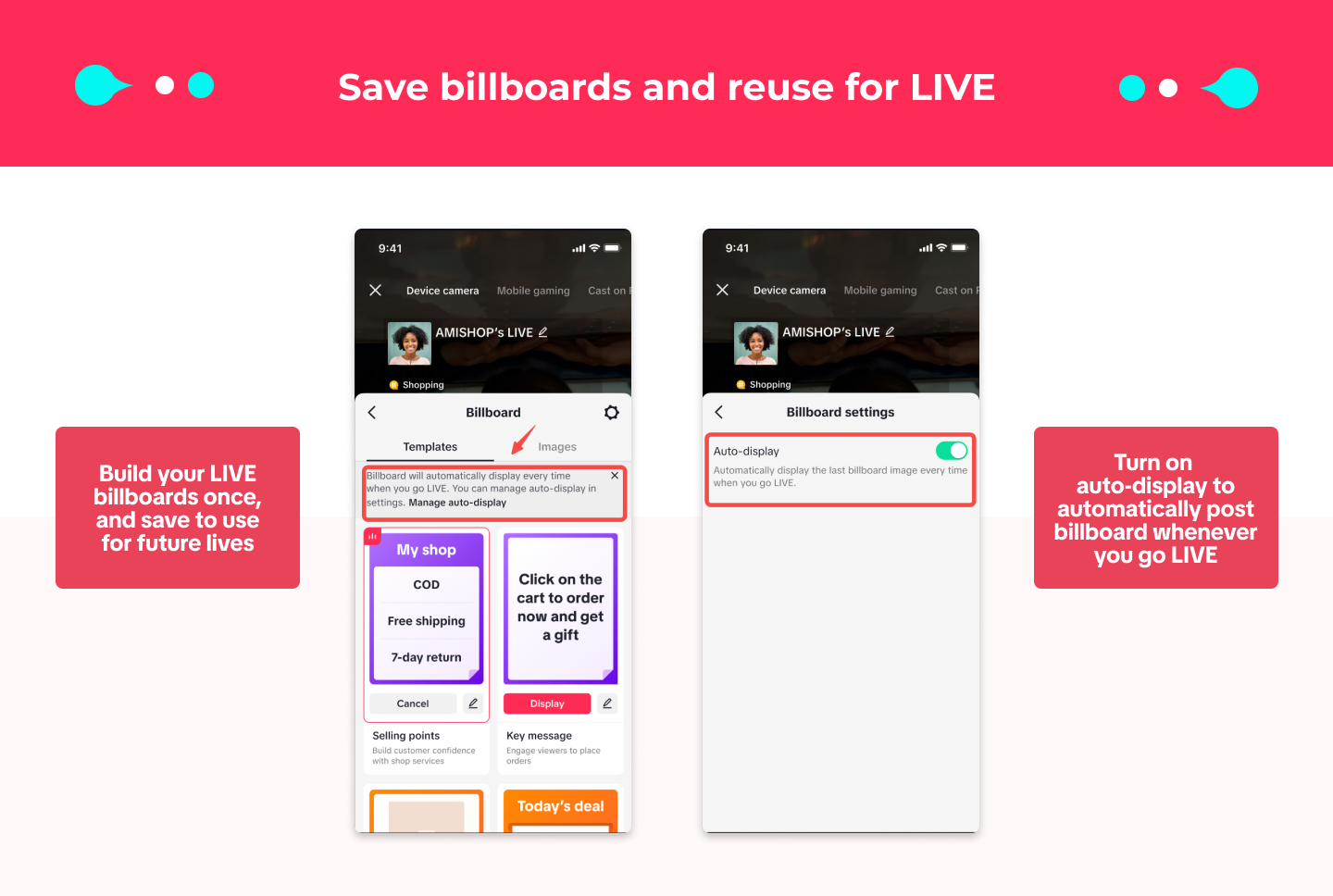 |
Mistakes to Avoid in Using LIVE Billboard
Common Mistake | Why It’s a Problem | How to Avoid |
| Using only 1 Billboard throughout the session | Viewers may feel bored due to lack of variety | Prepare multiple Billboards and rotate them during the session |
| Billboard not relevant to the promotion/product | Lowers engagement because the message feels off-topic | Always align the Billboard with the promotion or product you’re presenting |
| Billboard text is too long | Hard for viewers to read quickly during a LIVE session | Keep the message short & clear (max 2 effective lines) |
| Not checking copyright for visuals | Risk of penalties or content removal | Always use images/visuals you own or have permission for |
| Forgetting to evaluate Billboard performance | No insights into which Billboard works best | Monitor conversion & engagement metrics in Data Compass |
Try This Today!
- Add a product highlight Billboard before your next LIVE
- Use a countdown-style Billboard for limited-time promos
- Upload a custom image for your campaign message
- Test 2 different templates and see which drives better conversion
You may also be interested in
- 3 lessons
LIVE Content Creation
Learn how to create engaging LIVE content that drives sales and audience engagement.
- 4 lessons
LIVE Set-Up & Execution
Steps to properly prepare for a successful LIVE, including technical setup and event planning.
- 2 lessons
Understand LIVE Industry & Develop Host Mindset
Introduction to the LIVE industry, its importance, and how to develop an effective host mindset.

Drive More Viewers to Your LIVE for Free
This article twill help you automatically create short videos by repurposing best-performing moments…