

Mastering Price Bidding on ShopTokopedia
08/19/2024
Hi Seller! Are you looking to boost your product visibility and stay ahead of the competition? Want to make the most of ShopTokopedia's Price Bidding feature but unsure where to start? Don't worry! Today, we're diving deep into Price Bidding, a tool that can help you secure a winning edge in the market. Let’s explore how you can leverage this feature for success and ensure your products get the spotlight they deserve! 🛍️✨
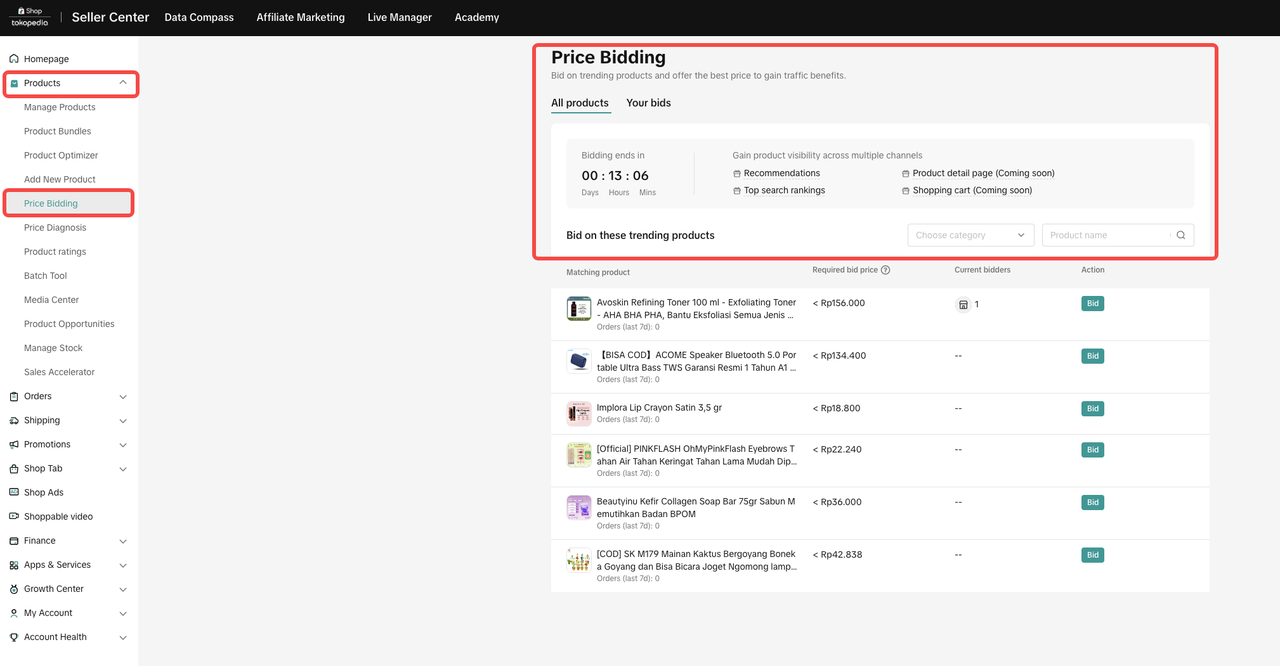 Price Bidding is your gateway to making your products shine among the competition by offering competitive prices on trending items. Sellers can participate in the bidding cycle from Monday to Saturday, with winners announced on Sunday. Winning bids enjoy increased visibility and sales potential for the following seven days. Let’s see how you can take advantage of this opportunity!
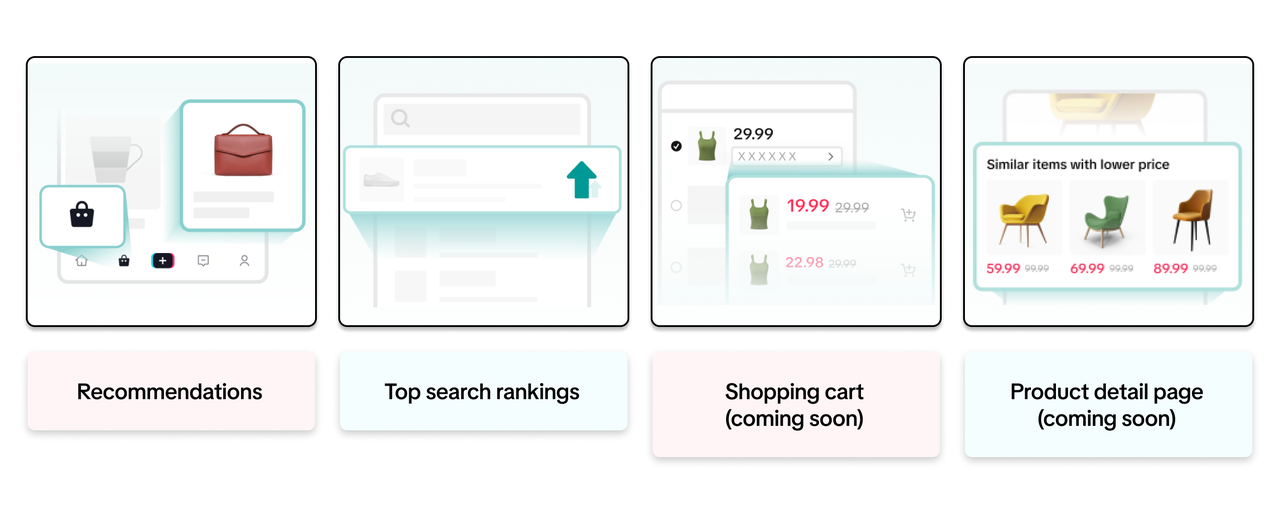 Benefits of Price Bidding
Guidance: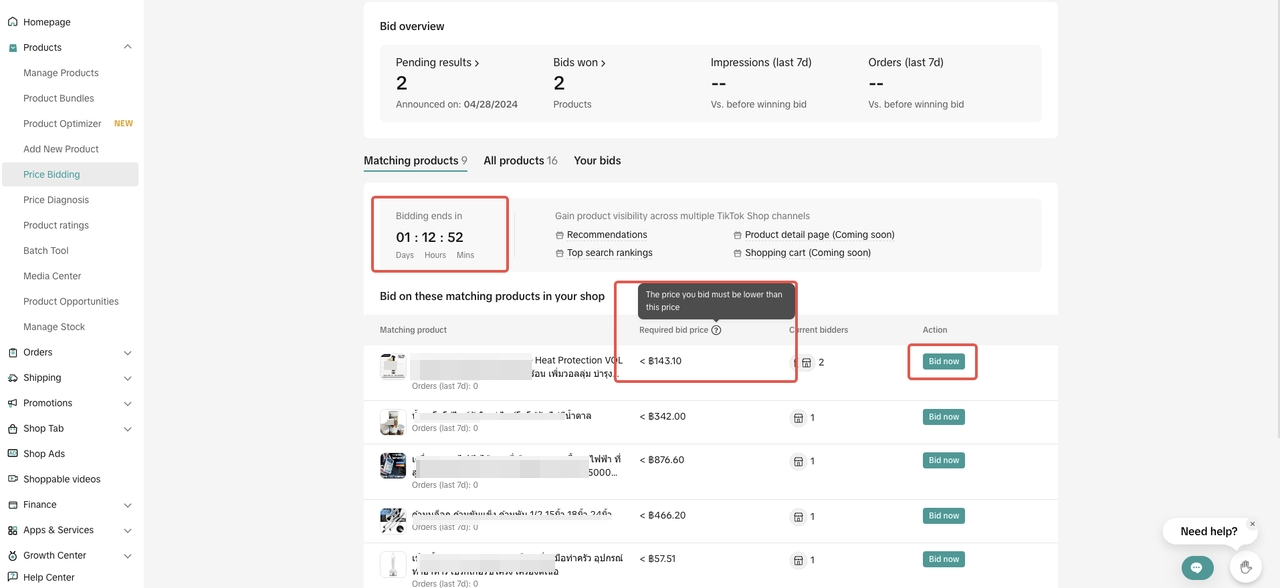
 Important Notes:
Guidance: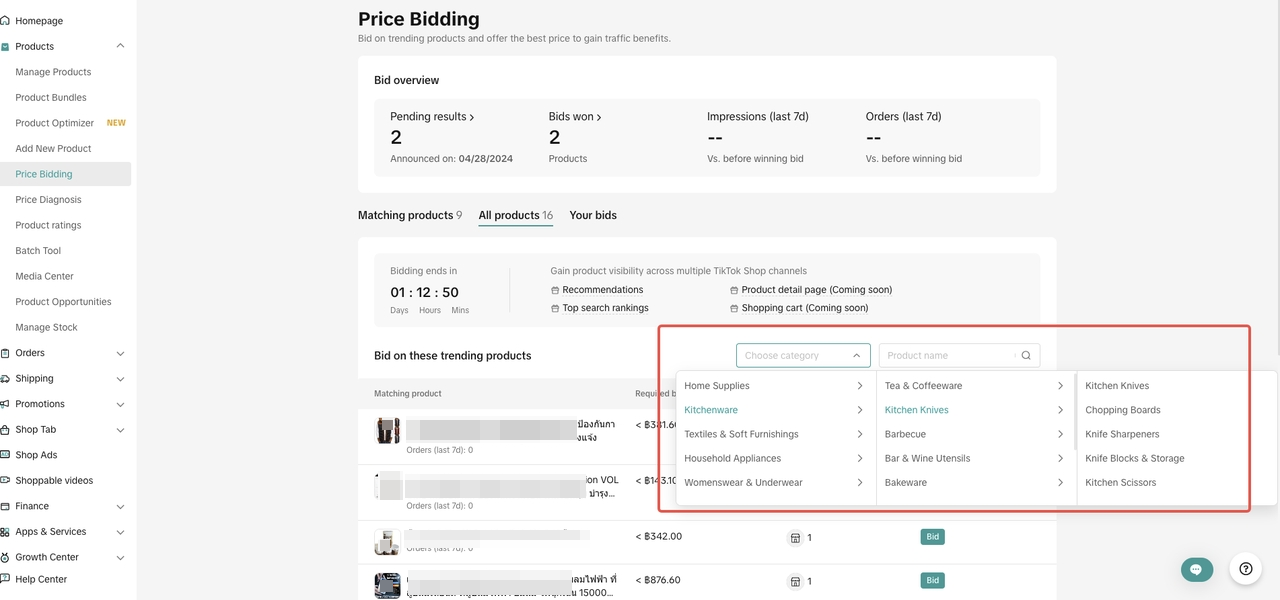
How to Enable Auto Bidding: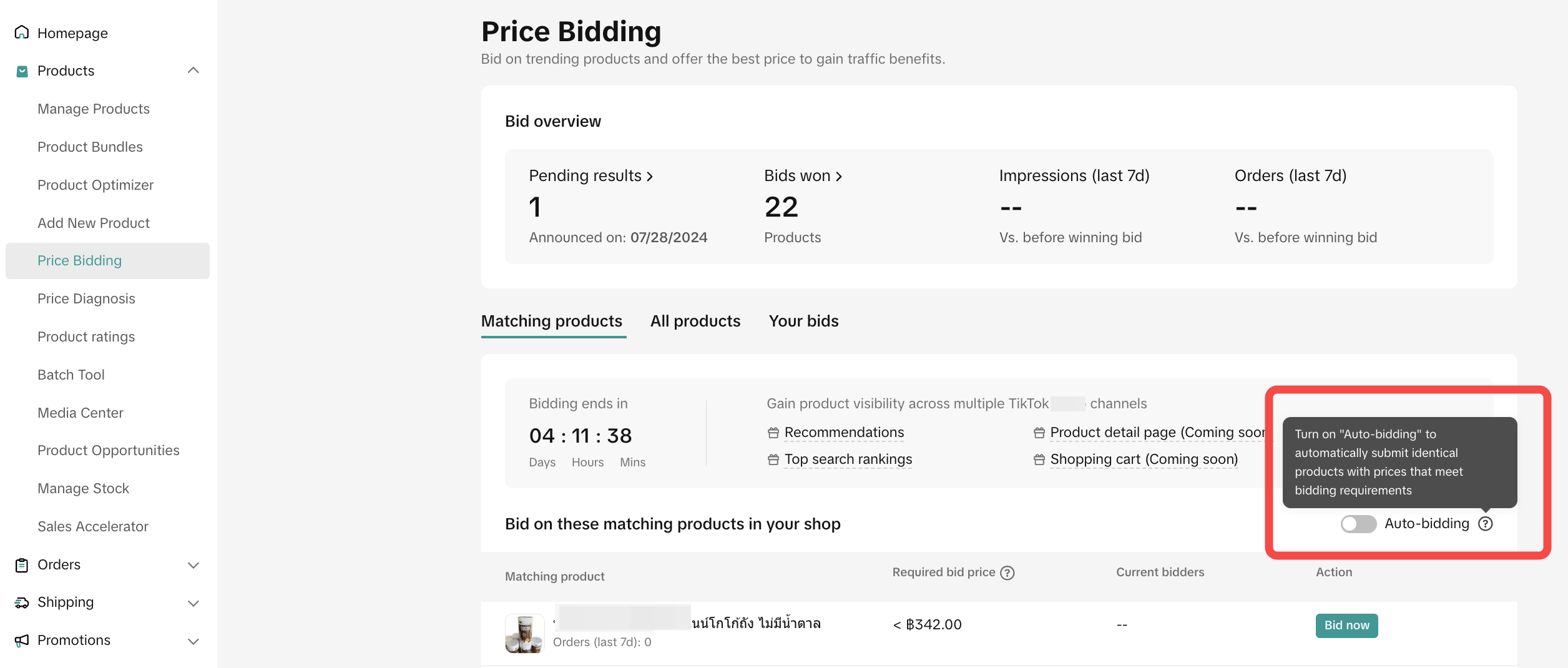
Steps to Track Bids: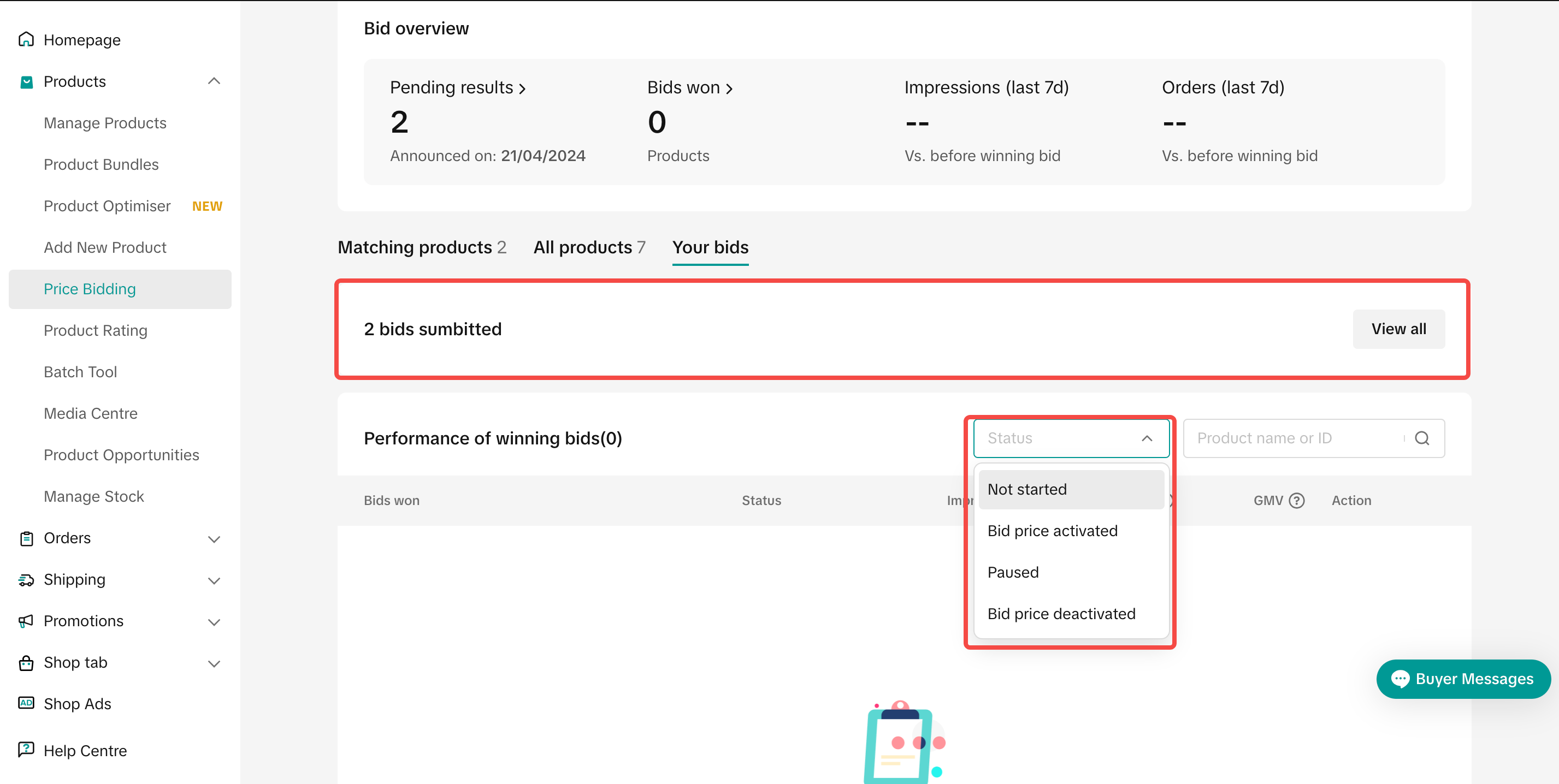
 Withdrawing a BidYou can withdraw a bid depending on its status. The withdrawal process varies:
 Important Considerations:
What is Price Bidding?
Price Bidding is your gateway to making your products shine among the competition by offering competitive prices on trending items. Sellers can participate in the bidding cycle from Monday to Saturday, with winners announced on Sunday. Winning bids enjoy increased visibility and sales potential for the following seven days. Let’s see how you can take advantage of this opportunity!Getting Started with Price Bidding
Benefits of Price Bidding- Increased Visibility: Winning the bid means your product is showcased to a larger audience, increasing the chances of sales.
- Market Competitiveness: Stay ahead by offering prices that attract more customers.
- Performance Tracking: Monitor your product's performance and adjust strategies accordingly.
How to Use Price Bidding
Matching Products
What are Matching Products?Matching products are trending items identified by the system as similar to those in your shop. You can bid to offer a better price for these products, increasing your chances of winning.Guidance:
- Check Sales Trends: Review sales data for the past 7 days to understand market demand.
- Submit Competitive Bids: Ensure your bid price is more attractive than others to stand out.
- Navigate to Seller Center > Product > Price Bidding.
- Click "Bids Now" to access bidding options.
- Submit your bid before the countdown ends.
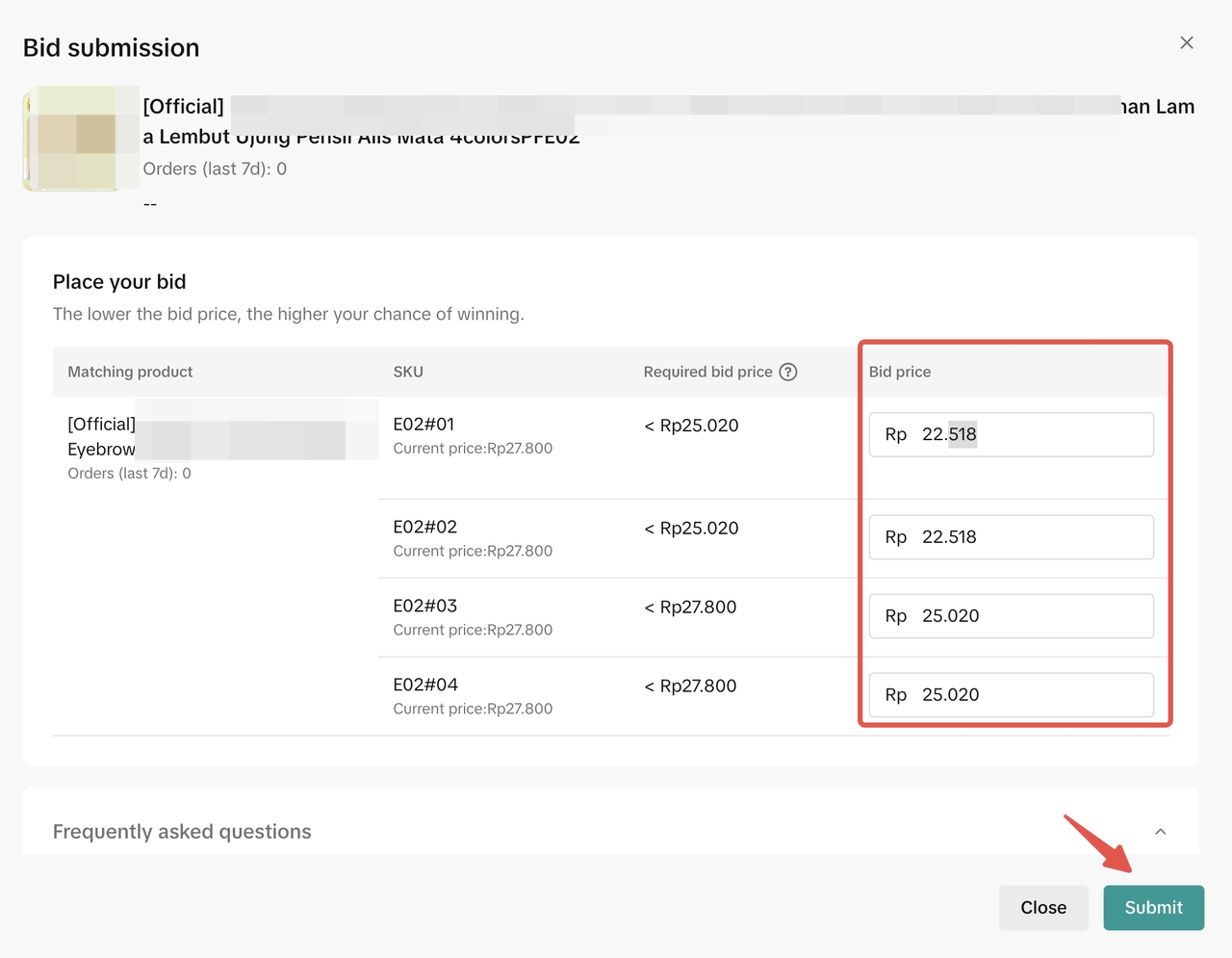
Important Notes:- Each SKU requires a separate bid.
- Make your prices more attractive than the required minimum.
All Products
Explore Trending ProductsAll trending products are accessible under the "All Products" tab, allowing sellers to search for relevant items to bid on.Guidance:
- Filter Products: Use category and product name filters to find items of interest.
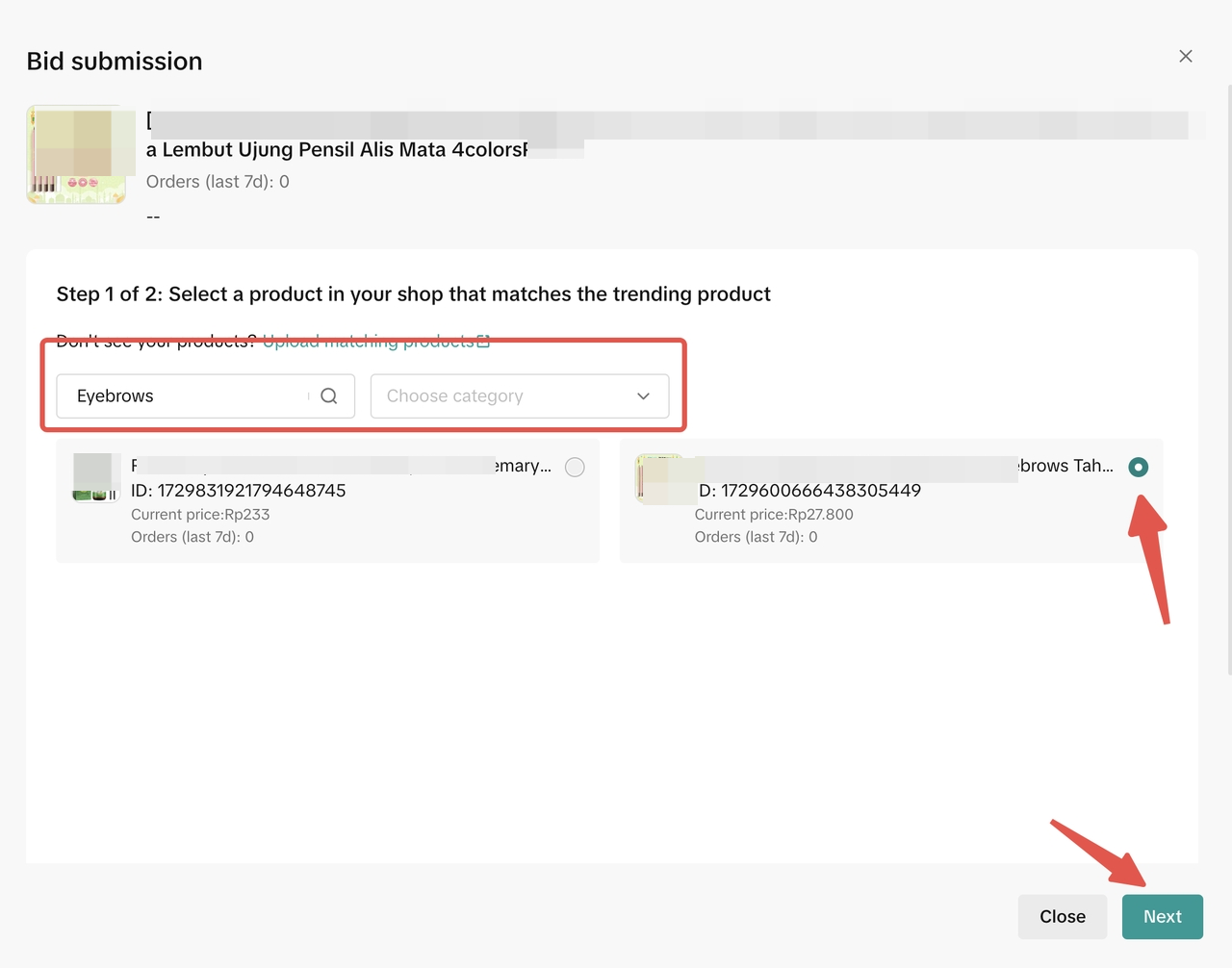
- Submit Bids: Select a matching product and add the appropriate SKU with a competitive price.
Auto Bidding Function
What is Auto Bidding?Auto-bidding enables your products to automatically participate in bidding if they meet the pricing criteria, saving time and ensuring you don't miss opportunities.How to Enable Auto Bidding:
- Turn on the Auto-bidding toggle in the Price Bidding section.
- Your products will automatically be submitted for bidding when they meet the requirements.
Tracking and Managing Bids
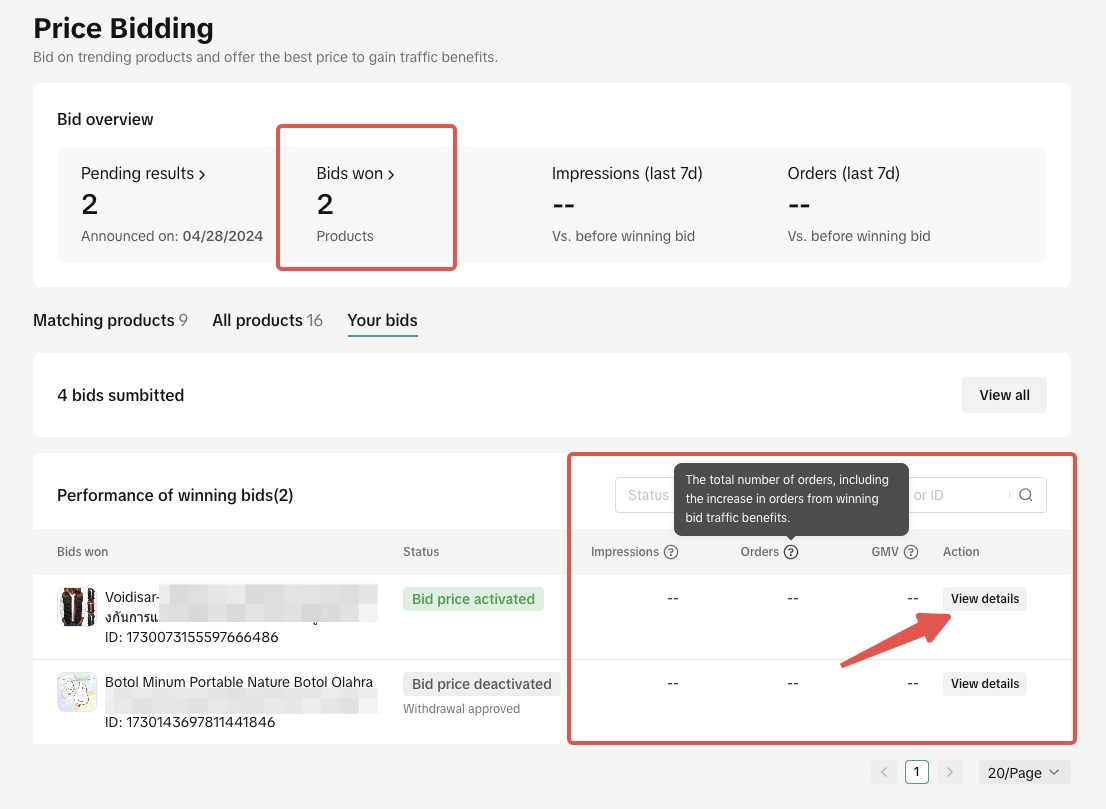
Track Your Bidding ResultsStay informed about your bids by using the "Your Bids" tab. Here, you can monitor the status and performance of your submissions.Steps to Track Bids:
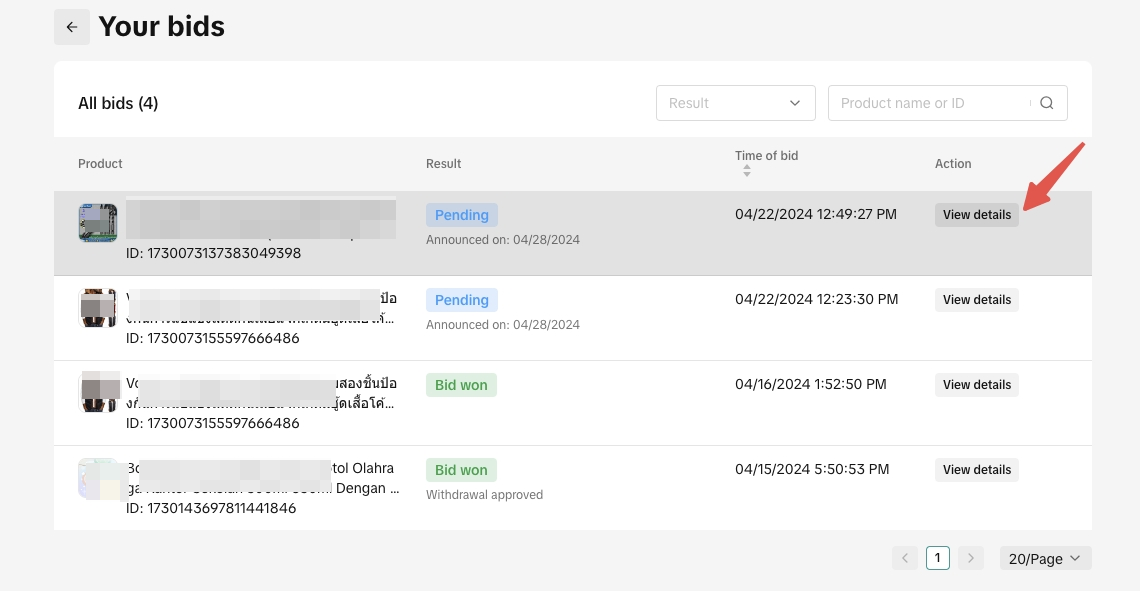
- Click "Your Bids" to view all submissions.
- Check "Bids Won" and click "View Detail" for performance analytics.
Withdrawing a BidYou can withdraw a bid depending on its status. The withdrawal process varies:- Pending: Direct withdrawal upon request.
- Bid Won: Requires platform review and may take 24 hours. During this time, the bid price remains active.
Important Considerations:- Bids cannot be changed once submitted.
- The benefits of a winning bid last for 7 days.
- Withdrawal requests undergo a review process.
Best Practices for Price Bidding
- Stay Informed: Regularly check trending products and market prices to adjust your strategy.
- Optimize Pricing: Ensure your bid prices are competitive to increase the chances of winning.
- Leverage Auto Bidding: Use the auto-bidding feature to streamline participation and capture opportunities without manual intervention.
- Monitor Performance: Utilize analytics to understand the impact of winning bids on your sales and adjust your approach accordingly.