

OBS Studio: What It Is, Features, Setup, & Usage Tips
10/21/2025
Hey, Seller!
You must know how complicated the preparations can be before going live, right? Especially when your goal is to create a professional LIVE streaming session, attract tons of viewers, and convert those viewers into sales. There’s so much to do, from setting up cameras and lighting to making sure the audio is crisp and clear for your audience.
But, did you know that there’s a tool out there that can make your LIVE TikTok Shop by Tokopedia preparations a whole lot easier? If not, let’s meet OBS Studio, your new best friend for streaming!
Let's look at all of the tools that will help you produce high-quality LIVE broadcasting!
Want to know more? Read the next article on ShopAcademy to further explore the use of OBS!
Good luck and enjoy your LIVE sessions!
You must know how complicated the preparations can be before going live, right? Especially when your goal is to create a professional LIVE streaming session, attract tons of viewers, and convert those viewers into sales. There’s so much to do, from setting up cameras and lighting to making sure the audio is crisp and clear for your audience.
But, did you know that there’s a tool out there that can make your LIVE TikTok Shop by Tokopedia preparations a whole lot easier? If not, let’s meet OBS Studio, your new best friend for streaming!
Let's look at all of the tools that will help you produce high-quality LIVE broadcasting!
Hi Seller, have you ever seen a LIVE with a more professional and attractive appearance? Curious about how to set it up? Let’s dive into this article!
You might be familiar with or even frequently conduct LIVE sessions using a standard setup such as a smartphone, ring light, and a simple background. But, do you want to enhance your LIVE quality to attract more audience attention and increase your conversion rate? In fact, viewers tend to trust sellers with professional-looking LIVE sessions!Get to Know OBS
For those looking to enhance their LIVE quality, you can use OBS (Open Broadcast System). Ever heard of it? OBS allows you to:- Create a more attractive LIVE background.
- Use additional professional cameras or tools.
Requirements to Access OBS
Before you start, make sure you meet the following requirements:- Your account must have access to sell.
- Have the minimum number of followers as required.
- Your account and store must be in good health with no violations.
How to Use OBS for LIVE
Once you have access, follow these steps:- Download and Install OBS
- Download the OBS software from https://obsproject.com/download.
- Connect OBS to the LIVE Platform
- Open TikTok App and select the Cast on PC option.
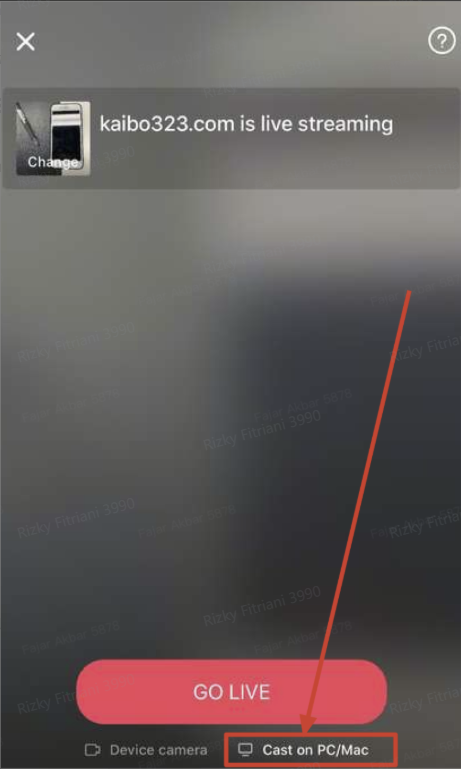
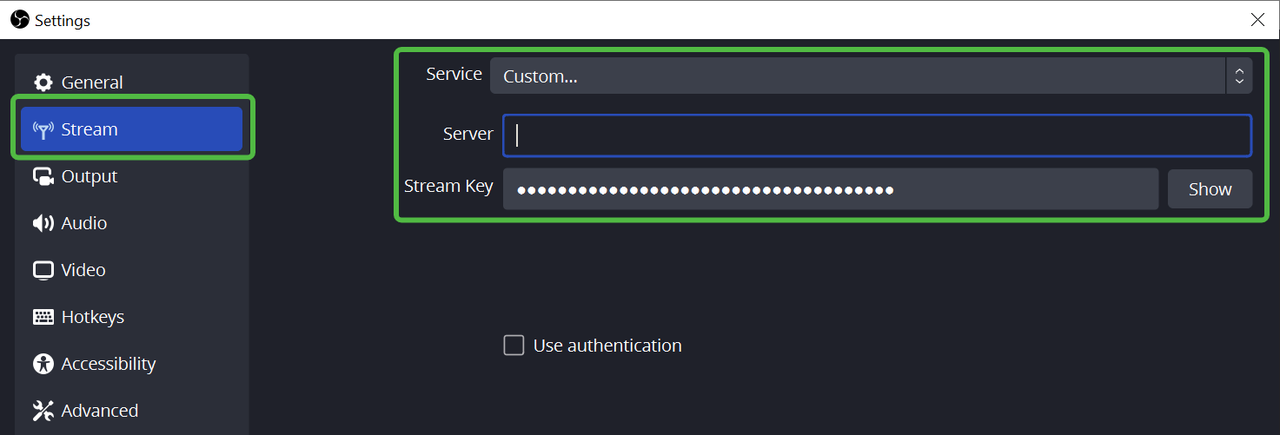
- Copy the available "Server URL" and "Stream Key."
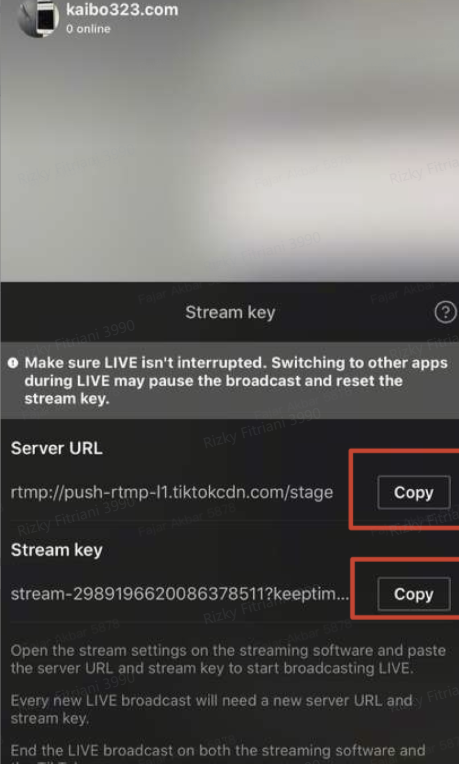
- Open TikTok App and select the Cast on PC option.
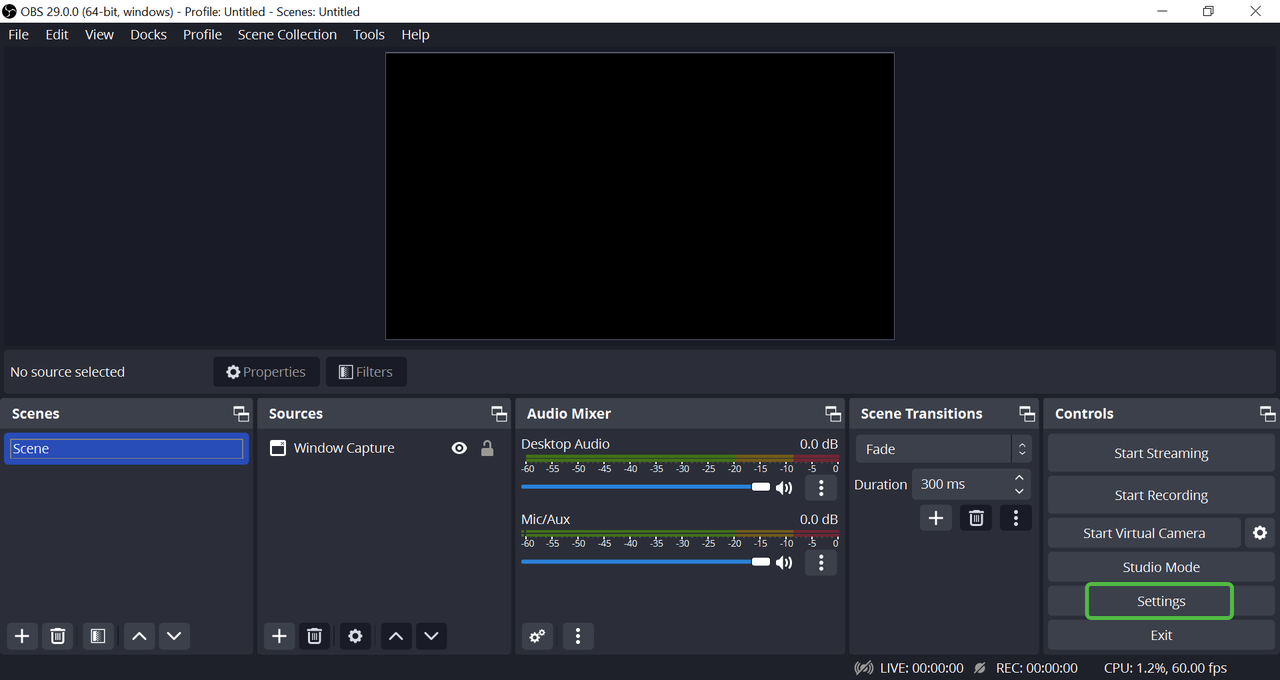
- Open the OBS application, go to the Settings menu, and paste the "Server URL" and "Stream Key" you've copied.
- Choose LIVE Sources
- You can choose to use a mobile device, additional cameras, or other audio devices to be included in your LIVE session.

- You can choose to use a mobile device, additional cameras, or other audio devices to be included in your LIVE session.
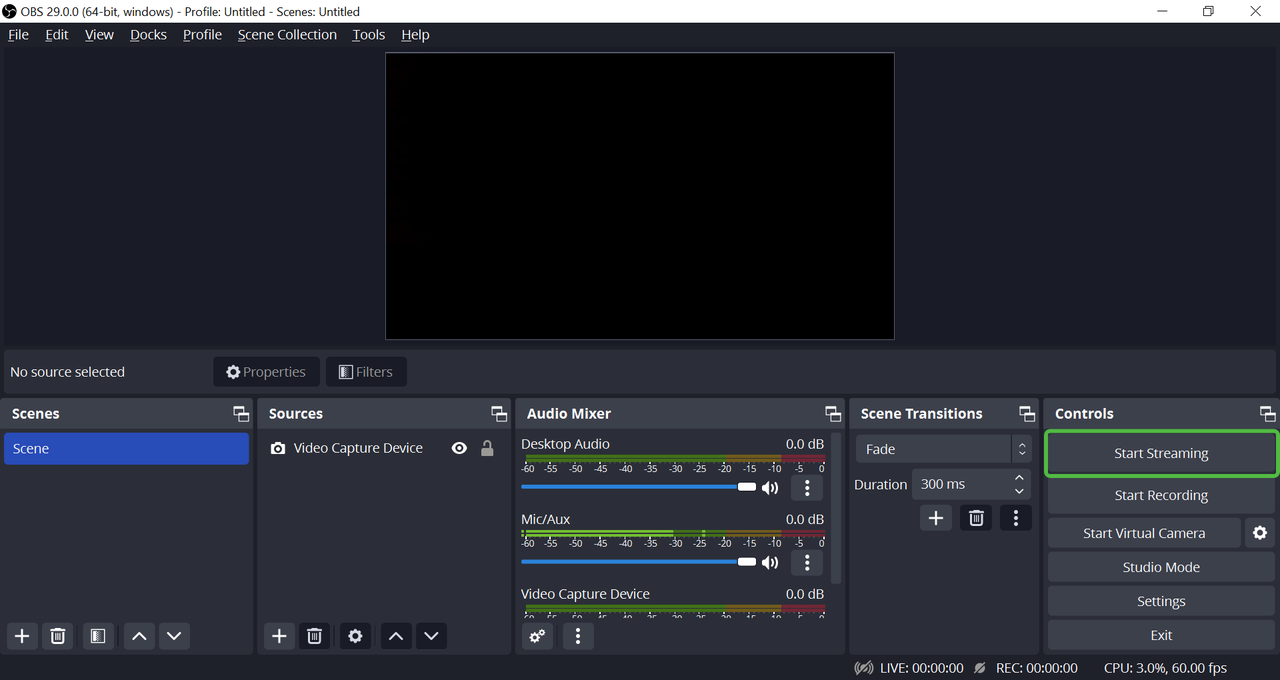
- Start Casting LIVE!
- Once all settings are complete, you’re ready to start LIVE with a more professional quality!
- Once all settings are complete, you’re ready to start LIVE with a more professional quality!
Essential OBS Settings You Need to Know
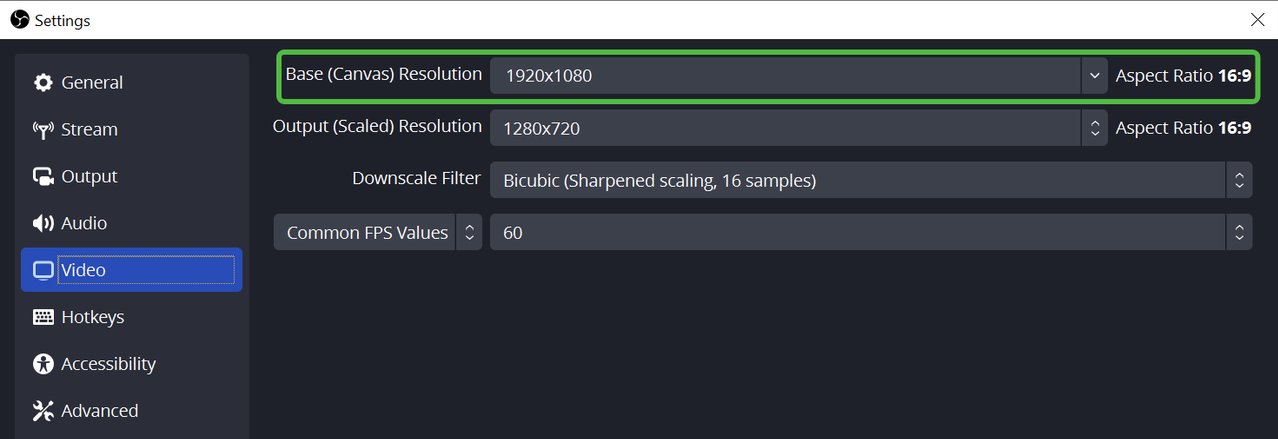
To achieve the best results, understand the following basic settings:- Canvas Resolution: Adjust the aspect ratio, for example, 1080x1920 with an aspect ratio of 9:16.
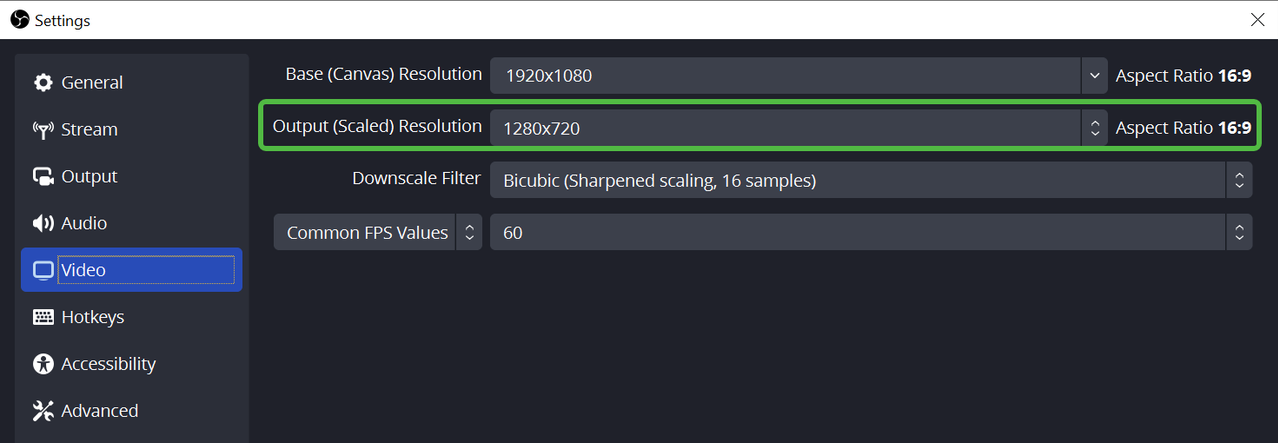
- Output Resolution: Choose your desired streaming resolution (480p, 720p, etc.)
- Frames Per Second (FPS): It is recommended to use 25PAL for optimal results.
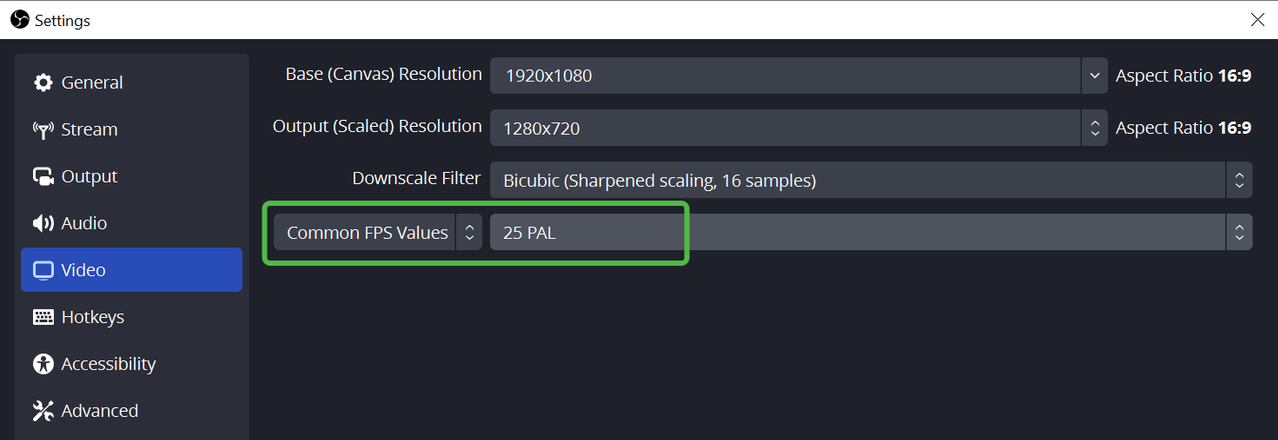
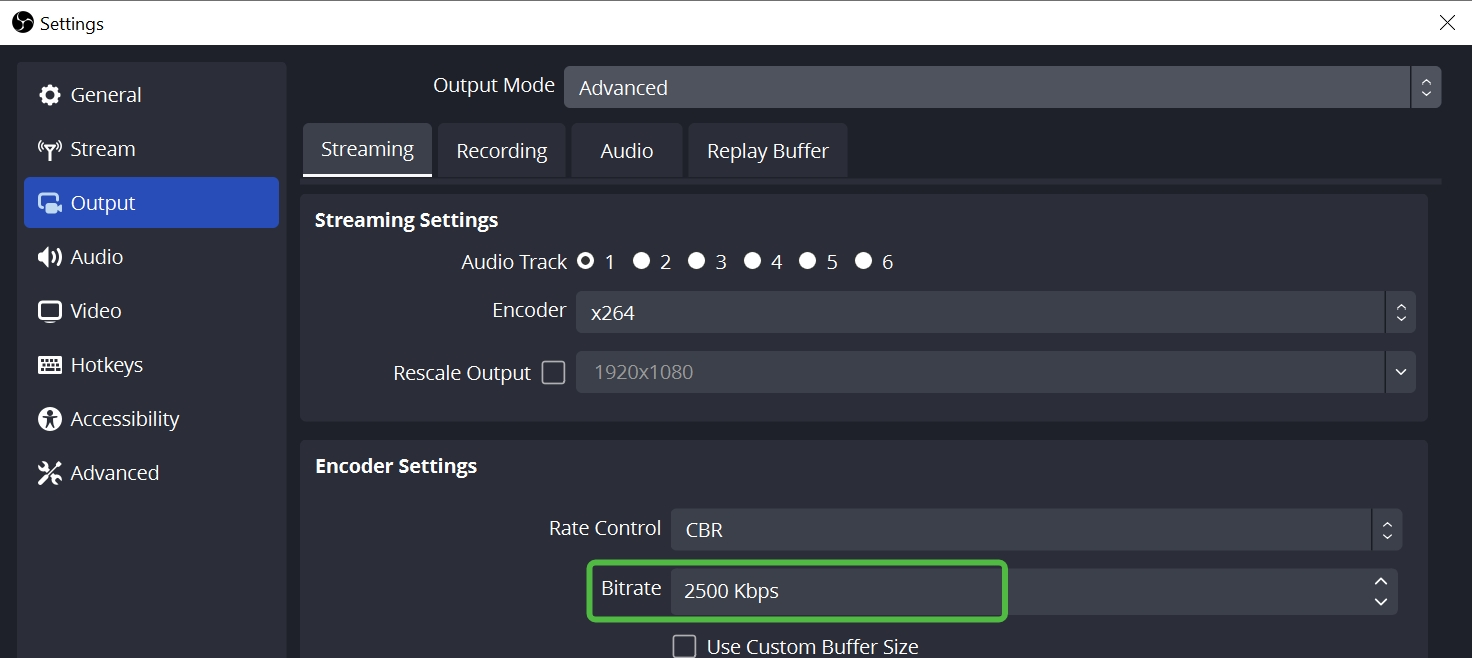
- Streaming Bitrate:
- 2500 Kbps for standard scenes.
- 4000 Kbps for more complex scenes.

Additional Tips for a Professional LIVE Session
- Experiment with lighting to highlight your products better.
- Ensure the background does not distract the audience’s focus.
- Use high-quality cameras and microphones for better audio and visual results.
Want to know more? Read the next article on ShopAcademy to further explore the use of OBS!
Good luck and enjoy your LIVE sessions!
You may also be interested in
- 21 lessons
LIVE
Master the art of LIVE selling—from planning to hosting sessions that drive real-time engagement and…
- 3 lessons
LIVE Content Creation
Learn how to create engaging LIVE content that drives sales and audience engagement.
- 2 lessons
Understand LIVE Industry & Develop Host Mindset
Introduction to the LIVE industry, its importance, and how to develop an effective host mindset.

Drive More Viewers to Your LIVE for Free
This article twill help you automatically create short videos by repurposing best-performing moments…