

LIVE Giveaway
08/26/2025
Hi, Seller!
Want to keep your audience hooked during a TikTok LIVE and encourage more purchases? A LIVE Giveaway is one of the most effective ways to boost engagement, reward loyal viewers, and drive sales. With the right setup, giveaways can create excitement, increase watch time, and even attract new followers to your shop.

 A high-performing LIVE session isn’t just about selling—it’s about building an engaged audience that trusts your brand. Giveaway helps you deliver that in a fun, simple format.

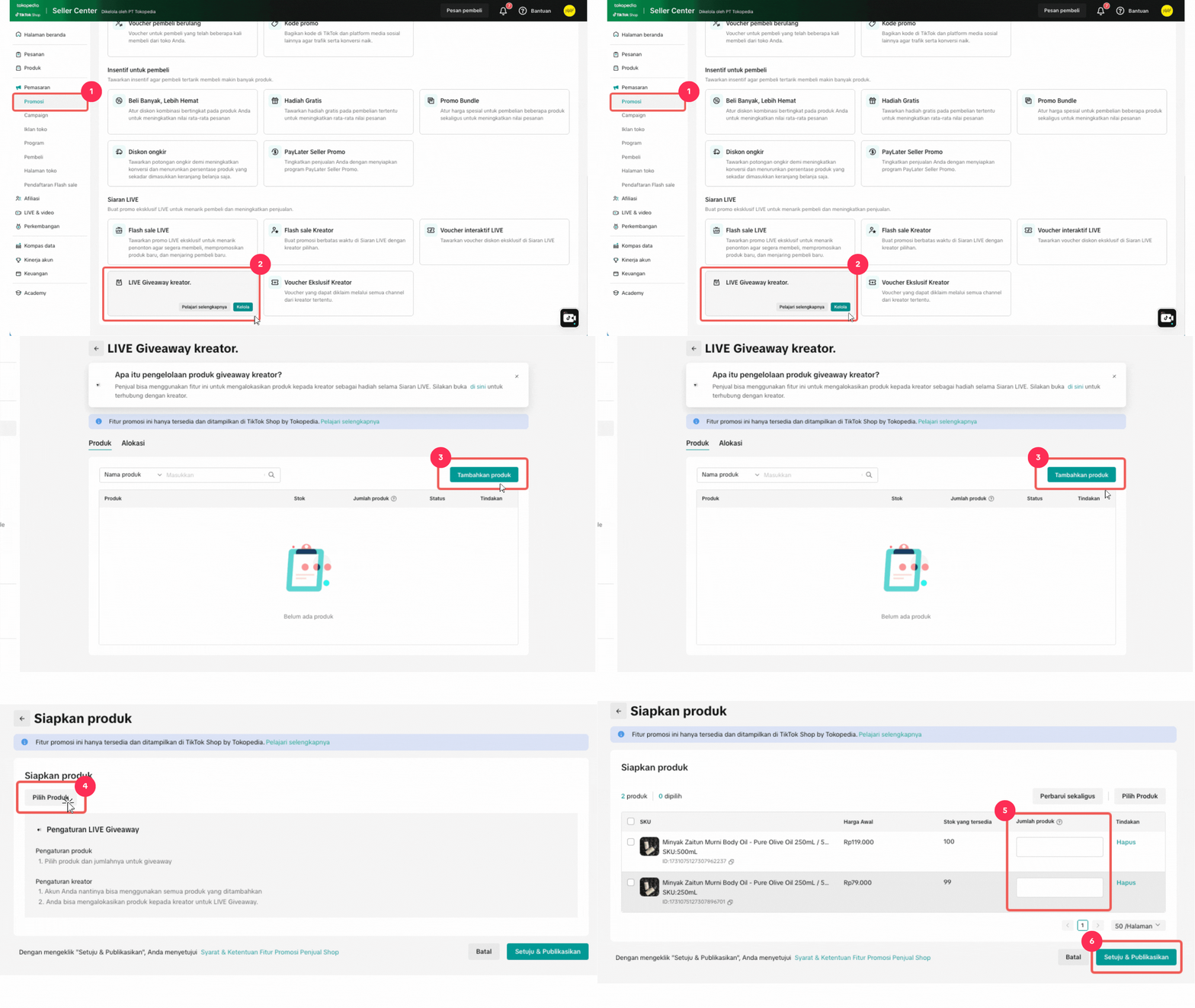 👉 Want the full visual step-by-step guide? Click here to read
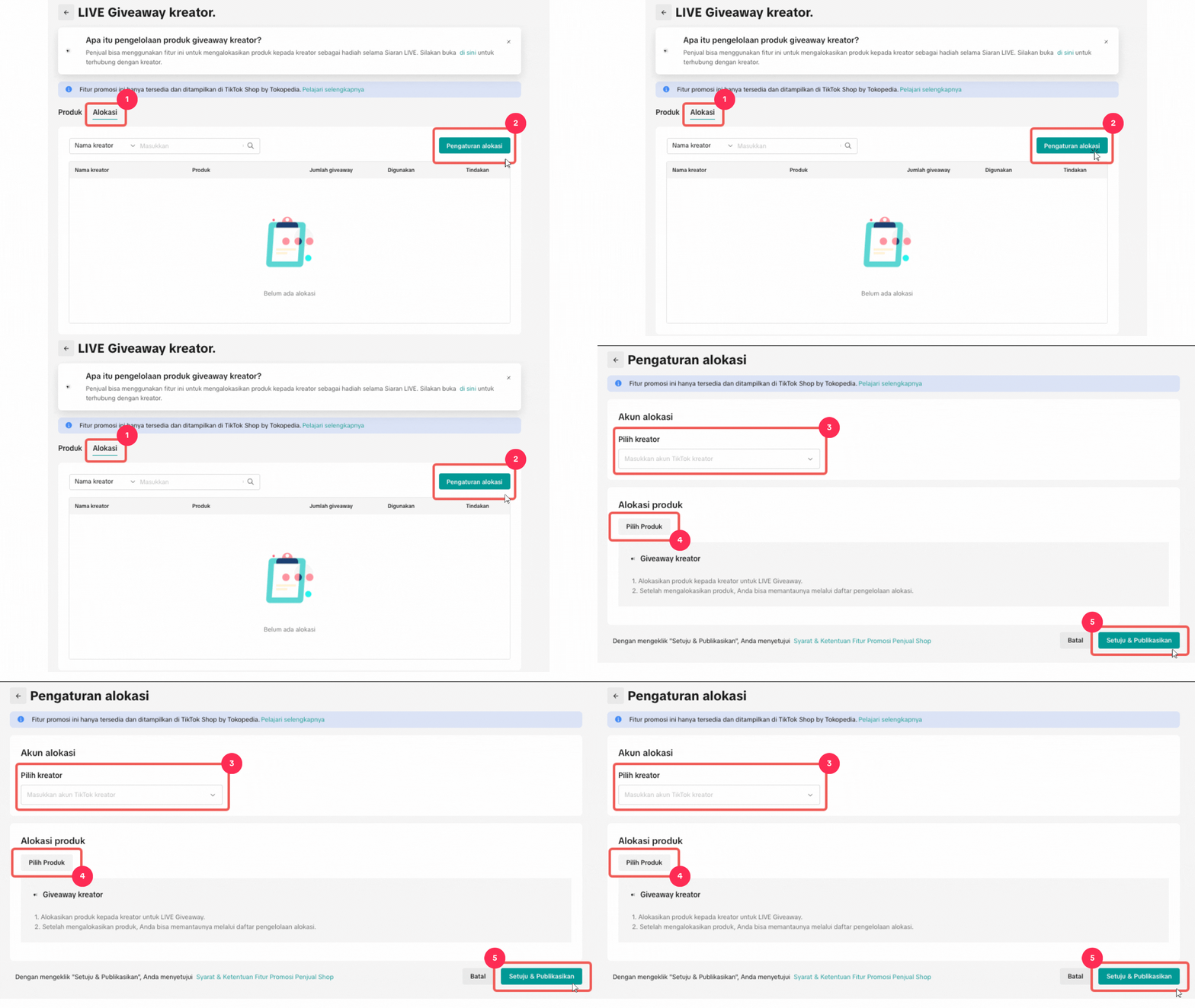 📌 Once Sellers have completed setting up Creator LIVE Giveaway, Creators will need to set up the LIVE Giveaway event at their end. Read more here.
 Try This Today!
Want to keep your audience hooked during a TikTok LIVE and encourage more purchases? A LIVE Giveaway is one of the most effective ways to boost engagement, reward loyal viewers, and drive sales. With the right setup, giveaways can create excitement, increase watch time, and even attract new followers to your shop.
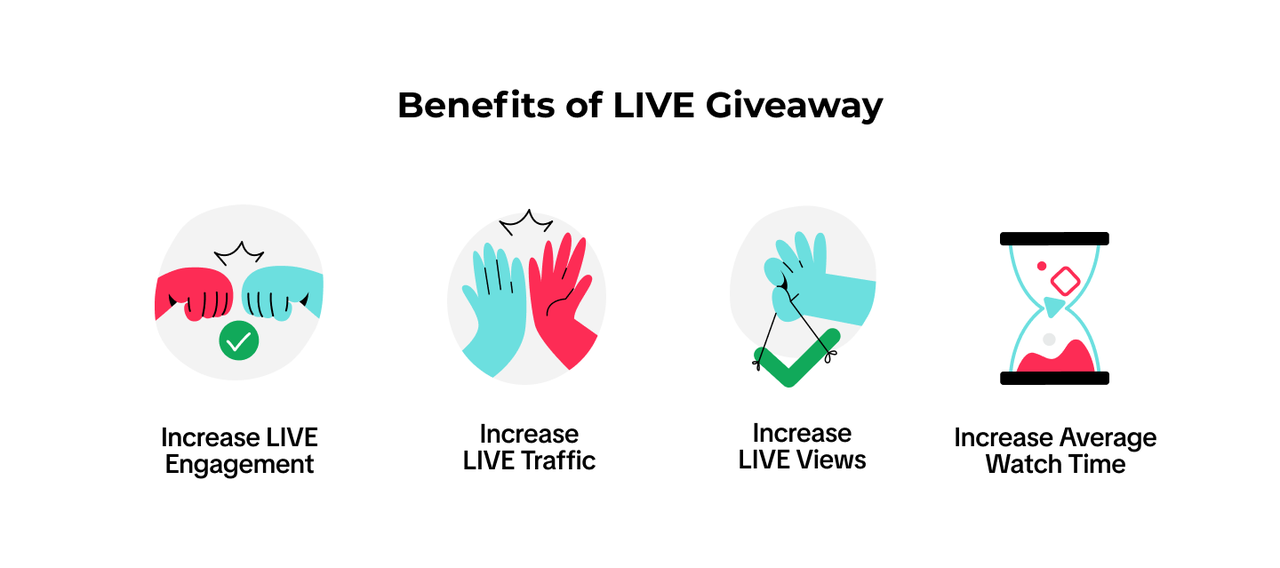
Why Use LIVE Giveaway?
How to Set Up a LIVE Giveaway
Before You Start:
Make sure your seller Store Rating is at least 3.0 and Violation Point <36 to be eligible to run LIVE Giveaways.Set Up LIVE Giveaway (Seller Center):
Navigate to Seller Center > Marketing > Promotions > Create a Promotion > Creator LIVE GiveawayAllocate Prizes to Creators
After you have completed the product set up, you will need to assign Creators to your LIVE Giveaway prize.Common Mistakes and Fixes
| ❌ Mistake | 😟 What Happens | ✅ Fix (with Ops Tips) |
| No stock assigned | Giveaway fails to start | Allocate stock before going LIVE.
|
| Too short duration | Viewers miss the chance | Set at least 10–15 minutes.
|
| Entry rule unclear | Viewers don’t engage | Clarify entry rules clearly.
|
| No winner announcement | Reduces trust | Engage with the winner popup.
|
- Add a giveaway to your next LIVE to increase engagement
- Choose a popular product as a prize
- Promote it in your cover image and teaser video
- Use “Comment to Win” as an entry rule
- Monitor results in your Seller Center
You may also be interested in
- 3 lessons
LIVE Content Creation
Learn how to create engaging LIVE content that drives sales and audience engagement.
- 4 lessons
LIVE Set-Up & Execution
Steps to properly prepare for a successful LIVE, including technical setup and event planning.
- 2 lessons
Understand LIVE Industry & Develop Host Mindset
Introduction to the LIVE industry, its importance, and how to develop an effective host mindset.

Drive More Viewers to Your LIVE for Free
This article twill help you automatically create short videos by repurposing best-performing moments…