

Guide to Choosing Music for TikTok E-Commerce Short Videos
10/02/2025
Hi, Seller!
Using the right music in your short videos can help boost performance—but it must follow TikTok’s copyright and commercial usage policies. This guide explains how to safely choose music and avoid content takedowns or muted audio.


📌Tip: If your video includes a product, affiliate, price, or promo—always use Commercial Music only.


 Ready to Publish Safely?Choose your music from the Commercial Music Library, run a copyright check, and publish with confidence.
Music can enhance your video—but only if it’s used the right way.
Using the right music in your short videos can help boost performance—but it must follow TikTok’s copyright and commercial usage policies. This guide explains how to safely choose music and avoid content takedowns or muted audio.
Why Music Selection Matters for E-Commerce Videos
Using copyrighted music without permission can:- Mute your video or reduce visibility
- Get your content flagged or removed
- Violate platform rules and affect account health
Always Use Music from the Right Library
There are two music libraries on TikTok:Title Shown | Type | Can It Be Used for Business? |
| Commercial Music | CML (Commercial Music Library) | ✅ Yes (for e-commerce or product content) |
| Music | GML (General Music Library) | ❌ No (not for business use) |
How to Use the Right Music Safely
Choose Music from the Commercial Music Library (CML)Open the TikTok video editor and tap Add Sound. Search for music with the label Commercial Sounds.
| ||
Run the Copyright Check Before PostingBefore publishing, turn on Video Sound Copyright Check in:You can also run the check manually after editing.
| 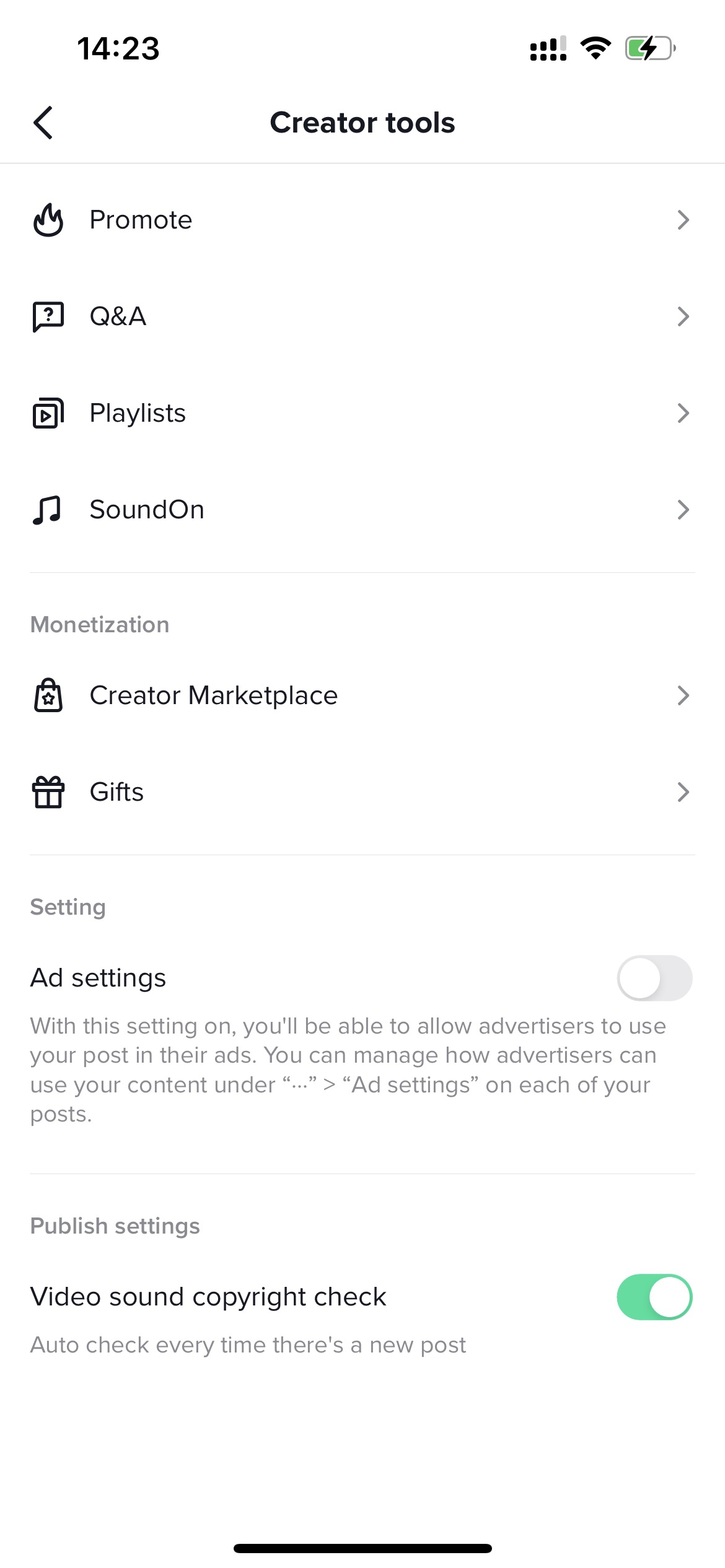 | 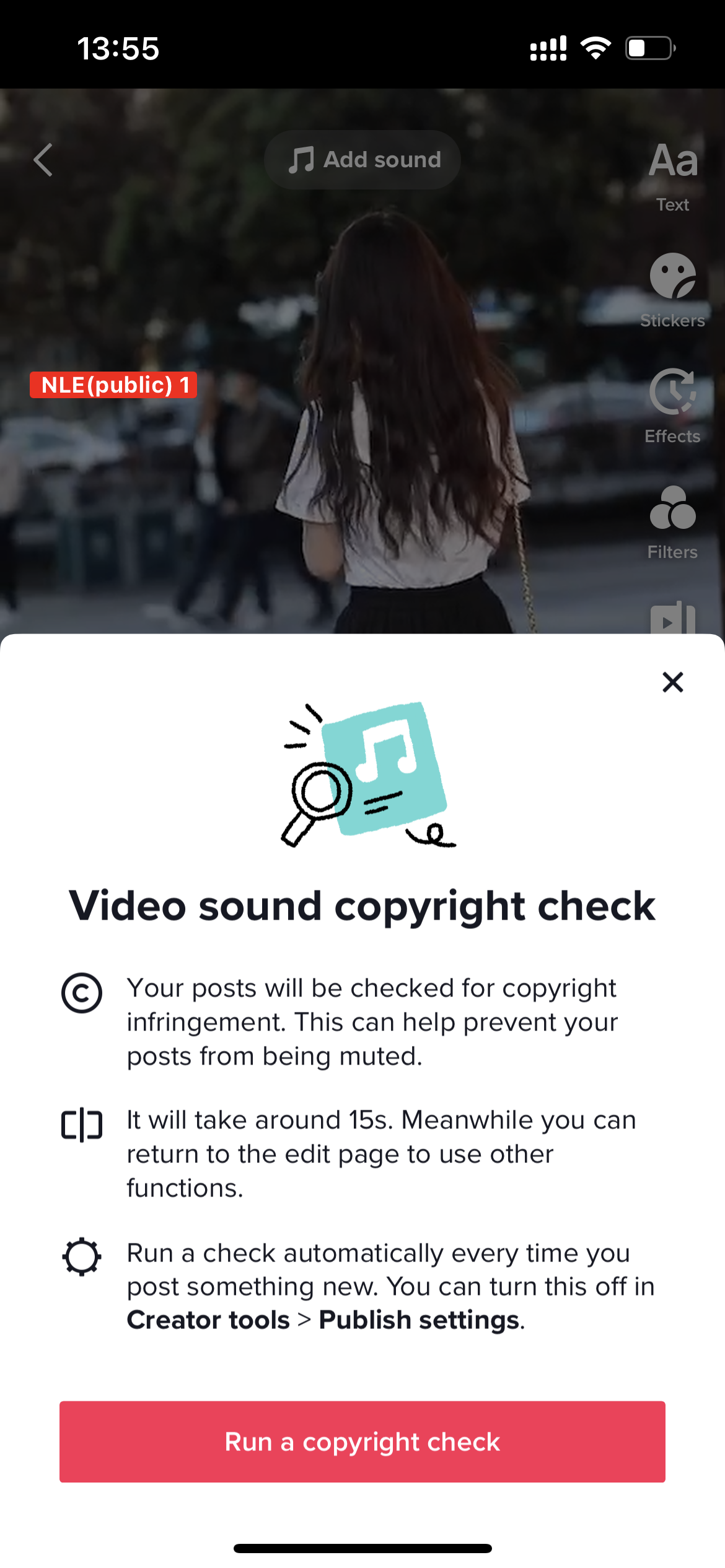 |
Upload and Recheck the Final VideoAfter editing, upload your video. TikTok will:
| 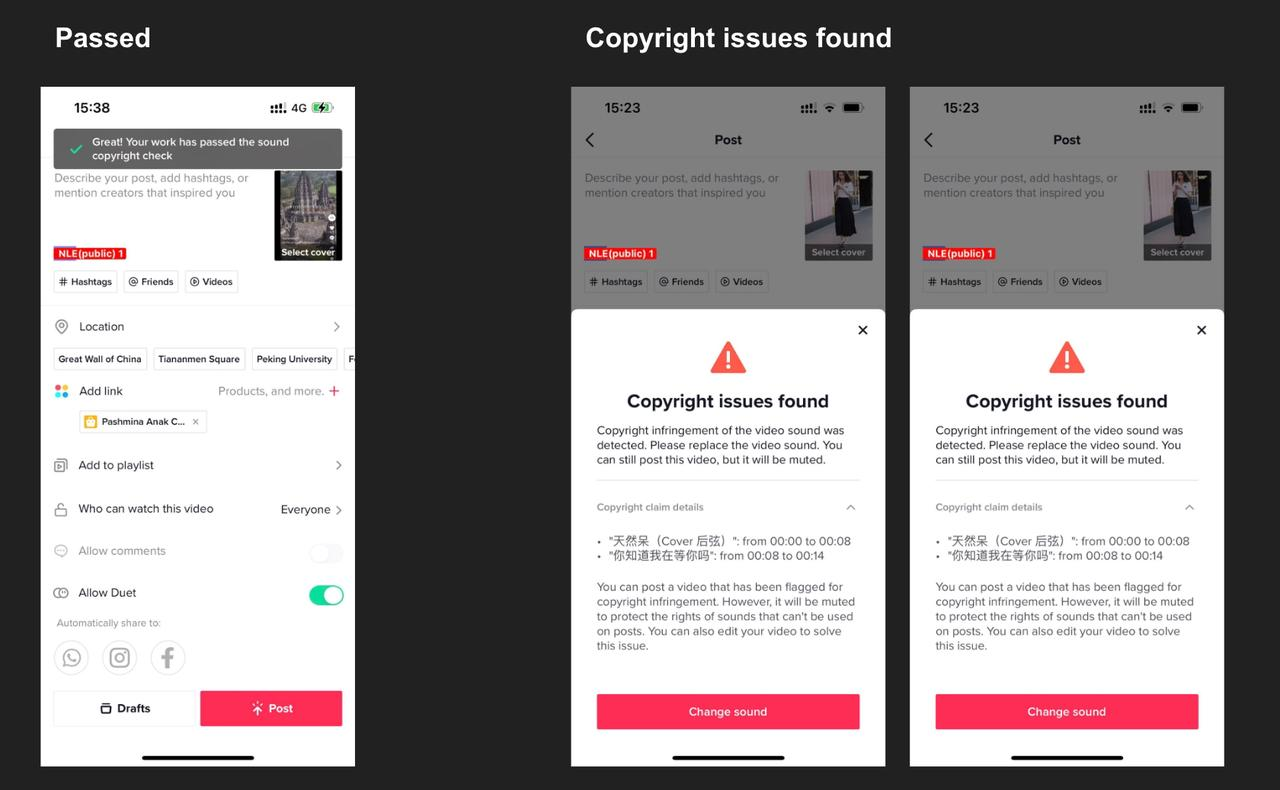 | |
Music Usage Mistakes That Can Get Your Video Muted
Avoid these common errors when selecting music for your e-commerce short videos—especially if you're showcasing products, running promotions, or posting affiliate content.❌ Mistake | 🔍 What Happens | ✅ What You Should Do |
| Using viral music from GML (General Music Library) | Your video may get muted, hidden, or restricted for business use | Always choose sounds labeled Commercial Music from the CML |
| Skipping the copyright check | Copyright issues may arise after posting, leading to takedown or mute | Run a copyright check before publishing every video |
| Reposting personal content with music | Music used in personal content may not be licensed for business | Recreate the video in business mode and pick music from CML |
| Promoting products or affiliate links using GML music | Content may get flagged as violating platform policies | Use Commercial Music when there’s any commercial element |
| Ignoring TikTok's music rules for ads | Your ads might be rejected or underperforming | Follow TikTok’s official music for ads guidelines |
Ops Tip: If your video contains product, price, promotion, or affiliate links—it counts as commercial. Stick to CML to stay safe!
Music can enhance your video—but only if it’s used the right way.
Play it safe, stay compliant, and let the content shine!
You may also be interested in
- 1 lesson
Short Video Overview
Introduction to creating short videos to promote products and engage with potential buyers.
- 4 lessons
Webinar Replays: Short Video
Watch the Short Video webinar and learn how to create engaging content easily!
- 2 lessons
Short Video Ideation
Creative strategies for generating ideas for your short videos that will resonate with your target a…
- 1 lesson
Do & Don'ts Short Video
Key tips on how to create effective short videos and avoid common pitfalls.
- 1 lesson
Short Video Preparation
Preparation techniques to ensure your short videos are impactful and well-received.
- 2 lessons
Short Video Best Practices
Techniques and tips for optimizing your short videos to increase engagement and conversion.