

[IMPORTANT] On June 13, 2025, TopAds Will Be Deactivated
01/30/2026
Hi Seller,To enhance your advertising experience for better optimization and efficiency, sellers can now perform all ad activities and operations through TikTok Ads Manager (TTAM). Manage your Tokopedia and TikTok ads more easily—all in one place—without switching between platforms.
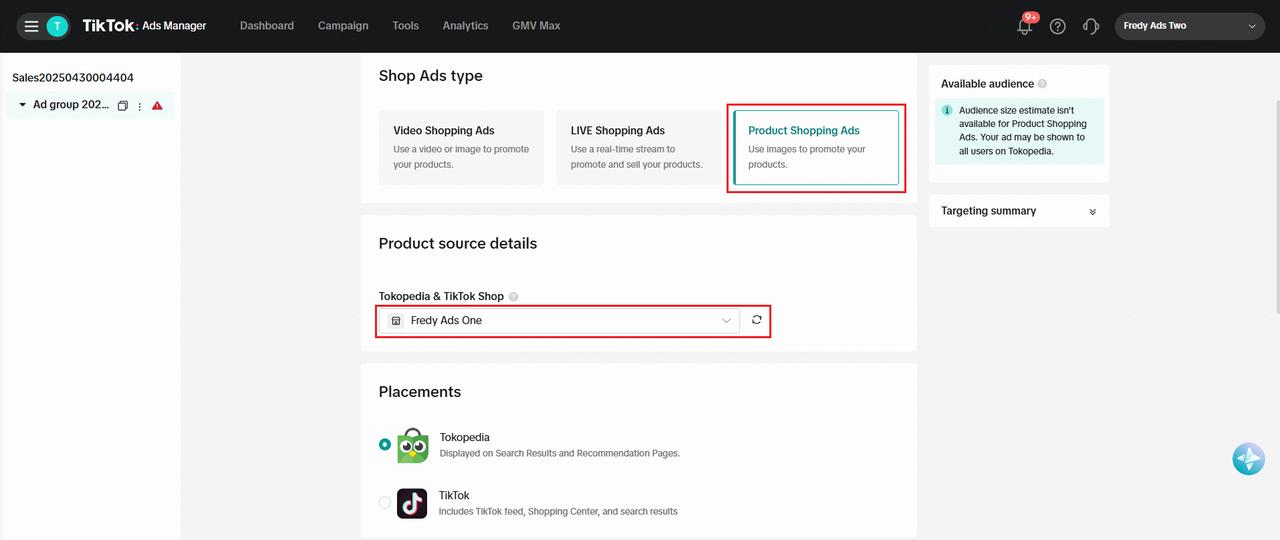 Activate Tokopedia Ads on TikTok Ads Manager now! Learn how here:
With this improved and more efficient integrated ad experience, Tokopedia will implement several important updates to TopAds on Tokopedia Seller. The following updates will take effect gradually from May to June 2025 on the Tokopedia Seller Dashboard. Mark your calendar:
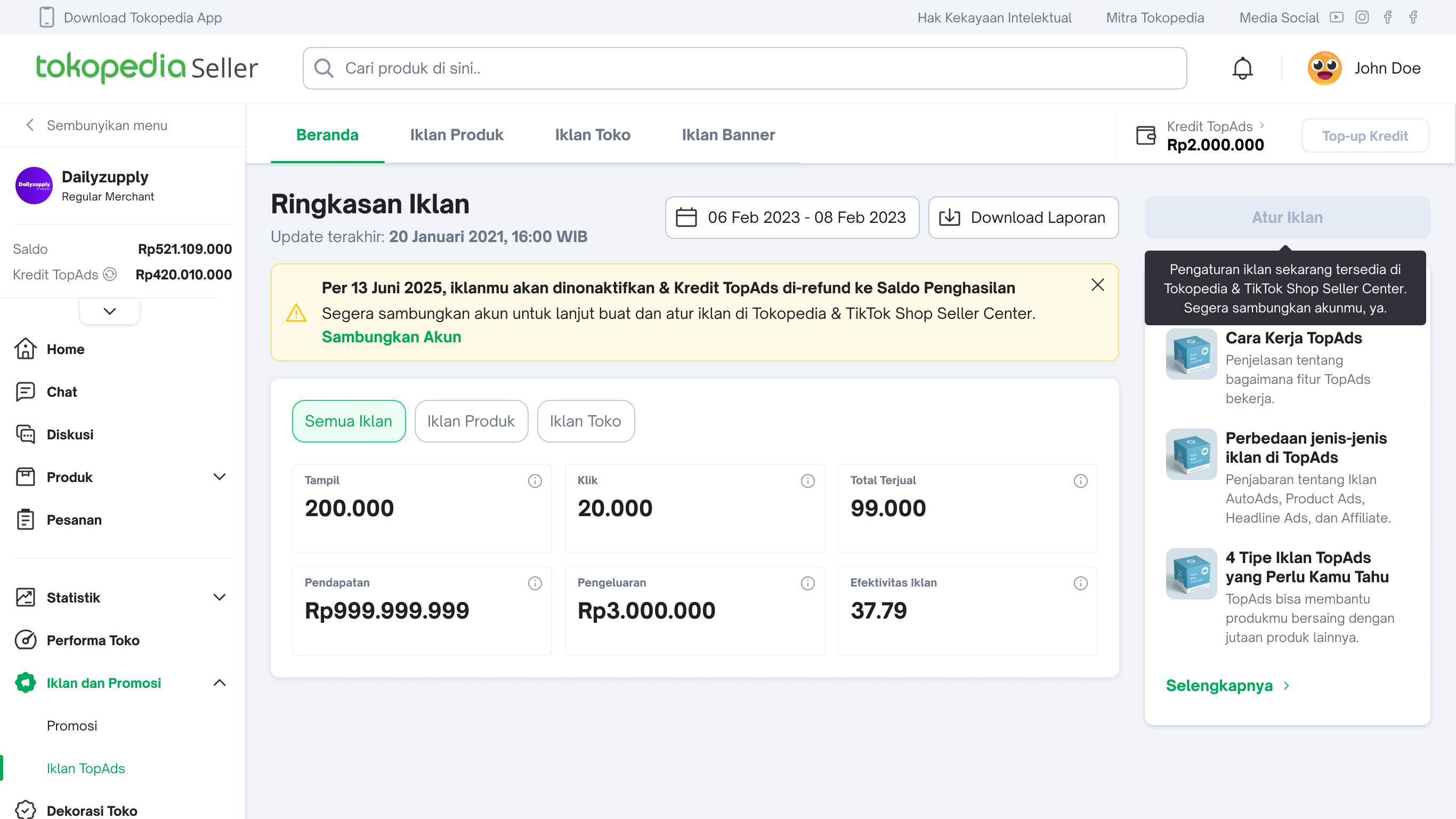
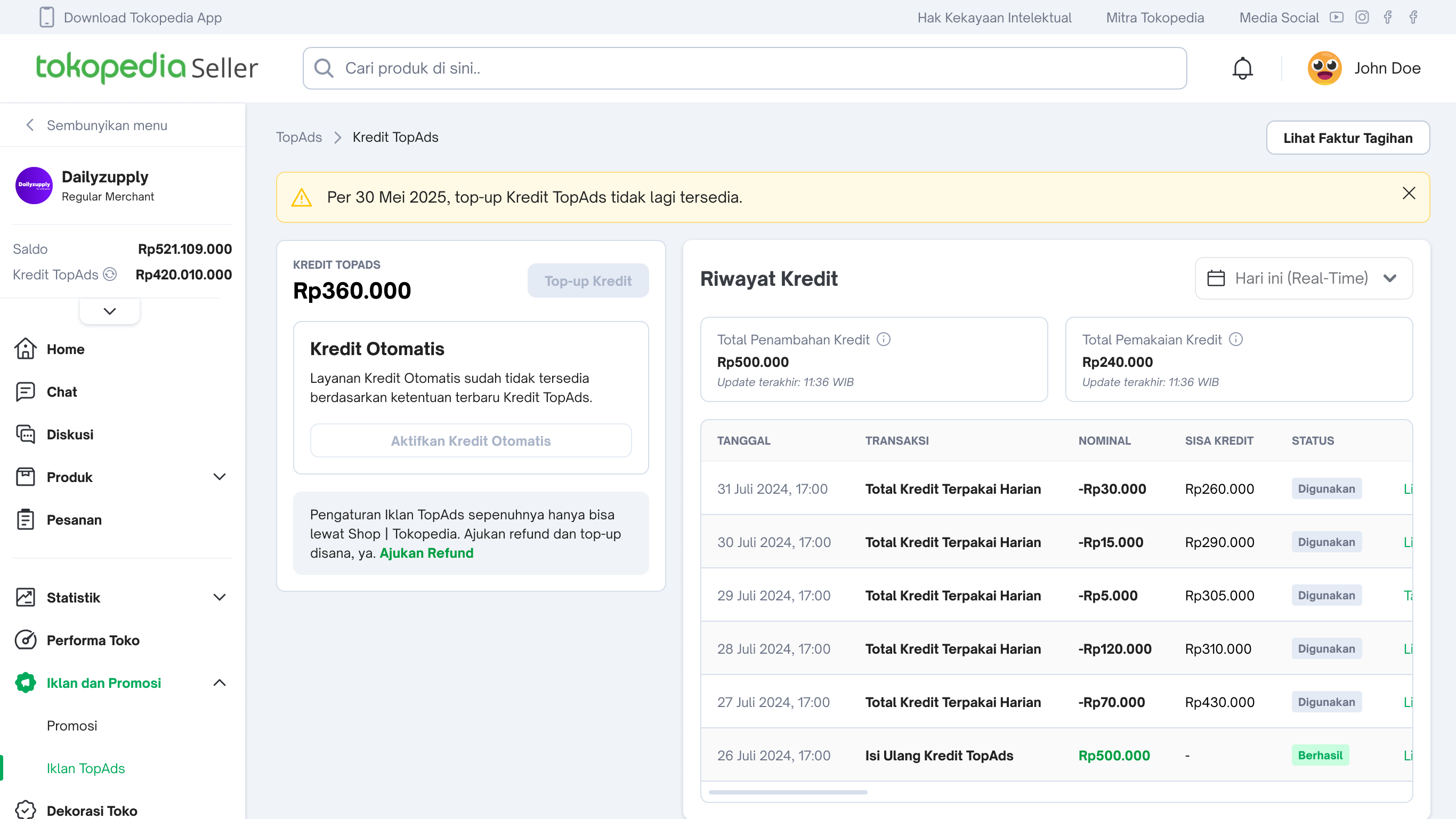
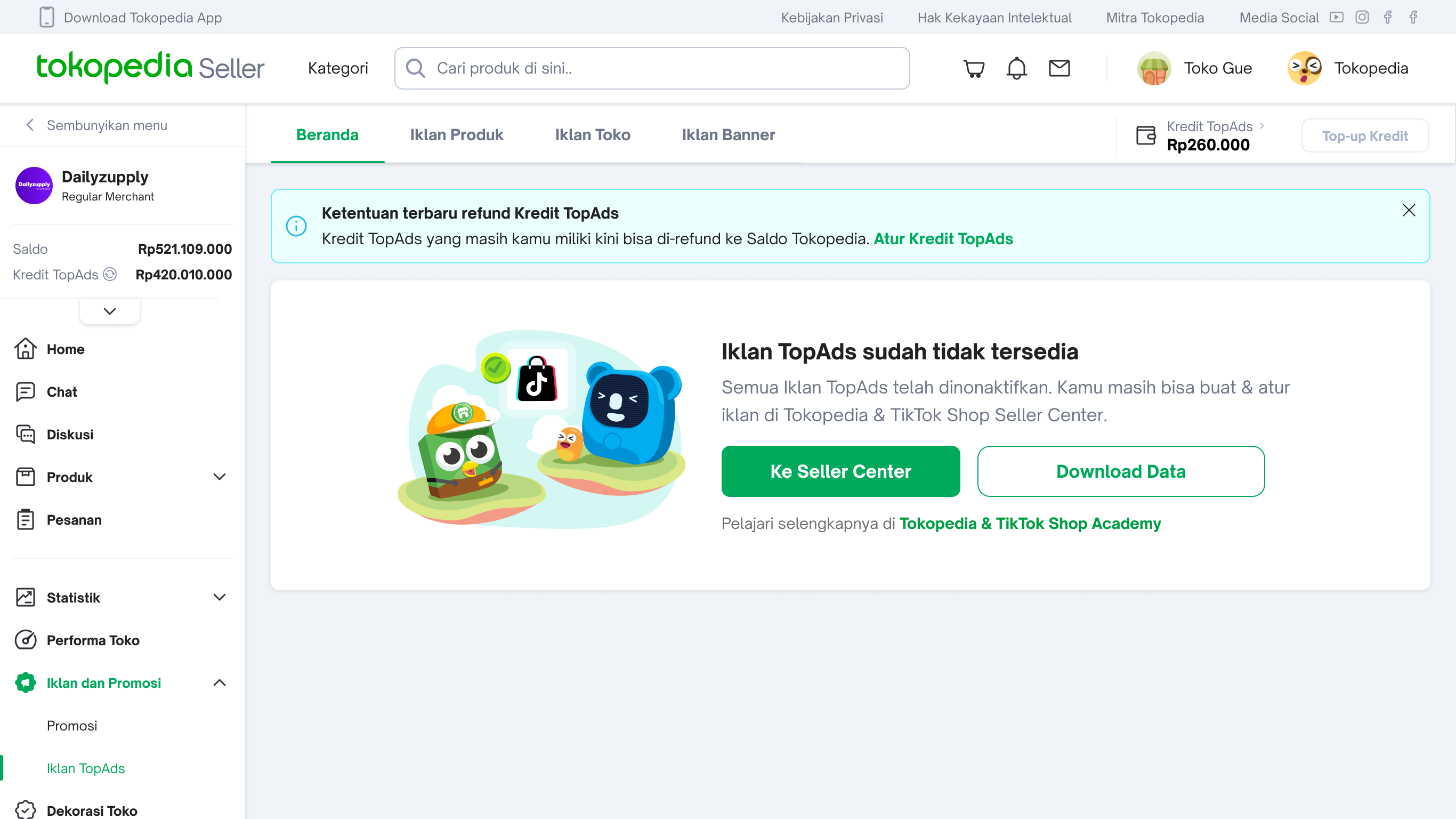
No manual refund request is needed. Refunds will be processed in stages and completed no later than June 16, 2025.
Refund Policy:
To use Ad Credit, you must have sufficient Cash Balance in your account.
Only TopAds paid credit will be converted. Free TopAds Credit from top-up bonuses or promotions will not be converted.
https://seller.tokopedia.com/faktur-toko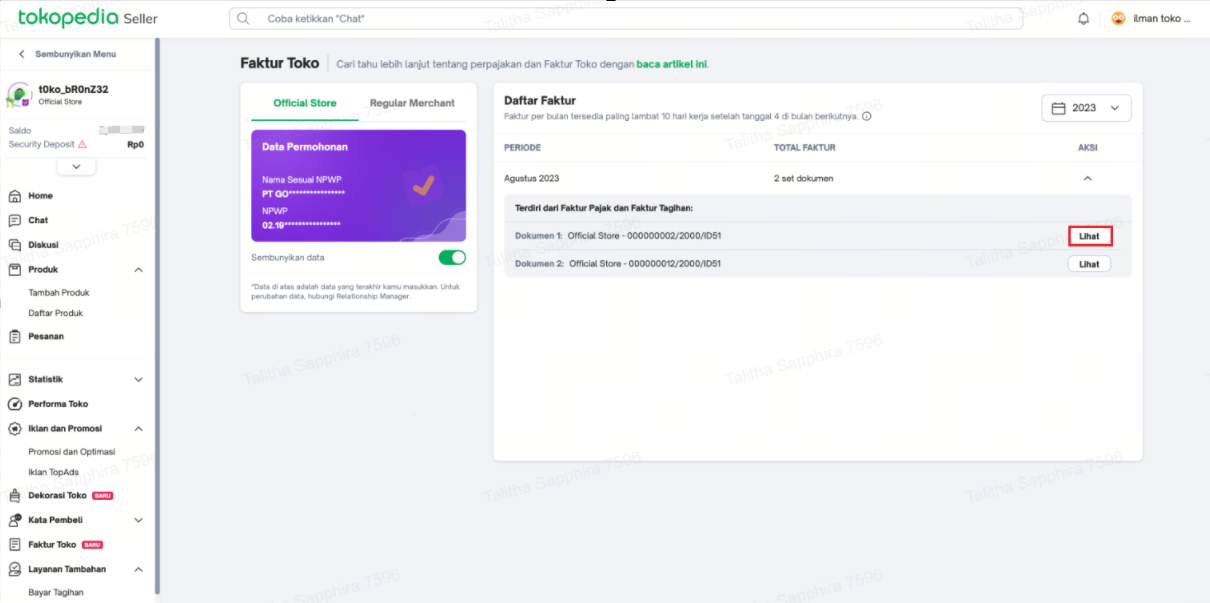
Activate Tokopedia Ads on TikTok Ads Manager now! Learn how here:- Guide to Advertising on Tokopedia and TikTok Shop After Store Merge
- How to Activate Tokopedia Ads on TTAM
- How to Activate Tokopedia Ads on Tokopedia & TikTok Shop Seller Center App
With this improved and more efficient integrated ad experience, Tokopedia will implement several important updates to TopAds on Tokopedia Seller. The following updates will take effect gradually from May to June 2025 on the Tokopedia Seller Dashboard. Mark your calendar:
May 9, 2025
- The TopAds Credit Bonus Program for both manual and automatic top-ups will be discontinued.
May 30, 2025
Ads that are already active will continue to run and can still be managed (e.g., editing budget settings, deleting ad groups, adding products, etc.).
- New ad creation will be disabled for all ad types (Product Ads, Store Ads, and Banner Ads).
Ads can continue running as long as there is sufficient TopAds Credit available.
- The Top-Up Credit feature (manual and automatic) will be disabled.
- During this period, refund options for TopAds Credit will only be available to Sellers who have activated Tokopedia Ads via the Tokopedia and TikTok Shop Seller Center (TTSC) platform.
- The TopAds Suggestion feature will no longer be available.
June 13, 2025
The TopAds dashboard will no longer be available for Product Ads, Store Ads, and Banner Ads (TDN).
The data download feature is only available via Desktop/Web.
- All TopAds campaigns will be deactivated.
- Tokopedia Ad creation can only be done via:
- Tokopedia & TikTok Shop Seller Center (TTSC) on Desktop/Web & App (after you complete Shop Integration — read more in the article Guide to Advertising on Tokopedia and TikTok Shop After Integration), or
- If you already have a TikTok Ads account, you can create new ads directly via TikTok Ads Manager (TTAM). Read more in How to Activate Tokopedia Ads on TTAM.
- TopAds performance data will be available for download from the Tokopedia Seller Center, starting from the period of January 1, 2025.
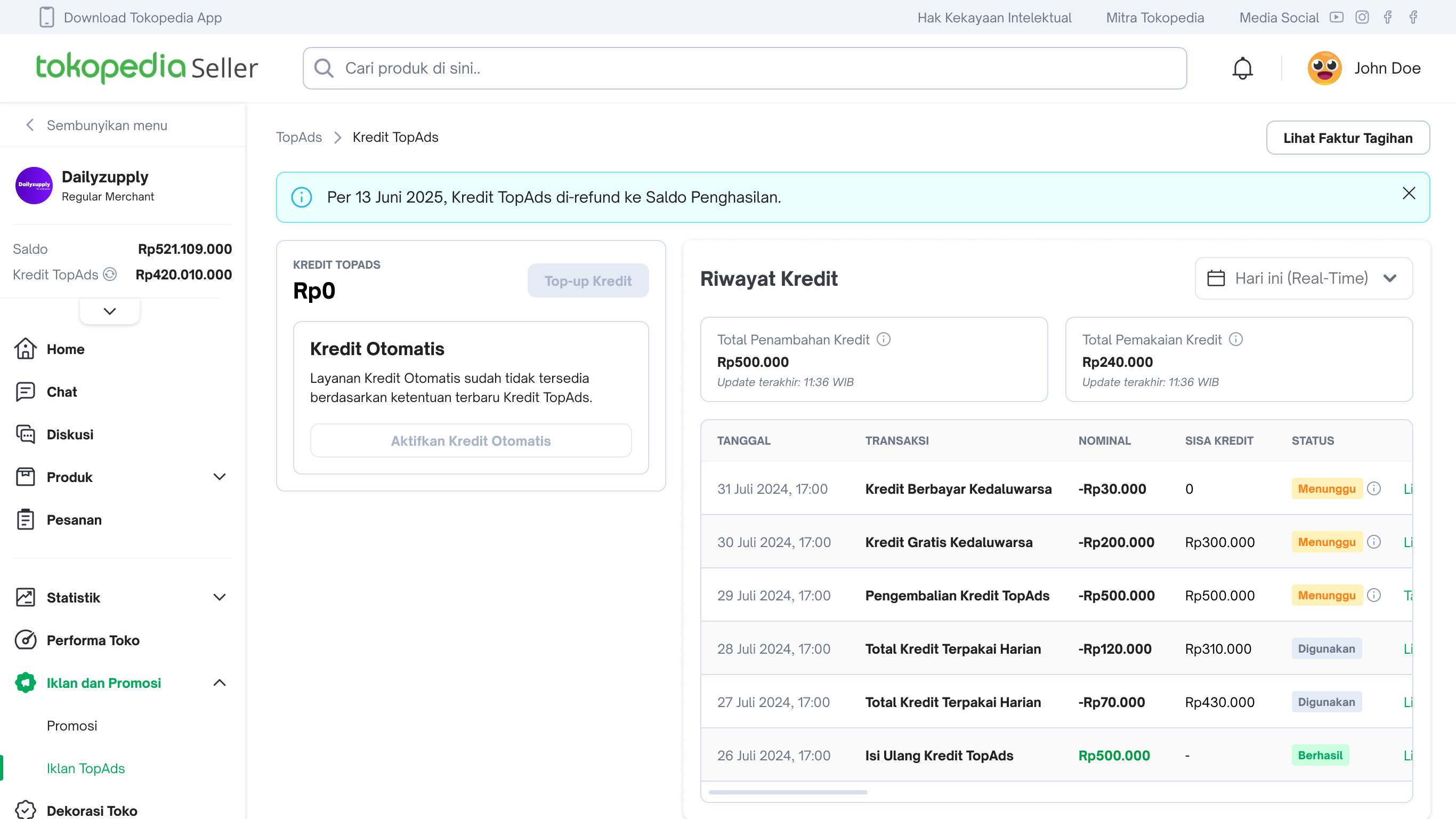
- The TopAds Credit History page will remain available in the Tokopedia Seller Center, also starting from the period of January 1, 2025.
June 13–16, 2025
Unused TopAds Credit will be automatically refunded to your Earnings Balance by the system.No manual refund request is needed. Refunds will be processed in stages and completed no later than June 16, 2025.
Refund Policy:
Credits will be refunded including VAT as per applicable tax regulations.
Credits will be refunded to Earnings Balance excluding VAT.
Credits will be refunded to Earnings Balance excluding VAT.
- TopAds Credit purchased via Manual/Automatic Top-Up:
- TopAds Credit purchased via Invoice-Based Scheme (via Tokopedia Marketing Solutions team):
- TopAds Credit purchased outside the TopAds platform (via promotional packages):
- TopAds Credit from non-purchase sources (e.g., bonus credit or promo code bonus) will expire and cannot be refunded.
Check Your Refund Status and Amount
- The status and amount of your refunded TopAds Credit can be checked regularly through the Credit History page.
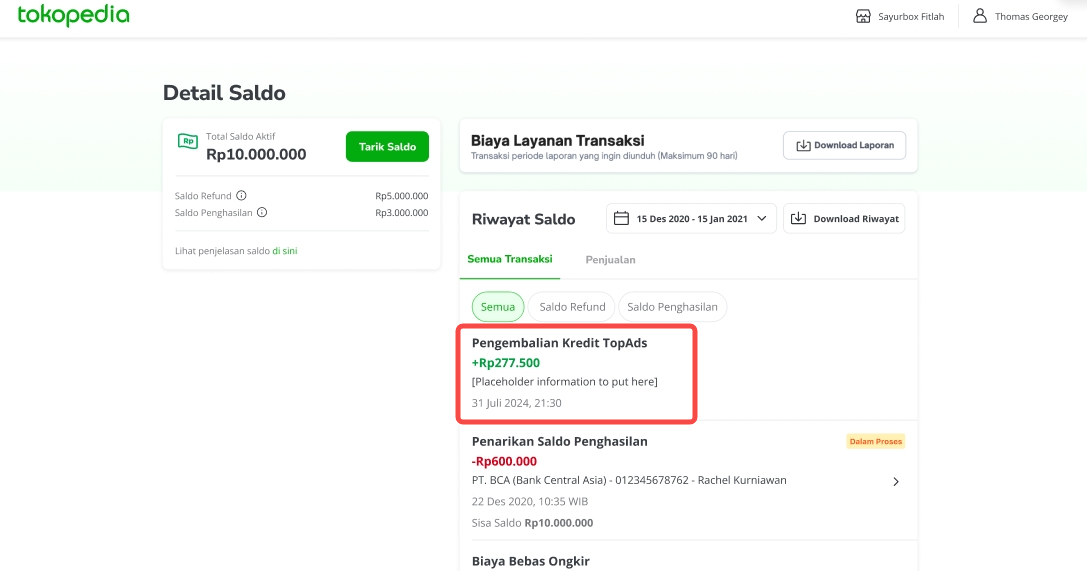
- The refunded TopAds Credit amount (including VAT as applicable) can be checked via the Tokopedia Balance page. The displayed amount reflects the total funds received, including VAT.
June 13–16, 2025 [FOR SELECTED SELLERS]
For Sellers who meet the following criteria as of June 13:- Store integration is complete
- Have an active ad account
- The ad account currency is set to IDR (Indonesian Rupiah)
To use Ad Credit, you must have sufficient Cash Balance in your account.
Only TopAds paid credit will be converted. Free TopAds Credit from top-up bonuses or promotions will not be converted.
How to View Ad Credit in TTSC or TTAM
- Visit TTSC via this link: https://seller-id.tokopedia.com/ads-creation/payment?origin=TKAP
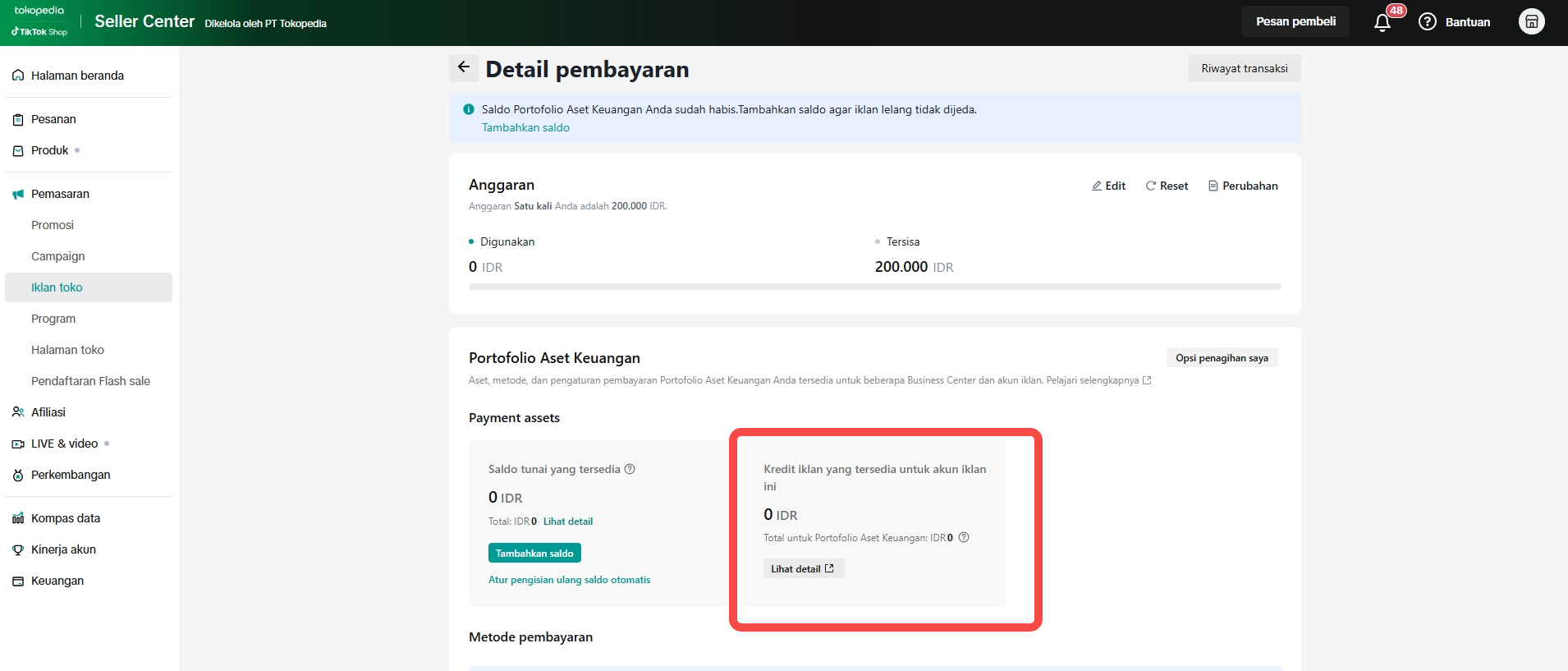
- On the “Payment Details” page in TTSC, you will see the following view:
- Visit TTAM via this link: https://ads.tiktok.com/i18n/account/payment
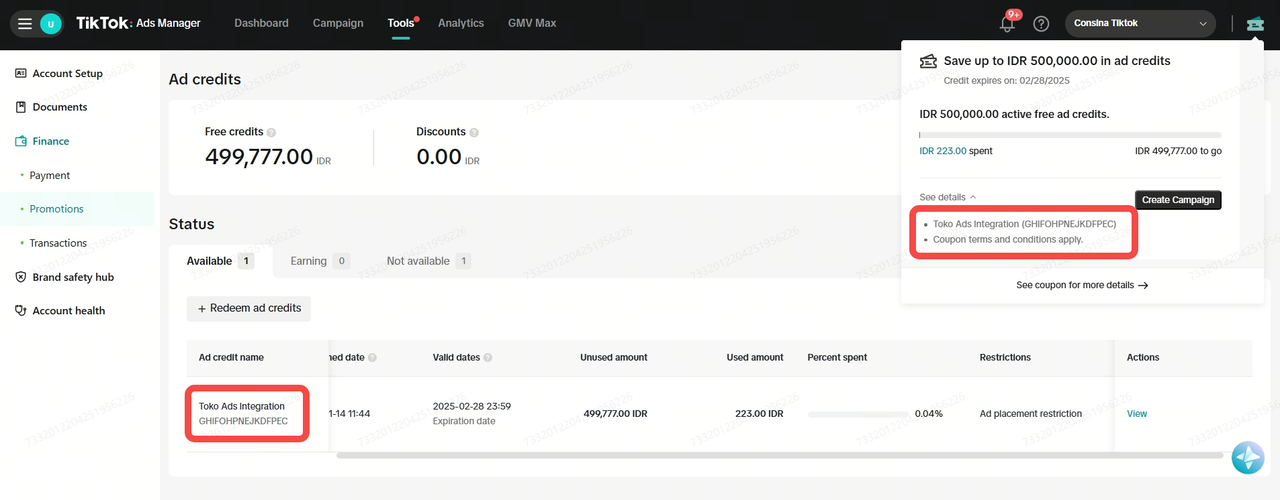
- After logging in, click the coupon icon on the top right corner, then check your converted Ad Credit details.
- You can also view more details via: https://ads.tiktok.com/i18n/account/payment_promotion
[IMPORTANT] How to Request Cancellation of Ad Credit Conversion to TTAM or TTSC
- If you meet the conversion criteria but wish to request a refund to your Tokopedia Earnings Balance, you can request cancellation of Ad Credit conversion by filling out this form: Cancellation Form no later than June 12, 2025.
- By filling out the form, your remaining TopAds Credit will be refunded to your Tokopedia Earnings Balance.
- If you do not submit the form by the deadline, you agree to the TopAds mechanism and accept that remaining credit will expire and be converted into Ad Credit in TTSC.
July 11, 2025
Tax invoices for TopAds Credit purchases (via manual and automatic top-up) will be available on the Store Invoice page in Tokopedia Seller Center via this link:https://seller.tokopedia.com/faktur-toko