

7 Steps to Prepare a High-Performing Short Video
12/29/2024
Hi, Seller!
Want your video content to attract more viewers and boost conversions? It all starts before you upload. A well-prepared video increases visibility on TikTok and gives buyers a clear reason to engage. Let’s go through the 7 most important steps before you hit that upload button!


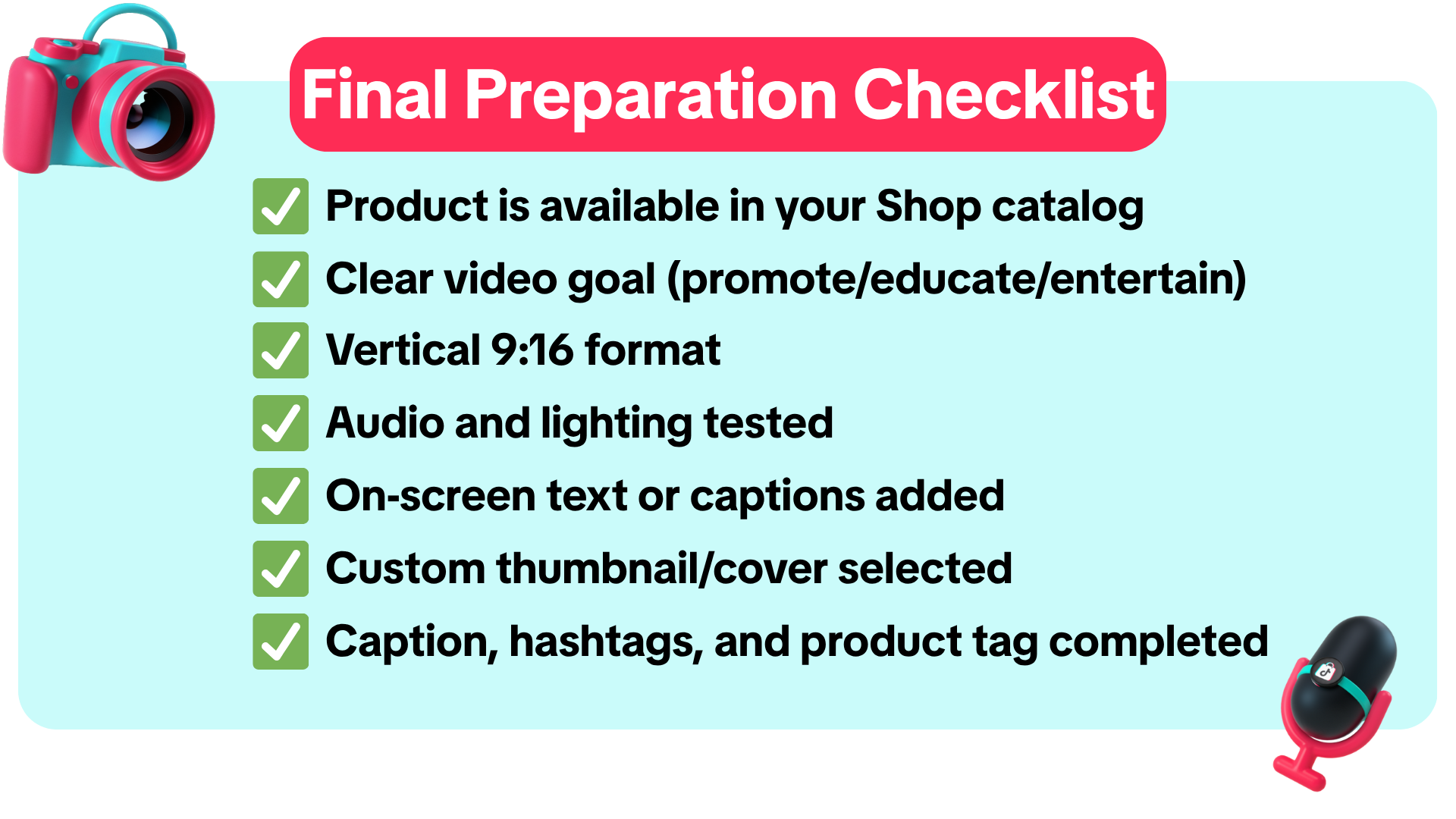

 🎥 Ready to Upload? Let’s Make It Count!Use this checklist every time you create content. A few extra minutes of prep can help you reach more users, boost your shop traffic, and turn views into conversions. Try uploading your next video with all 7 steps checked—and track the difference in performance!
Want your video content to attract more viewers and boost conversions? It all starts before you upload. A well-prepared video increases visibility on TikTok and gives buyers a clear reason to engage. Let’s go through the 7 most important steps before you hit that upload button!
What Makes a Video “Ready” for Upload?
You’ll need the right product, goal clarity, technical quality, and smart optimization—because TikTok’s algorithm rewards videos that are both appealing and relevant to users.Step | Tips | Example |
| 1. Choose the Right ProductFeature a product from your TikTok Shop catalog that’s ready to sell (in stock, on promo, or high-converting) | Prioritize products with high demand or limited-time offersData Compass > Product Card > High Potential Product | 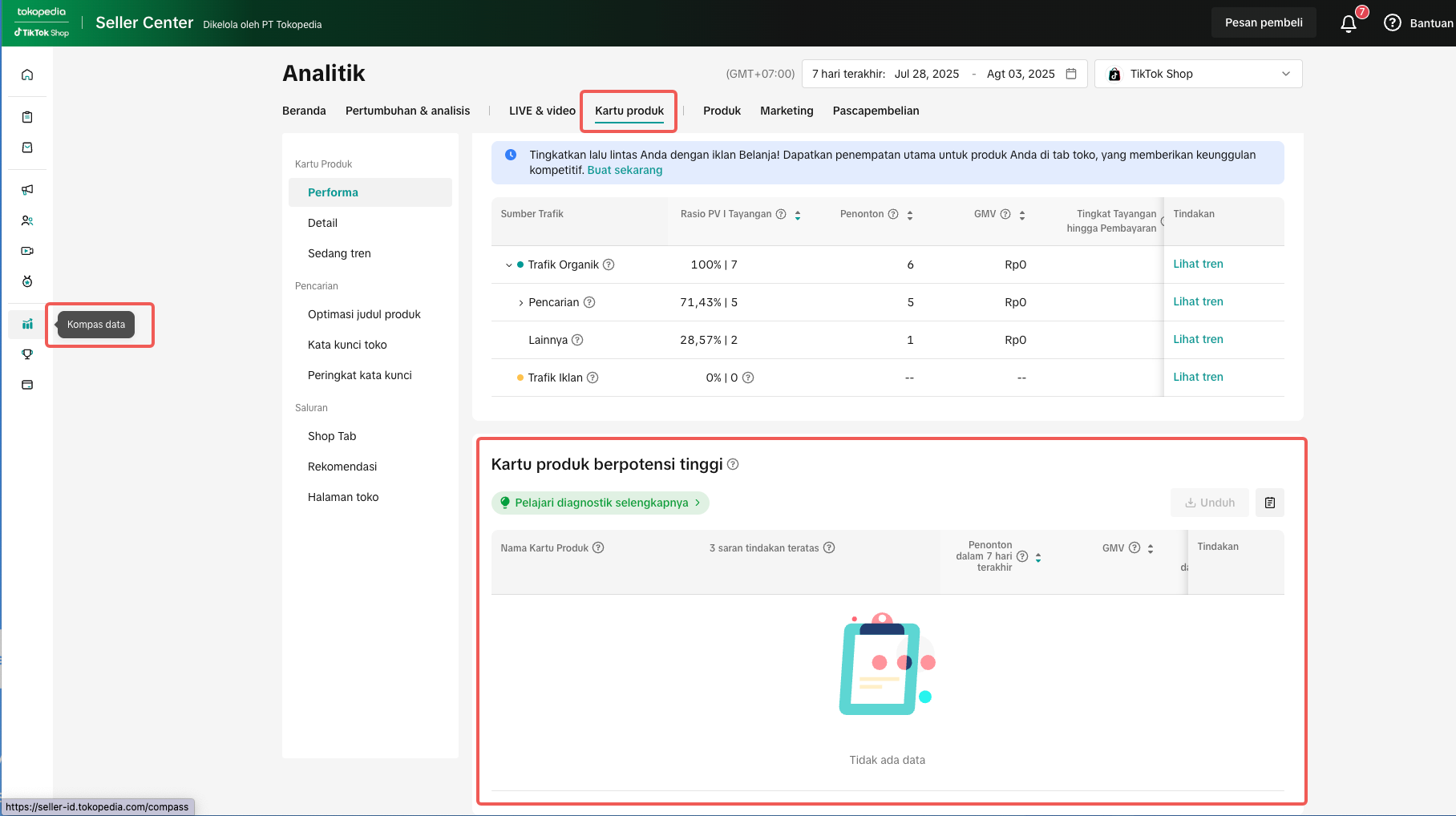 |
| 2. Set a Clear Video ObjectiveDecide whether the video is meant to promote, educate, or entertain | Write down one sentence that guides your script | - |
| 3. Check Audio & Visual QualityUse good lighting, a stable camera, and clear audio | Test your mic, avoid noisy spaces, and use a tripod | - |
| 4. Add Clear Text & VoiceoverInclude on-screen text to highlight your message, and make sure your voice is clear and steady | Use auto-captions or edit in CapCut for better readability |  |
| 5. Use Vertical Video FormatEnsure your video is in 9:16 format to fit TikTok’s full screen | Avoid 1:1 or landscape videos—they’ll be cropped! | |
| 6. Choose an Engaging CoverSelect a thumbnail that best represents your video’s hook | Use eye-catching frames with CTA text like “Watch This!” | 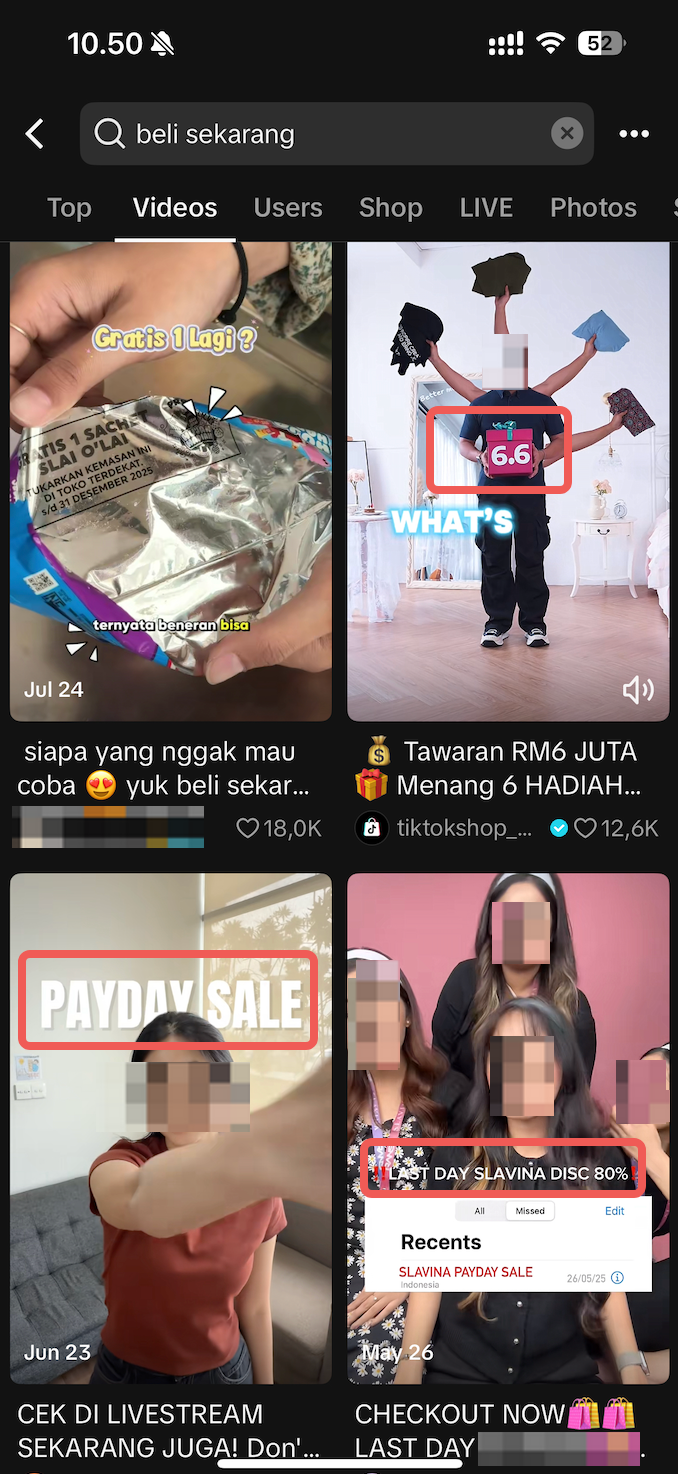 |
| 7. Optimize Description & HashtagsAdd a product tag, use a short CTA in the caption, and apply relevant hashtags | Combine trending hashtags with niche ones (e.g., #Promo88 + #CrystalNecklace) | 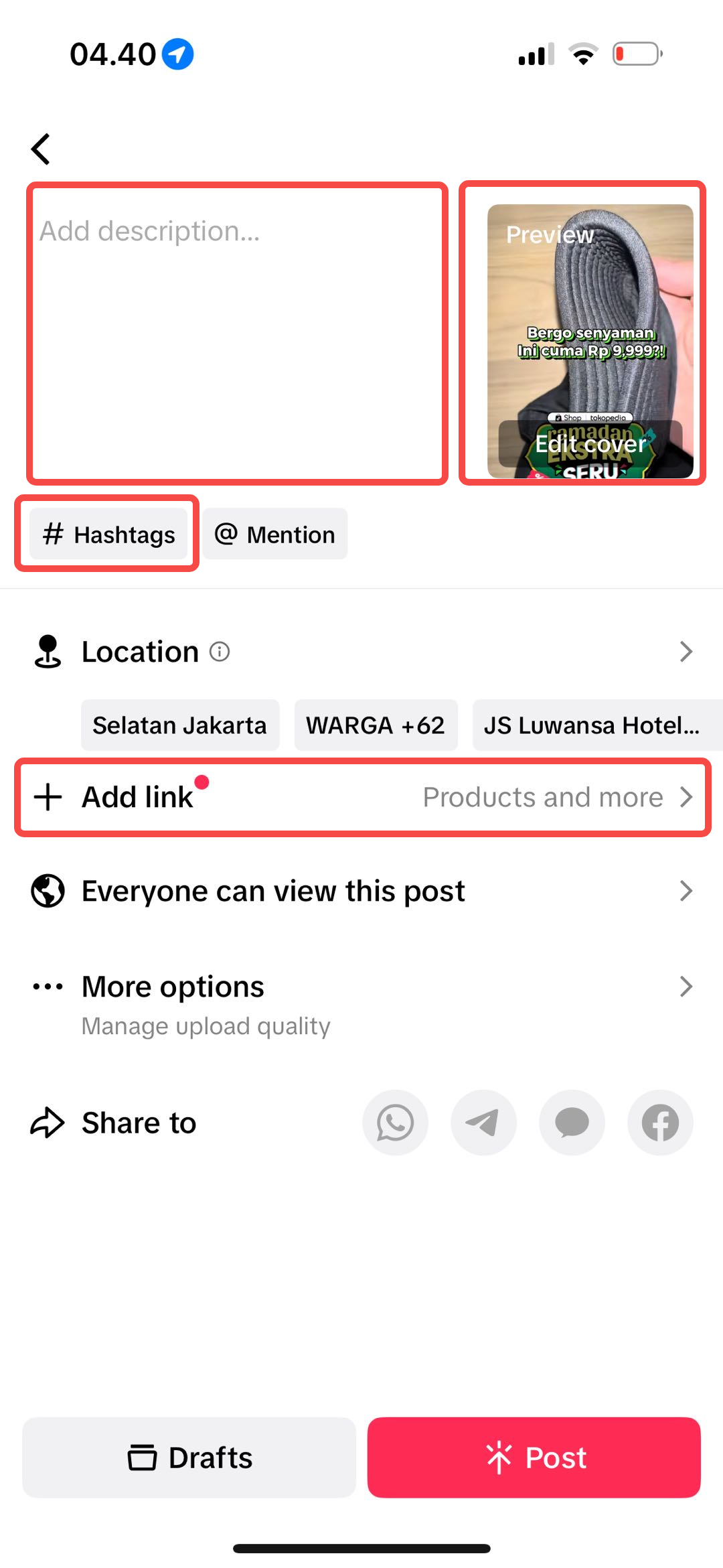 |
Final Preparation Checklist
Common Issues That Hurt Video Quality
Common Mistake | Why It Hurts Performance | Fix It Like This |
| Horizontal or square video | TikTok crops it = poor user experience | Always shoot in vertical 9:16 format |
| No product tagged | Video won’t drive sales directly | Tag the product from your catalog |
| Weak thumbnail | People skip your video | Use a strong visual moment as the cover |
| Too many hashtags or no strategy | Feeds get confused, low visibility | Use 3–5 targeted hashtags only |
You may also be interested in
- 1 lesson
Short Video Overview
Introduction to creating short videos to promote products and engage with potential buyers.
- 8 lessons
Short Video
Learn how to create compelling short-form videos that promote products and build brand awareness.
- 4 lessons
Webinar Replays: Short Video
Watch the Short Video webinar and learn how to create engaging content easily!
- 2 lessons
Short Video Ideation
Creative strategies for generating ideas for your short videos that will resonate with your target a…
- 1 lesson
Do & Don'ts Short Video
Key tips on how to create effective short videos and avoid common pitfalls.
- 2 lessons
Short Video Best Practices
Techniques and tips for optimizing your short videos to increase engagement and conversion.