

[CPAS] 7 Ways to Succeed in Selling with Facebook CPAS for Tokopedia Sellers
07/11/2025
If you’ve already been advertising with Facebook CPAS, let’s take a look at the tips below to help you get the most out of your ads!
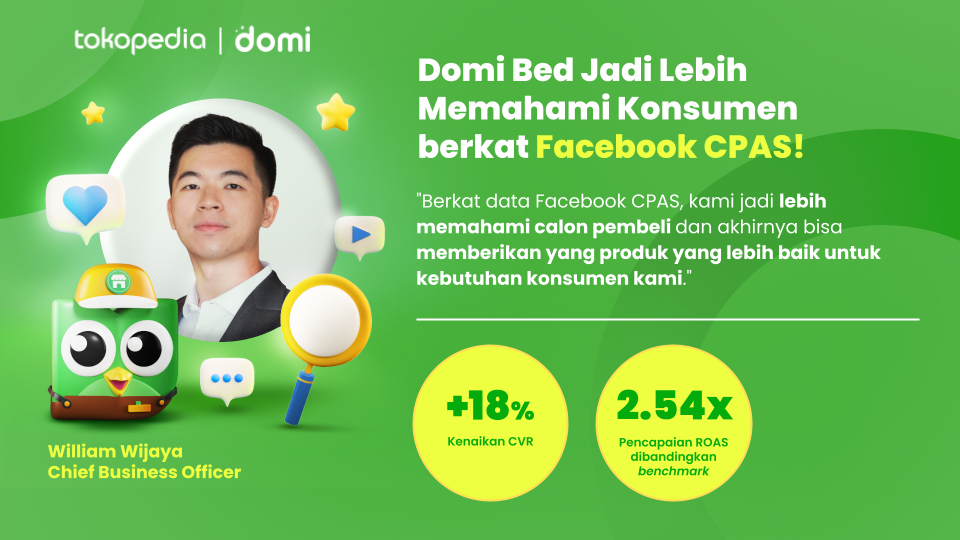
The right trick helped Domi Bed record a transaction increase of up to 18%
7 Tips to Maximize Your Facebook CPAS Performance
Advertising your Tokopedia products through Facebook CPAS doesn’t stop at just creating the campaign. There are several things you need to pay attention to.- Use the Product Set feature in the catalog to group products into different sets
For example, Product Set A has a price range of Rp30,000 to Rp50,000, while Product Set B has a price range of Rp60,000 to Rp100,000.
Remember, avoid using product sets with fewer than 20 products so that your ad campaign can produce optimal results.
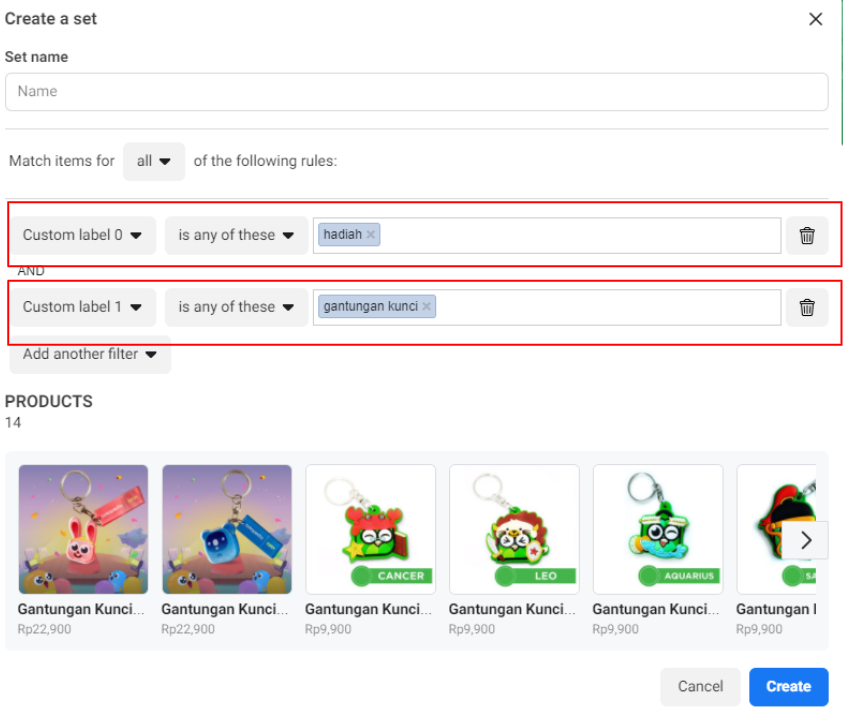
When creating a Product Set, you can arrange the custom label naming format included in the catalog, like the example below:
- Custom label 0: contains the product category
- Custom label 1: contains the product sub-category
- Utilize the Audience feature
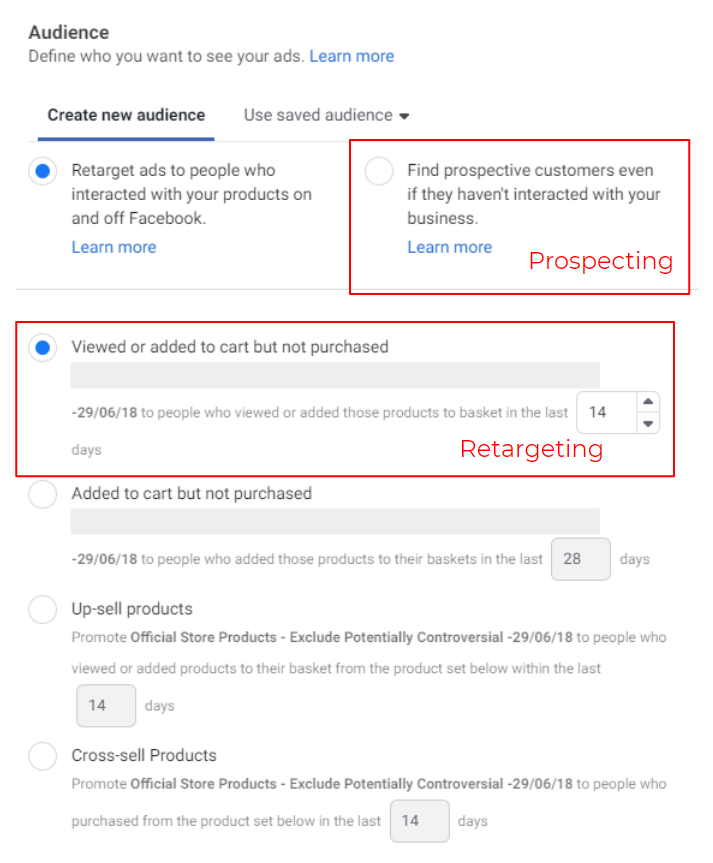
Doing so may cause the retargeting ad set’s audience to be expanded, which in turn could result in the underperformance of the prospecting ad set.
To achieve optimal results for both audiences, create two separate campaigns: one for prospecting and one for retargeting.
This way, both can perform better and deliver maximum outcomes.
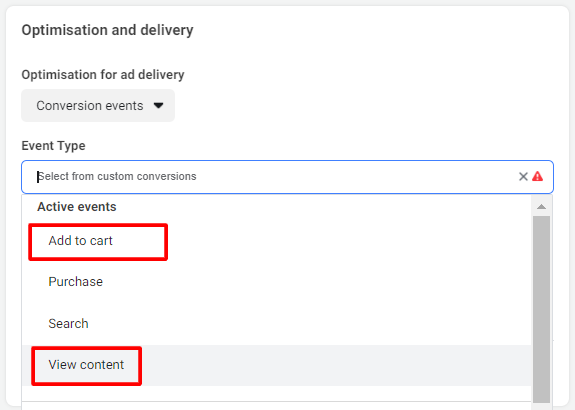
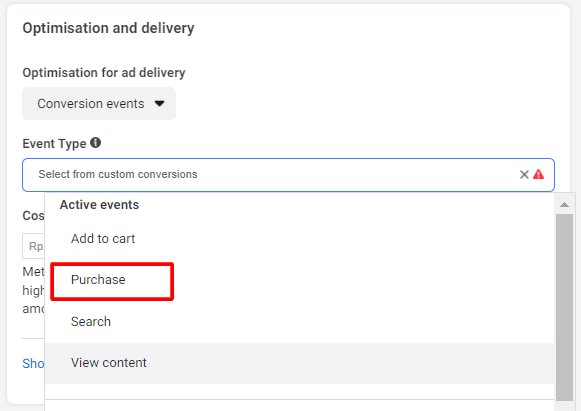
- To achieve better sales results, activate optimization for conversion events
For ads with prospecting audiences, it is recommended to use optimization for View content or Add to cart, as illustrated below.
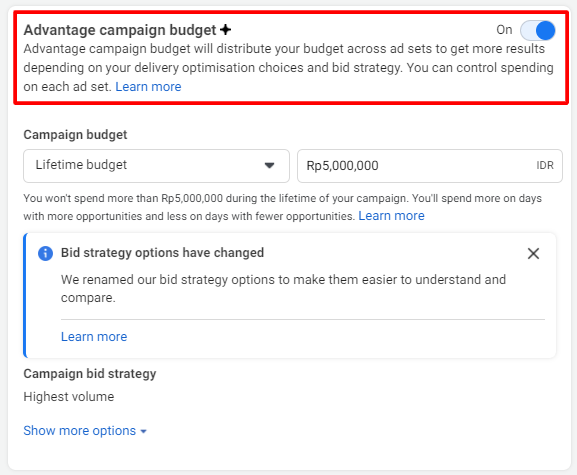
- Activate Advantage Campaign Budget at the campaign level
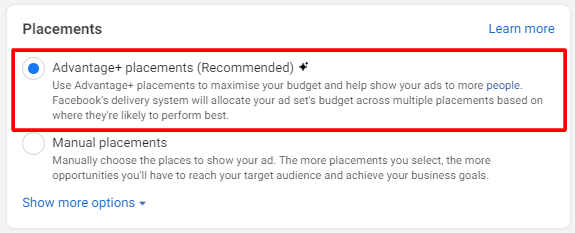
- Use Advantage+ placements to display your ads in more placements efficiently
This can help you reach new potential buyers and increase sales.
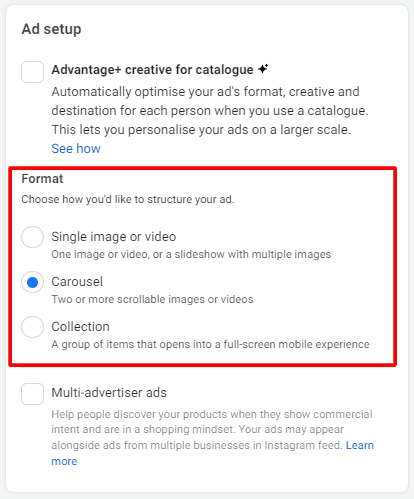
- In the Ad setup menu, create a minimum of 3 ads in 1 ad set for ideal results
In addition, you can identify which ad format is more preferred by your audience and delivers the best performance.
Facebook will also be able to optimize your ads by rotating which ads are shown.
In the Format selection, it is recommended to combine Carousel and Collection formats so that audiences can see more varied ads.
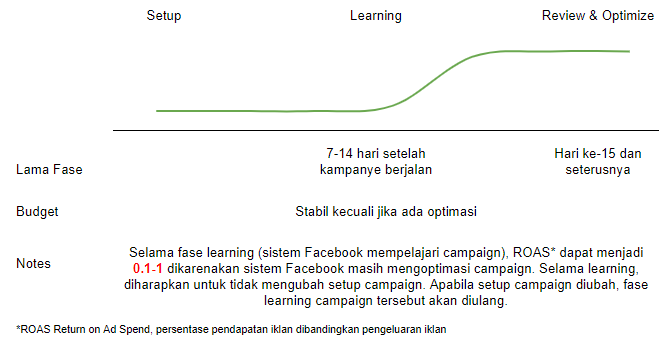
On day 15 and beyond, you can begin to monitor performance and optimize it for even better results.
Take a look at the illustration of Facebook CPAS ad optimization below.
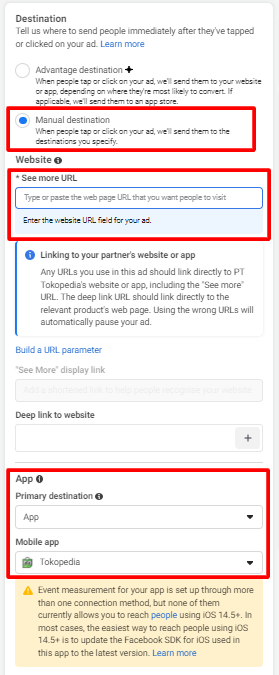
- Set the CPAS ad destination to the Tokopedia app when setting up the ad
When setting up the ad, select Manual destination in the destination section and choose the Tokopedia app.
With this method, potential buyers who click your ad will be directed straight to the Tokopedia app on their device.
Your ad performance will also surely improve!
That’s it—several tips you can apply when promoting your Tokopedia products through Facebook CPAS.
If you have any further questions, feel free to visit the Facebook Help..
Good luck, Seller!
Frequently Asked Questions:
- Are there best practices for running Facebook CPAS?
You can read the Best Practices Playbook to optimize your Facebook CPAS campaign performance.
- Can TopAds balance be used to operate Facebook CPAS?
For Facebook CPAS, you can use your Facebook balance, which you can set to your preferred currency.
- What if I face performance issues in the campaigns I run?
However, if you encounter any issues in connecting the product catalog via Facebook CPAS on the Tokopedia Seller page, you can contact your RM or Customer Service to help resolve the issue.