[CPAS] Reach More Buyers with Facebook CPAS Ads for Tokopedia Sellers
07/11/2025
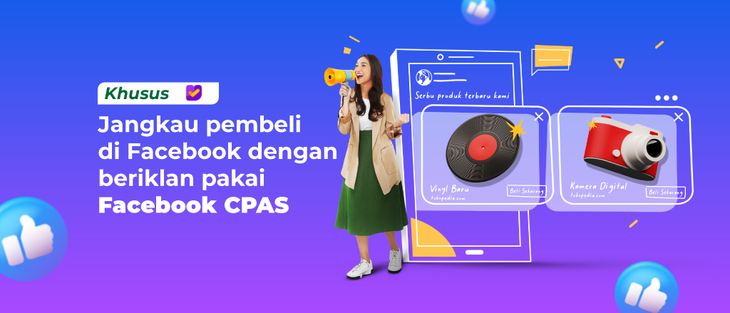
What is Facebook CPAS?
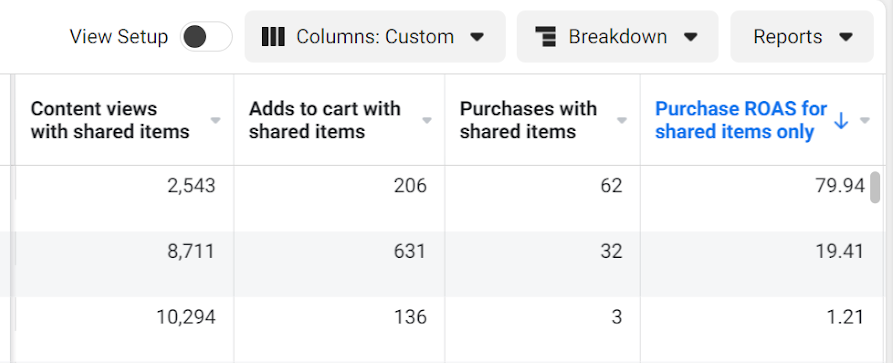
Facebook Collaborative Performance Advertising Solution (CPAS) is a feature from Facebook that allows Sellers to run marketing campaigns with the goal of increasing product sales on Tokopedia.With Facebook CPAS, Sellers can target product ads to Facebook audiences who have already shown interest in their products or stores on Tokopedia. In addition, Sellers can also view ad performance directly through the Facebook Ads Dashboard.
Facebook CPAS is available for Sellers with Official Store membership status.
English Version
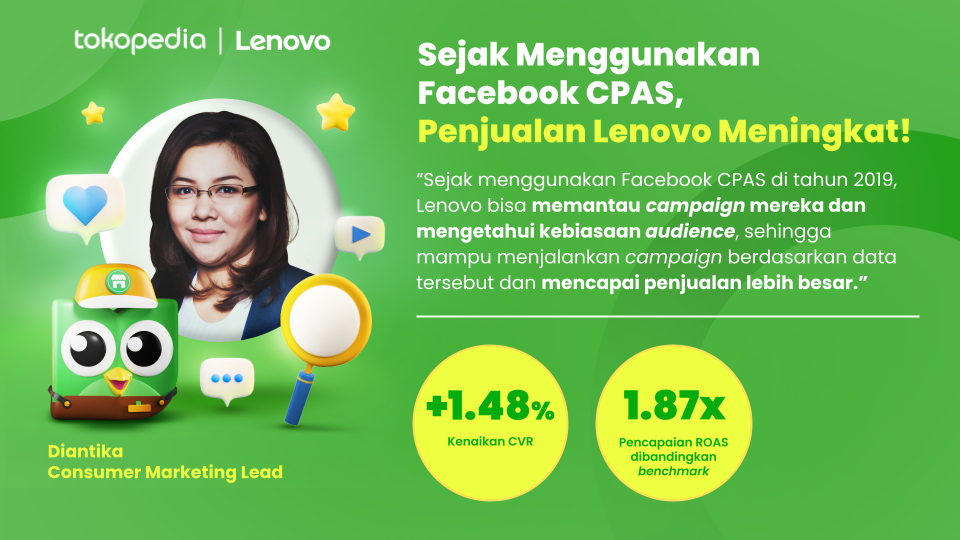
Facebook CPAS helps boost Lenovo’s sales!
Benefits of Using Facebook CPAS
Here are some of the benefits you can enjoy when using this feature: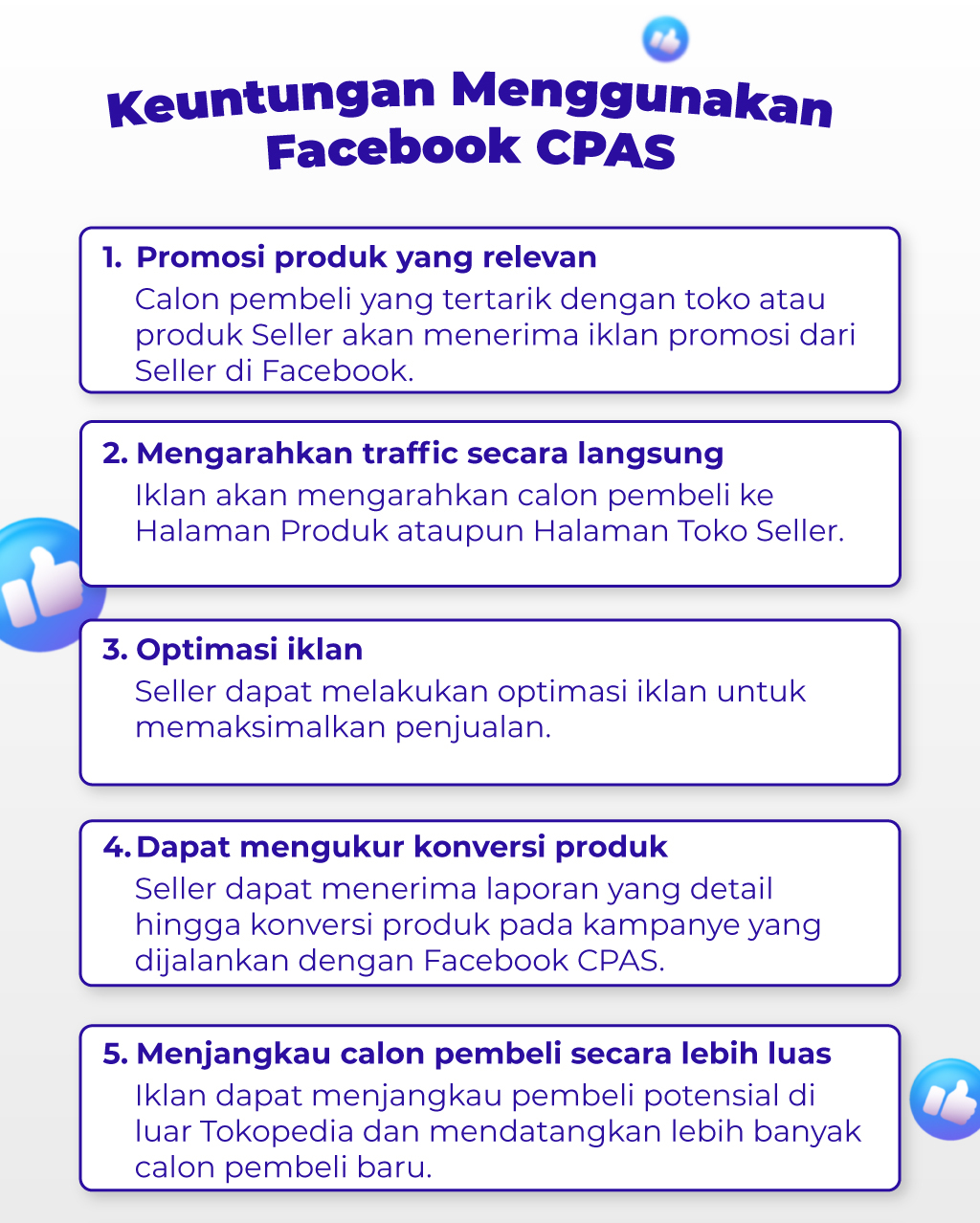
Who Can Use Facebook CPAS?
Facebook CPAS can be used by Sellers who meet the following criteria:- The Seller has an Official Store status.
- Has a Facebook Business Manager account.
- It is recommended to have at least 20 active SKUs for better campaign performance.
- Does not sell products or services prohibited by Tokopedia or Facebook. Click here for the full list of restricted products.
Advertising Flow with Facebook CPAS
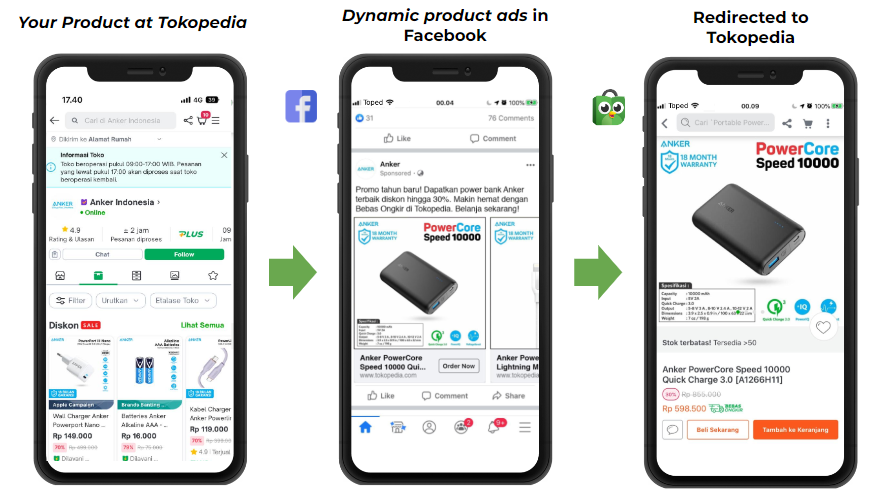
How to Advertise with Facebook CPAS
To advertise using Facebook CPAS, you need to complete these 3 steps:- Create a Facebook Business Manager account here. Follow the setup guide here.
- Activate Facebook CPAS on the Tokopedia Seller page.
- Create an Ad Campaign from the Facebook CPAS page.
Let’s start reaching more potential buyers through Facebook CPAS now. Good luck!
Frequently Asked Questions (FAQ)
- What is the difference between Facebook Collaborative Ads (CPAS) and regular Facebook Ads?
Meanwhile, Facebook Collaborative Ads or Facebook CPAS is a part of Facebook Ads where you can use your Tokopedia store’s products as a catalog for the campaign. A major advantage of CPAS is that you can see how many people viewed your product, added it to their cart, and completed purchases in real time—all through your Facebook Ads Manager dashboard.
- Can Tokopedia share audiences beyond those who have interacted with my product or store?
- What kind of report will I receive from Facebook CPAS?