

Enhance Sales with Shoppable Video Feature
10/21/2024
Hi Seller!
Do you want to create more sales through your Short Video? Worry not~ ShopTokopedia has provided Shoppable Video Feature, an all-in-one source to search for the best tips, inspiration, and tools for sellers on how to create intriguing content to promote your products? Aren't you excited? Let's talk about it!
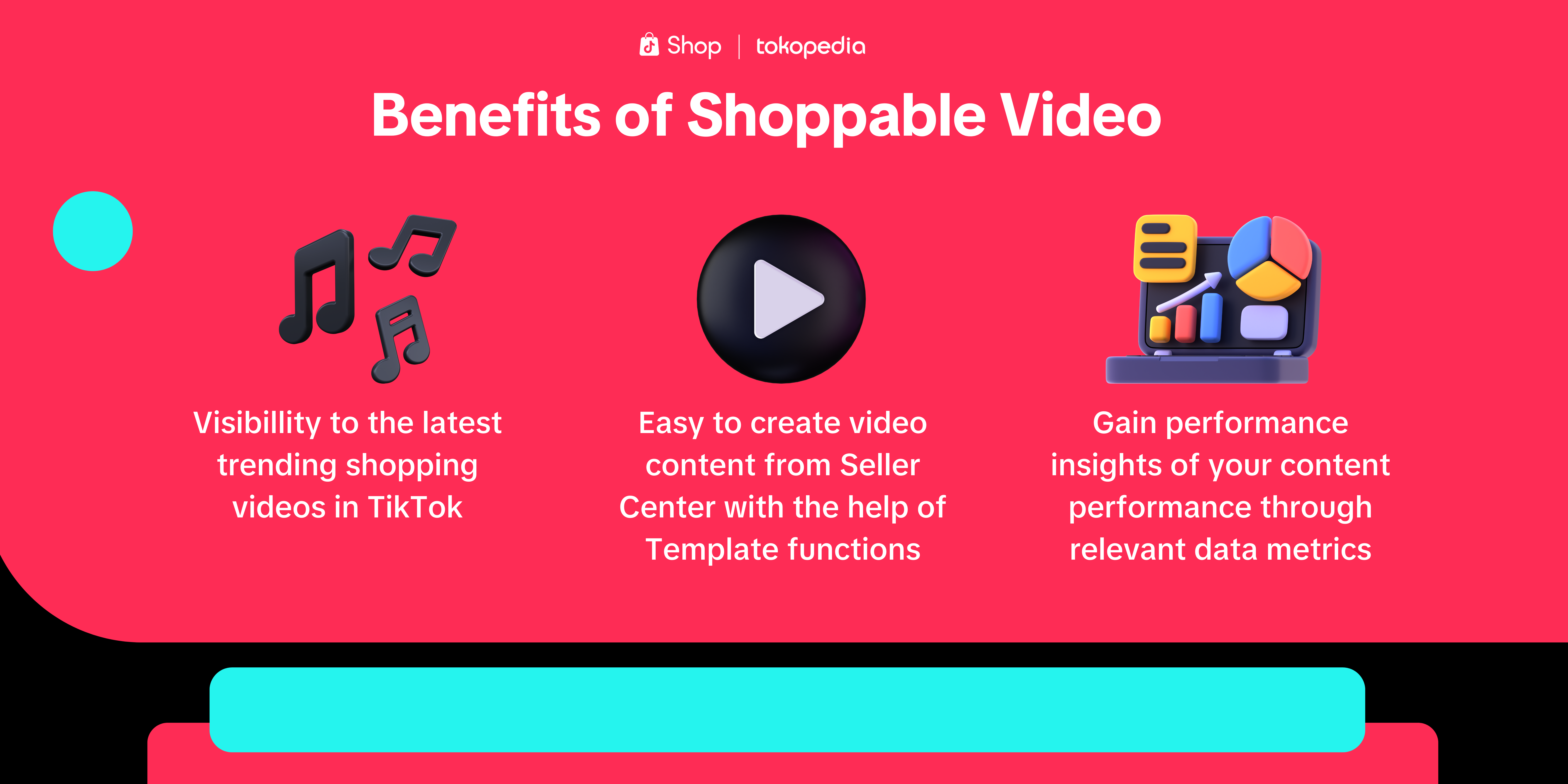 So, not only will it help you check the best practice and most performing short video content that generates sales, the Shoppable Video feature will also help you compile performance insights that can help you brainstorm your next content based on data! Interesting, right?
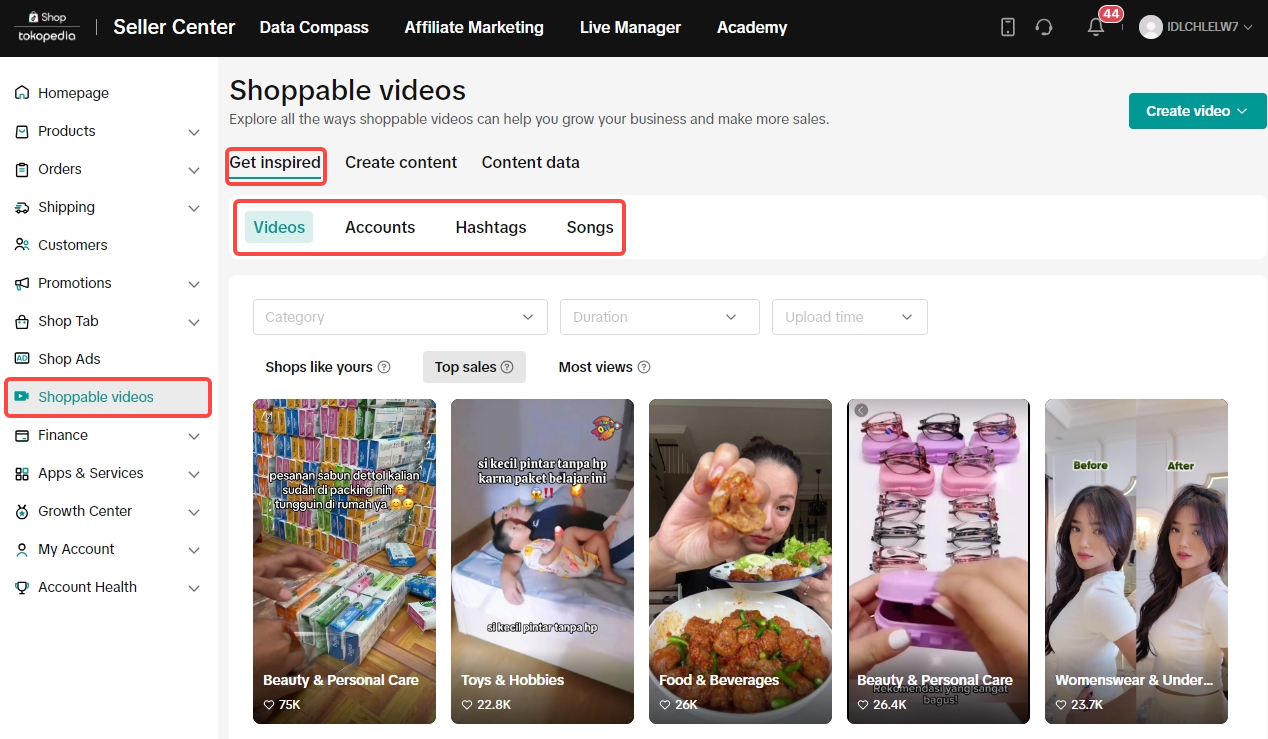 Once you click "Shoppable Video" on Seller Center, the "Get Inspired" tab will provide all the inspirations that you need from videos, accounts, hashtags, also songs. You can also see the video inspiration based on 3 grouping:
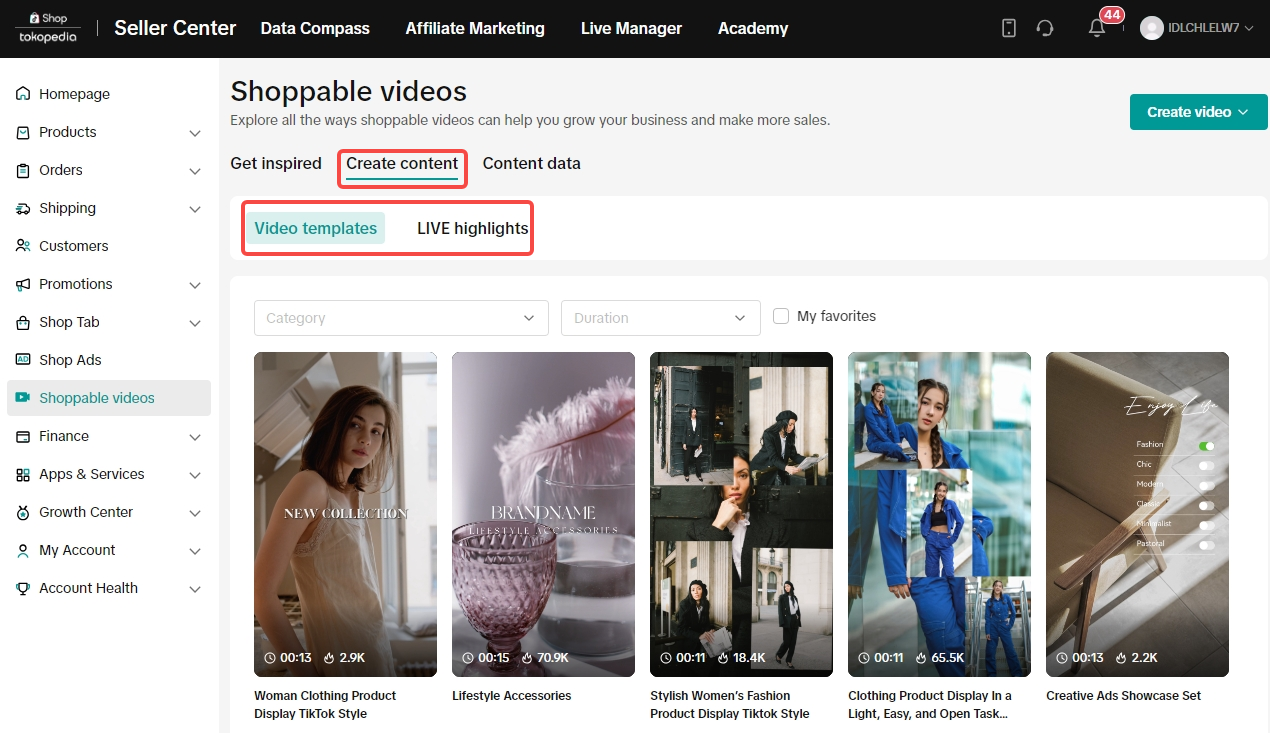 Once you get your inspiration, now it's time to create your content! Click on the "Create Video" tab and you will be provided with:
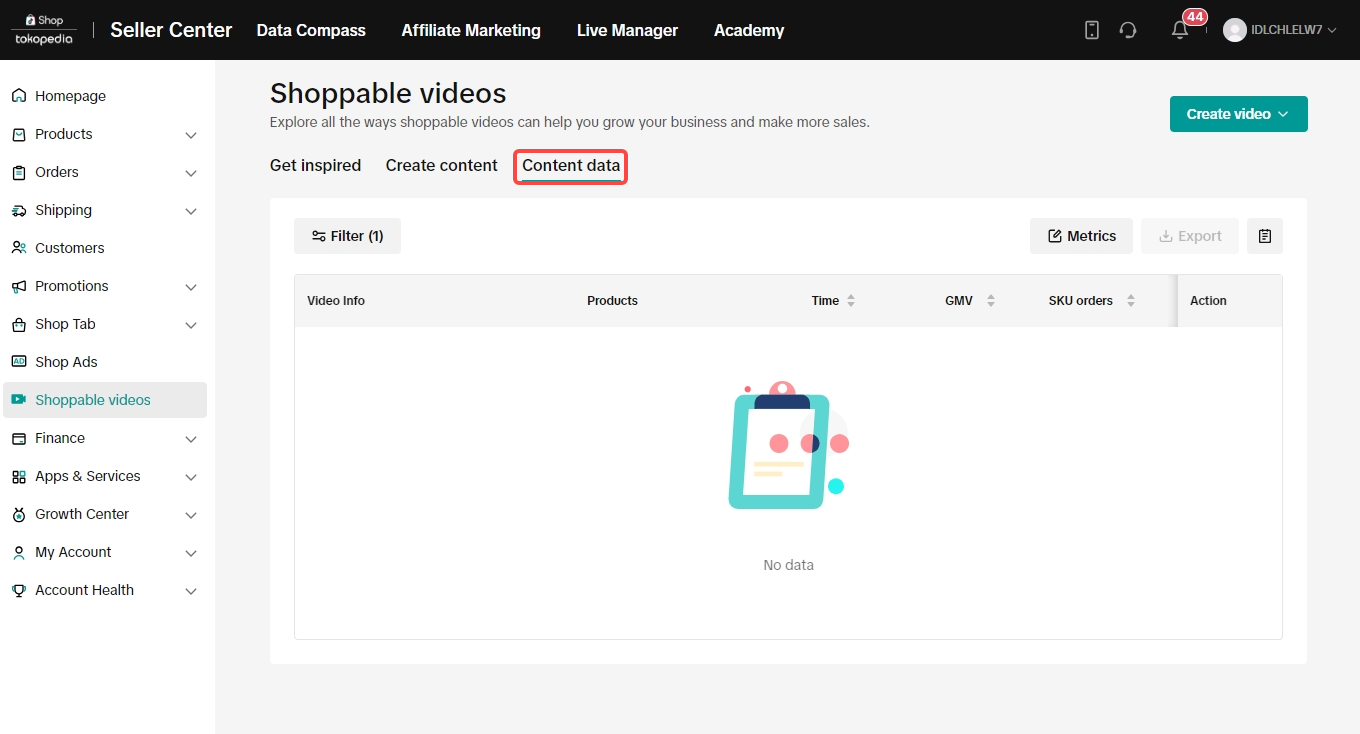
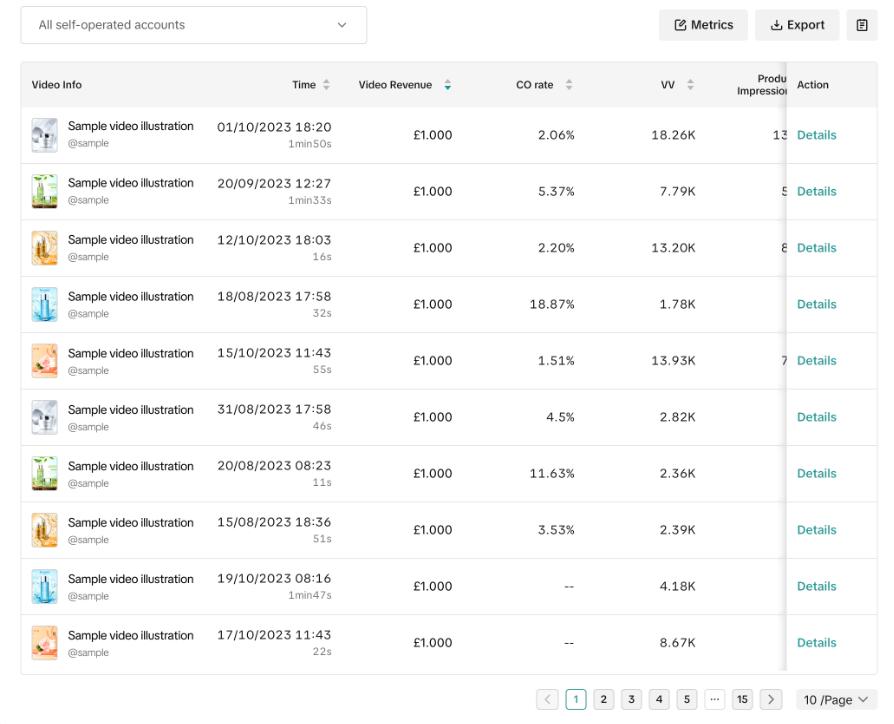 After all the fun and creativity of creating Shoppable Video, don't forget to check your published video's performance through the dashboard by clicking "Content data". The data can be helpful for you to analyze which content generates high numbers of sales, so you can recreate it again!
So, what are you waiting for? Let's try the Shoppable Video feature and create one!
Do you want to create more sales through your Short Video? Worry not~ ShopTokopedia has provided Shoppable Video Feature, an all-in-one source to search for the best tips, inspiration, and tools for sellers on how to create intriguing content to promote your products? Aren't you excited? Let's talk about it!
What are the Benefits of Shoppable Video?
So, not only will it help you check the best practice and most performing short video content that generates sales, the Shoppable Video feature will also help you compile performance insights that can help you brainstorm your next content based on data! Interesting, right?How to Access Shoppable Video?
Now, let's get to the part where we walk through the steps of accessing Shoppable Video,Step 1: Access Shoppable Video through Seller Center
Once you click "Shoppable Video" on Seller Center, the "Get Inspired" tab will provide all the inspirations that you need from videos, accounts, hashtags, also songs. You can also see the video inspiration based on 3 grouping:- Shop like yours: showing all the videos that are relevant or sell similar products to your shop
- Top sales: showing all the videos that generate a lot of sales
- Most views: showing all the videos that generate a high number of views
Step 2: Start Creating your Content
Once you get your inspiration, now it's time to create your content! Click on the "Create Video" tab and you will be provided with:- Video templates: all the available and trending templates that you can use to create your shoppable video content
- LIVE highlights: a recap video on your recent Livestreaming, it will be added automatically if you have at least 300 views during livestreaming
Step 3: Analyze your Content Performance
After all the fun and creativity of creating Shoppable Video, don't forget to check your published video's performance through the dashboard by clicking "Content data". The data can be helpful for you to analyze which content generates high numbers of sales, so you can recreate it again!So, what are you waiting for? Let's try the Shoppable Video feature and create one!