

Managing Combined & Split Orders: Fulfillment Made Flexible
12/29/2024
Hi Seller!
Need more flexibility in fulfilling orders? With Seller Center, you can now combine multiple orders into one package or split one order into multiple shipments — all while maintaining accurate tracking and clear operations.
This guide helps you choose the right method for your fulfillment flow and execute it efficiently.

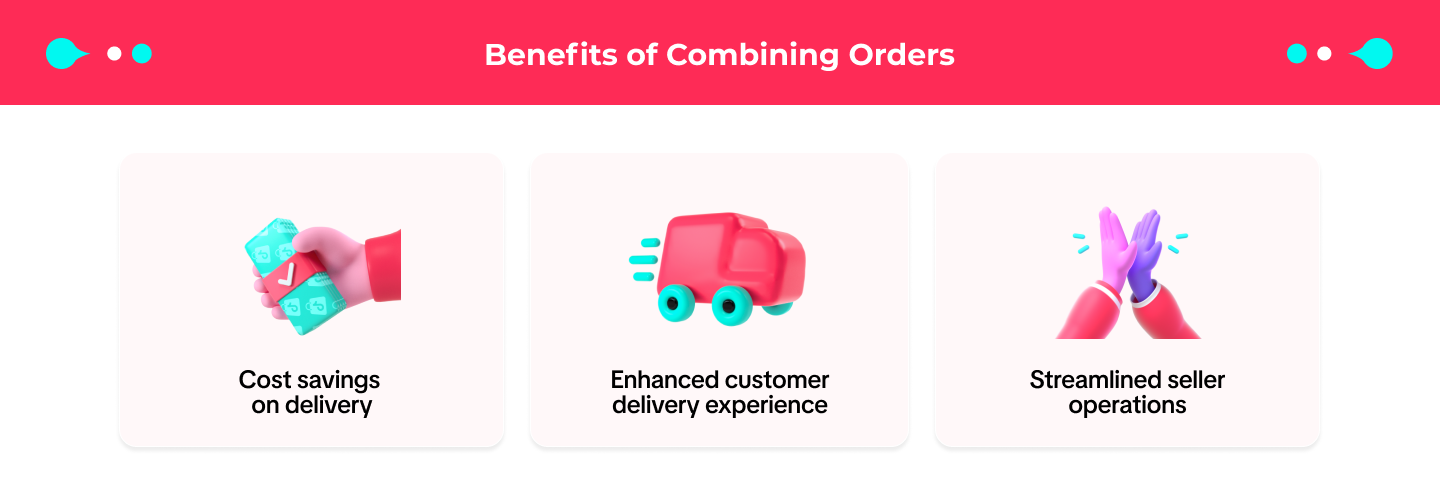





 Try It Today – Streamline Your FulfillmentWhether you're handling large order volumes or unique buyer requests, combining and splitting orders helps you stay flexible and efficient.
Need more flexibility in fulfilling orders? With Seller Center, you can now combine multiple orders into one package or split one order into multiple shipments — all while maintaining accurate tracking and clear operations.
This guide helps you choose the right method for your fulfillment flow and execute it efficiently.
Why Combine or Split Orders?
Every seller has different operational needs. Sometimes combining orders is faster and more efficient, other times splitting is necessary to avoid delays.When Should You Combine or Split Orders?
Scenario | Combine Orders | Split Order |
| Buyer is the same | ✅ Yes | — |
| Same shipping address | ✅ Yes | — |
| Same shipping option and courier | ✅ Yes | — |
| COD orders | ❌ Not allowed | ✅ Allowed |
| Meets weight & size limits | ✅ Required | — |
| Items are out of stock or delayed | — | ✅ Yes |
| Buyer requests partial delivery | — | ✅ Yes |
| Fragile or bulky items need separation | — | ✅ Yes |
| Courier supports multi-package shipment | — | ✅ Required |
| Within platform shipping policy | ✅ Yes | ✅ Yes |
How to Combine or Split Orders?
How to Combine Orders
| 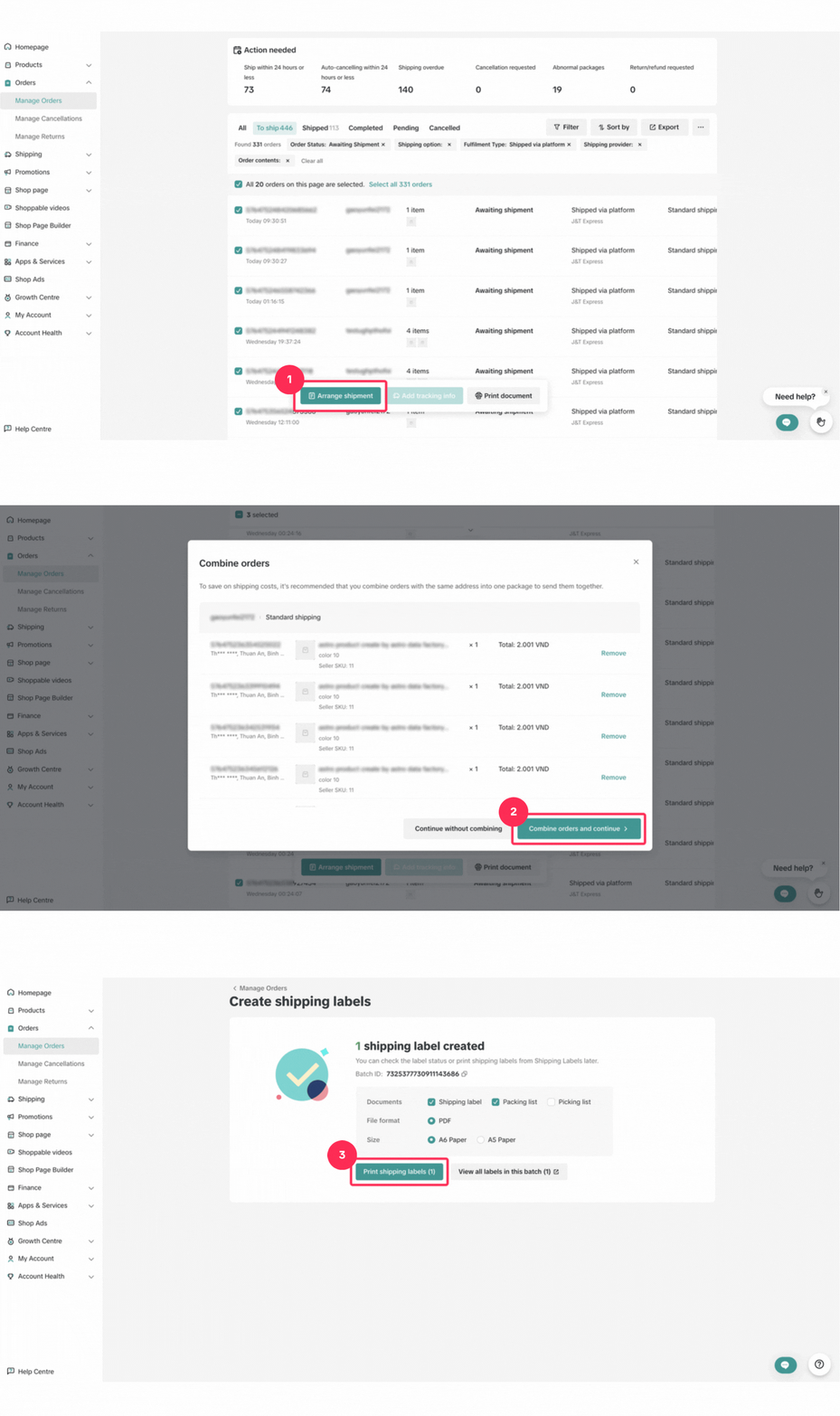 |
How to Split Orders
| 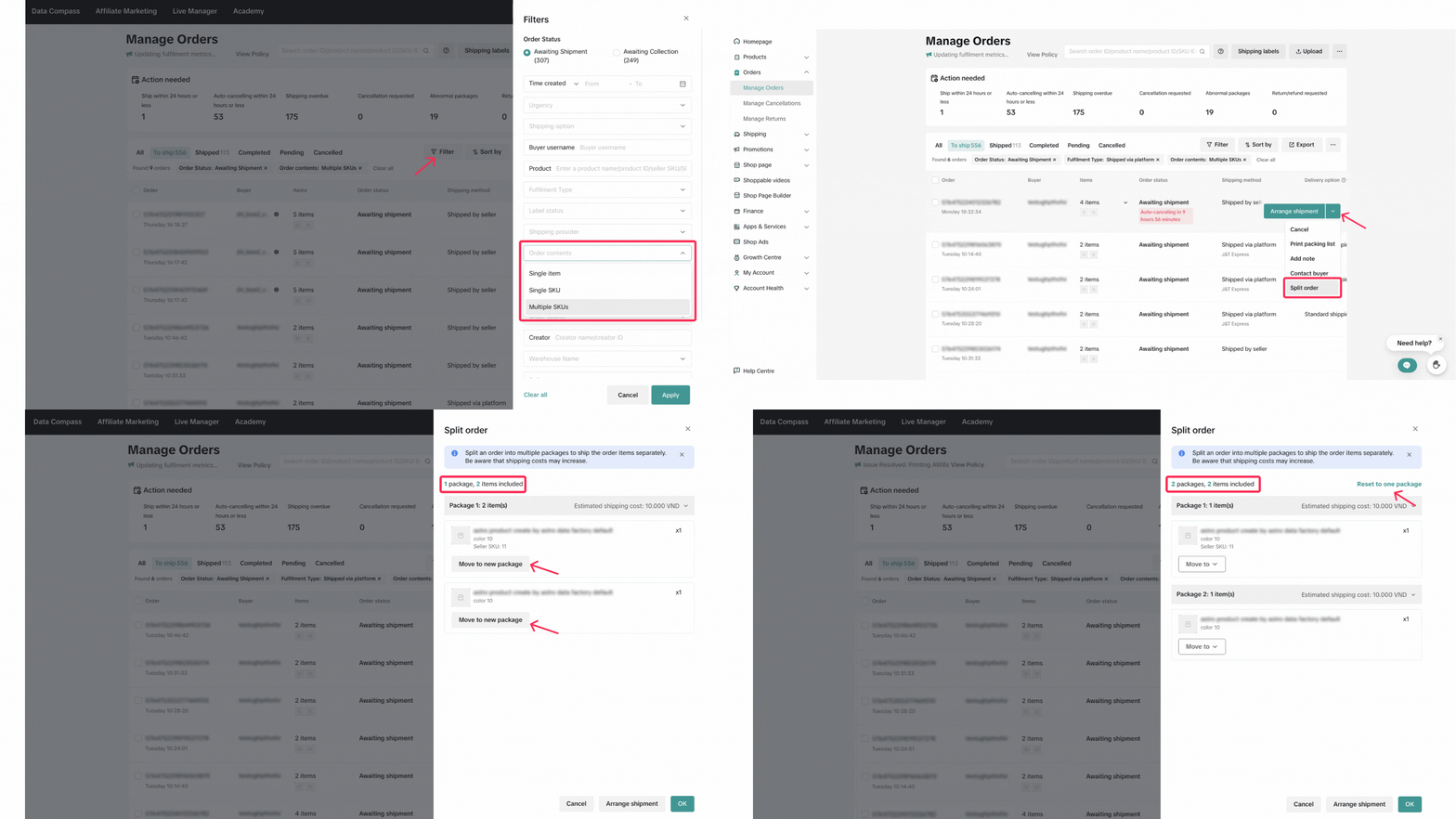 |
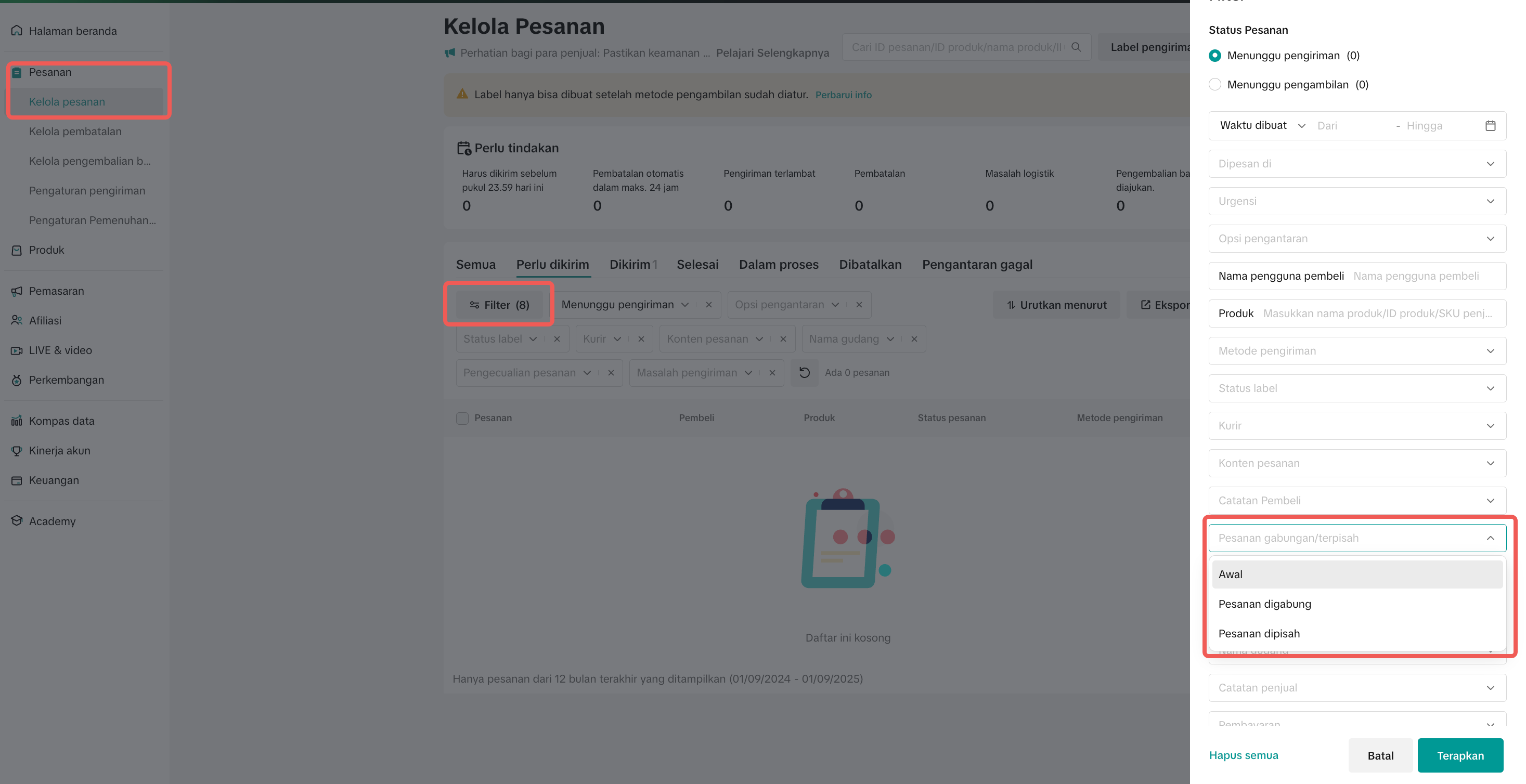
Review & Fulfillment – Combined vs Split
To review combined orders:
| To review split orders:
|
 | |
Common Mistakes & How to Avoid Them
Mistake | Impact | How to Avoid |
| Combining orders with different shipping couriers | Orders can’t be fulfilled properly, delays may occur | Double-check that all orders use the same courier and shipping option before combining |
| Trying to combine COD orders | Combination will fail, and processing is blocked | Only combine non-COD orders as COD is not supported for combining |
| Forgetting to check weight/size limit before combining | Courier may reject the package | Review the courier’s max weight/volume limit before confirming combine action |
| Splitting orders unnecessarily | Adds workload and multiple tracking points | Only split when operationally needed (e.g., stock delay, different warehouses) |
| Forgetting to update fulfillment status on split packages | Causes confusion in tracking and buyer communication | Treat each split package as a separate order — fulfill them individually |
| Not informing team of split/combine actions | Misalignment in packing and shipping | Use internal notes or tags to flag combined/split orders for your ops team |
Go to Seller Center > Manage OrdersUse the Combine Orders or Split Order tools to optimize your packing flow today.