

Shoppable Video: Turn Your Content into Conversions
10/02/2025
Hi, Seller!
Looking to make your videos more than just engaging? With Shoppable Video, you can inspire buyers, create content easily, and turn views into real sales—all within Tokopedia and TikTok Shop Seller Center.
This feature helps you:
✅ Discover top-performing content
✅ Use templates to speed up production
✅ Upload and monitor performance—all in one place!





Looking to make your videos more than just engaging? With Shoppable Video, you can inspire buyers, create content easily, and turn views into real sales—all within Tokopedia and TikTok Shop Seller Center.
This feature helps you:
✅ Discover top-performing content
✅ Use templates to speed up production
✅ Upload and monitor performance—all in one place!
What Is Shoppable Video and How It Works
Shoppable Video is a built-in feature on Tokopedia and TikTok Shop Seller Center that allows you to create, upload, and manage short videos that directly promote your products.What It Looks like on Seller Center App | Key Function | What It Does |
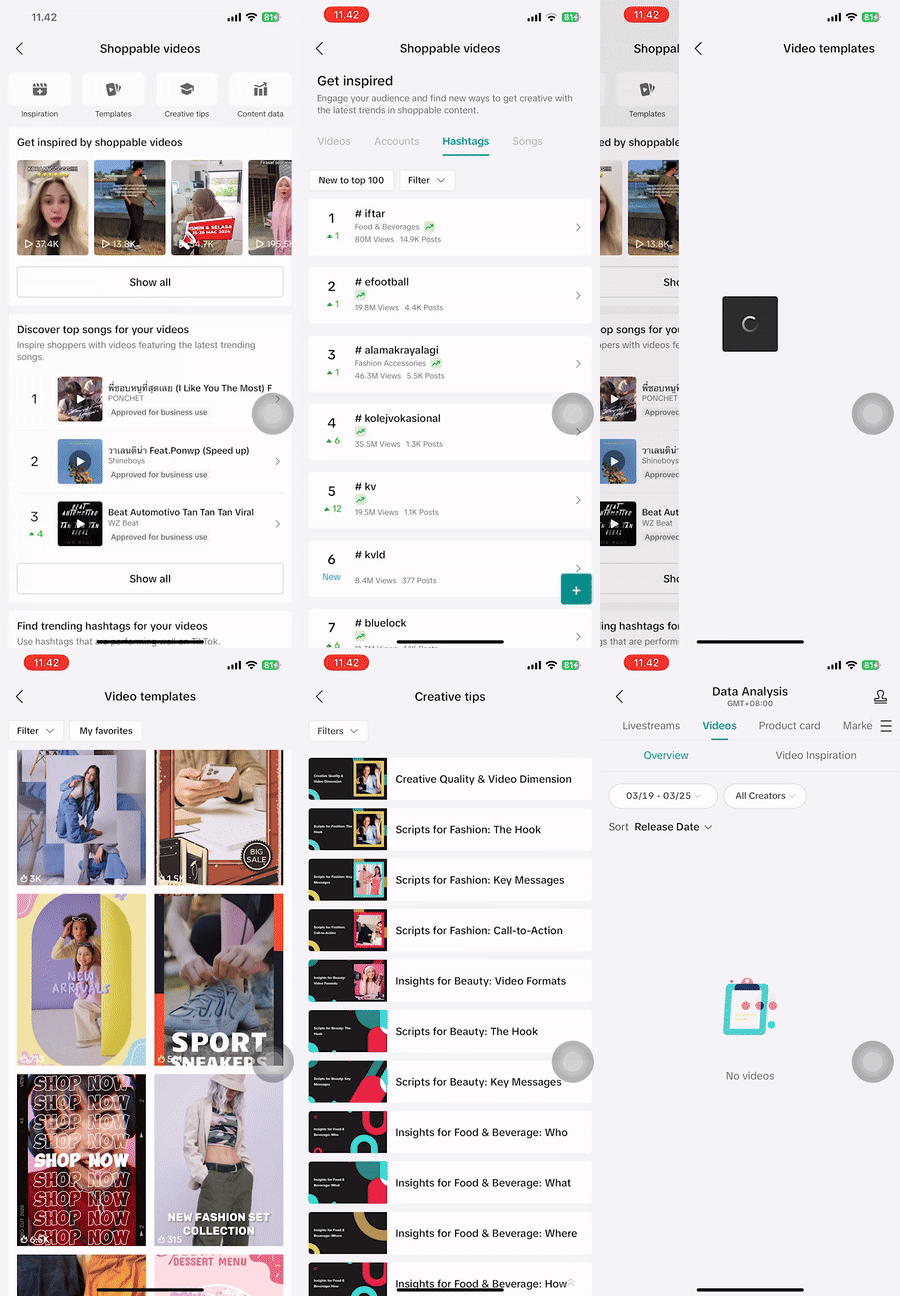 | Get Inspired | Browse trending videos, creators, hashtags, and music |
| Create Content | Use pre-built video templates to simplify creation | |
| Upload Videos | Upload directly from Seller Center via TikTok Web Upload | |
| LIVE Highlight | Turn your high-performing LIVE clips into short videos | |
| Monitor Results | Track performance with a dedicated analytics dashboard |
How to Use Shoppable Video
Here’s how to make the most of the feature:Step | Details |
| 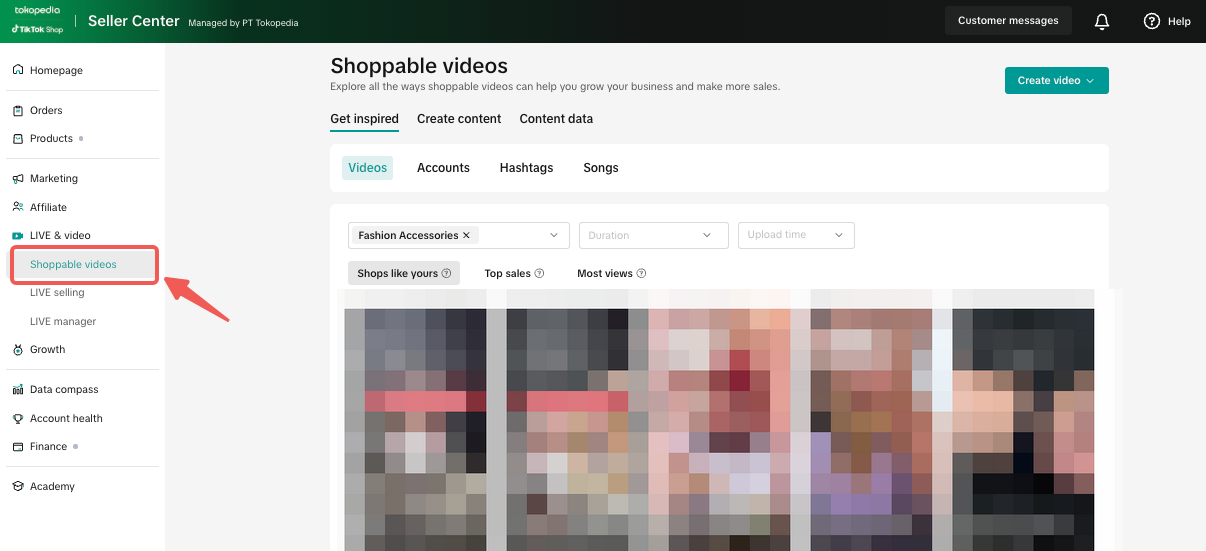 |
| 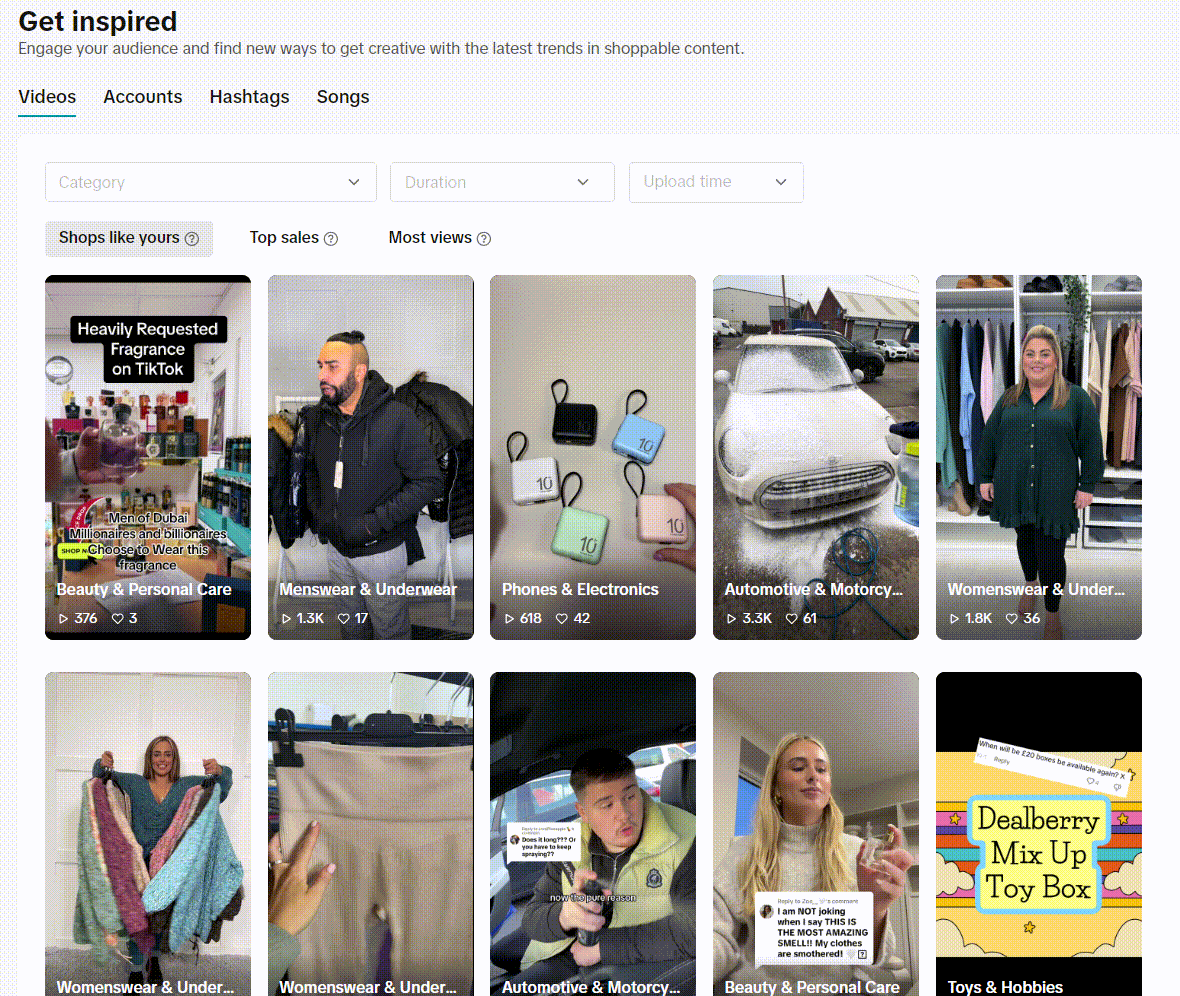 |
| 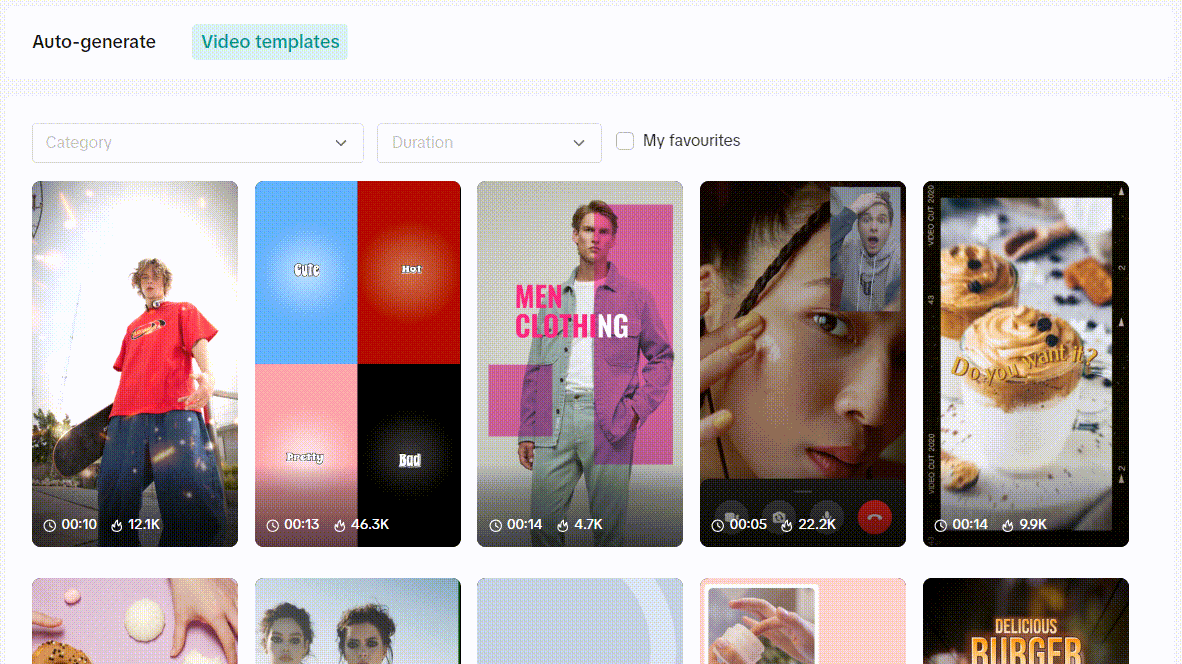 |
| 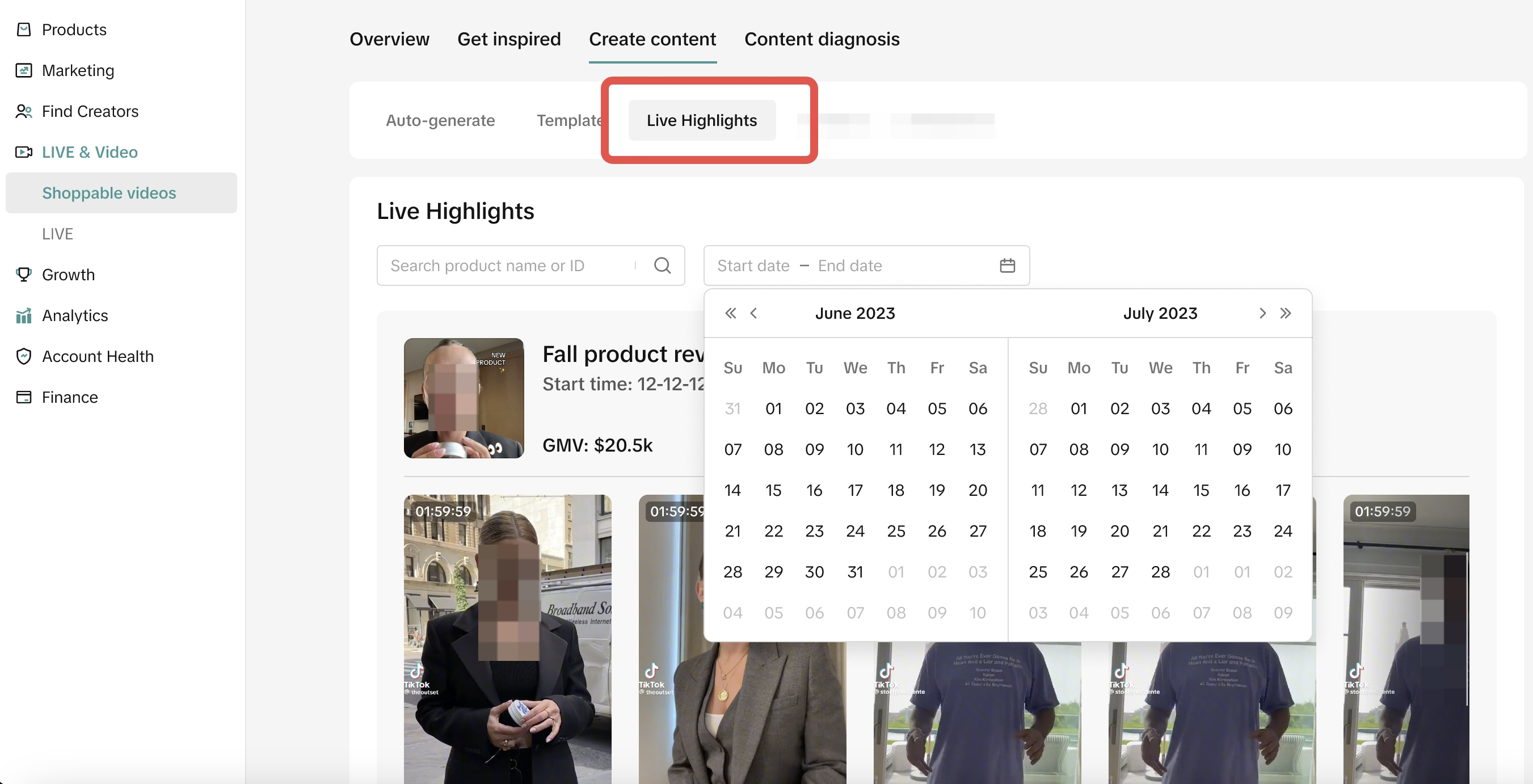 |
|  |
| 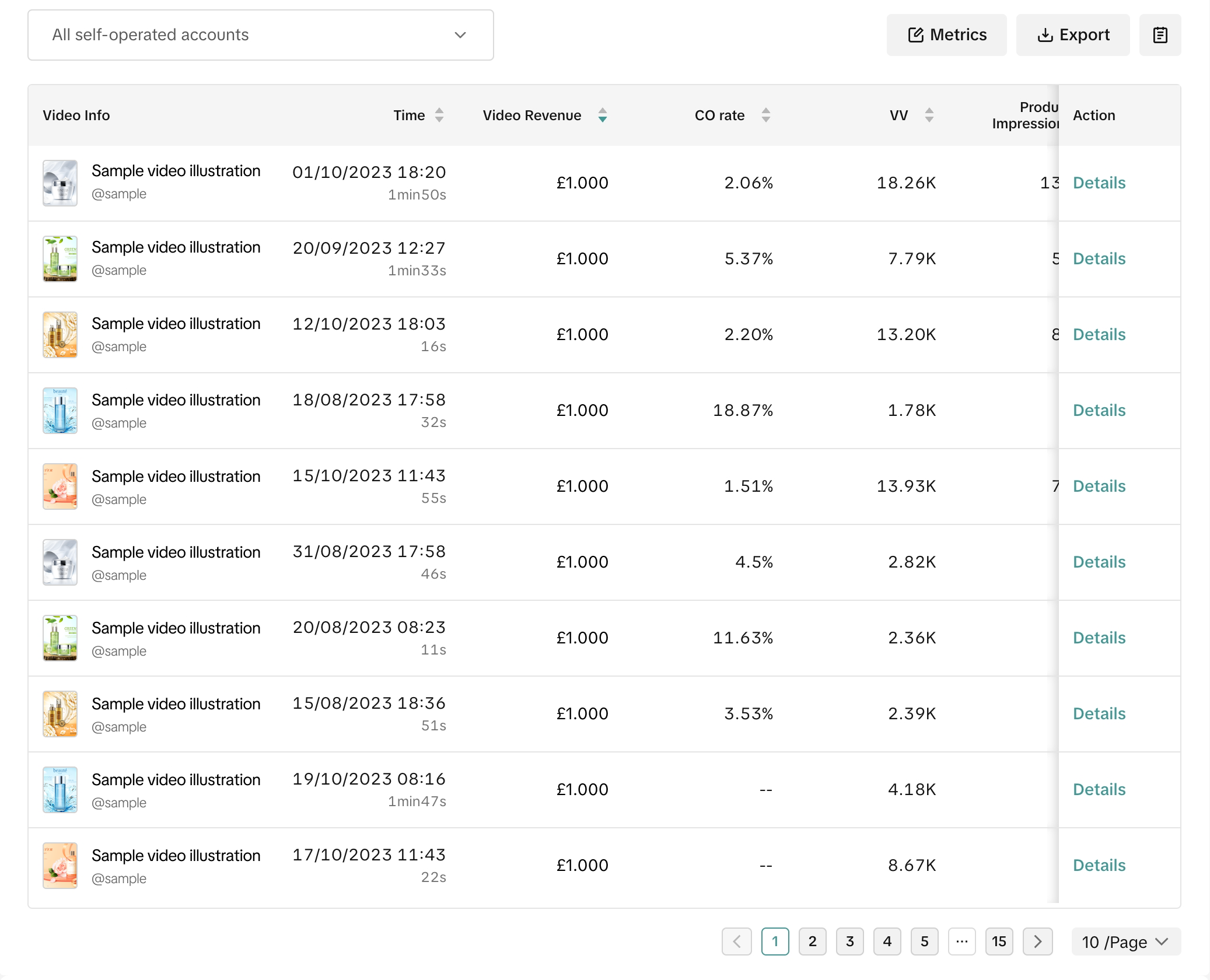 |
Mistakes to Avoid When Using Shoppable Video
Avoid these common missteps:Mistake | How to Fix It |
| Uploading without product tags | Always add product tags to enable checkout |
| Focusing only on views | Track conversion and GMV for true impact |
| Inconsistent uploads | Create a simple content calendar for regular posts |
| Ignoring LIVE Highlights | Reuse your best-performing LIVE clips as new content |
Get Started Today: Quick Action Plan
- Upload 2 new videos via Shoppable Video
- Create 1 video using a ready-made template
- Repurpose 1 LIVE Highlight into a short video
- Track views, GMV & conversion to improve content
- Use trending music & post near campaign periods
You may also be interested in
- 1 lesson
Short Video Overview
Introduction to creating short videos to promote products and engage with potential buyers.
- 4 lessons
Webinar Replays: Short Video
Watch the Short Video webinar and learn how to create engaging content easily!
- 2 lessons
Short Video Ideation
Creative strategies for generating ideas for your short videos that will resonate with your target a…
- 1 lesson
Do & Don'ts Short Video
Key tips on how to create effective short videos and avoid common pitfalls.
- 1 lesson
Short Video Preparation
Preparation techniques to ensure your short videos are impactful and well-received.
- 2 lessons
Short Video Best Practices
Techniques and tips for optimizing your short videos to increase engagement and conversion.