

The First Step You Must Know Before Going LIVE
09/18/2024
Hi Seller!
You know how important going LIVE can be to boost your sales, right? Now, it’s time for us to share the crucial first step you need to know before starting your LIVE session!
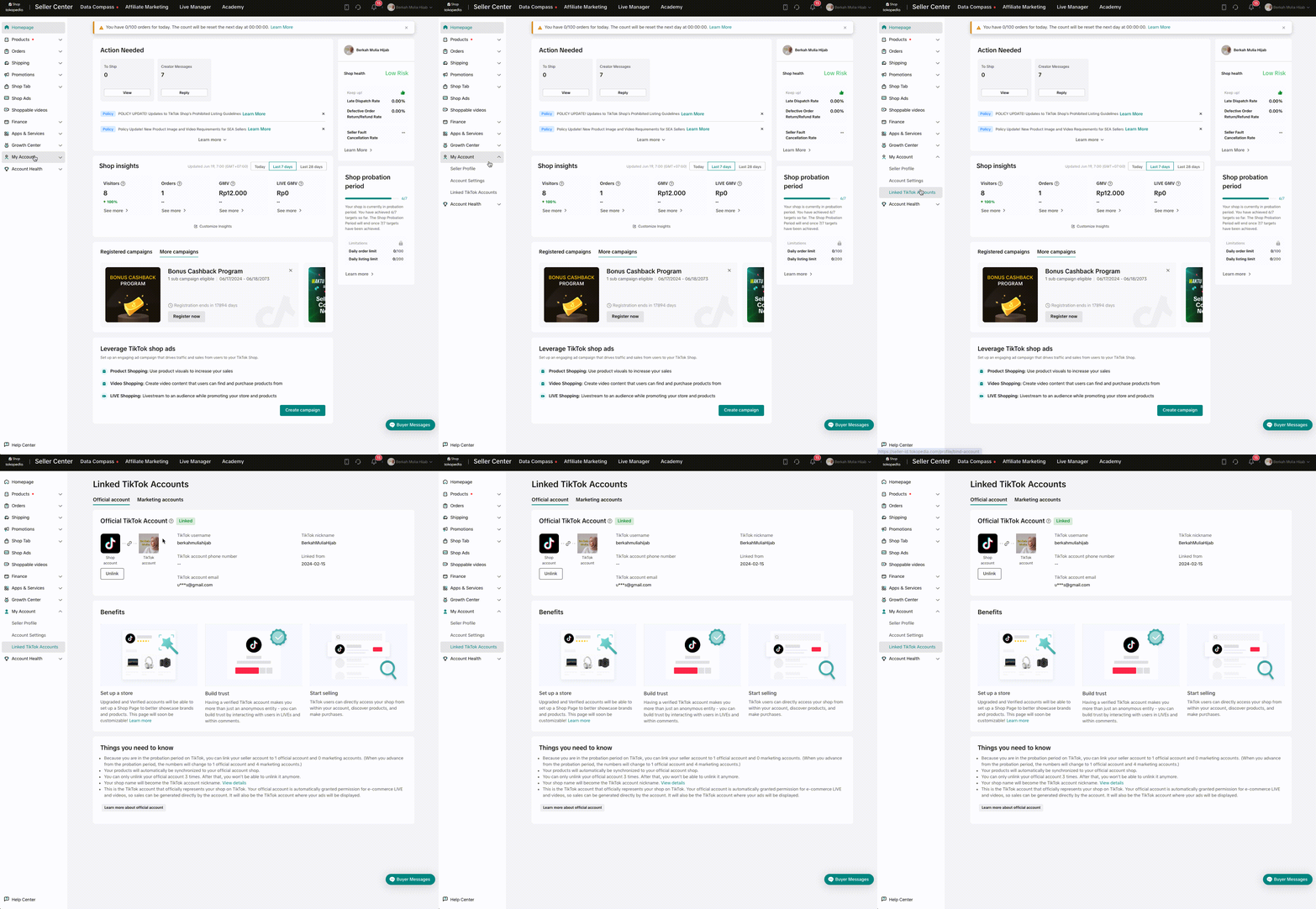
To gain access to Livestreaming and other e-commerce features, you need to link your TikTok account as a Shop Account. Once linked, you’ll be able to go live instantly, even without a minimum follower count!✅ How to checkSeller Center > My Account > Linked TikTok Accounts
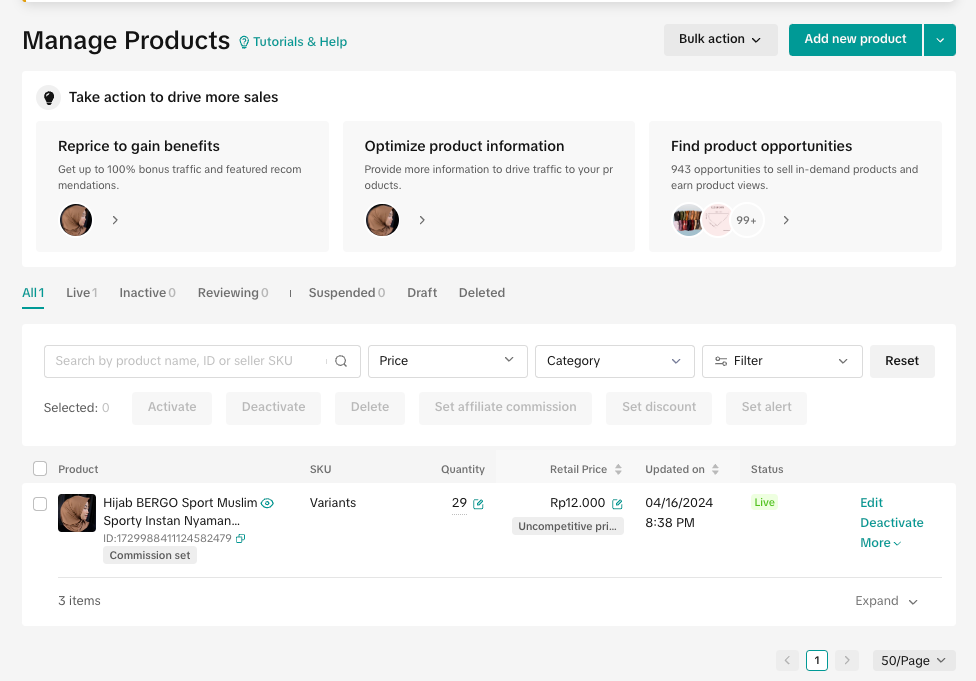 That's it, Seller! Those are the 2 key points you need to check before starting your LIVE session.
Up next, we’ll dive into other preparations such as setting up your space, LIVE equipment, scripts, and selecting the right products. Make sure to read through this course until the end, Seller!
You know how important going LIVE can be to boost your sales, right? Now, it’s time for us to share the crucial first step you need to know before starting your LIVE session!
Make Sure Your TikTok Account is Linked as a Business Account
To gain access to Livestreaming and other e-commerce features, you need to link your TikTok account as a Shop Account. Once linked, you’ll be able to go live instantly, even without a minimum follower count!✅ How to checkSeller Center > My Account > Linked TikTok Accounts
Make Sure You Already Have Products
That's it, Seller! Those are the 2 key points you need to check before starting your LIVE session.Up next, we’ll dive into other preparations such as setting up your space, LIVE equipment, scripts, and selecting the right products. Make sure to read through this course until the end, Seller!